
1. Уводзіны
This manual provides essential instructions for setting up, operating, and maintaining your PELADN HA-4 Mini PC. Please read this manual thoroughly before using the device to ensure proper function and longevity.
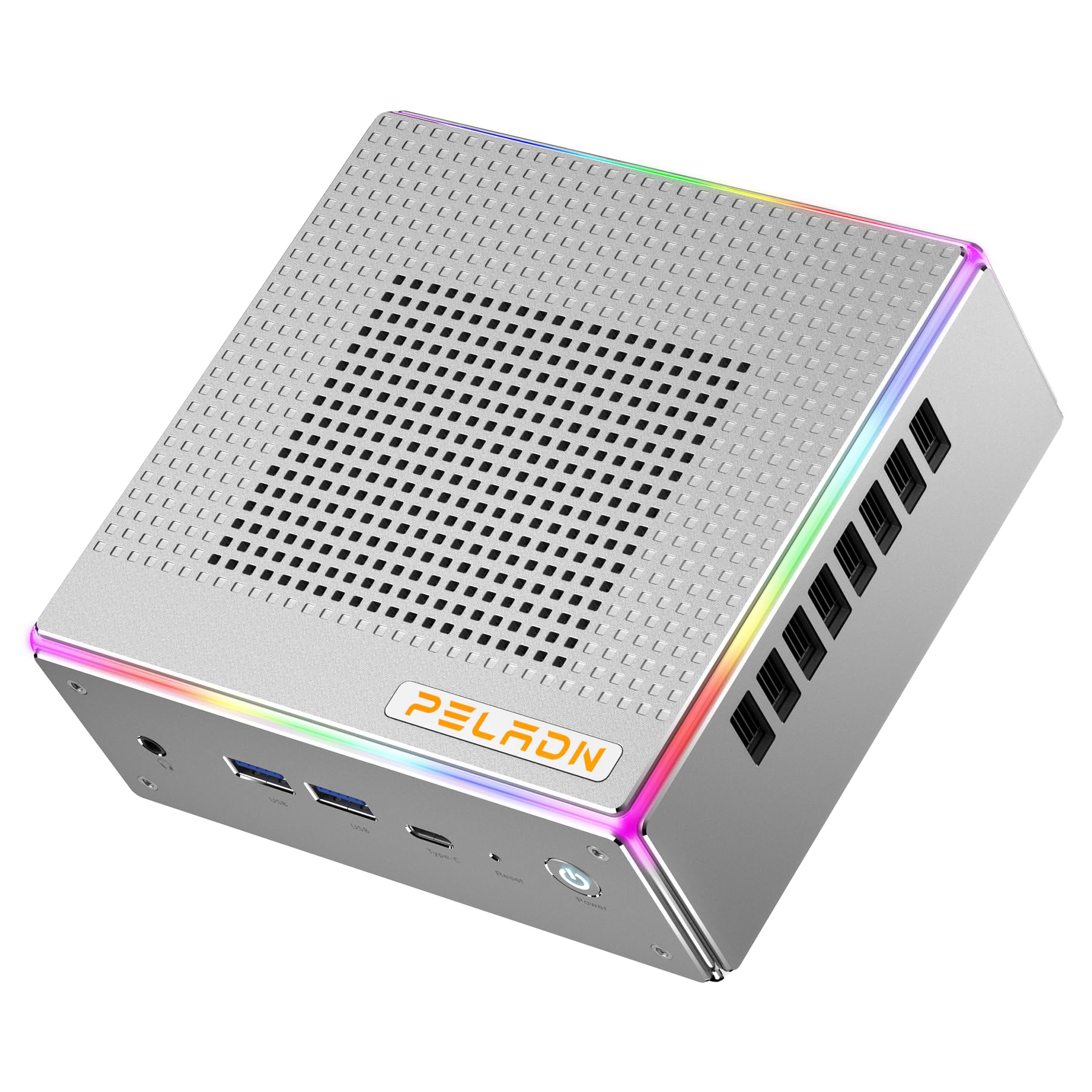
Выява: спераду view of the PELADN HA-4 Mini PC, showcasinг яго кампактны дызайн.
2. Інфармацыя па бяспецы
- Ensure the device is placed on a stable, flat surface with adequate ventilation.
- Do not expose the Mini PC to water, moisture, or extreme temperatures.
- Каб пазбегнуць пашкоджанняў, выкарыстоўвайце толькі прадастаўлены адаптар сілкавання.
- Пазбягайце адкрыцця casing unless performing authorized upgrades (e.g., RAM/SSD installation) as per instructions.
- Захоўваць у месцах, недаступных дзецям.
3. Змесціва ўпакоўкі
Праверце наяўнасць усіх прадметаў у камплекце:
- PELADN HA-4 Mini PC
- Адаптар сілкавання
- Кабель HDMI
- Кіраўніцтва карыстальніка (гэты дакумент)
- VESA Mount (optional, may vary by package)
4. Прадукт скончыўсяview
4.1 Парты пярэдняй панэлі

Image: Diagram illustrating the front and back ports of the PELADN HA-4 Mini PC.
- Audio Jack (HP&MIC): Для навушнікаў і мікрафона.
- 2 раздымы USB 3.2: High-speed data transfer for peripherals.
- Type-C (data & video): Versatile port for data, display, and power delivery.
- Reset (Clear CMOS): Button to clear CMOS settings.
- Кнопка харчавання: Каб уключыць або выключыць прыладу.
4.2 Парты на задняй панэлі
- Порт пастаяннага току: Для падлучэння адаптара сілкавання.
- Порт USB 2.0: Для падлучэння стандартных USB-прылад.
- Порт USB 3.2: Высокахуткасная перадача дадзеных.
- RJ45 LAN: 2.5G Ethernet port for wired network connection.
- HD Port x 2 (HDMI 2.0): For connecting displays.
- Кіраванне асвятленнем: Button to adjust RGB lighting.
5. Інструкцыі па ўсталёўцы
- Падключэнне перыферыйных прылад: Connect your monitor(s) using HDMI or Type-C cables. Plug in your keyboard, mouse, and any other USB devices into the available USB ports.
- Падключыце харчаванне: Insert the power adapter into the DC port on the rear panel, then plug the adapter into a power outlet.
- Уключэнне: Press the Power Button on the front panel. The system will boot up.
- Першапачатковая ўстаноўка: Выконвайце інструкцыі на экране, каб завяршыць наладу аперацыйнай сістэмы (напрыклад, Windows 11 Pro).

Image: The PELADN HA-4 Mini PC connected to a monitor and peripherals, ready for use.
6. Інструкцыя па эксплуатацыі
6.1 Уключэнне/выключэнне сілкавання
- Каб уключыць: Націсніце кнопку харчавання адзін раз.
- Каб выключыць: Click the Start menu in the operating system and select "Shut down." Alternatively, press and hold the Power Button for 5 seconds for a forced shutdown (not recommended for regular use).
6.2 Сеткавае падключэнне
- Правадное злучэнне: Connect an Ethernet cable to the RJ45 LAN port on the rear panel.
- Бесправадное падключэнне (Wi-Fi 6): Access network settings in your operating system, select your Wi-Fi network, and enter the password.
6.3 Triple Display Output
The PELADN HA-4 supports up to three 4K@60Hz displays simultaneously using its two HDMI 2.0 ports and one Type-C port (which supports video output).
- Connect your primary monitor to one of the HDMI ports.
- Connect your second monitor to the other HDMI port.
- Connect your third monitor to the Type-C port using a compatible Type-C to DisplayPort/HDMI adapter or cable.
- Adjust display settings within your operating system to extend or duplicate your desktop across the connected monitors.

Image: The PELADN HA-4 Mini PC connected to three monitors, demonstrating its triple display output capability.
7. Тэхнічнае абслугоўванне і мадэрнізацыя
7.1 Ачыстка
- Рэгулярна працірайце знешнія паверхні міні-ПК мяккай сухой тканінай.
- Use compressed air to clear dust from ventilation openings to maintain optimal airflow.
- Перад чысткай пераканайцеся, што прылада выключана і адключана ад сеткі.
7.2 Абнаўленне аператыўнай памяці і SSD
The PELADN HA-4 supports dual-channel DDR5-5600MHz RAM up to 64GB and a single M.2 2280 PCIe 4.0 SSD up to 2TB. Refer to the diagram below for component location.

Выява: Унутраная view of the PELADN HA-4 Mini PC, highlighting the dual-channel RAM slots and the M.2 SSD slot for upgrades.
Важна: Disconnect the power adapter before performing any internal upgrades. If you are unsure about the upgrade process, consult a qualified technician.
8. Выпраўленне непаладак
| праблема | Магчымая прычына | Рашэнне |
|---|---|---|
| Няма ўлады | Адаптар сілкавання не падключаны; праблема з разеткай. | Пераканайцеся, што адаптар сілкавання надзейна падключаны як да міні-ПК, так і да спраўнай разеткі. |
| Няма вываду дысплея | Monitor not connected; incorrect input source on monitor; faulty cable. | Check HDMI/Type-C cable connections. Ensure monitor is set to the correct input source. Try a different cable or monitor. |
| Wi-Fi не падключаецца | Incorrect password; router issue; driver problem. | Verify Wi-Fi password. Restart your router. Check device manager for Wi-Fi driver status. |
| System slow/unresponsive | Too many applications running; insufficient RAM/SSD space; overheating. | Close unnecessary applications. Check available storage. Ensure proper ventilation. Consider RAM/SSD upgrade if consistently slow. |
9. Тэхнічныя характарыстыкі
| Асаблівасць | Дэталь |
|---|---|
| мадэль | PELADN HA-4 |
| Працэсар | AMD Ryzen 7 7840HS (8C/16T, up to 5.1 GHz) |
| Графіка | Графіка AMD Radeon 780M |
| АЗП | 32GB DDR5-5600MHz (Dual Channel, upgradeable to 64GB) |
| Захоўванне | 1TB PCIe 4.0 SSD (M.2 2280, upgradeable to 2TB) |
| Відэавыхад | 2x HDMI 2.0, 1x Type-C (Triple 4K@60Hz output) |
| Сеткавыя сувязі | 2.5G LAN, Wi-Fi 6 (802.11ax), Bluetooth 5.2 |
| Парты USB | 2x USB 3.2 (Front), 1x USB 3.2 (Rear), 1x USB 2.0 (Rear), 1x Type-C (Front) |
| Аўдыё | 1x Audio Jack (HP&MIC) |
| Аперацыйная сістэма | Windows 11 Pro (папярэдне ўсталяваная) |
| Памеры | Прыблізна 7.56 х 7.56 х 3.82 цалі (упакоўка) |
| Вага | Прыбл. 3.76 фунта |

Выява: Зверхуview of the PELADN HA-4 Mini PC's core features including CPU, GPU, RAM, SSD, connectivity, and cooling.
10. Гарантыя і падтрымка
For warranty information and technical support, please refer to the warranty card included with your product or visit the official PELADN webсайт. Звярніцеся ў службу падтрымкі кліентаў па дапамогу па любых пытаннях, не апісаных у гэтым кіраўніцтве.