
1. Інструкцыі па тэхніцы бяспекі
Please read and understand all safety instructions before operating this device. Keep this manual for future reference.
- Крыніца харчавання: Падключыце amplifier only to the specified power supply (AC 110-240V or DC 12V/5A).
- Вентыляцыя: Забяспечце належную вентыляцыю вакол прылады. Не блакуйце вентыляцыйныя адтуліны.
- Вільготнасць: Не падвяргайце прыладу ўздзеянню дажджу, вільгаці або кропель/пырскаў вадкасцей.
- Цяпло: Трымайце прыладу далей ад крыніц цяпла, такіх як радыятары, абагравальнікі, пліты або іншыя прыборы, якія выпрацоўваюць цяпло.
- Уборка: Перад чысткай адключыце прыладу ад электрычнай разеткі. Выкарыстоўвайце толькі сухую тканіну.
- Абслугоўванне: Не спрабуйце самастойна абслугоўваць гэты прадукт. Звярніцеся да ўсіх абслугоўванняў кваліфікаванага абслуговага персаналу.
- Падключэнне дынаміка: Ensure correct polarity when connecting speakers to prevent damage.
2. Прадукт скончыўсяview
The WOOPKER AK55 is a versatile 2.0 channel stereo audio amplifier designed for home audio systems, karaoke, and home theater setups. It features multiple input options including Bluetooth 5.0, USB, RCA, AUX, Optical, and Coaxial, along with dual microphone inputs for karaoke functionality.
2.1 Асноўныя магчымасці
- Магутны выхад: RMS 70W x 2 rated power, with a maximum peak power of 450W + 450W.
- Упраўленне тонам: Independent Bass and Treble control knobs for sound customization.
- Bluetooth 5.0: Stable wireless audio streaming with a range of up to 30 feet (10 meters).
- Некалькі ўваходаў: USB, SD card, RCA, AUX, Optical, Coaxial, and FM radio.
- Функцыянальнасць караоке: Two microphone input jacks with adjustable microphone volume, echo, and delay.
- Кампактны дызайн: Suitable for small apartments, bedrooms, offices, and other spaces.
- Пульт дыстанцыйнага кіравання: Зручнае кіраванне на адлегласці.
2.2 Змест пакета

Image: Contents of the WOOPKER AK55 amplifier package, showing the amplifier unit, power cable, remote control, and user manual.
- 1x WOOPKER AK55 Stereo Audio Ampзадымнік
- 1x адаптар сілкавання
- 1x Пульт дыстанцыйнага кіравання
- 1x Кіраўніцтва карыстальніка
2.3 Пярэдняя панэльview

Image: Detailed diagram of the AK55 amplifier's front panel, labeling all knobs, buttons, and ports.
- Выключальнік сілкавання: Уключае або выключае прыладу.
- Басовая ручка: Рэгулюе нізкачастотны аўдыёвыхад.
- Ручка высокіх частот: Рэгулюе гучнасць высокачастотнага гуку.
- Порт USB: Для прайгравання з USB-флэшкі.
- Слот для SD-карты: Для прайгравання з SD-карты.
- Святлодыёдны дысплей: Shows current input mode and other information.
- Функцыянальныя кнопкі: Control playback (Play/Pause, Next/Previous Track), input mode selection.
- Гняздо AUX: Дапаможны ўваход 3.5 мм.
- Асноўны аб'ём: Controls the overall audio output level.
- Гучнасць мікрафона: Рэгулюе гучнасць падлучаных мікрафонаў.
- Уваходныя раздымы для мікрафона (MIC1, MIC2): Падключыце мікрафоны для караоке.
- Ручка рэха: Adjusts the echo effect for microphone audio.
- Ручка затрымкі: Adjusts the delay effect for microphone audio.
2.4 Задняя панэльview

Image: Detailed diagram of the AK55 amplifier's back panel, showing all input/output ports and power connections.
- OPT/COAX Input: Optical and Coaxial digital audio inputs.
- FM-антэна: Connection for the FM radio antenna.
- Аўдыёўваход/выхад (RCA): Stereo RCA input and output jacks.
- Выхад на дынамік: Terminals for connecting passive speakers (4Ω-16Ω).
- Уваходная сілкаванне пастаяннага току 12 В/5 А: For external DC power supply.
- Уваходнае напружанне пераменнага току 90-240 В: For AC power connection.
3. Настройка
3.1 Падключэнне дынамікаў
Image: Diagram illustrating how to connect passive speakers to the AK55 ampвыхадныя клемы дынамікаў Liferier.
- Before connecting speakers, identify the positive (+) and negative (-) terminals on both the amplifier and your speakers. The positive terminal is typically red, and the negative terminal is black.
- Націсніце зашпільку на задняй частцы АК55 amplifier's speaker output terminals and insert the bare speaker wires. Ensure a secure connection and correct polarity.
- Connect the other end of the speaker wires to your passive speakers, matching positive to positive and negative to negative.
- Увага: Пазбягайце падключэння і адключэння USB-назапашвальнікаў, SD-карт, аўдыёкабеляў RCA або кабеляў дынамікаў падчас amplifier уключаны.
3.2 Падключэнне аўдыёкрыніц
АК55 amplifier supports various audio input methods:
- Bluetooth: For wireless connection from smartphones, tablets, or computers.
- USB/SD-карта: For direct playback of audio files from USB flash drives or SD cards.
- RCA/AUX: For connecting traditional audio devices like CD/DVD players, TVs, or other analog sources.
- Аптычны/кааксіяльны: For connecting digital audio sources like modern TVs or game consoles.
- FM-радыё: Built-in tuner for radio broadcasts.
3.3 Падключэнне харчавання
- Connect the provided power adapter to the AC 90-240V power input on the back of the ampзадымнік.
- Падключыце адаптар сілкавання да адпаведнай разеткі.
- Alternatively, for DC power, connect a 12V/5A DC power source to the DC 12V/5A input.
4. Інструкцыя па эксплуатацыі
4.1 Уключэнне/выключэнне сілкавання
Націсніце Выключальнік харчавання на пярэдняй панэлі, каб уключыць ampуключаны або выключаны індыкатар. Святлодыёдны дысплей загараецца, калі прылада ўключана.
4.2 Выбар уводу
Націсніце Рэжым button on the front panel or remote control to cycle through available input sources: Bluetooth, USB, SD, AUX, Optical, Coaxial, FM.
4.3 Рэгулятар гучнасці
Павярніце вялікі Галоўны том knob on the front panel clockwise to increase volume and counter-clockwise to decrease it. You can also use the volume buttons on the remote control.
4.4 Рэгуляванне тону

Image: Close-up of the AK55 amplifier's front panel, highlighting the Bass and Treble adjustment knobs.
- Павярнуць Басовая ручка to increase or decrease low-frequency sounds.
- Павярнуць Высокая ручка to increase or decrease high-frequency sounds.
4.5 Спалучэнне па Bluetooth

Image: A smartphone screen showing Bluetooth settings, with the AK55 amplifier listed as an available device for pairing.
- Выберыце Bluetooth mode using the Mode button. The LED display will show "BLUE" and flash, indicating it's in pairing mode.
- На вашай прыладзе (смартфоне, планшэце і г.д.) уключыце Bluetooth і знайдзіце даступныя прылады.
- Select "AK55" from the list of devices to pair.
- Once paired, the LED display will stop flashing, and you can stream audio wirelessly.
4.6 Прайграванне з USB/SD-карты
- Устаўце флэш-назапашвальнік USB або SD-карту з аўдыё fileу адпаведны порт/слот.
- Выберыце USB or SD mode using the Mode button. The amplifier аўтаматычна пачне прайграваць аўдыё files.
- Выкарыстоўвайце Функцыянальныя кнопкі (Play/Pause, Next/Previous Track) on the front panel or remote control to manage playback.
4.7 Функцыі мікрафона і караоке

Image: Two individuals singing into microphones connected to the AK55 amplifier, demonstrating its karaoke feature.
- Падключыце да двух мікрафонаў MIC1 і MIC2 ўваходныя гнязда.
- Адрэгулюйце гучнасць мікрафона з дапамогай Аб'ём мікрафона ручка.
- Выкарыстоўвайце Ручка рэха to add an echo effect to your voice.
- Выкарыстоўвайце Ручка затрымкі to adjust the delay of the echo effect.
Праца з радыё 4.8 FM
- Connect the FM antenna to the FM ANT port on the back panel.
- Выберыце FM mode using the Mode button.
- Выкарыстоўвайце Наступны/Папярэдні трэк buttons to scan for radio stations.
4.9 Пульт дыстанцыйнага кіравання
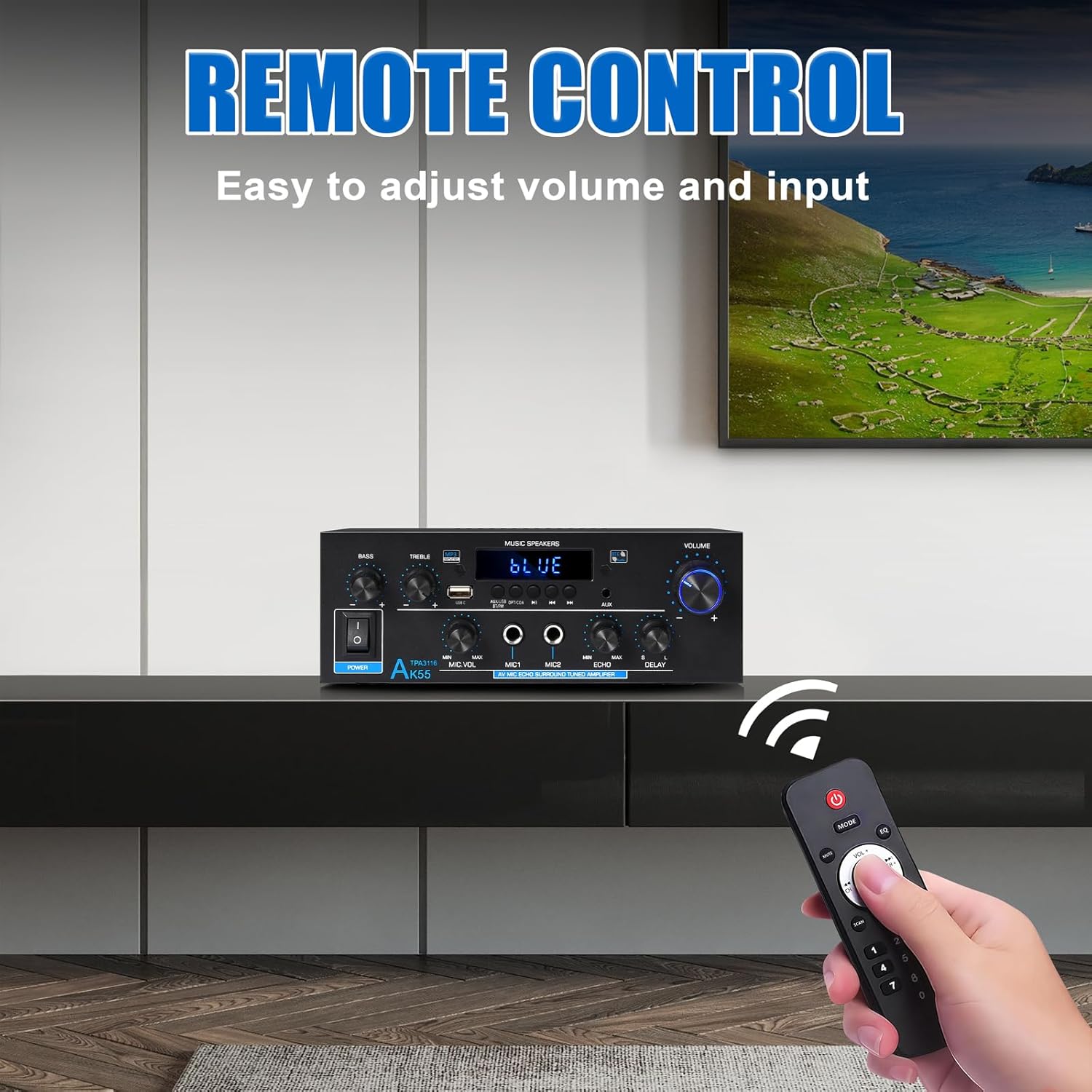
Image: The remote control for the AK55 amplifier, showing buttons for power, mode, volume, track control, and numeric input.
У камплекце ёсць пульт дыстанцыйнага кіравання, які дазваляе зручна кіраваць amplifier from a distance. Functions include power on/off, input mode selection, volume adjustment, track control (for USB/SD/Bluetooth), and FM station tuning.
5. Тэхнічнае абслугоўванне
- Уборка: Выкарыстоўвайце мяккую сухую тканіну для ачысткі вонкавага боку ampНе выкарыстоўвайце вадкія ачышчальнікі або аэразолі.
- Вентыляцыя: Перыядычна правярайце вентыляцыйныя адтуліны на наяўнасць пылу і смецця.
- захоўванне: Калі прылада захоўваецца працяглы час, адключыце яе ад электрасеткі і захоўвайце ў прахалодным, сухім месцы.
6. Выпраўленне непаладак
| праблема | Магчымая прычына | Рашэнне |
|---|---|---|
| Няма ўлады | Power cable not connected; Power switch off; Outlet malfunction | Check power cable connection; Ensure power switch is ON; Test outlet with another device. |
| Няма выхаду гуку | Incorrect input selected; Volume too low; Speaker wires loose/incorrectly connected; Audio source issue | Select correct input mode; Increase Master Volume; Check speaker wire connections and polarity; Verify audio source is playing. |
| Bluetooth не спалучаецца | Amplifier not in pairing mode; Device Bluetooth off; Device too far | Забяспечыць amplifier is in Bluetooth mode (LED flashes); Enable Bluetooth on your device; Move device closer to ampвыратавальнік (у межах 10 м). |
| USB/SD-карта не прайграваецца | Incorrect input selected; Incompatible file format; Corrupted media | Select USB/SD input; Ensure audio files are compatible (e.g., MP3); Try a different USB/SD card. |
| Не працуе мікрафон | Mic not connected; Mic Volume too low; Mic switch off | Ensure microphone is securely plugged in; Increase Mic Volume; Check if microphone has an on/off switch. |
7. Тэхнічныя характарыстыкі
| Асаблівасць | Спецыфікацыя |
|---|---|
| Марка | ВУПКЕР |
| Нумар мадэлі | AK55-US |
| Выхадная магутнасць (RMS) | 70W х 2 |
| Пікавая магутнасць | 450W + 450W |
| Канфігурацыя канала аб'ёмнага гуку | Канал 2.0 |
| Тэхналогія падлучэння | Bluetooth 5.0, RCA, Auxiliary, USB, Optical, Coaxial |
| Сумяшчальныя прылады | Smartphone, Computers, CD Player, Tablet, Passive Speakers |
| Імпеданс дынаміка | 4-16 Ом |
| Вага прадмета | 2.02 фунта (0.92 кілаграма) |
| Памеры ўпакоўкі | 9.92 х 8.94 х 3.82 цалі |
| Увод магутнасці | Пераменны ток 90-240 В або пастаянны ток 12 В/5 А |
8. Гарантыя і падтрымка
For warranty information and technical support, please refer to the contact details provided with your purchase or visit the official WOOPKER webсайт. Захоўвайце чэк аб куплі як пацвярджэнне пакупкі ў выпадку любых гарантыйных прэтэнзій.