The AEEZO Digital Picture Frame PF107 offers a modern way to display and share your cherished photos and videos. Featuring a 10.1-inch 1280x800 IPS touch screen, it provides clear visuals and intuitive navigation. With built-in Wi-Fi, you can easily share media directly from your smartphone using the AiMOR app. The frame includes 16GB of internal storage and supports auto-rotation for flexible display options.
Figure 1: AEEZO Digital Picture Frame PF107 in black, displaying a photo of a mother and child.
2. Кіраўніцтва па наладцы
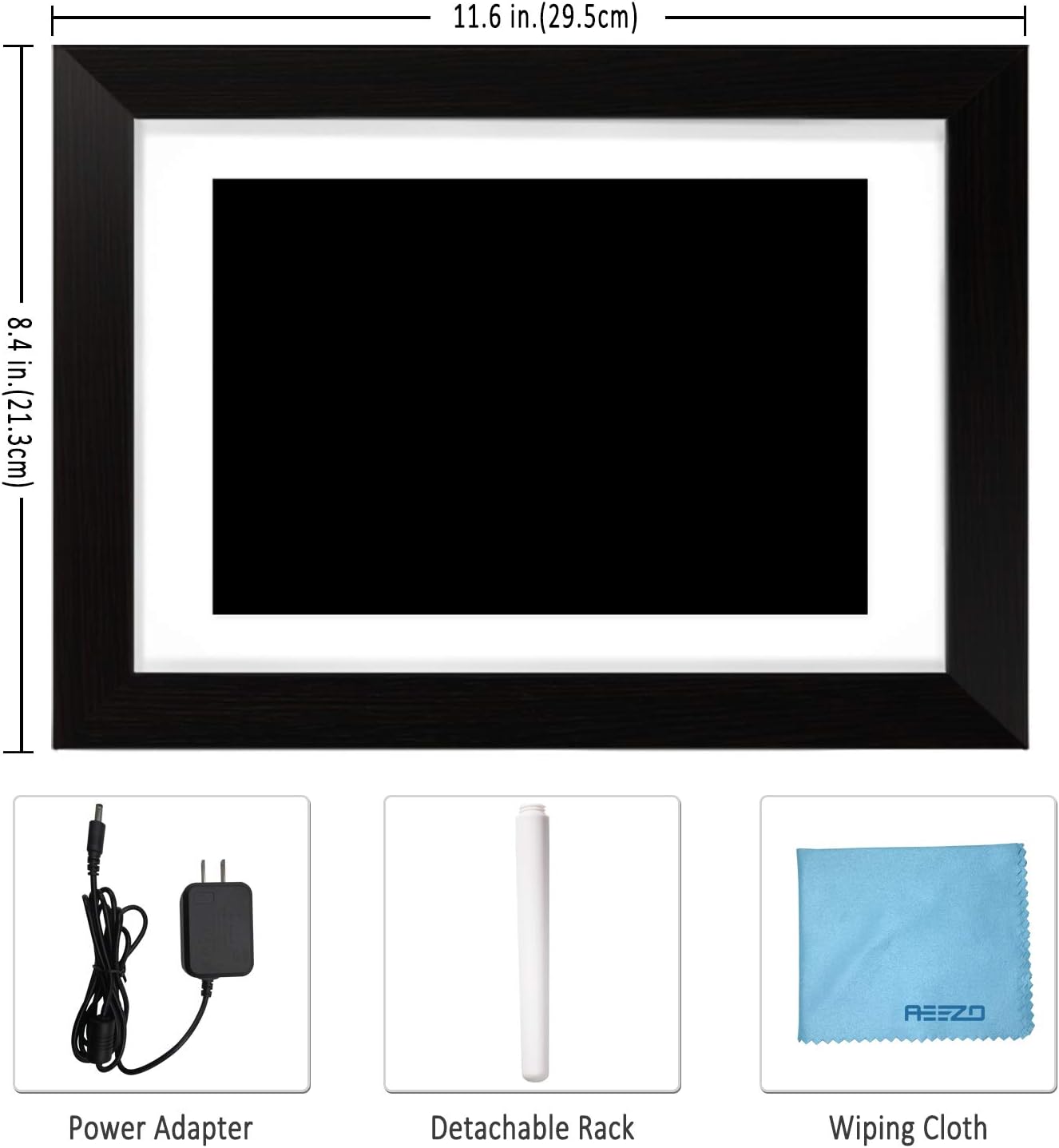
2.1. Змесціва ўпакоўкі
Перад пачаткам пераканайцеся, што ўсе кампаненты прысутнічаюць у камплекце:
AEEZO Digital Picture Frame PF107
Адаптар сілкавання
Здымная падстаўка
Анучка для працірання
Кіраўніцтва карыстальніка (гэты дакумент)
Figure 2: Included accessories: power adapter, detachable stand, and wiping cloth.
2.2. Падключэнне сілкавання
Locate the power adapter.
Connect the power adapter cable to the DC port on the back of the frame.
Падключыце адаптар да звычайнай электрычнай разеткі.
The frame will automatically power on.
Video 1: Demonstrates connecting the power adapter to the digital picture frame and its flexible stand for horizontal and vertical display.
2.3. Initial Wi-Fi and App Setup
Upon first power-on, follow the on-screen prompts to select your language and connect to a Wi-Fi network.
Download the "AiMOR" app on your Android or iOS smartphone. Пошук "AiMOR" in the Google Play Store or Apple App Store.
Open the AiMOR app and create an account.
On the frame, navigate to the "Add Friend" or "My Frame" section to obtain a unique code.
In the AiMOR app, enter this code to link your smartphone with the digital picture frame.
Figure 3: The AiMOR app facilitates easy photo and video sharing with the frame.
2.4. Stand and Mounting Options
The detachable stand allows for both horizontal (landscape) and vertical (portrait) orientation. Simply insert the stand into the appropriate slot on the back of the frame. The frame also features mounting holes for wall installation (screws not included).
3. Інструкцыя па эксплуатацыі
3.1. Sharing Photos and Videos
Once your frame is connected to the AiMOR app, you can share photos and short videos (up to 15 seconds) directly from your smartphone. The frame supports unlimited photo uploads. You can also invite friends and family to share their moments by providing them with your frame's unique code.
Праз праграму AiMOR: Select photos/videos in the app and send them to your linked frame. Note that some advanced batch upload features may require a yearly subscription.
Via USB/SD Card: Insert a USB drive or SD card into the designated slots on the frame to import media directly.
Figure 4: Family members sharing photos and videos to the frame via the AiMOR app.
3.2. Touch Screen Navigation and Settings
The 10.1-inch IPS touch screen allows for easy interaction with the frame's features:
Правядзіце пальцам: Swipe left or right to navigate through photos and videos.
Націсніце: A quick tap on a photo will reveal options for managing the media.
Доўгі націск: A longer press on a photo may bring up additional editing or deletion options.
Key settings accessible via the touch screen include:
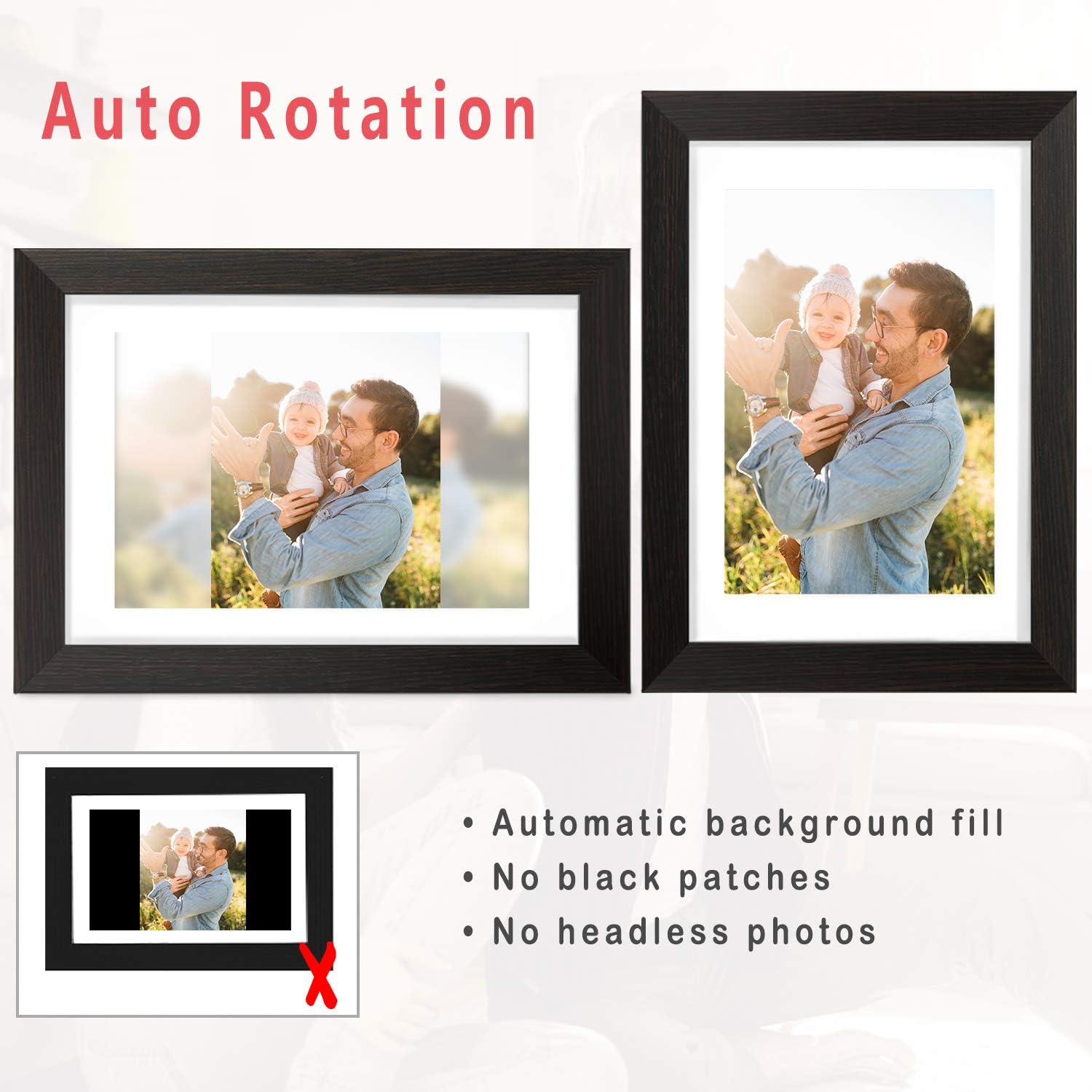
Наладзіць фота: Rotate or zoom photos to fit the frame.
Fill Frame/Automatic: Choose to fill the entire screen or automatically adjust the photo with a blurred background for non-standard aspect ratios.
Галерэя: Access all stored photos and videos.
Плэйліст: Manage the order and selection of media in your slideshow.
Хуткія налады: Adjust brightness, sleep mode, display order, and other preferences.
Figure 5: The auto-rotation feature automatically adjusts photos to fit the frame, filling backgrounds to avoid black bars.
3.3. Рэжымы адлюстравання і налады
Наладзьце свой viewing experience with various display options:
Інтэрвал слайд-шоў: Set the duration each photo is displayed.
Эфекты пераходу: Choose from different visual transitions between photos.
Caption Display: Enable or disable captions for photos.
Clock and Weather: Display current time and weather information on the screen.
Рэжым сну: Schedule the frame to automatically turn off and on at specific times to conserve energy.
Video 3: Demonstrates various display settings, including clock styles, music playback, and general frame controls.
4. Тэхнічнае абслугоўванне
4.1. Cleaning the Frame
Use the provided soft wiping cloth to gently clean the screen and frame. Avoid using abrasive cleaners or sprays directly on the screen.
4.2. Кіраванне сховішчам
The frame comes with 16GB of internal storage. For additional storage or to transfer large batches of photos, you can use a USB drive or SD card. Ensure proper ejection of external storage devices to prevent data corruption.
5. Выпраўленне непаладак
5.1. Frame Not Powering On
Пераканайцеся, што адаптар сілкавання надзейна падключаны як да рамы, так і да спраўнай электрычнай разеткі.
Праверце працаздольнасць разеткі, падключыўшы да яе іншую прыладу.
5.2. Праблемы з падключэннем да Wi-Fi
Check if your Wi-Fi network is active and within range.
Restart the frame and your Wi-Fi router.
Пераканайцеся, што ўведзены пароль Wi-Fi правільны.
5.3. Photos Not Displaying Correctly
Check the photo resolution and aspect ratio. Use the "Adjust Photo" or "Fill Frame" options.
Ensure the photo files are in a supported format (e.g., JPEG, PNG).
If using external storage, ensure the files не пашкоджаны.
5.4. App Connection Problems
Ensure both your smartphone and the frame are connected to the internet.
Verify that the AiMOR app is updated to the latest version.
Re-link the frame with the app using the unique code if the connection is lost.
5.5. Sleep Mode Malfunction
If the sleep timer is not functioning as expected (e.g., frame not waking up), double-check the time zone and sleep timer settings in the Quick Settings menu.
If the issue persists, a factory reset may be necessary, but note this will erase all data.
5.6. Power Disconnection Warning
If a "Never disconnect power when Frameo is running" message appears, it indicates an unexpected power interruption. This can occur due to power surges or accidental unplugging.
Always use the power button on the device to turn the frame off before disconnecting power to prevent potential issues.
5.7. Праблемы з праграмным забеспячэннем
If the frame displays messages like "Frameo has stopped working," try restarting the device.
Ensure the frame's firmware is updated to the newest version via the settings menu.
6. Тэхнічныя характарыстыкі
Асаблівасць
Дэталь
Памеры прадукту
11.46 х 8.3 х 0.99 цалі
Вага прадмета
2.94 фунта
Нумар мадэлі
AEEZO Memory 01 Black (PF107)
Марка
АЭЗО
Колер
Чорны
дазвол
1280x800 IPS HD Display
Памер экрана
10.1 цалі
Унутраная памяць
16 ГБ
Сумяшчальныя прылады
Smartphone (Android & iOS via AiMOR App)
Сувязь
Wi-Fi, USB, SD Card
7. Гарантыя і падтрымка
The AEEZO Digital Picture Frame PF107 typically includes a 1-year free warranty. Please refer to the instruction on the Thank You Card included in your package to activate your warranty within 14 days of receiving the product.
For technical support or warranty claims, please contact AEEZO customer service through their official webсайт або прадаўца, дзе быў набыты тавар.