
Уводзіны
This manual provides detailed instructions for setting up and operating your Majority Frameo Snap10 WiFi Digital Picture Frame. This 10.1-inch digital frame allows you to display photos and videos shared via the Frameo app, offering a convenient way to share memories with family and friends. It features a touchscreen, 32GB of internal storage, auto-rotate functionality, and a motion sensor for efficient use.

The Majority Frameo Snap10 Digital Picture Frame, showcasing a family photo on its 10.1-inch screen.
Што ў скрынцы
Калі ласка, праверце змесціва пакета, каб пераканацца ў наяўнасці ўсіх прадметаў:
- Majority Frameo Snap10 Digital Picture Frame
- Падстаўка
- Адаптар сілкавання
- Пульт дыстанцыйнага кіравання
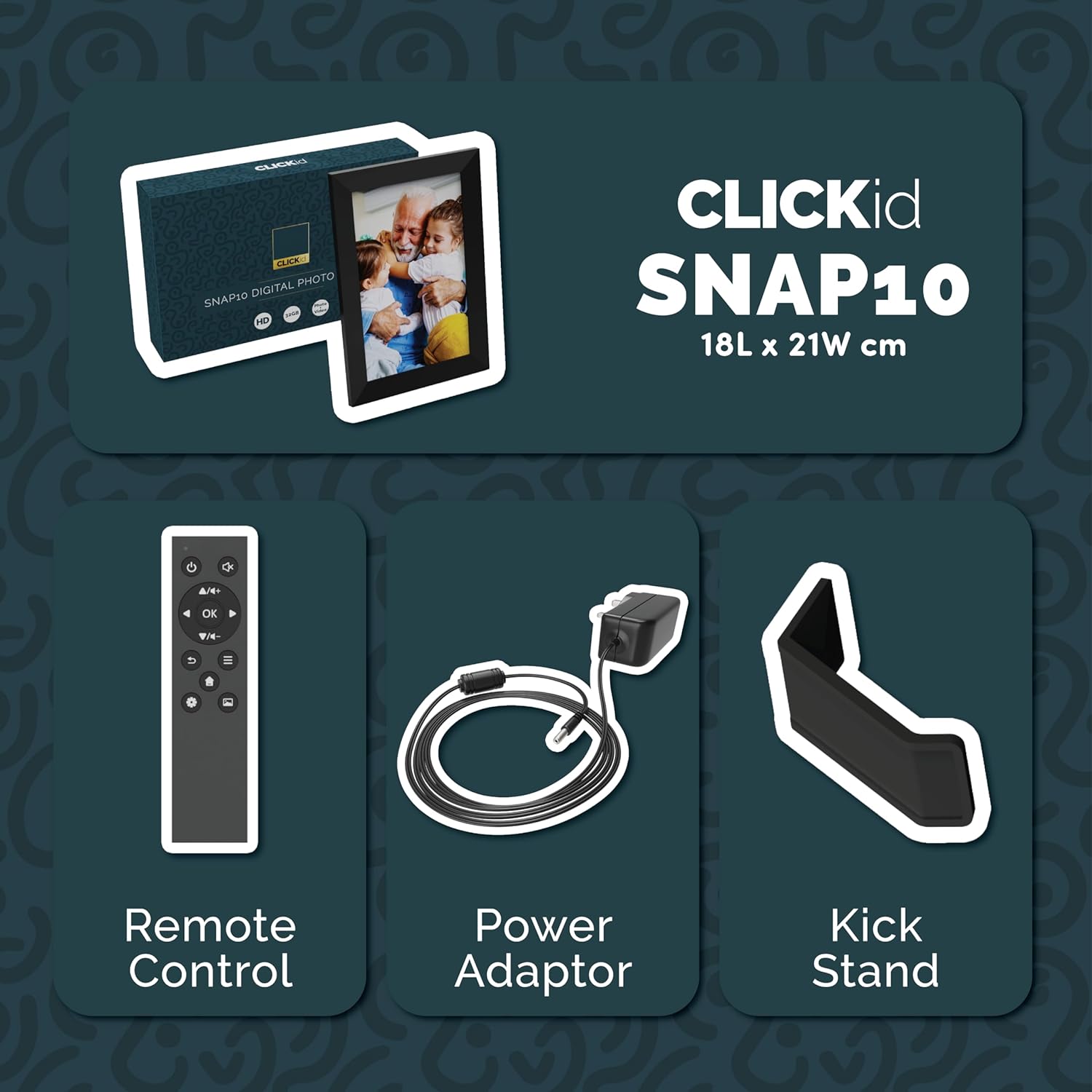
Included accessories: Remote Control, Power Adapter, and Kickstand.
Кіраўніцтва па ўстаноўцы
- Распакаваць рамку: Carefully remove the digital picture frame and all accessories from the packaging.
- Attach the Kickstand: Insert the kickstand into the designated slot on the back of the frame. The frame supports both horizontal and vertical orientations.
- Падключыце харчаванне: Plug the power adapter into the DC port on the back of the frame, then connect it to a power outlet. The frame will automatically power on.
- Першапачатковая ўстаноўка: Выконвайце інструкцыі на экране, каб выбраць мову, гадзінны пояс і падключыцца да сеткі Wi-Fi.
- Install Frameo App: Download the "Frameo" app from your smartphone's app store (available for iOS and Android).
- Connect Frame to App: Open the Frameo app and create an account. On your digital frame, tap "Add Friend" to get a unique code. Enter this code into the Frameo app on your smartphone to link the devices.

The back of the frame features essential ports for power, USB, and Micro SD card.
Інструкцыя па эксплуатацыі
Sending Photos and Videos
Once your frame is connected to the Frameo app, you can easily send photos and short videos from your smartphone.
- Адкрыйце праграму Frameo на вашым смартфоне.
- Выберыце фатаграфіі або відэа, якія вы хочаце адправіць.
- Choose the connected digital frame as the recipient.
- Add a caption if desired, then tap "Send."

The Frameo app simplifies photo and video uploads from your smartphone.
Выкарыстанне сэнсарнага экрана
The 10.1-inch LCD touchscreen allows for intuitive navigation. Swipe left or right to browse photos, tap to view options, and pinch to zoom.
Функцыі дыстанцыйнага кіравання
The included remote control provides convenient access to various frame functions from a distance.
- Навігацыя: Use arrow keys to move through menus and photos.
- ОК/Увядзіце: Пацвердзіце выбар.
- Назад: Вярнуцца да папярэдняга экрана.
- Прайграванне/Паўза: Control slideshows or video playback.
- Аб'ём: Adjust audio for videos.

The included remote control for convenient operation.
Датчык руху
The integrated motion sensor can be enabled to automatically turn the display on when movement is detected and off when the area is vacant, conserving energy. This setting can be adjusted in the frame's system settings.
Функцыя аўтаматычнага павароту
The frame automatically adjusts the photo orientation (portrait or landscape) based on how the frame is positioned. Ensure the auto-rotate feature is enabled in the settings for optimal display.

The auto-rotate feature adjusts display based on frame orientation.
Асаблівасці большview
- 10.1-цалевы ВК-сэнсарны экран: Provides a clear display and interactive control.
- 32 ГБ убудаванай памяці: Ample space to store thousands of photos and videos.
- Падключэнне Wi-Fi: Enables seamless photo and video sharing from anywhere via the Frameo app.
- Frameo App Integration: Manage your frame, send media, and invite friends/family to share their moments.
- Датчык руху: Automatically turns the screen on/off to save energy.
- Аўтаматычны паварот: Adjusts photo orientation automatically.
- Weather and Calendar Display: Integrated widgets provide current weather and calendar information.
- Слот для карты памяці: Supports Micro SD cards for additional storage or direct media import.
Тэхнічнае абслугоўванне
- Уборка: Use a soft, dry cloth to clean the screen and frame. Avoid abrasive cleaners or sprays directly on the screen.
- Абнаўленні праграмнага забеспячэння: The frame may receive automatic software updates via Wi-Fi. Ensure your frame is connected to the internet to receive the latest features and improvements.
- Кіраванне сховішчам: Перыядычна пераview your stored photos and videos. You can delete unwanted media directly from the frame or through the Frameo app to free up space.
Ліквідацыю непаладак
- Рама не ўключаецца:
- Пераканайцеся, што адаптар сілкавання надзейна падключаны як да рамы, так і да спраўнай разеткі.
- Не магу падключыцца да Wi-Fi:
- Verify your Wi-Fi password. Ensure the frame is within range of your Wi-Fi router. Try restarting your router and the frame.
- Photos not appearing on the frame:
- Confirm that the frame is connected to Wi-Fi and linked to your Frameo app account. Check the Frameo app to ensure photos were successfully sent. Allow some time for photos to download, especially large batches.
- Frame is stuck on a white screen with a loading bar:
- This may indicate a software issue. Try performing a soft reset by disconnecting the power for 30 seconds and then reconnecting. If the issue persists, a factory reset might be necessary (refer to the frame's settings for this option, noting it will erase all data).
- Пульт дыстанцыйнага кіравання не працуе:
- Check if the batteries in the remote control need replacement. Ensure there are no obstructions between the remote and the frame's IR receiver.
Тэхнічныя характарыстыкі
| Марка | Большасць |
| Нумар мадэлі | Snap10 |
| Колер | Чорны |
| Памер экрана | 10.1 цалі |
| дазвол | 800*1280 |
| Суадносіны бакоў | 2.10:1 |
| Ёмістасць памяці | 32 ГБ |
| Тэхналогія падлучэння | Wi-Fi |
| Метад кантролю | App, Touchscreen, Remote |
| Крыніца харчавання | Правадная электрычная |
| Вага прадмета | 491 грам |
| Памеры прадмета (Д х Ш) | 7.08"Д х 8.26"Ш |
Гарантыя і падтрымка
The Majority Frameo Snap10 Digital Picture Frame comes with a 2-гадовая пашыраная гарантыя. Registration is required to activate the extended warranty. Please refer to the product packaging or the manufacturer's webсайт для атрымання падрабязнай інфармацыі аб тым, як зарэгістраваць свой прадукт.
For technical support, troubleshooting assistance, or warranty claims, please contact Majority customer service through their official webсайт або кантактную інфармацыю, указаную ў дакументацыі да прадукту.
Відэа прадукту
This video demonstrates the ease of sharing photos and videos with the Frameo app and viewing them on the digital picture frame, highlighting its use for connecting family members.