
1. Уводзіны
Thank you for choosing the virtavo Indoor WiFi Security Camera. This manual provides essential information for setting up, operating, and maintaining your camera to ensure optimal performance and home security. Please read this manual thoroughly before using the product and keep it for future reference.
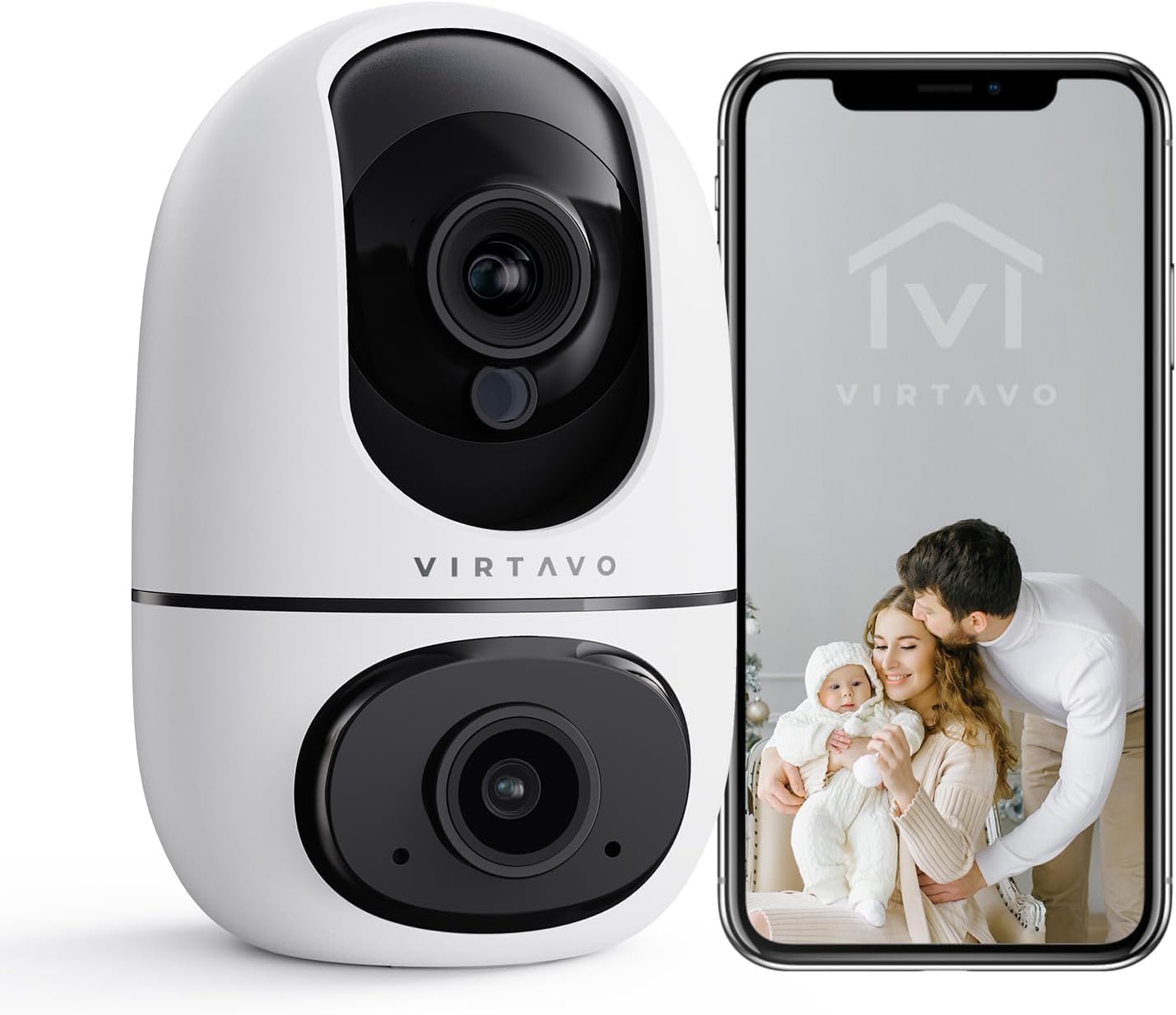
The virtavo Indoor WiFi Security Camera, shown alongside a smartphone displaying its live view, is designed for comprehensive indoor surveillance, offering peace of mind for your home, baby, or pets.
2. Змесціва ўпакоўкі
Калі ласка, праверце змесціва ўпакоўкі пасля распакавання. Калі якія-небудзь прадметы адсутнічаюць або пашкоджаныя, звярніцеся ў службу падтрымкі кліентаў.
- virtavo Indoor WiFi Security Camera (Model XD1-V124)
- Адаптар сілкавання
- USB кабель харчавання
- Mounting Accessories (Screws, Wall Plugs)
- Кіраўніцтва карыстальніка (гэты дакумент)
3. Прадукт скончыўсяview
The virtavo Indoor WiFi Security Camera features a dual-lens design, providing enhanced monitoring capabilities. It supports 1080p resolution, pan and tilt functionality for 360-degree coverage, two-way audio, and advanced detection features.

This image highlights the key features of the virtavo camera, including its dual-lens design, 2.4GHz WiFi connectivity, 1080p resolution, extensive pan and tilt range, two-way audio, AI detection, motion tracking, night vision, and video storage capabilities.
Асноўныя характарыстыкі:
- Дызайн з падвойнай лінзай: For comprehensive monitoring.
- Раздзяленне 1080p Full HD: Забяспечвае выразнае і дэталёвае відэа.
- Панарамаванне і нахіл на 360°: Прапануе шырокі viewing angle for complete room coverage.
- Двухбаковы аўдыё: Communicate with family or pets remotely.
- AI Detection & Motion Tracking: Intelligently identifies and follows movement.
- Начное бачанне: Clear visibility even in low light or complete darkness.
- Падключэнне да Wi-Fi 2.4 ГГц: Stable wireless connection.
- Лакальнае і воблачнае сховішча: Options for video recording.
4. Настройка
4.1 Уключэнне
- Падключыце кабель харчавання USB да порта харчавання камеры.
- Падключыце адаптар сілкавання да стандартнай электрычнай разеткі.
- The camera will power on and initiate its self-check sequence. Wait for the indicator light to flash, indicating it's ready for connection.
4.2 Усталёўка праграмы і стварэнне ўліковага запісу
- Download the official virtavo app from your smartphone's app store (iOS App Store or Google Play Store).
- Адкрыйце праграму і выконвайце інструкцыі на экране, каб стварыць новы ўліковы запіс, або ўвайдзіце ў сістэму, калі ў вас ужо ёсць уліковы запіс.
4.3 Падключэнне камеры да Wi-Fi
- In the virtavo app, tap the "+" icon to add a new device.
- Select "Security Camera" or the specific model if prompted.
- Follow the in-app instructions to connect the camera to your 2.4GHz WiFi network. This typically involves scanning a QR code generated by the app with the camera's lens or entering your WiFi password.
- Once connected, the camera's indicator light will turn solid, and you will hear a confirmation sound.
4.4 Мантаж камеры (неабавязкова)
The camera can be placed on a flat surface (tabletop mounting) or mounted to a wall or ceiling using the provided accessories.
- Размяшчэнне на стальніцы: Simply place the camera on a stable, flat surface within range of your WiFi network and a power outlet.
- Мантаж на сцяне/потолі:
- Choose a suitable location, ensuring a clear view і доступ да ўлады.
- Use the mounting template (if provided) or mark the screw holes on the desired surface.
- Drill pilot holes and insert wall plugs if mounting on drywall or masonry.
- Secure the mounting bracket (if applicable) with screws.
- Прымацуйце камеру да мантажнага кранштэйна, пераканаўшыся, што яна надзейна зафіксавана.
5. Кіраванне камерай
5.1 У прамым эфіры View і кіраванне панарамаваннем/нахілам
Open the virtavo app and select your camera to access the live view. Use the on-screen controls to pan (horizontal) and tilt (vertical) the camera lens to adjust the viewкут нахілу.

The virtavo camera supports dual-view monitoring, allowing you to see multiple camera feeds or different perspectives from the dual-lens on a single screen for an enhanced split-screen experience.
5.2 Двухбаковае аўдыё
Націсніце на значок мікрафона ў прамым эфіры view to speak through the camera's speaker. Tap the speaker icon to listen to audio from the camera's surroundings.
5.3 Выяўленне руху і абвесткі
Enable motion detection in the app settings to receive instant alerts on your smartphone when movement is detected. You can adjust sensitivity levels and set specific activity zones to reduce false alarms.

This feature allows users to define specific activity zones within the camera's view, ensuring that alerts are only triggered by motion in designated areas, reducing unnecessary notifications.
5.4 Начное бачанне
The camera automatically switches to night vision mode in low-light conditions. It features powerful starlight color night vision for clear images even in complete darkness.

The image demonstrates the superior clarity of the virtavo camera's Starlight Color Night Vision, providing detailed and visible footage even in very low light or complete darkness, compared to a traditional camera.
5.5 Лічбавы зум
Звядзіце пальцы, каб павялічыць прамую трансляцыю view to digitally magnify the image up to 8 times, allowing for closer inspection of details.

This visual illustrates the 8X digital zoom capability of the camera, allowing users to zoom in on specific areas of interest within the live feed for clearer and more detailed viewінж.
5.6 Шматкарыстальніцкі агульны доступ
Share access to your camera's live feed and recordings with family members or trusted individuals through the app. Each user can have their own account and access permissions.

The multi-user sharing feature enables you to securely share your camera's feed with family members, allowing everyone to monitor the home together for enhanced safety and convenience.
5.7 Папярэдне зададзеныя пазіцыі
Save specific camera angles as preset positions for quick navigation. This allows you to instantly move the camera to a predefined view адным націскам.

This image illustrates the "My Collections" feature, which allows users to save and quickly recall specific camera positions (presets) within the app, making it easy to monitor different areas of a room.
6. Тэхнічнае абслугоўванне
- Уборка: Акуратна працярыце аб'ектыў і корпус камеры мяккай сухой тканінай. Не выкарыстоўвайце агрэсіўныя хімікаты або абразіўныя ачышчальнікі.
- Абнаўленні прашыўкі: Regularly check the virtavo app for available firmware updates. Keeping your camera's firmware up-to-date ensures optimal performance, security, and access to new features.
- Стабільнасць сеткі: Ensure your WiFi network is stable and strong where the camera is located to prevent connectivity issues.
7. Выпраўленне непаладак
| праблема | Магчымая прычына | Рашэнне |
|---|---|---|
| Камера па-за сеткай/Немагчыма падключыцца да Wi-Fi | Weak WiFi signal, incorrect WiFi password, camera too far from router, 5GHz WiFi network. | Ensure camera is within 2.4GHz WiFi range. Verify WiFi password. Restart camera and router. Re-add camera in the app. |
| Няма абвестак аб выяўленні руху | Motion detection disabled, sensitivity too low, activity zones not set correctly, app notifications off. | Enable motion detection in app. Adjust sensitivity. Configure activity zones. Check phone notification settings for the app. |
| Дрэнная якасць відэа | Insufficient bandwidth, dirty lens, low light conditions. | Ensure stable internet connection. Clean the camera lens. Verify night vision is active in low light. |
| Двухбаковы аўдыё не працуе | Microphone/speaker muted in app, app permissions not granted. | Check audio settings in the app. Grant microphone permissions to the app in your phone settings. |
8. Тэхнічныя характарыстыкі
| Асаблівасць | Дэталь |
|---|---|
| Нумар мадэлі | XD1-V124 |
| Дазвол відэа | 1080p Full HD |
| Сувязь | 2.4 ГГц Wi-Fi |
| Дыяпазон павароту/нахілу | 350° Horizontal, 70° Vertical (approx.) |
| Аўдыё | Двухбаковае аўдыё |
| Начное бачанне | Infrared, Starlight Color Night Vision |
| Асаблівасці | AI Detection, Motion Tracking, Digital Zoom (8X), Multi-User Sharing, Preset Positions, Activity Zones |
| Крыніца харчавання | Electric Cable (10 Watts) |
| Памеры (Д х Ш х У) | 14.3 х 6.6 х 11.91 см (прыблізна) |
| Вага | 158.76 грама (прыблізна) |
| Матэрыял | Пластыкавыя |
| Выкарыстанне ў памяшканні/на вуліцы | У памяшканні |
| Сумяшчальныя прылады | Smartphone, Tablet (Android) |
9. Гарантыя і падтрымка
9.1 Інфармацыя аб гарантыі
The virtavo Indoor WiFi Security Camera comes with a standard manufacturer's warranty. Please refer to the product packaging or the official virtavo webна сайце, каб даведацца пра канкрэтныя гарантыйныя ўмовы. Захоўвайце чэк аб куплі як пацвярджэнне пакупкі для прэтэнзій па гарантыі.
9.2 Падтрымка кліентаў
For technical assistance, troubleshooting, or warranty inquiries, please contact virtavo customer support through the following channels:
- электронная пошта: Refer to the virtavo official webсайт для атрымання адраса электроннай пошты падтрымкі.
- Webсайт: Visit the official virtavo webсайт з часта задаванымі пытаннямі, артыкуламі падтрымкі і кантактнымі формамі.
- Падтрымка ў дадатку: Some issues can be resolved directly through the support section within the virtavo mobile application.
Please have your model number (XD1-V124) and purchase details ready when contacting support.