
Уводзіны
This manual provides comprehensive instructions for the ASWEE P4 Smart Watch, a versatile fitness tracker with call capabilities, a 1.85" TFT display, and various health monitoring features. Please read this manual thoroughly before using your device.
Што ў скрынцы
- ASWEE P4 Smart Watch
- Зарадны кабель
- Кіраўніцтва карыстальніка
Прадукт скончаныview
The ASWEE P4 Smart Watch features a rectangular 1.85-inch TFT-LCD display with a 240x280 resolution. It includes a physical button on the side for navigation and interaction. The watch is designed for comfortable wear and easy access to its functions.
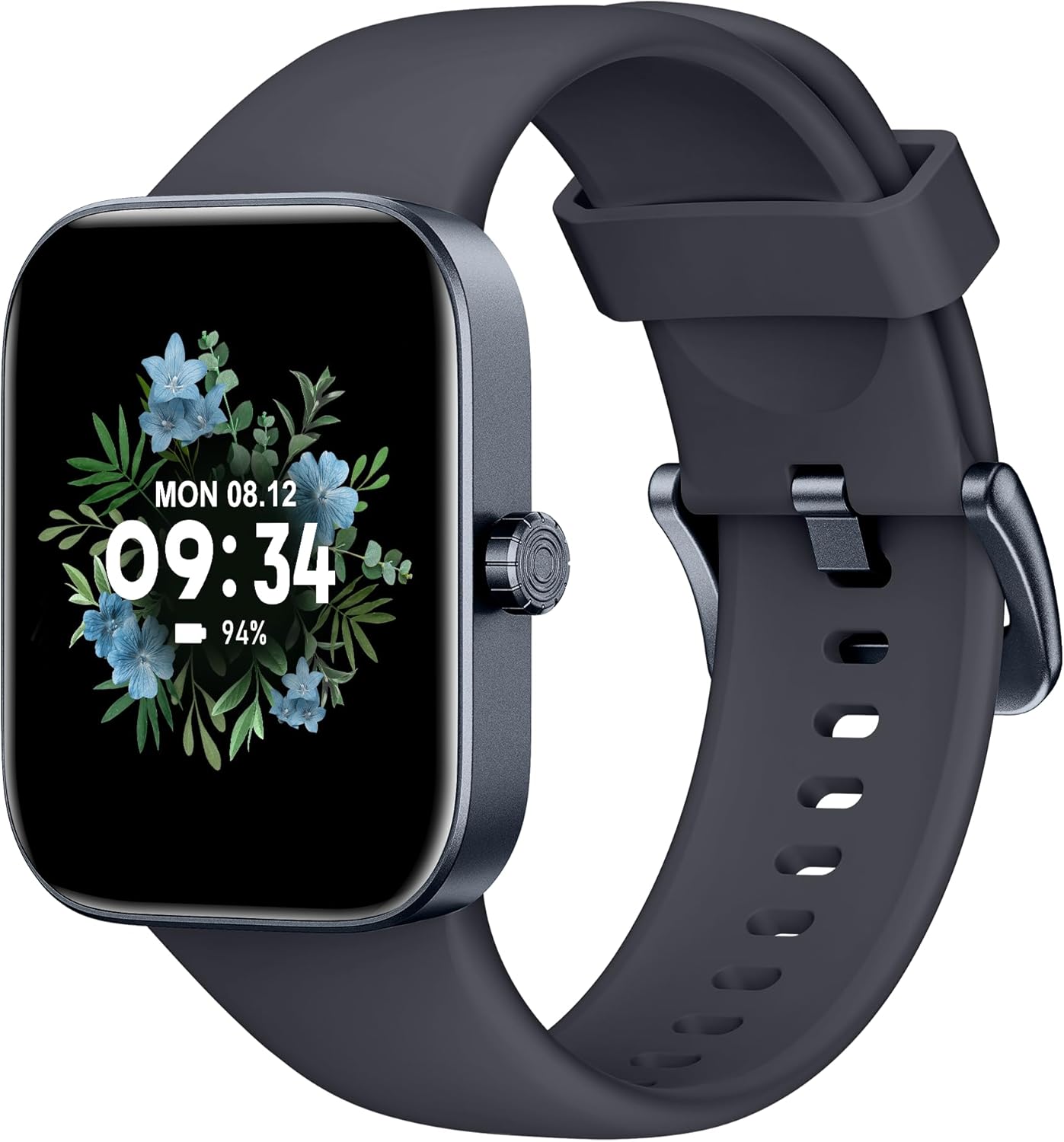
Фронт view of the ASWEE P4 Smart Watch, displaying time and date with a floral background.
Настройка
Зарадка прылады
The ASWEE P4 Smart Watch comes with a magnetic charging cable. Align the magnetic end of the cable with the charging contacts on the back of the watch. The watch will indicate when it is charging. A full charge typically takes approximately 2 hours and provides up to 7 days of active use or 15 days on standby.

Illustration showing the magnetic charging cable connected to the back of the ASWEE P4 Smart Watch, highlighting battery life indicators.
Ўстаноўка прыкладання і спалучэнне
To utilize all features of your ASWEE P4 Smart Watch, you need to download and install the "FitPro" application on your smartphone. Scan the QR code provided in the watch's packaging or search for "FitPro" in your device's app store.
Спалучэнне з iPhone
Follow these steps to pair your watch with an iPhone:
- Пераканайцеся, што Bluetooth уключаны на вашым iPhone.
- Open the "FitPro" app.
- Navigate to "Setting" and then "Bind device".
- Select your watch (e.g., KM13Pro) from the scan results.
- Confirm the pairing request by clicking "Pair" and then "Allow" for notifications.
- Go to your iPhone's Bluetooth settings and connect to "KM13Pro Audio" for call functionality.
Video tutorial demonstrating how to bind the ASWEE P4 Smart Watch to an iPhone and how to unbind it.
Pairing with Android Phone
Follow these steps to pair your watch with an Android phone:
- Пераканайцеся, што на вашым тэлефоне Android уключаны Bluetooth.
- Open the "FitPro" app.
- Navigate to "Set" and then "Bind device".
- Select your watch (e.g., KM13Pro) from the scan results.
- Confirm the pairing request by clicking "Pair".
Video tutorial demonstrating how to bind the ASWEE P4 Smart Watch to an Android phone and how to unbind it.
Інструкцыя па эксплуатацыі
Базавая навігацыя
The watch features a touch-sensitive screen for navigation. Swipe left/right or up/down to access different functions and menus. The side button typically serves as a home or back button.
Call and Text Functionality
With its built-in speaker and microphone, the ASWEE P4 allows you to answer/dial calls directly from your wrist when connected via Bluetooth. You can also receive SMS text and SNS messages (Facebook, Twitter, WhatsApp, etc.) with vibration alerts.

Image showing the ASWEE P4 Smart Watch on a wrist, with notification icons for various messaging apps, indicating Bluetooth 5.0 connectivity for calls and texts.
Адсочванне здароўя
The watch provides comprehensive health monitoring:
- Частата сардэчных скарачэнняў: 24-hour tracking with a high-precision PPG sensor. Stores 7 days of resting heart rate data.
- Кісларод крыві: Measures SpO2 levels using a reflective-light based sensor.
- Маніторынг сну: Tracks sleep quality through Awake, Light, and Deep sleep stages, helping to improve sleep duration and quality.
- Маніторынг стрэсу: Provides insights into stress levels.

Image illustrating the ASWEE P4 Smart Watch's 24-hour data tracking capabilities, including heart rate, stress level, and blood oxygen monitoring.

Image depicting the ASWEE P4 Smart Watch's sleep health assistant feature, showing sleep duration and patterns.
Рэжымы фітнесу
The ASWEE P4 supports multiple workout modes, including running, bike riding, basketball, and tennis. It accurately monitors data points like heart rate, time, and calories burned to enhance workout efficiency.

Прэзентацыя малюнкаўasing the ASWEE P4 Smart Watch's various sports modes, including running, bike riding, basketball, and jumping jack, with activity data like steps, distance, and calories.
Налада
Choose from over 100 stylish watch faces or create your own using photos from your phone gallery.
Тэхнічнае абслугоўванне
Уборка
Рэгулярна чысціце гадзіннік і раменьчык мяккай губкайamp тканіна. Пазбягайце выкарыстання агрэсіўных хімікатаў або абразіўных матэрыялаў.
Захоўванне
Захоўвайце гадзіннік у прахалодным, сухім месцы, калі ён не выкарыстоўваецца.
Ліквідацыю непаладак
Гадзіннік не ўключаецца
- Пераканайцеся, што гадзіннік цалкам зараджаны. Падключыце яго да зараднага кабеля і крыніцы харчавання як мінімум на 30 хвілін.
Праблемы спалучэння
- Пераканайцеся, што Bluetooth уключаны на вашым тэлефоне, і гадзіннік знаходзіцца ў зоне дзеяння.
- Перазагрузіце і тэлефон, і гадзіннік.
- If previously paired, try "forgetting" the device in your phone's Bluetooth settings and re-pairing through the FitPro app.
- Ensure the FitPro app has necessary permissions (Bluetooth, location).
Недакладныя дадзеныя аб стане здароўя
- Пераканайцеся, што гадзіннік шчыльна прылягае да запясця, не занадта туга і не занадта свабодна.
- Ачысціце датчык на задняй панэлі гадзінніка.
- Фактары навакольнага асяроддзя і індывідуальная фізіялогія могуць паўплываць на паказанні.
Апавяшчэнні не з'яўляюцца
- Check app permissions for FitPro to ensure it can access notifications.
- Verify that notification push settings are enabled within the FitPro app for desired applications.
- Пераканайцеся, што гадзіннік падключаны да тэлефона праз Bluetooth.
Тэхнічныя характарыстыкі
| Асаблівасць | Дэталь |
|---|---|
| Назва мадэлі | P4 |
| Марка | АСВІ |
| Памер экрана | 1.85 цалі |
| Тэхналогія адлюстравання | TFT-LCD |
| дазвол | 240 x 280 PPI |
| Аперацыйная сістэма | Wear OS |
| Сувязь | Bluetooth 5.3 |
| Воданепранікальнасць | IP68, 5 ATM |
| Тэрмін службы батарэі (звычайнае выкарыстанне) | Да 7 дзён |
| Час чакання | Да 15 дзён |
| Час зарадкі | Прыбл. 2 гадзіны |
| Асаблівасці | Fitness Tracker, Sleep Monitor, Reminders, Multimedia control, Answer/Dial Call, Heart Rate Monitor, Blood Oxygen Monitor, Stress Monitor |
| Вага прадмета | 2.89 унцыі |
Заўвага: тэхнічныя характарыстыкі могуць быць зменены без папярэдняга паведамлення.
Гарантыя і падтрымка
For warranty information and technical support, please refer to the official ASWEE webсайт або звярніцеся ў службу падтрымкі кліентаў. Захоўвайце чэк аб куплі як пацверджанне пакупкі.