
1. Важныя інструкцыі па бяспецы
Please read all instructions carefully before using this dehumidifier and retain this manual for future reference. Failure to follow these instructions may result in electric shock, fire, or serious injury.
- Always unplug the dehumidifier from the power outlet before cleaning, performing maintenance, or when not in use.
- Do not operate the dehumidifier with a damaged cord or plug. If the power cord is damaged, it must be replaced by the manufacturer, its service agent, or similarly qualified persons to avoid a hazard.
- Гэты прыбор прызначаны толькі для выкарыстання ў памяшканні. Не выкарыстоўвайце на адкрытым паветры.
- Ensure the dehumidifier is placed on a stable, level surface to prevent tipping and water spillage.
- Do not block the air inlet or outlet. Maintain at least 8 inches (20 cm) clearance from walls or other objects.
- Do not immerse the dehumidifier, power cord, or plug in water or other liquids.
- Keep children and pets away from the dehumidifier during operation.
- Не выкарыстоўвайце асушальнік паветра ў месцах, дзе захоўваюцца лёгкаўзгаральныя вадкасці або газы.
- Рэгулярна апаражняйце рэзервуар для вады, каб прадухіліць перапаўненне.
2. Прадукт скончыўсяview
The VEWIOR PC-450B Dehumidifier is designed to efficiently remove excess moisture from your indoor environment, improving air quality and comfort. It features a large water tank, quiet operation, and convenient functions like auto shut-off and a night light.
Ідэнтыфікацыя кампанентаў
- Панэль кіравання з лічбавым дысплеем
- Паветраны ўваход
- Выхад паветра
- Здымны рэзервуар для вады
- Порт шнура харчавання


3. Настройка
Выканайце наступныя дзеянні, каб упершыню наладзіць асушальнік паветра.
- Распакуйце: Асцярожна дастаньце асушальнік паветра з упакоўкі. Захавайце ўсе ўпаковачныя матэрыялы для далейшага захоўвання або транспарціроўкі.
- Размяшчэнне: Place the dehumidifier on a firm, level surface in the desired location. Ensure there is at least 8 inches (20 cm) of clear space around the air inlet and outlet for optimal airflow. Avoid placing it directly against walls or furniture.
- Падключэнне сілкавання: Plug the power adapter into the dehumidifier's power port, then plug the other end into a standard electrical outlet (100-240V AC, 50/60Hz).
- Першапачатковая аперацыя: Агрэгат гатовы да працы.

4. Інструкцыя па эксплуатацыі
Азнаёмцеся з панэллю кіравання і яе функцыямі.
Функцыі панэлі кіравання
- Кнопка харчавання (⏻): Націсніце, каб уключыць або выключыць асушальнік.
- Night Light Button (☀): Press to cycle through 7 different LED light colors or turn the night light off. This can create a warm ambiance.
- Кнопка таймера (◷): Press to set an auto-off timer from 1 to 24 hours. Each press increases the timer by one hour. The unit will automatically shut off after the set time.
- Speed/Sleep Mode Button (⇋): Press to switch between different fan speeds or activate Sleep Mode. In Sleep Mode, the unit operates at a lower fan speed for quieter operation (approximately 30dB).
- Лічбавай дысплей: Shows the current humidity level in the room and timer settings.
Рэжымы працы
- Стандартнае асушванне: The unit will operate to reduce humidity based on its internal sensor.
- Рэжым сну: Activates quiet operation, ideal for bedrooms or quiet environments.
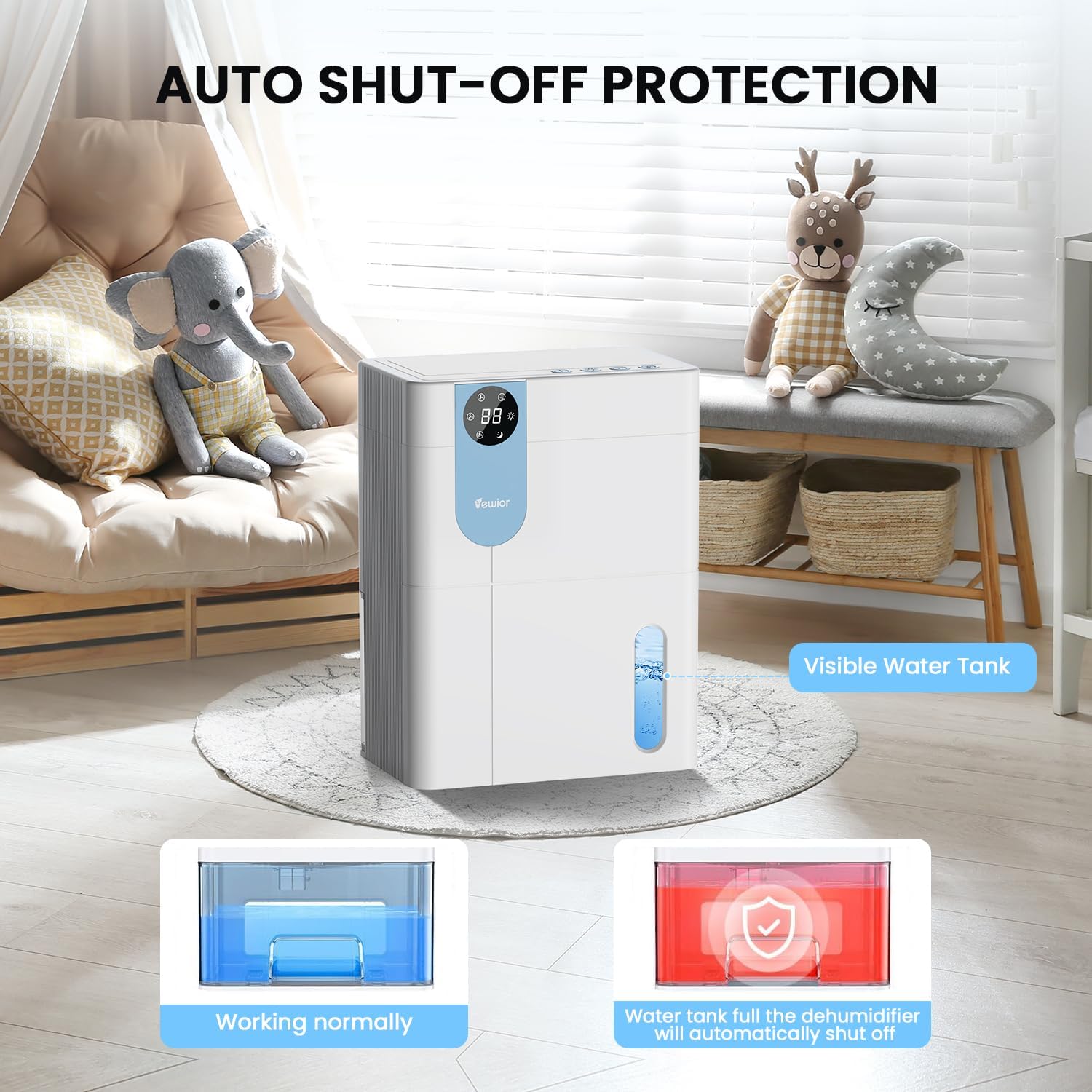
- Аўтаматычнае адключэнне: The dehumidifier will automatically stop operating when the water tank is full to prevent overflow. The digital display may flash a red light to indicate the tank needs emptying.

5. Water Tank Management
The dehumidifier features a 4500ml (152 oz) water tank and an auto shut-off function when the tank is full.
Апаражненне рэзервуара для вады
- When the water tank is full, the dehumidifier will automatically stop operating, and the internal red light will flash to remind you to empty the water.
- Gently pull out the water tank from the side of the dehumidifier.
- Зніміце вечка бака.
- Выліце набраную ваду.
- Replace the tank lid securely.
- Slide the empty water tank back into the dehumidifier until it clicks into place. The unit will resume operation automatically.

6. Тэхнічнае абслугоўванне
Рэгулярнае тэхнічнае абслугоўванне забяспечвае аптымальную прадукцыйнасць і даўгавечнасць вашага асушальніка паветра.
Ачыстка экстэр'ера
- Перад чысткай заўсёды адключайце прыладу ад сеткі.
- Працярыце знешні выгляд мяккай, damp тканіна. Не выкарыстоўвайце абразіўныя ачышчальнікі або растваральнікі.
- Сачыце за тым, каб вада не трапляла ў панэль кіравання або іншыя электрычныя кампаненты.
Cleaning the Air Filter (Recommended Monthly)
- Locate the air filter (typically at the back or side air inlet).
- Зніміце фільтр.
- Ачысціце фільтр пыласосам або акуратна прамыйце яго цёплай вадой з мылам.
- Allow the filter to air dry completely before reinstalling. Do not expose to direct sunlight or high heat.
- Зноў усталюйце сухі фільтр у прыладу.
Доўгатэрміновае захоўванне
- Empty and clean the water tank thoroughly.
- Ачысціце паветраны фільтр.
- Адключыце шнур харчавання і акуратна згарніце яго.
- Store the dehumidifier in a cool, dry place, preferably in its original packaging, away from direct sunlight and extreme temperatures.
7. Выпраўленне непаладак
Калі ў вас узніклі праблемы з асушальнікам паветра, звярніцеся да наступных распаўсюджаных праблем і іх рашэнняў.
| праблема | Магчымая прычына | Рашэнне |
|---|---|---|
| Асушальнік паветра не ўключаецца. | No power supply. Power button not pressed. | Пераканайцеся, што шнур харчавання надзейна падключаны да спраўнай разеткі. Націсніце кнопку харчавання. |
| Прылада працуе, але не набірае ваду. | Room humidity is too low. Temperature is too low. Air filter is clogged. | Dehumidifiers are most effective in higher humidity. Ensure room temperature is above 41°F (5°C). Clean the air filter. |
| Water tank full indicator (red light) is on, but tank is not full. | Water tank not properly seated. Float sensor malfunction. | Remove and reinsert the water tank, ensuring it is correctly aligned. If the issue persists, contact customer support. |
| Агрэгат шумны. | Прылада не стаіць на роўнай паверхні. Паветраны фільтр забіты. | Place the unit on a flat, stable surface. Clean the air filter. Ensure no objects are obstructing the fan. |
| Humidity level not decreasing significantly. | Room size exceeds capacity. High external humidity. Doors/windows open. | Ensure the dehumidifier is suitable for the room size. Close all doors and windows. Consider running the unit for longer periods. |
If the problem persists after trying these solutions, please contact VEWIOR customer support.
8. Тэхнічныя характарыстыкі
Detailed technical specifications for the VEWIOR PC-450B Dehumidifier.
| Асаблівасць | Спецыфікацыя |
|---|---|
| Марка | ВЕВІОР |
| Назва мадэлі | ПК-450Б |
| Ёмістасць абязводжвання | Up to 1060ml (36oz) per day (at 86°F, 80% RH) |
| Ёмістасць бака для вады | 4500 Milliliters (152 OZ) |
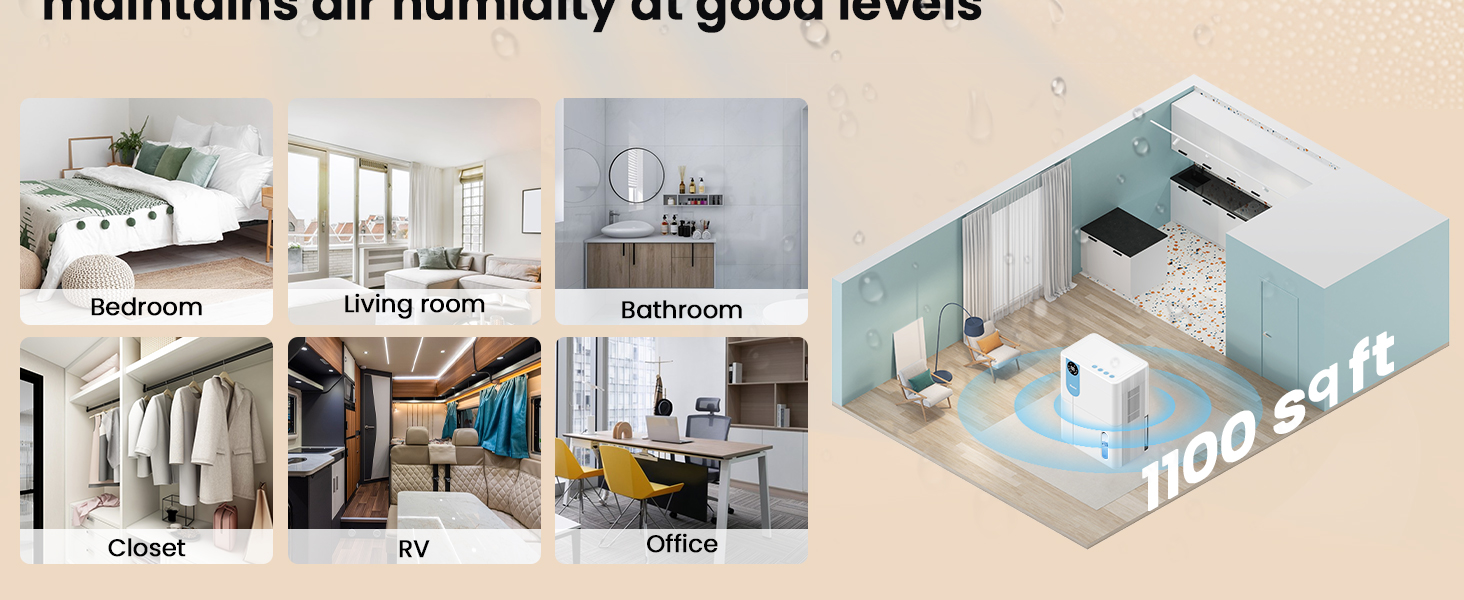
| Зона пакрыцця | Да 1100 квадратных футаў |
| Памеры прадукту (Д х Ш х У) | 6.3" x 9.84" x 12.6" |
| Вага прадмета | 2.27 фунта |
| Асаблівасці | Automatic Shutoff, Colorful Lights, Digital Display, Removable Tank, Timer |
| Рэжым працы | спаць |
| Ёмістасць паветранага патоку | 900 Cubic Feet Per Hour |
| Крыніца харчавання | Правадная электрычная |

9. Гарантыя і падтрымка
VEWIOR is committed to providing quality products and customer satisfaction.
Інфармацыя аб гарантыі
- 3-Year Free Replacement: Your VEWIOR PC-450B Dehumidifier is covered by a 3-year free replacement policy for manufacturing defects.
- Пажыццёвая падтрымка: VEWIOR offers lifetime technical support and satisfied solutions for its products.
Падтрымка кліентаў
For any questions, troubleshooting assistance, or warranty claims, please contact VEWIOR customer service:
- электронная пошта: [Insert VEWIOR Support Email Here]
- тэлефон: [Insert VEWIOR Support Phone Number Here]
- Інтэрнэт: Visit the official VEWIOR webсайт з часта задаванымі пытаннямі і рэсурсамі падтрымкі.
Our customer service team is available for quick service via phone or email within 24 hours.
Палітыка вяртання: A 30-day no-reason return policy is available for purchases.