
Уводзіны
Thank you for choosing the Digitek DWM-107 2-in-1 Wireless Microphone System. This manual provides essential information for the proper setup, operation, and maintenance of your device. Please read it thoroughly before use to ensure optimal performance and longevity of the product.
The Digitek DWM-107 is a versatile wireless microphone system designed for high-quality audio capture across various platforms, including smartphones, cameras, and computers. It features dual transmitters, a receiver, TFT card recording, 360-degree sound capture, and advanced noise cancellation.
Што ў скрынцы
Carefully unpack your Digitek DWM-107 system and ensure all components are present:
- 2 x Microphone Transmitters (Tx)
- 1 x Receiver (Rx)
- 1 x Battery Compartment (Charging Box)
- 1 x TRRS to TRRS Audio Cable (for smartphones/tablets)
- 1 x TRRS to TRS Audio Cable (for cameras/laptops)
- 1 х кабель для зарадкі USB-C
- 1 кабель USB-C да USB-C
- 1 х кабель USB-C да Lightning
- 1 х Лабавое шкло
- 1 х Кіраўніцтва карыстальніка

Image: All components included in the Digitek DWM-107 package.
Прадукт скончаныview
Перадатчык (Tx)
- Мікрафон: Built-in omnidirectional microphone.
- Кнопка харчавання: Націсніце і ўтрымлівайце, каб уключыць/выключыць харчаванне. Кароткатэрмінова націсніце, каб уключыць/выключыць гук.
- Кнопка шумапрыглушэння: Activates/deactivates noise reduction.
- TFT Card Slot: For direct audio recording.
- Порт для зарадкі: USB-C for charging.
- Індыкатар стану: LED lights indicating power, pairing, and recording status.
Прыёмнік (Rx)
- Выхадны порт: 3.5mm jack for connecting to recording devices.
- Monitoring Port: 3.5mm jack for real-time audio monitoring.
- Кнопка харчавання: Націсніце і ўтрымлівайце, каб уключыць/выключыць харчаванне.
- Порт для зарадкі: USB-C for charging.
- Экран дысплея: Shows battery levels, signal strength, and recording status.
Зарадная скрынка
- Слоты для зарадкі: For two transmitters and one receiver.
- Індыкатар батарэі: LED display showing the charging box's battery level.
- Порт USB-C: For charging the box itself.
Інструкцыя па наладзе
- Зараджайце прылады: Before first use, fully charge the transmitters and receiver using the provided charging box and USB-C cable. The charging box itself should also be charged.
- Уключэнне: Press and hold the power button on both the transmitter(s) and the receiver until their screens or indicator lights turn on.
- Аўтаматычнае спалучэнне: The transmitters and receiver are designed to pair automatically upon power-on. A successful connection will be indicated on the receiver's display. If pairing fails, power cycle both devices.
- Падключэнне да запісвальнай прылады:
- For Smartphones/Tablets (Android/iOS): Use the TRRS to TRRS Audio Cable or the USB-C to Lightning/USB-C cable to connect the receiver's output port to your device's audio input.
- For Cameras/Laptops: Use the TRRS to TRS Audio Cable to connect the receiver's output port to your camera's microphone input or laptop's audio input.
- Падключыце перадатчык: Clip the transmitter to the speaker's clothing, ensuring the microphone is facing towards the mouth for optimal sound capture. Use the included windscreen to reduce wind noise if recording outdoors.

Image: Seamless plug-and-play connectivity with automatic pairing.
Інструкцыя па эксплуатацыі
Запіс аўдыё
- Once connected, open your recording application on your smartphone, camera, or computer.
- Start recording. The audio from the transmitter(s) will be captured by your device.
- Monitor audio in real-time by plugging headphones into the receiver's monitoring port.

Image: Real-time audio monitoring for optimal sound adjustment.
TFT Card Recording
The DWM-107 transmitters support direct recording to a TFT (microSD) card, providing a backup or standalone recording option.
- Insert a formatted TFT card (up to 32GB, Class 10 recommended) into the TFT card slot on the transmitter.
- Press the dedicated record button on the transmitter to start/stop recording. The transmitter's display will indicate recording status.
- Каб атрымаць доступ да запісанага files, connect the transmitter to a computer via USB-C or insert the TFT card into a card reader.

Image: Transmitter with TFT card recording function.
Шумапрыглушэнне
Activate the built-in noise cancellation feature to reduce ambient background noise for clearer audio.
- Press the noise cancellation button on the transmitter to toggle the feature on or off.
- An indicator on the transmitter's display will confirm the status of noise cancellation.

Image: Noise cancellation technology for crystal-clear audio.
360-Degree Sound Capture
The omnidirectional microphone captures sound from all directions, ensuring comprehensive audio coverage.

Image: 360-degree sound capture for comprehensive audio recording.
Універсальнае прымяненне
The DWM-107 is suitable for various recording scenarios:
- Інтэрviews
- Падручнікі
- Падкасты
- Vlogs and Travel Videos
- Жывая трансляцыя

Малюнак: Examples of versatile uses for the Digitek DWM-107 wireless microphone.
Акумулятар і зарадка
The DWM-107 system is designed for extended use with efficient charging.
- Тэрмін службы батарэі перадатчыка/прыёмніка: Да 9 гадзін бесперапыннага выкарыстання.
- Ёмістасць зараднай скрынкі: 850mAh, capable of recharging the units multiple times.
- Час зарадкі: Approximately 1.2 to 1.5 hours for a full charge of the units within the charging box.
- Спосаб зарадкі: Use the provided USB-C cable to charge the charging box. The units charge automatically when placed inside the powered charging box.

Image: Battery and charging specifications for the DWM-107 system.
Сумяшчальнасць
The Digitek DWM-107 offers wide compatibility with various devices:
- Смартфоны і планшэты Android
- iOS Smartphones and Tablets (iPhone, iPad)
- Фотаапараты DSLR
- Відэакамеры
- PCs and Laptops
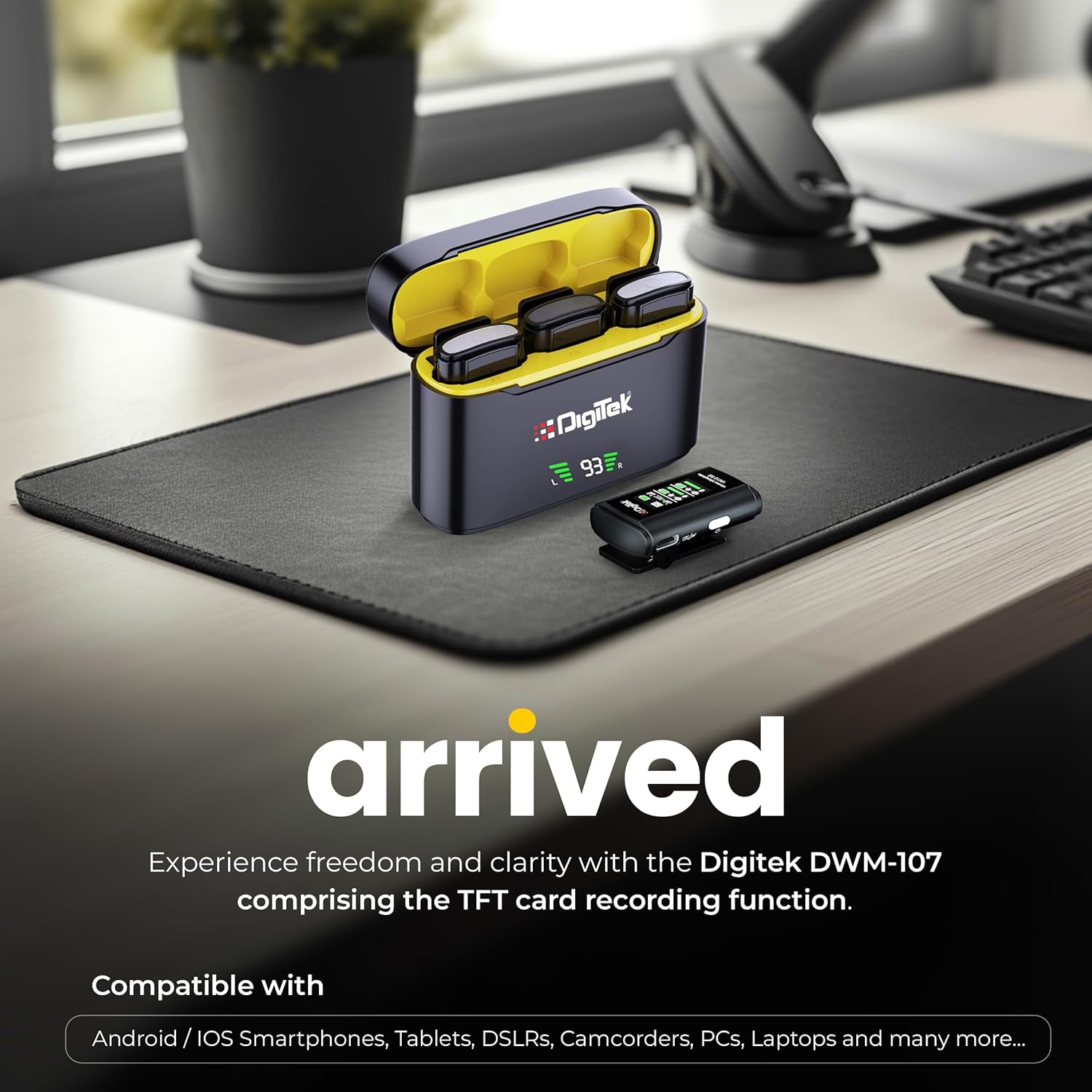
Image: Digitek DWM-107 compatibility with Android, iOS, DSLR, and PC devices.
Тэхнічнае абслугоўванне
- Уборка: Use a soft, dry cloth to clean the devices. Avoid using harsh chemicals or abrasive materials.
- захоўванне: Store the microphone system in a cool, dry place away from direct sunlight and extreme temperatures.
- Сыход за батарэяй: For long-term storage, ensure the batteries are partially charged (around 50%) to preserve battery health. Recharge periodically if stored for extended periods.
- Сыход за кабелем: Акуратна звяртайцеся з кабелямі. Пазбягайце рэзкіх выгібаў або празмернага нацягвання, каб пазбегнуць пашкоджанняў.
Ліквідацыю непаладак
| праблема | Магчымая прычына | Рашэнне |
|---|---|---|
| Няма аўдыявыхаду |
|
|
| Дрэнная якасць гуку / Скажэнні |
|
|
| TFT card recording not working |
|
|
| Кароткі тэрмін службы батарэі |
|
|
Тэхнічныя характарыстыкі
| Асаблівасць | Дэталь |
|---|---|
| Нумар мадэлі | DWM-107 |
| Тэхналогія падлучэння | 2.4G Wireless (UHF) |
| Далёкасць бесправадной сувязі | Да 60 метраў (адкрытая мясцовасць) |
| АЧХ | 16 KHz (Full frequency audio quality) |
| Стаўленне сігнал / шум | 78 дБ |
| Палярны ўзор | Усенакіраваны |
| Імпеданс | 32 Ом |
| Battery Life (Tx/Rx) | Да 9 гадзін |
| Ёмістасць зараднай скрынкі | 850 мАг |
| Час зарадкі | Прыблізна 1.2 - 1.5 гадзіны |
| TFT Card Support | Yes (up to 32GB, Class 10 recommended) |
| Шумапрыглушэнне | Убудаваны |
| Памеры (Д х Ш х У) | 15 х 8 х 6 см |
| Вага прадмета | 450 г |
| Матэрыял | Пластыкавыя |
| Колер | Чорны |
Гарантыя і падтрымка
For warranty information and customer support, please refer to the warranty card included in your product packaging or visit the official Digitek website. You may also contact the manufacturer directly:
- вытворца: IMS Mercantiles Pvt. ТАА
- Адрас: 704, 7th floor, Ring Road Mall, Sec-3, Rohini, Delhi 110085
- Бясплатная падтрымка: 1800-123-544-444
Калі ласка, захавайце пацвярджэнне пакупкі для любых гарантыйных прэтэнзій.