
1. Уводзіны
Thank you for choosing the KEJOG Mini Portable Projector. This manual provides essential information for setting up, operating, and maintaining your projector to ensure optimal performance and longevity. Please read this manual thoroughly before use and retain it for future reference.
2. Змесціва ўпакоўкі
Праверце, ці ёсць усе прадметы ў вашай упакоўцы:
- 1x KEJOG Mini Portable Projector
- 1x Пульт дыстанцыйнага кіравання
- 1x шнур харчавання
- 1x кабель HDMI
- 1x Кіраўніцтва карыстальніка
Note: Additional accessories such as an HDMI adapter for smartphones may be required and are not included.
3. Прадукт скончыўсяview
Familiarize yourself with the components of your KEJOG Mini Portable Projector.

Выява: спераду view of the KEJOG Mini Portable Projector, showing the lens, control panel, and included remote control and mini tripod.
Выява: Збоку view of the projector highlighting various input/output ports such as HDMI, USB, and audio jack.
Ключавыя кампаненты:
- Праекцыйны аб'ектыў: Выводзіць выяву на экран.
- Кольца факусіроўкі: Рэгулюе выразнасць выявы.
- Панэль кіравання: Manual buttons for basic operations.
- Парты ўводу: HDMI, USB, AV, 3.5mm Audio Out.
- Убудаваны дынамік: Забяспечвае выхад гуку.
- Спажываная магутнасць: Падключаецца да адаптара сілкавання.
4. Настройка
4.1 Размяшчэнне
Position the projector on a stable, flat surface. The projector supports various placements:
- Размяшчэнне на працоўным стале: Place on a table in front of the projection surface.
- Overhead Ceiling Mount: Mount to the ceiling (mounting hardware not included).
- Ўстаноўка штатыва: Use the included mini tripod or a compatible tripod for flexible positioning.

Image: Illustration demonstrating ceiling mount, table placement, and tripod installation options for the projector.
The optimal projection distance ranges from 4.9 feet to 18.4 feet, allowing for screen sizes from 40 inches to 200 inches. Adjust the distance to achieve your desired screen size.

Image: Visual representation of how projection distance affects screen size, from 2.6ft to 12.5ft.
4.2 Падключэнне харчавання
- Падключыце шнур харчавання да ўваходнага порта харчавання праектара.
- Падключыце другі канец шнура сілкавання да электрычнай разеткі.
4.3 Рэгуляванне фокусу
After powering on the projector, rotate the focus ring located near the lens until the projected image appears clear and sharp.
5. Інструкцыя па эксплуатацыі
5.1 Уключэнне/выключэнне сілкавання
- Уключэнне: Націсніце кнопку харчавання на праектары або пульце дыстанцыйнага кіравання.
- Выключэнне: Націсніце кнопку харчавання яшчэ раз.
5.2 Выбар крыніцы
Use the 'Source' button on the remote control or projector to cycle through available input sources (HDMI, USB, AV).
5.3 Падключэнне прылад
Праектар прапануе некалькі варыянтаў падключэння:
- HDMI: Connect devices like laptops, PCs, TV boxes, Fire TV Stick, Roku, Chromecast, or gaming consoles (e.g., PS5) using an HDMI cable.
- USB: Устаўце USB-назапашвальнік для прайгравання медыяфайлаў files непасрэдна.
- АВ: Падключыце старыя прылады з дапамогай AV-кабеля.
- Смартфон/планшэт: To connect smartphones or tablets, an HDMI adapter (not included) is required. Connect your smartphone to the adapter, then the adapter to the projector's HDMI port.

Image: Visual guide for connecting Apple and Android phones to the projector using a data cable or HDMI adapter (adapter not included).
Важная заўвага адносна струменевых сэрвісаў:
Due to copyright restrictions, direct mirroring from certain streaming services like Netflix, Amazon Prime Video, and Hulu is not supported. To watch content from these platforms, use an external device such as an Amazon Fire Stick or Roku Stick connected via HDMI.
5.4 Bluetooth Audio
The projector features a built-in Bluetooth 5.2 chip and speakers. You can connect external Bluetooth audio devices for enhanced sound.
- Пераканайцеся, што ваша Bluetooth-калонка або навушнікі знаходзяцца ў рэжыме спалучэння.
- Navigate to the Bluetooth settings on the projector's menu.
- Выберыце прыладу са спісу для спалучэння.

Image: A KEJOG projector wirelessly connected to an external Bluetooth speaker, projecting a movie scene.
Note: Bluetooth does not support direct connection with smartphones for audio output from the projector.
6. Тэхнічнае абслугоўванне
6.1 Ачыстка аб'ектыва
Use a soft, lint-free cloth or lens cleaning paper to gently wipe the projector lens. Avoid using abrasive materials or harsh chemicals, which can damage the lens coating.
6.2 лamp жыццё
Праектар лamp is designed for extended use, with a lifespan of up to 70,000 hours, which is significantly longer than conventional lamps. This reduces the need for frequent lamp замена.

Image: Graphic indicating a projector lamp lifespan of up to 100,000 hours, emphasizing durability.
6.3 Захоўванне
Калі праектар не выкарыстоўваецца, захоўвайце яго ў прахалодным, сухім месцы, удалечыні ад прамых сонечных прамянёў і экстрэмальных тэмператур. Выкарыстоўвайце арыгінальную ўпакоўку або ахоўны чахол, каб прадухіліць назапашванне пылу і фізічныя пашкоджанні.
7. Выпраўленне непаладак
Калі ў вас узніклі праблемы з праектарам, звярніцеся да наступных распаўсюджаных праблем і рашэнняў:
| праблема | Магчымая прычына | Рашэнне |
|---|---|---|
| Фотаздымка няма | Слабае падключэнне кабеля, няправільная крыніца ўваходнага сігналу, праектар выключаны. | Check all cable connections. Select the correct input source. Ensure the projector is powered on. |
| Размыты малюнак | Не ў фокусе, няправільная адлегласць праекцыі. | Adjust the focus ring. Ensure the projector is within the recommended projection distance. |
| Няма гуку | Volume too low, external audio device not connected, incorrect audio settings. | Increase volume. Check external audio device connection or Bluetooth pairing. Verify audio output settings. |
| Bluetooth not connecting to smartphone | Feature limitation. | The projector's Bluetooth is for connecting to external speakers/headphones, not for receiving audio from smartphones. Use an HDMI adapter for smartphone video/audio output. |
| Cannot play Netflix/Hulu/Prime Video | Copyright restrictions. | Use an external streaming device (e.g., Fire Stick, Roku) connected via HDMI. |
Калі праблема не знікне пасля выкарыстання гэтых рашэнняў, звярніцеся ў службу падтрымкі кліентаў.
8. Тэхнічныя характарыстыкі
| Асаблівасць | Дэталь |
|---|---|
| Марка | KEJOG |
| Нумар мадэлі | Партатыўны міні-праектар |
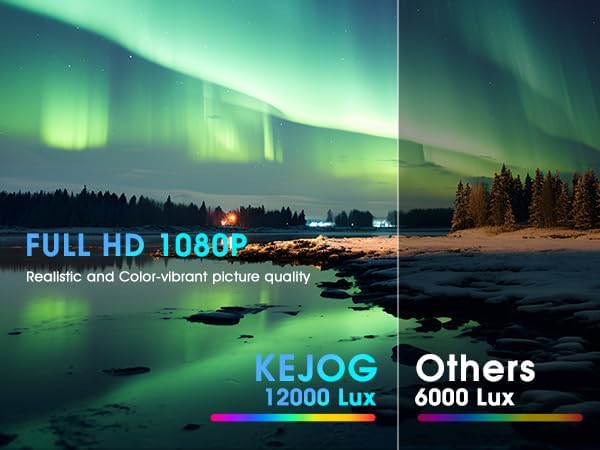
| Дазвол дысплея | Native 1920 x 1080 (Full HD), 4K Supported |
| Яркасць | 12,000 люмен |
| Каэфіцыент кантраснасці | 10,000:1 |
| Тэхналогія падлучэння | 3.5mm Jack, Bluetooth 5.2, HDMI, USB |
| Асаблівасці | Built-In Speaker, Lightweight, Portable |
| Рэкамендуемае выкарыстанне | Бізнес, адукацыя, гульні, хатні кінатэатр |
| Вага прадмета | 2.42 фунта |
| Памеры прадукту | 8.15 х 7.2 х 3.94 цалі |
| Бачная дыяганаль экрана | 150 цаляў / 381 см |
9. Гарантыя і падтрымка
KEJOG provides reliable after-sales service and lifelong technical support for this product. If you have any questions, require assistance, or encounter any issues not covered in this manual, please do not hesitate to contact our customer support team.
For support, please refer to the contact information provided with your purchase or visit the official KEJOG webсайт.