
Уводзіны
Thank you for choosing the HyperGear Halo Waterproof LED Wireless Speaker. This manual provides essential information for setting up, operating, and maintaining your speaker to ensure optimal performance and longevity. The Halo speaker combines powerful HD sound with a vibrant 360° multicolor LED light show, designed for both indoor and outdoor use. Its IPX6 waterproof rating makes it suitable for various environments, from poolside parties to everyday listening.
Што ў скрынцы
- HyperGear Halo Waterproof LED Wireless Speaker
- Зарадны кабель USB-C
- 3.5mm Aux Cord
Кіраўніцтва па ўстаноўцы
1. Зарадка дынаміка
Before first use, fully charge your Halo speaker. Connect the included USB-C charging cable to the speaker's charging port and the other end to a USB power adapter (not included). The LED indicator will show charging status and turn off when fully charged.
2. Уключэнне / выключэнне харчавання
Press and hold the Power button on the speaker's top panel to turn it on or off. A sound prompt will indicate the power status.
3. Спарванне Bluetooth
- Пераканайцеся, што дынамік уключаны і знаходзіцца ў рэжыме спалучэння Bluetooth (гэта пазначана міргаючым святлодыёдам).
- На вашай прыладзе (смартфоне, планшэце, камп'ютары) уключыце Bluetooth і знайдзіце даступныя прылады.
- Select "HyperGear Halo" from the list.
- Пасля спалучэння дынамік выдасць гук пацверджання, і святлодыёд перастане міргаць.
Пры ўключэнні дынамік аўтаматычна падключыцца да апошняй спалучанай прылады, калі яна знаходзіцца ў зоне дзеяння.

The top panel of the HyperGear Halo speaker, showing controls and its connection to a smartphone via Bluetooth.
Інструкцыя па эксплуатацыі
Асноўныя элементы кіравання
| Кнопка/функцыя | Дзеянне |
|---|---|
| Кнопка харчавання | Націсніце і ўтрымлівайце, каб уключыць/выключыць харчаванне |
| Прайграванне/Паўза | Press once to Play/Pause music |
| Павелічэнне гучнасці (+) | Націсніце адзін раз, каб павялічыць гучнасць |
| Volume Down (-) | Націсніце адзін раз, каб паменшыць гучнасць |
| Наступны трэк | Press and hold Volume Up (+) |
| Папярэдні трэк | Press and hold Volume Down (-) |
| Адказаць/завяршыць выклік | Націсніце кнопку Прайграванне/Паўза адзін раз |
| Адхіліць выклік | Press and hold Play/Pause button |
| Кнопка светлавога рэжыму | Націсніце, каб пераключацца паміж 6 рэжымамі святлодыёднага асвятлення |
Party Mode (Stereo Pairing)
To achieve immersive stereo sound, you can pair two HyperGear Halo speakers together:
- Ensure both Halo speakers are powered on and not connected to any other Bluetooth device.
- On one speaker (this will be the primary speaker), double-press the Power button. It will enter pairing mode for Party Mode.
- Два дынамікі аўтаматычна падключацца адзін да аднаго. Гукавы сігнал пацверджання пацвердзіць паспяховае спалучэнне.
- Now, connect your device to the primary speaker via Bluetooth as described in the 'Bluetooth Pairing' section. Both speakers will play synchronized audio and light shows.

Two HyperGear Halo speakers paired together for Party Mode, offering synchronized audio and light effects.
Alternative Playback Modes

The side panel of the HyperGear Halo speaker, revealing the AUX, microSD, and USB-C ports for versatile connectivity.
- Дапаможны ўваход: Connect your device using the included 3.5mm Aux cord to the speaker's AUX port for a wired audio connection.
- Карта microSD: Insert a microSD card loaded with audio files into the designated slot. The speaker will automatically play music from the card.
Асаблівасці большview
- Воданепранікальнасць IPX6: Designed to withstand splashes, rain, and spills, making it ideal for outdoor adventures and poolside use.
- Powerful 5W Front-Firing Sound: Equipped with a 52mm full-range driver for rich, dynamic audio with pulse-pounding bass. The front-firing design ensures clearer sound projection.
- 360° Multicolor LED Lights: Features a vibrant light ring that synchronizes with your music, offering 6 different lighting modes to enhance your listening experience.
- Убудаваны мікрафон: Allows for convenient hands-free calling.
- Тэхналогія Bluetooth 5.3: Provides a stable, stutter-free wireless connection with a range of up to 33 feet.
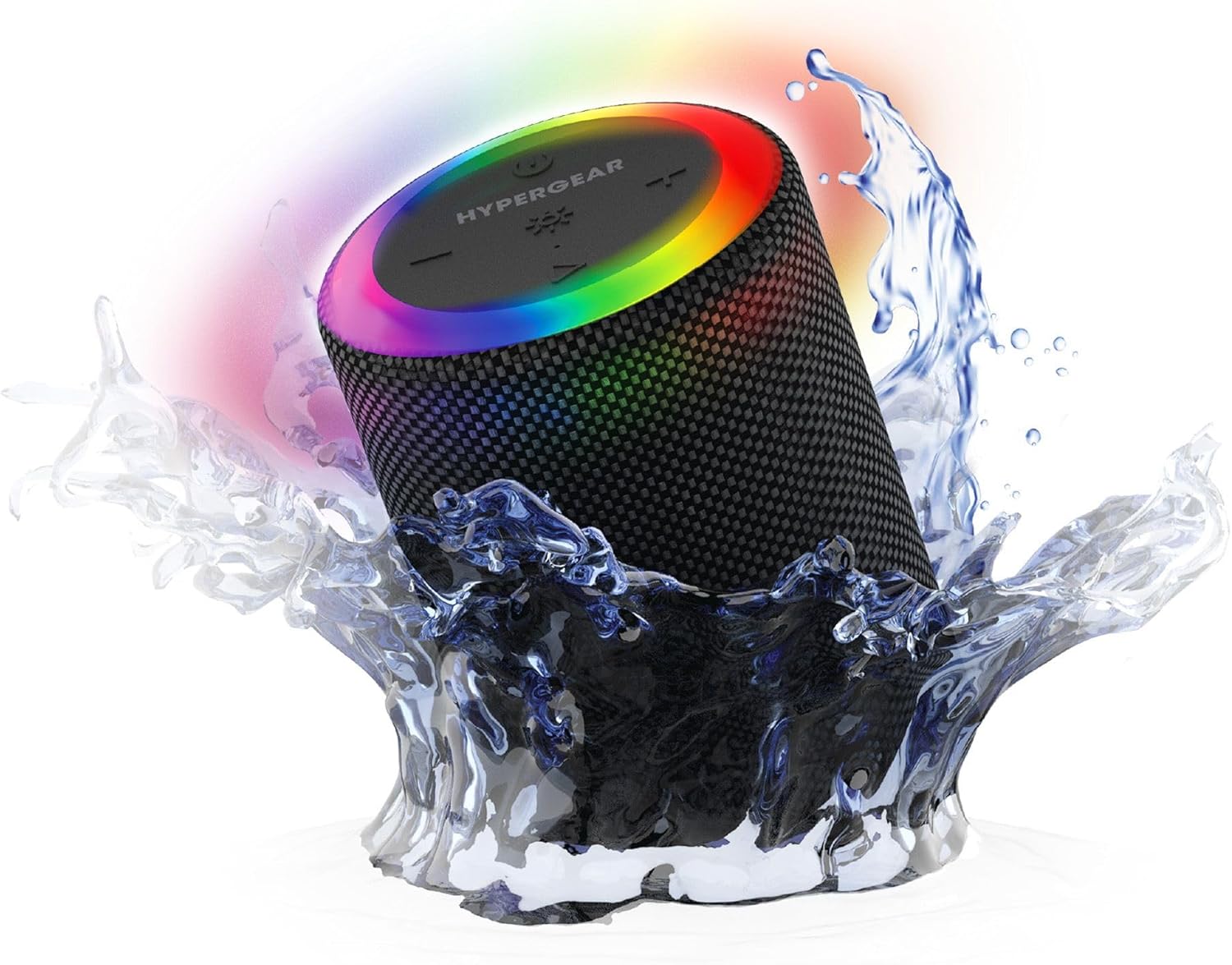
The HyperGear Halo speaker immersed in water, highlighting its robust waterproof design.

Visual representation of the HyperGear Halo speaker's powerful audio features, including its 5W output and 52mm driver.

The HyperGear Halo speaker showcasing its beat-synced 360° multicolor LED light ring with various lighting modes.
Тэхнічныя характарыстыкі
| Асаблівасць | Дэталь |
|---|---|
| Назва мадэлі | Halo Waterproof LED Wireless Speaker |
| Тып дынаміка | Мультымедыя |
| Тэхналогія падлучэння | Bluetooth 5.3 |
| Рэжым выхаду гуку | Mono (Stereo with Party Mode) |
| Максімальная выхадная магутнасць дынаміка | 5 ват |
| Памер аўдыё драйвера | 52 міліметра |
| Узровень воданепранікальнасці | IPX6 воданепранікальны |
| Памеры прадукту | 3.27" Г x 3.27" Ш x 4.13" У |
| Вага прадмета | 1.05 фунта |
| Крыніца харчавання | Харчаванне ад батарэі |
| Уключаныя кампаненты | USB-C Charging Cable, 3.5mm Aux Cord |
| Метад кантролю | Кнопка |
| UPC | 633755158858 |
Тэхнічнае абслугоўванне
- Уборка: Працярыце дынамік мяккім, damp тканіна. Не выкарыстоўвайце агрэсіўныя хімікаты або абразіўныя ачышчальнікі.
- захоўванне: Захоўвайце дынамік у прахалодным, сухім месцы, удалечыні ад прамых сонечных прамянёў і экстрэмальных тэмператур.
- Сыход за батарэяй: To preserve battery life, avoid fully discharging the speaker frequently. Charge it regularly, even if not in use for extended periods.
- Воданепранікальная пячатка: Ensure the silicone cover for the charging and AUX ports is securely closed when near water to maintain its IPX6 rating.
Ліквідацыю непаладак
| праблема | Магчымае рашэнне |
|---|---|
| Дынамік не ўключаецца. | Пераканайцеся, што дынамік зараджаны. Падключыце яго да крыніцы харчавання і паспрабуйце яшчэ раз. |
| Немагчыма спалучыцца з прыладай Bluetooth. | Make sure the speaker is in pairing mode (flashing LED). Turn off and on Bluetooth on your device. Ensure no other devices are connected to the speaker. Move speaker closer to your device. |
| Няма гуку з дынаміка. | Check volume levels on both the speaker and your device. Ensure the correct input mode (Bluetooth, Aux, MicroSD) is selected. If using Aux, ensure the cable is fully inserted. |
| Party Mode not working. | Ensure both speakers are fully charged and not connected to any other Bluetooth devices. Try resetting both speakers by powering them off and on, then re-attempt Party Mode pairing. |
| Святлодыёдныя ліхтары не працуюць. | Press the Light Mode button to cycle through modes. Ensure the speaker is powered on. |
Гарантыя і падтрымка
The HyperGear Halo Waterproof LED Wireless Speaker comes with a Абмежаваная гарантыя. For specific details regarding warranty coverage, duration, and claims, please refer to the warranty card included with your product or visit the official HyperGear website. For technical support or further assistance, please contact HyperGear customer service through their official channels.