
1. Уводзіны
Thank you for choosing Baseus Bowie MA10S and AirNora 2 Wireless Earbuds. These earbuds are designed to provide a superior audio experience with advanced features such as Hybrid Active Noise Cancellation, immersive Spatial Audio, and robust bass performance. The AirNora 2 model also features a lightweight design tailored for comfort and an integrated make-up mirror in its charging case.
This manual will guide you through the setup, operation, and maintenance of your new earbuds, ensuring you get the most out of their capabilities.

Image: Baseus Bowie MA10S (black) and AirNora 2 (orange) wireless earbuds with their respective charging cases. The Bowie MA10S case shows a digital battery display, while the AirNora 2 case features an integrated mirror.
2. Камплектацыя і ўстаноўка
2.1 Што ў камплекце
- Baseus Bowie MA10S or AirNora 2 Wireless Earbuds (L/R)
- Чахол для зарадкі
- Зарадны кабель USB-C
- Розныя памеры вушных насадак
- Кіраўніцтва карыстальніка (гэты дакумент)

Image: The AirNora 2 earbuds, their charging case with mirror, USB-C charging cable, and various sizes of ear tips, displayed within their decorative packaging.
2.2 Зарадка навушнікаў і футляра
- Устаўце навушнікі ў зарадны футляр, пераканаўшыся, што яны правільна ўсталяваныя.
- Падключыце кабель зарадкі USB-C да порта зарадкі на корпусе, а другі канец — да адаптара харчавання USB (не ўваходзіць у камплект).
- The indicator lights on the case will show charging status. For Bowie MA10S, the digital display will show battery percentage.
- Fully charge the case and earbuds before first use.
2.3 Спалучэнне па Bluetooth
- Адкрыйце зарадны кейс. Навушнікі аўтаматычна пяройдуць у рэжым спалучэння (індыкатары будуць міргаць).
- На вашай прыладзе (смартфоне, планшэце і г.д.) уключыце Bluetooth.
- Пошук available Bluetooth devices and select "Baseus Bowie MA10S" or "Baseus AirNora 2" from the list.
- Once connected, the indicator lights on the earbuds will turn off or show a steady light, and your device will confirm the connection.
2.4 Нашэнне навушнікаў
Choose the ear tips that provide the best seal and comfort. Gently insert each earbud into your ear canal and twist slightly to secure a snug fit. A proper fit is crucial for optimal sound quality and noise cancellation.
3. Інструкцыя па эксплуатацыі
3.1 Сэнсарнае кіраванне
The earbuds feature touch-sensitive areas for control. Specific functions may vary slightly between models, but common controls include:
- Адзін націск: Прайграванне/прыпыненне музыкі, адказ/завяршэнне выкліку.
- Падвойнае націсканне (злева/справа): Next/Previous track (configurable).
- Трайны кран: Актывуйце галасавога памочніка.
- Доўгі націск: Switch between ANC/Transparency/Normal modes, Reject call.
3.2 Актыўнае шумапрыглушэнне (ANC) і рэжым празрыстасці
The Bowie MA10S and AirNora 2 earbuds feature Hybrid Active Noise Cancellation, reducing external noise by up to -48dB (MA10S) or -42dB (AirNora 2). Transparency mode allows you to hear your surroundings without removing the earbuds.

Image: A man wearing Baseus Bowie MA10S earbuds, illustrating the Hybrid Active Noise Cancellation feature with a graphic indicating -48dB ANC.

Image: A close-up of an AirNora 2 earbud, highlighting its -42dB Active Noise Canceling capability with sound wave graphics.
3.3 Audio Modes (Bowie MA10S)
The Bowie MA10S offers tailored audio modes:
- Рэжым баса: Enhanced bass for sports or energetic music.
- Рэжым музыкі: Balanced audio for daily immersive listening.
- Рэжым гульні: Low latency audio and video synchronization for gaming.

Выява: Выбухнула view diagram illustrating the Titanium-plated PU composite diaphragm, emphasizing 50% punchier bass and 100% clearer treble.
3.4 Immersive Spatial Audio
Both models feature 360° immersive spatial audio. A built-in gyroscope and spatial audio algorithm track your head movements, keeping you at the center of the sound experience.
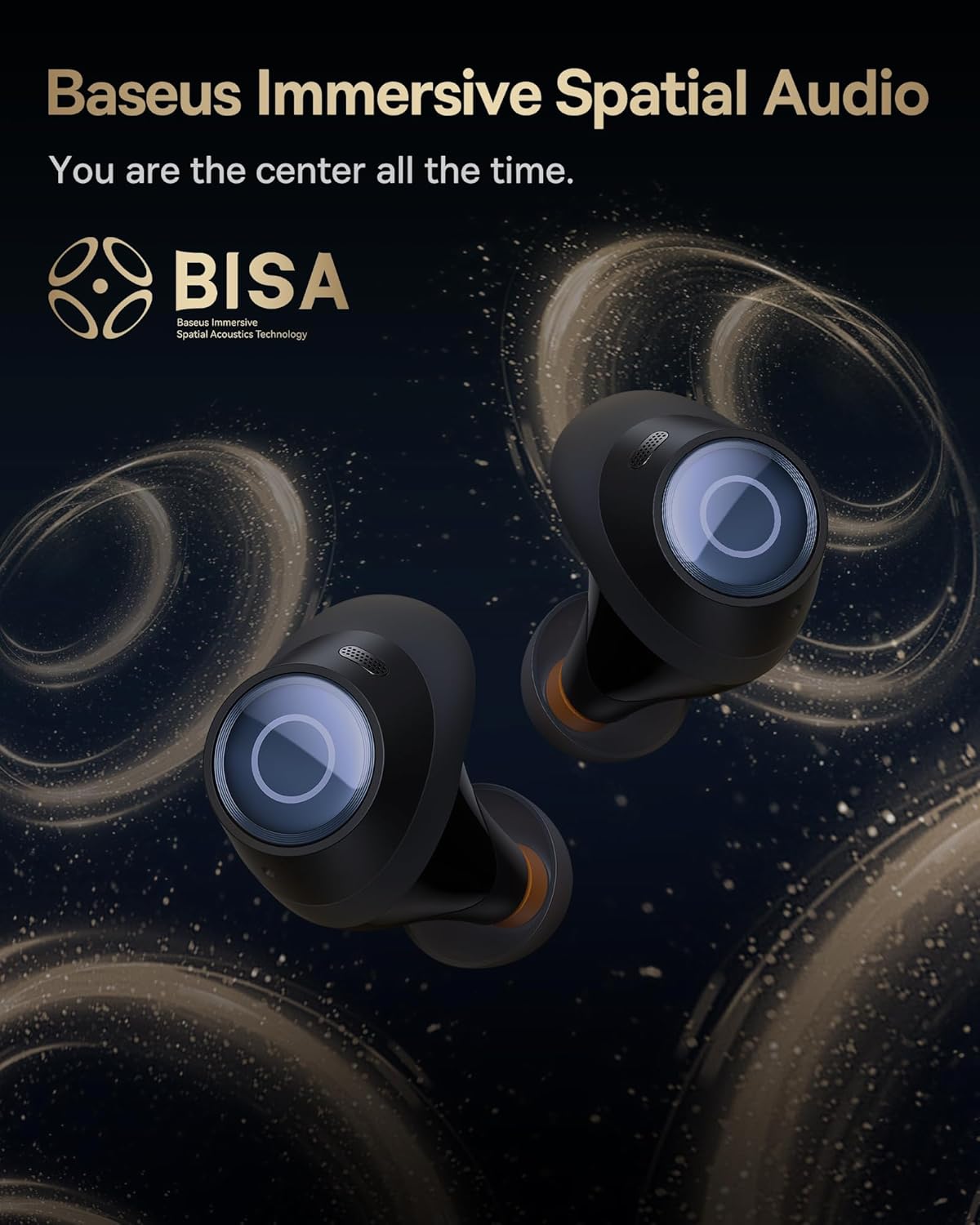
Image: A pair of Baseus Bowie MA10S earbuds with the 'BISA' (Baseus Immersive Spatial Acoustics) technology logo, indicating 360° immersive spatial audio.
4. Тэхнічнае абслугоўванне і догляд
4.1 Ачыстка
- Рэгулярна працірайце навушнікі, асабліва амбушуры і зарадныя кантакты, мяккай, сухой тканінай без ворса.
- Зніміце вушныя насадкі і пры неабходнасці памыйце іх мяккім мылам і вадой, пераканаўшыся, што яны цалкам сухія, перш чым прымацаваць іх назад.
- Працірайце зарадны чахол мяккай сухой тканінай. Пазбягайце выкарыстання абразіўных матэрыялаў або агрэсіўных хімічных рэчываў.
4.2 Воданепранікальнасць (IPX4)
The earbuds are IPX4 water-resistant, meaning they are protected against splashing water from any direction. This makes them suitable for workouts and light rain. However, they are not designed for swimming or submersion in water.

Image: Baseus Bowie MA10S earbuds shown with water splashing around them, illustrating their IPX4 water resistance rating.
4.3 Захоўванне і догляд за батарэяй
- Захоўвайце навушнікі-ўкладышы ў зарадным чахле, калі яны не выкарыстоўваюцца, каб абараніць іх і падтрымліваць зарад.
- Avoid exposing the earbuds or case to extreme temperatures, direct sunlight, or high humidity.
- For long-term storage, charge the case and earbuds to about 50% every few months to preserve battery health.
4.4 AirNora 2 Make-up Mirror
The AirNora 2 charging case includes an integrated make-up mirror. Keep the mirror clean with a soft, dry cloth. Avoid scratching the surface.

Image: The AirNora 2 charging case opened, showcasing the earbuds inside and the integrated vanity mirror on the lid.
5. Выпраўленне непаладак
5.1 Навушнікі не спалучаюцца/не падключаюцца
- Ensure earbuds are charged and in pairing mode (lights flashing).
- Выключыце і ўключыце Bluetooth на вашай прыладзе.
- Забудзьцеся пра прыладу ў наладах Bluetooth тэлефона і паспрабуйце зноў падключыць прыладу.
- Змесціце навушнікі назад у чахол, зачыніце вечка, пачакайце некалькі секунд, а затым зноў адкрыйце.
5.2 Няма гуку або нізкі ўзровень гучнасці
- Праверце ўзровень гучнасці як на прыладзе, так і ў навушніках.
- Пераканайцеся, што навушнікі правільна падключаны да вашай прылады.
- Ачысціце сетку дынаміка навушнікаў ад смецця.
5.3 Праблемы з зарадкай
- Пераканайцеся, што зарадны кабель надзейна падключаны як да корпуса, так і да крыніцы харчавання.
- Праверце, ці правільна працуе адаптар харчавання.
- Ачысціце зарадныя кантакты на абодвух навушніках і ўнутры кейса.
5.4 АНК працуе неэфектыўна
- Пераканайцеся, што навушнікі правільна размешчаны ў вушах, і вы выбралі правільны памер амбушюр для добрага прылягання.
- Verify that ANC mode is activated via touch controls.
6. Тэхнічныя характарыстыкі
| Асаблівасць | Спецыфікацыя |
|---|---|
| Назва мадэлі | Baseus Bowie MA10S / AirNora 2 |
| Тэхналогія падлучэння | Бесправадная сувязь (Bluetooth) |
| Версія Bluetooth | 5.0 |
| Кантроль шуму | Актыўнае шумапрыглушэнне (гібрыднае ANC) |
| Узровень воданепранікальнасці | IPX4 |
| Матэрыял | Гума, сілікон |
| Дыяпазон частот | 20 Гц - 20 000 Гц |
| Метад кантролю | Дакранацца |
| Размяшчэнне вушэй | У вуха |
| Формаў-фактар | У вуха |
| Вытворца | Басейс |
| Першая даступная дата | 25 сакавіка 2024 г |
7. Гарантыя і падтрымка
Каб атрымаць інфармацыю пра гарантыю і падрабязную падтрымку, звярніцеся да афіцыйнага сайта Baseus. website or the warranty card included with your product. You may also contact Baseus customer service directly for assistance with product issues or inquiries.
Афіцыйны прадстаўнік Baseus Webсайт: www.baseus.com