
TOPTECH AL-212-BK
AL-212 Wireless Bluetooth Speaker User Manual
Model: AL-212-BK | Brand: TOPTECH
1. Уводзіны
The TOPTECH AL-212 is a powerful and versatile wireless Bluetooth speaker designed to deliver high-fidelity sound with dynamic LED lighting. Featuring dual 12-inch woofers, it provides robust audio for various occasions, from home entertainment to outdoor parties. This manual provides detailed instructions for setting up, operating, and maintaining your speaker to ensure optimal performance.

Выява: спераду view of the AL-212 speaker, showcasing its dual 12-inch woofers and vibrant LED lighting.
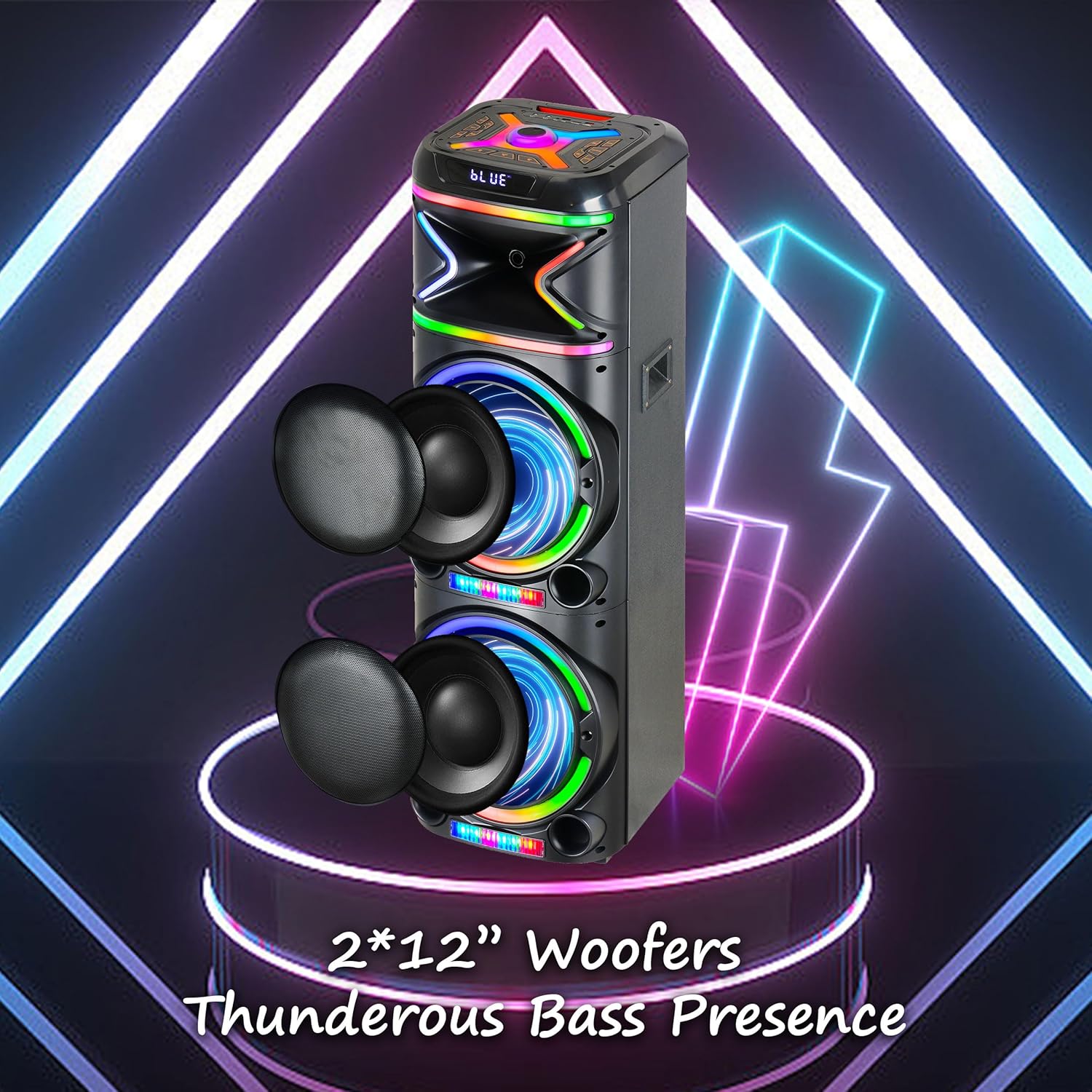
Выява: Крупны план view emphasizing the two 12-inch woofers, responsible for the speaker's powerful bass and clear audio output.
2. Што ўваходзіць у камплект
Калі ласка, праверце змесціва пакета, каб пераканацца ў наяўнасці ўсіх прадметаў:
- AL-212 Wireless Bluetooth Speaker
- Пульт дыстанцыйнага кіравання
- Правадной мікрафон
- Адаптар сілкавання
- Кіраўніцтва карыстальніка (гэты дакумент)
- Гарантыйны талон

Image: Visual representation of the speaker's dimensions and the accessories included in the package: wireless microphone, remote control, and portable wheels.
3. Элементы кіравання і парты
Familiarize yourself with the control panel and various input/output ports located on the top and rear of the speaker.
Элементы кіравання верхняй панэлі:

Выява: Падрабязная view of the speaker's top control panel, showing buttons for various functions and input ports.

Image: A simplified diagram highlighting the key control buttons and their functions on the speaker's interface.
- Кнопка харчавання: Уключае або выключае дынамік.
- Кнопка рэжыму: Switches between Bluetooth, FM Radio, AUX, USB, and TF Card modes.
- Рэгулятар гучнасці: Рэгулюе галоўную гучнасць.
- Рэгулятар гучнасці мікрафона: Рэгулюе гучнасць мікрафона.
- Ручка рэха: Adjusts the microphone echo effect.
- Кнопка рэжыму святлодыёда: Змяняе шаблоны святлодыёднай падсветкі.
- Кнопка прайгравання/паўзы: Прайграе або прыпыняе прайграванне аўдыё.
- Кнопкі папярэдняга/наступнага трэка: Пераход да папярэдняй або наступнай кампазіцыі.
- Кнопка запісу: Records microphone input to USB/TF card.
- Кнопка TWS: Ініцыюе спалучэнне сапраўднай бесправадной стэрэасістэмы.
Парты ўводу/вываду:
- Порт USB: Для прайгравання з USB-назапашвальнікаў і зарадкі знешніх прылад.
- Слот TF карты: Для прайгравання з карт TF (MicroSD).
- AUX-уваход (3.5 мм): Connect external audio devices via an audio cable.
- Уваход для мікрафона (6.35 мм): Падключыце правадной мікрафон.
- Guitar Input (6.35mm): Падключыце гітару ці іншы інструмент.

Image: The AL-212 speaker displayed with icons representing its versatile connectivity options, including Bluetooth, USB, TF card, AUX, microphone, and remote control.
4. Настройка
4.1 Зарадка дынаміка
The AL-212 speaker is battery-powered. Before first use, fully charge the speaker using the provided power adapter. The charging indicator light will show the charging status and turn off when fully charged.
4.2 Першапачатковае ўключэнне
Press and hold the Power button on the top panel to turn on the speaker. You will hear a power-on prompt, and the LED lights will illuminate.
5. Інструкцыя па эксплуатацыі
5.1 Спалучэнне па Bluetooth
- Turn on the speaker. It will automatically enter Bluetooth pairing mode, indicated by a flashing 'BLUE' on the display and an audible prompt.
- Уключыце Bluetooth на вашым смартфоне, планшэце або іншай прыладзе з падтрымкай Bluetooth.
- Пошук "AL-212" in the list of available devices and select it to connect.
- Once connected, you will hear a confirmation sound, and the 'BLUE' indicator will stop flashing.

Image: A smartphone screen showing the Bluetooth pairing menu, with the AL-212 speaker and a Bluetooth icon, illustrating the connection process.
5.2 Спалучэнне з сапраўдным бесправадным стэрэа (TWS)
To achieve a stereo sound experience, you can pair two AL-212 speakers together using the TWS function.
- Ensure both AL-212 speakers are powered on and not connected to any Bluetooth device.
- Press the 'TWS' button on one of the speakers. It will emit a sound indicating it's searching for another speaker.
- Два дынамікі аўтаматычна падключацца адзін да аднаго. Пасля падключэння вы пачуеце гук пацверджання.
- Now, connect your Bluetooth device to one of the paired speakers (the master speaker) as described in Section 5.1. Audio will play in stereo through both speakers.

Image: Two AL-212 speakers positioned outdoors, demonstrating the True Wireless Stereo (TWS) feature with a dotted line indicating the wireless connection between them.

Image: A simplified diagram showing two AL-212 speakers with a dotted line and 'TWS' label, illustrating the True Wireless Stereo connection.
5.3 Прайграванне з USB/TF-карты
Insert a USB flash drive or TF (MicroSD) card into the respective port. The speaker will automatically switch to USB/TF mode and begin playing audio files. Use the Play/Pause and Previous/Next Track buttons to control playback.
5.4 AUX ўваход
Connect an external audio device (e.g., MP3 player, laptop) to the AUX input port using a 3.5mm audio cable. The speaker will automatically switch to AUX mode. Control playback from your connected device.
5.5 Выкарыстанне мікрафона
Connect the provided wired microphone to the Microphone Input port. Adjust the microphone volume using the 'Mic Vol' knob and add echo effects with the 'Echo' knob. You can sing along with music playing from any source.
5.6 FM -радыё
Press the 'Mode' button until you hear the FM radio prompt. Press the 'Play/Pause' button to auto-scan and save available FM stations. Use the Previous/Next Track buttons to switch between saved stations.
5.7 святлодыёдных рэжымаў святла
Press the 'LED Mode' button to cycle through different LED light patterns and effects. Press it repeatedly to find your preferred lighting display.

Image: The AL-212 speaker illuminated with its vibrant, multi-color LED lights, showcasing the dynamic light show feature.
5.8 Функцыі дыстанцыйнага кіравання
The included remote control provides convenient access to all speaker functions from a distance. Refer to the remote control diagram in the package for specific button layouts and functions.
6. Тэхнічнае абслугоўванне
- Уборка: Выкарыстоўвайце мяккую сухую тканіну для чысткі вонкавага боку дынаміка. Не выкарыстоўвайце абразіўныя ачышчальнікі, воск або растваральнікі.
- захоўванне: Калі дынамік не выкарыстоўваецца працяглы час, захоўвайце яго ў прахалодным, сухім месцы, удалечыні ад прамых сонечных прамянёў і экстрэмальных тэмператур.
- Сыход за батарэяй: Каб падоўжыць тэрмін службы батарэі, пазбягайце частай поўнай разрадкі дынаміка. Рэгулярна зараджайце яго, нават калі ён не выкарыстоўваецца.
- Ўздзеянне вады: Гэты дынамік не воданепранікальны. Пазбягайце ўздзеяння вады або празмернай вільгаці.
7. Выпраўленне непаладак
If you encounter issues with your AL-212 speaker, please refer to the following common problems and solutions:
| праблема | Магчымая прычына | Рашэнне |
|---|---|---|
| Дынамік не ўключаецца. | Батарэя разраджаная або разраджаная. | Connect the speaker to the power adapter and charge it fully. |
| Няма выхаду гуку. | Гучнасць занадта нізкая; выбраны няправільны рэжым; прылада падключана няправільна. | Increase the speaker volume. Ensure the correct input mode (Bluetooth, AUX, USB/TF) is selected. Reconnect your device. |
| Збой злучэння Bluetooth. | Дынамік не ў рэжыме спалучэння; прылада знаходзіцца занадта далёка; перашкоды. | Ensure the speaker is in Bluetooth pairing mode. Move your device closer to the speaker. Avoid obstacles and other wireless devices. |
| Не працуе мікрафон. | Microphone not plugged in correctly; Mic volume is low. | Ensure the microphone is securely plugged into the correct input. Increase the 'Mic Vol' knob. |
| Памылка спалучэння TWS. | Speakers are already connected to another device; Speakers are too far apart. | Disconnect both speakers from any Bluetooth devices. Ensure they are within close proximity (within 10 meters) during pairing. |
8. Тэхнічныя характарыстыкі
| Асаблівасць | Дэталь |
|---|---|
| Назва мадэлі | AL-212-BK |
| Тып дынаміка | НЧ-дынамік |
| Памер дынаміка | Двайны 12 цаляў |
| Тэхналогія падлучэння | Bluetooth, дапаможны, USB |
| Тэхналогія бесправадной сувязі | Bluetooth |
| Дыяпазон Bluetooth | 33 футаў (10 метр) |
| Рэжым выхаду гуку | Стэрэа (канфігурацыя каналаў аб'ёмнага гуку 2.0) |
| Асаблівасці | LED Light, Built-In Microphone, USB Port, Display, FM Radio, Remote Control |
| Крыніца харчавання | Харчаванне ад батарэі |
| Памеры прадукту | 14.96" Г x 7.48" Ш x 14.96" У |
| Колер | Чорны |
| Тып мацавання | Асобна стаіць, мацаванне да разеткі |
| Вытворца | Top Tech Audio |
| UPC | 755824425927 |
9. Гарантыя і падтрымка
The TOPTECH AL-212 speaker comes with a Limited Warranty. Please refer to the included Warranty Card for detailed terms and conditions, including coverage period and claim procedures.
For technical support, troubleshooting assistance beyond this manual, or warranty inquiries, please contact TOPTECH customer service. Contact information can typically be found on the warranty card or the official TOPTECH webсайт.
Note: No official product videos from the seller were found to be embedded based on the provided criteria.
Ask a question about this manual
Ask about setup, troubleshooting, compatibility, parts, safety, or missing instructions. Manuals+ will review the question and use this page’s manual context to help answer it.