
1. Уводзіны
This manual provides instructions for the Baseus 100W 5A USB-C Fast Charging Cable. This cable is designed for efficient power delivery and data transfer between compatible USB-C devices. Please read this manual thoroughly before use to ensure proper operation and longevity of the product.
2. Асноўныя магчымасці
- Высокая магутнасць дастаўкі: Supports up to 100W (20V/5A) fast charging for laptops, tablets, and smartphones.
- Лічбавы дысплей харчавання: Integrated display shows real-time charging wattage.
- Палепшаная трываласць: Features a double-layer anti-bend design, reinforced cable ends, and a long-lasting zinc alloy port for increased resilience.
- Embedded E-Marker Chip: Ensures safe and stable charging by regulating current and voltage.
- Перадача дадзеных: Supports data transfer speeds up to 480 Mbps (USB 2.0 standard).
- Шырокая сумяшчальнасць: Compatible with various USB-C devices including phones, tablets, and laptops.

Image 1: Baseus 100W USB-C Cable demonstrating full speed charging.

Image 2: Digital display on the USB-C connector showing real-time charging wattage.
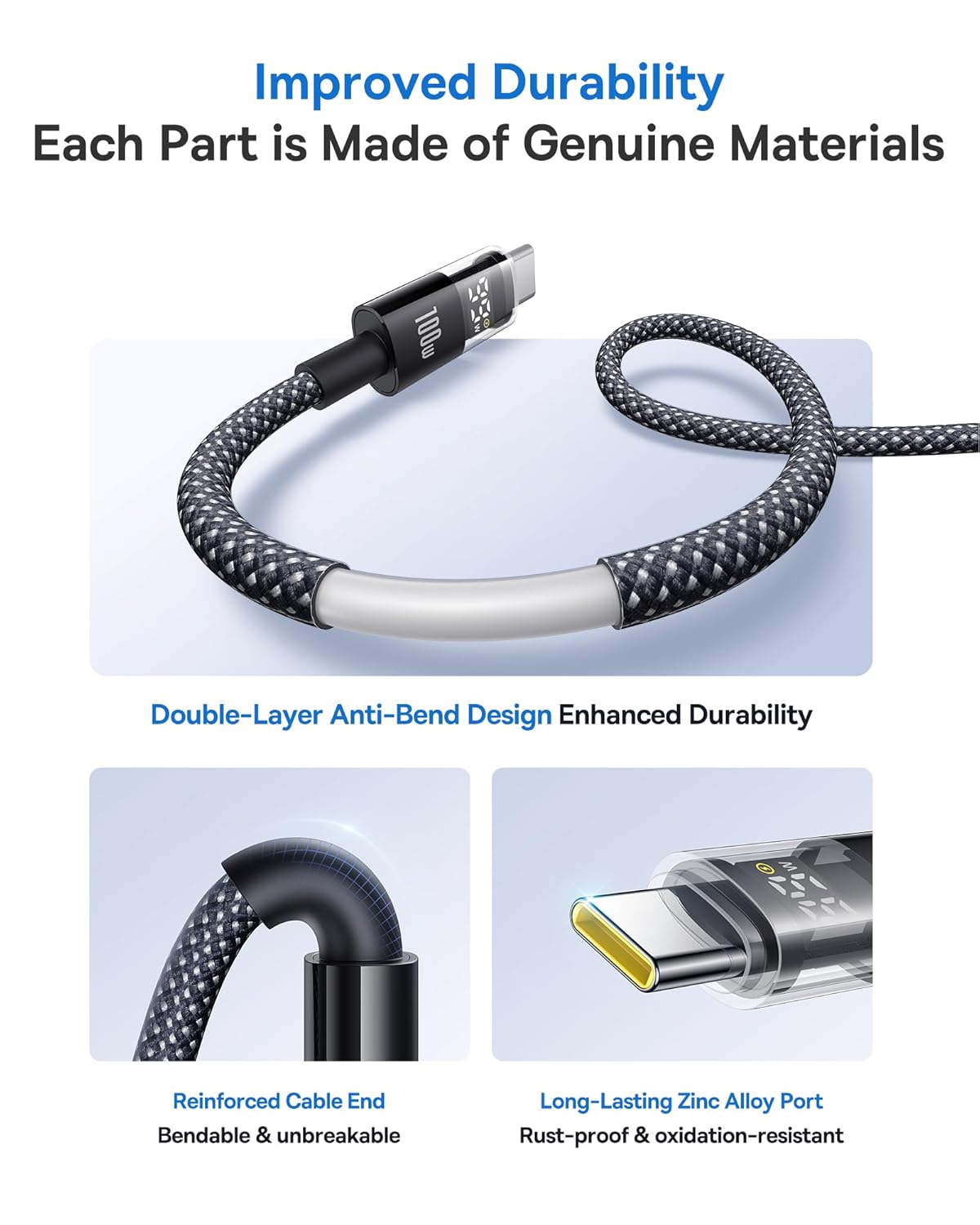
Image 3: Illustration of the cable's improved durability features.

Image 4: Explanation of the embedded E-Marker chip for reliable and safe charging.
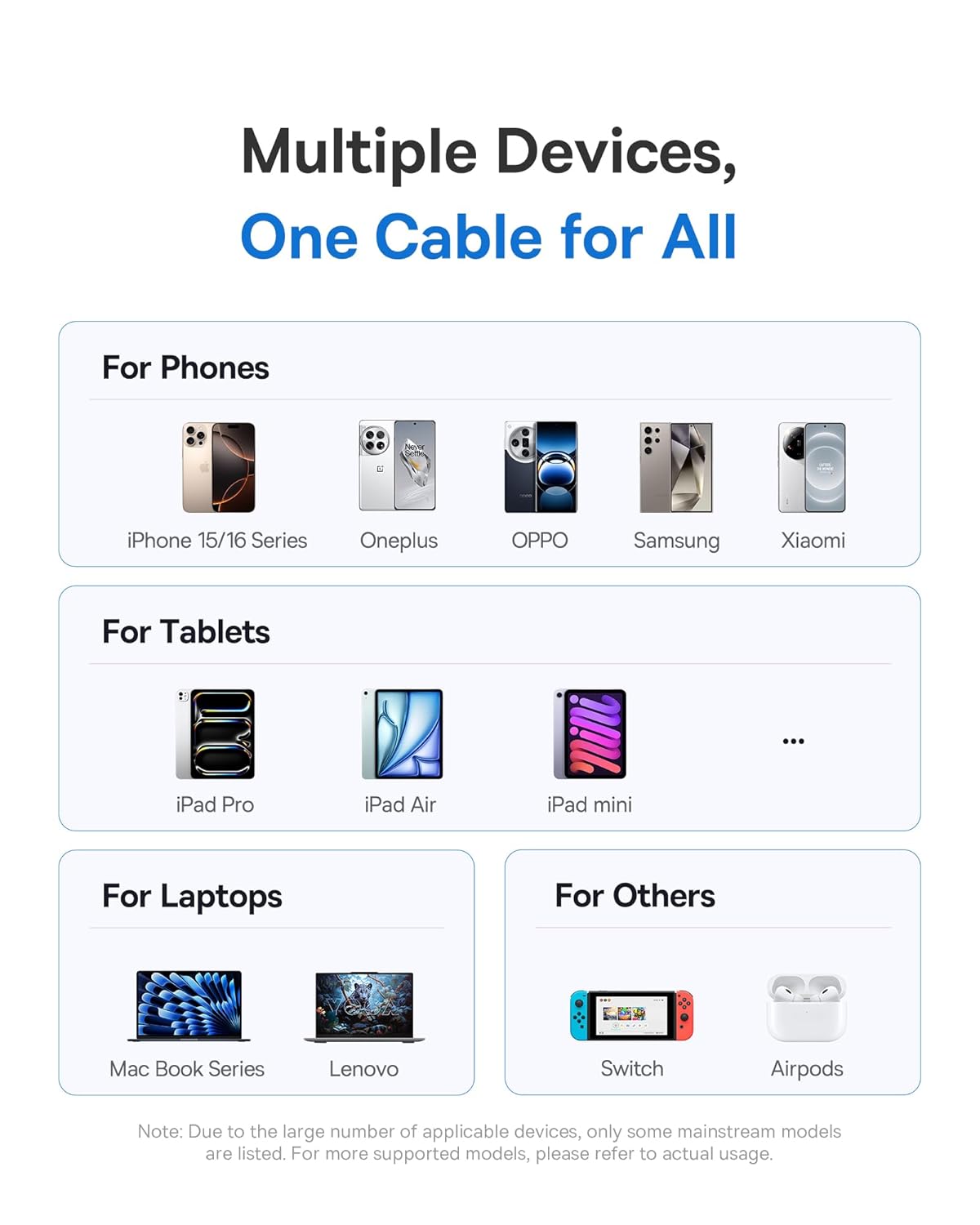
Выява 5: Канецview of the wide compatibility with multiple devices.
3. Настройка
The Baseus USB-C Fast Charging Cable is designed for plug-and-play functionality. No specific software or driver installation is required.
- Identify the USB-C port on your charging adapter or host device (e.g., computer, power bank).
- Identify the USB-C port on your target device (e.g., smartphone, tablet, laptop).
- Insert one end of the Baseus USB-C cable into the charging adapter/host device.
- Insert the other end of the Baseus USB-C cable into your target device.
- Ensure both connections are firm.
4. Інструкцыя па эксплуатацыі
4.1. Зарадныя прылады
Каб зарадзіць прыладу:
- Connect the cable as described in the "Setup" section.
- Пасля падключэння лічбавы дысплей на раздыме кабеля загарыцца, паказваючы бягучы ўзровень зарадкі.tage. This indicates that power is being delivered to your device.
- For optimal fast charging, ensure both your charging adapter and device support Power Delivery (PD) and the required wattage (да 100 Вт).
4.2. Перадача дадзеных
Каб перадаць дадзеныя паміж прыладамі:
- Connect the cable between two compatible USB-C devices (e.g., computer and external hard drive).
- Your devices should recognize each other automatically.
- Пачніце перадачу дадзеных праз аперацыйную сістэму вашай прылады або file праграмнае забеспячэнне для кіравання.
- The cable supports data transfer speeds up to 480 Mbps (USB 2.0).
5. Тэхнічнае абслугоўванне
Proper care will extend the life of your Baseus USB-C cable.
- захоўванне: Store the cable in a clean, dry place away from extreme temperatures. Avoid tightly coiling or kinking the cable.
- Уборка: Выкарыстоўвайце мяккую сухую тканіну для працірання кабеля і раздыма. Не выкарыстоўвайце вадкія ачышчальнікі або абразіўныя матэрыялы.
- Апрацоўка: Always grasp the connector head when plugging or unplugging the cable. Avoid pulling directly on the cable itself to prevent damage to the internal wires and connectors.
- Пазбягайце згінання: While the cable features an anti-bend design, excessive or sharp bending, especially near the connectors, should be avoided.
6. Выпраўленне непаладак
| праблема | Магчымая прычына | Рашэнне |
|---|---|---|
| Прылада не зараджаецца. |
|
|
| Павольная хуткасць зарадкі. |
|
|
| Лічбавы дысплей не працуе. |
|
|
| Праблемы з перадачай дадзеных. |
|
|
7. Тэхнічныя характарыстыкі
| Марка | Басейс |
| Нумар мадэлі | 850060076763 |
| Тып раздыма | USB тыпу C (мужчынскі-мужчынскі) |
| Колер | Шэры |
| Ватtage | Да 100 Вт |
| Ток | Да 5 Amps |
| Хуткасць перадачы даных | 480 Megabytes Per Second (USB 2.0) |
| Вага прадмета | 91 г |
| Памеры ўпакоўкі | 15.29 х 9.09 х 2.39 см |
8. Гарантыя і падтрымка
For warranty information and customer support, please refer to the documentation provided with your purchase or contact the seller/manufacturer directly. Keep your proof of purchase for any warranty claims.
Вытворца: Baseus