
1. Уводзіны
Thank you for choosing the ESSAGER USB 2.0 Hub. This ultra-slim 4-port USB A splitter is designed to expand the connectivity of your devices, providing additional USB 2.0 ports for peripherals such as mice, keyboards, flash drives, and printers. This manual provides detailed instructions for setup, operation, maintenance, and troubleshooting to ensure optimal performance and longevity of your device.
2. Прадукт скончыўсяview і Асаблівасці
The ESSAGER 4-Port USB 2.0 Hub is a compact and efficient solution for expanding your device's USB capabilities. It features a durable design and high-speed data transmission.
Асноўныя характарыстыкі:
- 4-in-1 USB A Hub: Expands one USB A port into four USB 2.0 ports.
- Высакахуткасная перадача: Supports data transfer speeds up to 480 Mbps.
- Strong Power Supply: Capable of driving a 2TB hard drive without external power.
- Трывалы дызайн: Constructed with a high-quality aluminum shell for durability and efficient heat dissipation.
- Plug and Play: Для большасці аперацыйных сістэм не патрэбныя драйверы.
- Кампактны і партатыўны: Ultra-slim design with a 15cm cable for easy portability and connection.
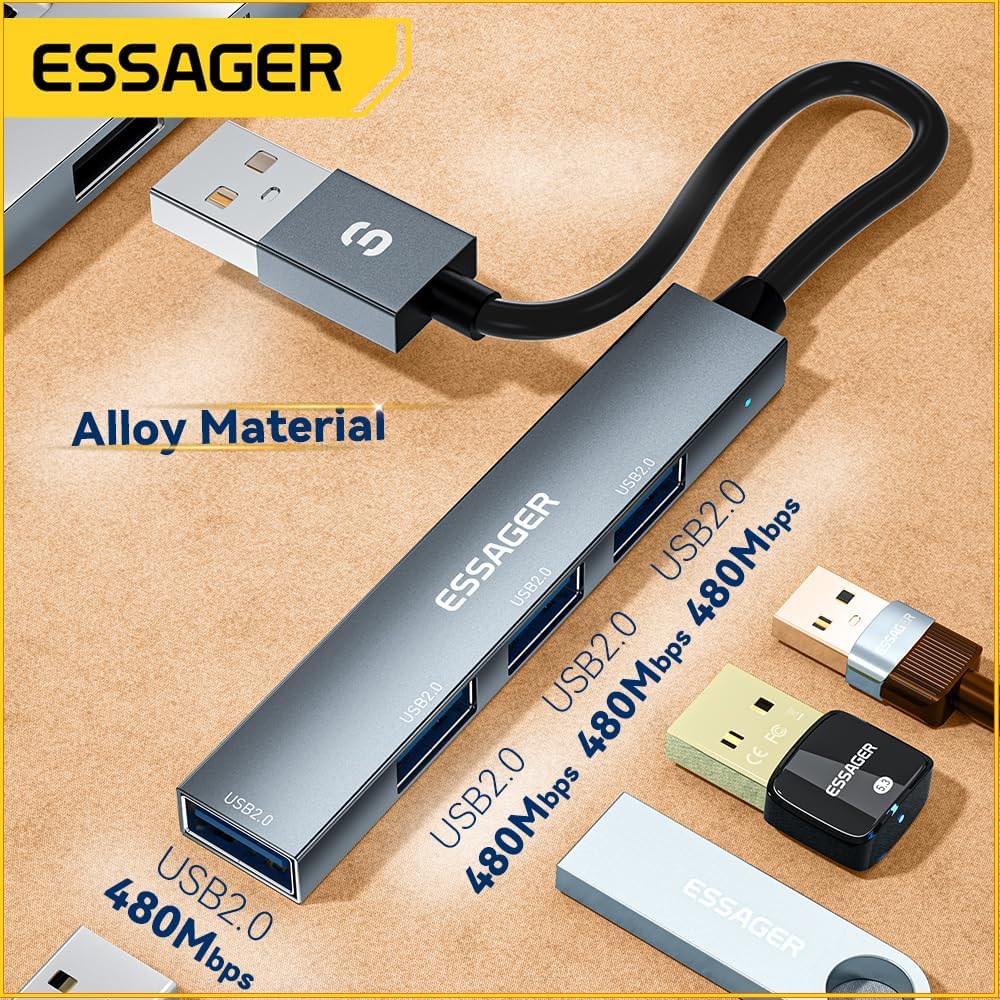
Image 1: The ESSAGER 4-Port USB 2.0 Hub, highlighting its alloy material construction and four USB 2.0 ports, each capable of 480Mbps data transfer.

Image 2: The ESSAGER USB 2.0 Hub in use, connected to a laptop, illustrating its strong power supply for external hard drives and its 480Mbps data transfer rate.
3. Інструкцыі па ўсталёўцы
Setting up your ESSAGER USB 2.0 Hub is a simple plug-and-play process.
Падключэнне канцэнтратара:
- Locate an available USB A port on your host device (laptop, desktop PC, Xbox, PS5, etc.).
- Plug the USB A connector of the ESSAGER Hub into the available USB A port on your host device.
- The hub is now ready for use. No additional drivers or software installation is typically required.
Падключэнне перыферыйных прылад:
- Connect your USB devices (e.g., mouse, keyboard, flash drive, printer) into the available USB 2.0 ports on the ESSAGER Hub.
- Ensure that each device is securely plugged in.
4. Інструкцыя па эксплуатацыі
Once connected, the ESSAGER USB 2.0 Hub functions as a direct extension of your device's USB ports.
Перадача дадзеных:
- Insert your USB flash drives or external hard drives into any of the four USB 2.0 ports.
- Data transfer will occur at speeds up to 480 Mbps, which is standard for USB 2.0.
- For optimal performance, avoid transferring extremely large files simultaneously across all four ports if you experience slowdowns.
Прылады харчавання:
- The hub can provide sufficient power for most USB peripherals.
- It is capable of driving a 2TB hard drive, making it suitable for connecting high-power devices without an external power adapter.
5. Тэхнічнае абслугоўванне
Proper care will help extend the life of your ESSAGER USB 2.0 Hub.
- Уборка: Use a soft, dry cloth to wipe the surface of the hub. Avoid liquid cleaners or abrasive materials.
- захоўванне: Калі хаб не выкарыстоўваецца, захоўвайце яго ў прахалодным, сухім месцы, удалечыні ад прамых сонечных прамянёў і экстрэмальных тэмператур.
- Апрацоўка: Avoid dropping the device or subjecting it to strong impacts. Do not attempt to disassemble the hub.
6. Выпраўленне непаладак
If you encounter issues with your ESSAGER USB 2.0 Hub, please refer to the following common solutions:
- Прылада не распазнана:
- Ensure the hub is securely connected to your host device's USB A port.
- Try connecting the hub to a different USB A port on your host device.
- Ensure the peripheral device (e.g., mouse, flash drive) is securely connected to the hub.
- Перазагрузіце хост-прыладу.
- Павольная перадача дадзеных:
- Verify that the connected devices are USB 2.0 compatible. USB 1.1 devices will operate at slower speeds.
- Avoid connecting multiple high-bandwidth devices simultaneously if possible.
- Ensure your host device's USB A port is functioning correctly.
- External Hard Drive Not Powering On:
- While the hub supports 2TB drives, some high-power external hard drives may require their own external power supply.
- Ensure the hard drive cable is fully inserted into the hub.
If these steps do not resolve the issue, please contact ESSAGER customer support for further assistance.
7. Тэхнічныя характарыстыкі
| Асаблівасць | Спецыфікацыя |
|---|---|
| мадэль | B0CZP1HCWK |
| Памеры прадукту | 3.2 х 0.55 х 0.28 цалі |
| Вага прадмета | 0.634 унцыі |
| Абсталяванне інтэрфейсу | USB 2.0 |
| Усяго партоў USB | 4 |
| Хуткасць перадачы даных | Да 480 Мбіт/с |
| Асаблівасць | Лёгкі, Plug and Play |
| Сумяшчальныя прылады | Laptops, Desktop PCs, Xbox, PS5, Card Readers, Tablets, Mouse, Keyboard, Flash Drive, U Disk, Printer |
| Вытворца | ЭСАГЕР |
8. Гарантыя і падтрымка
ESSAGER is committed to providing high-quality electronic products and ensuring customer satisfaction. We offer comprehensive after-sales support for our products.

Image 3: ESSAGER's Brand Philosophy and commitment to customer service, including free replacement for malfunctions, 24/7 support, and professional technical assistance.
Наша абавязацельства:
- One-Year After-Sales Service: We provide a one-year after-sales service for all customers.
- Бясплатная замена: In case of any malfunction, please contact our customer service for a free replacement.
- Абслугоўванне кліентаў 24/7: Our support team is available 24 hours a day, 7 days a week to assist you.
- Прафесійная тэхнічная падтрымка: Access to professional technical assistance for any product-related queries.
If you encounter any problems while using your ESSAGER USB 2.0 Hub, please do not hesitate to contact ESSAGER customer service. Your satisfaction is our priority.