
1. Уводзіны
This manual provides instructions for the GOODaaa Bundle, which includes the PN-W22 Wireless Power Bank and the HW-AC01 PD 20W Wall Adapter. This bundle is designed to provide portable and efficient power solutions for various electronic devices.
The PN-W22 power bank offers a large capacity, multiple charging options including solar and wireless, and integrated cables. The HW-AC01 wall adapter features dual-port fast charging capabilities to quickly power your devices and recharge the power bank.

Image 1.1: The GOODaaa PN-W22 Wireless Power Bank and HW-AC01 PD 20W Adapter, along with included cables.
2. Інфармацыя па бяспецы
Калі ласка, прачытайце ўсе інструкцыі па бяспецы перад выкарыстаннем гэтага прадукта, каб пазбегнуць траўмаў або пашкоджанняў.
- Do not expose the devices to extreme temperatures, direct sunlight for prolonged periods (especially the power bank), or humid environments.
- Пазбягайце падзення, удараў або разборкі прылад.
- Трымаць далей ад вады і лёгкаўзгаральных матэрыялаў.
- Do not use if the devices appear damaged.
- Выкарыстоўвайце толькі прызначаныя зарадныя кабелі і адаптары.
- Захоўваць у месцах, недаступных дзецям.
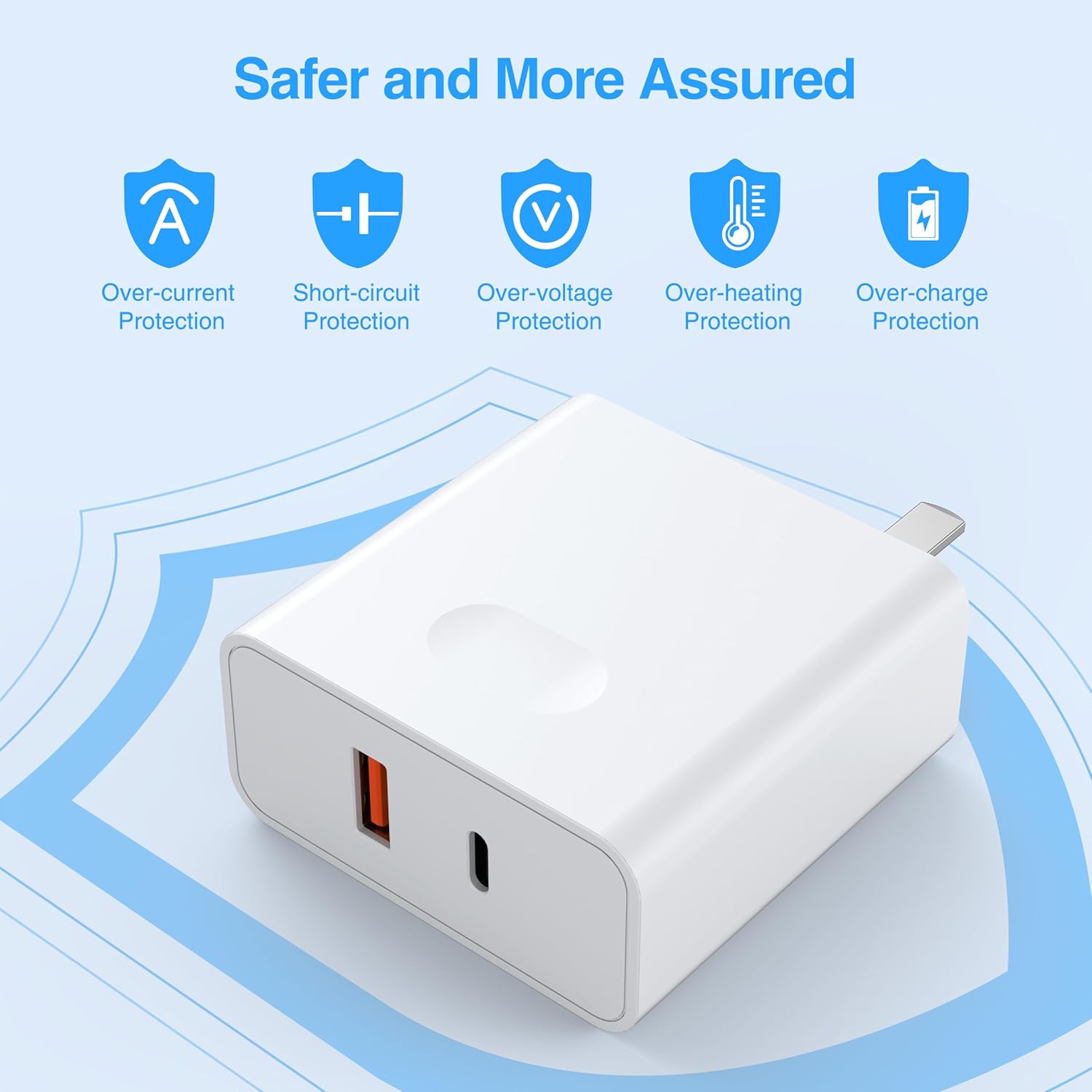
Image 2.1: The HW-AC01 PD 20W Adapter features multiple safety protections for secure charging.
3. Змесціва ўпакоўкі
Праверце, ці ёсць усе прадметы ў вашай упакоўцы:
- GOODaaa PN-W22 Wireless Power Bank
- GOODaaa HW-AC01 PD 20W Wall Adapter
- USB-A to USB-C Cable (for charging the power bank)
4. Прадукт скончыўсяview
4.1 PN-W22 Wireless Power Bank
- Панэль сонечных батарэй: For emergency and trickle charging when exposed to sunlight.
- Built-in Charging Cables: Includes Type-C, iOS (Lightning), and Micro USB output cables, plus a USB-A input cable for convenience.
- Бесправадная зарадная пляцоўка: Supports wireless charging for compatible devices.
- Святлодыёдныя індыкатары: Display battery level and charging status.
- Ліхтарык: Integrated LED flashlight for illumination.
- Дадатковыя парты: USB-A output port and USB-C input/output port for versatile connectivity.
4.2 HW-AC01 PD 20W Wall Adapter
- Порт USB-C: Supports Power Delivery (PD) fast charging up to 20W.
- Порт USB-A: Supports Quick Charge (QC) fast charging.
- Дызайн з двума портамі: Дазваляе адначасовую зарадку двух прылад.
- Аховы бяспекі: Features over-current, short-circuit, over-voltage, over-heating, and over-charge protection.
5. Усталёўка і першапачатковая зарадка
5.1 Charging the PN-W22 Power Bank
Before first use, fully charge the PN-W22 Power Bank using the HW-AC01 Wall Adapter or another compatible USB power source.
- Connect the USB-A input cable (built-in) from the PN-W22 Power Bank to the USB-A port on the HW-AC01 Wall Adapter. Alternatively, use a USB-C to USB-C cable (not included) to connect the power bank's USB-C port to the adapter's USB-C port.
- Plug the HW-AC01 Wall Adapter into a standard wall outlet.
- The LED indicators on the power bank will illuminate to show charging progress. A full charge is indicated when all LEDs are solid.

Image 5.1: The PN-W22 Power Bank connected to the HW-AC01 Wall Adapter for charging.
5.2 Solar Charging (PN-W22 Power Bank)
The integrated solar panel provides an emergency charging option. Place the power bank in direct sunlight. A green indicator light will show that solar charging is active. Note that solar charging is slower than wall charging and is primarily intended for maintaining charge or emergency power in outdoor situations.
6. Інструкцыя па эксплуатацыі
6.1 Charging Devices with PN-W22 Power Bank
The PN-W22 Power Bank offers multiple ways to charge your devices:
- Выкарыстанне ўбудаваных кабеляў: Pull out the appropriate built-in cable (Type-C, iOS, or Micro USB) and connect it directly to your device.
- Выкарыстанне знешніх USB-партоў: Connect your device's charging cable to the USB-A output port or the USB-C input/output port on the power bank.
- Бесправадная зарадка: Place your wireless-enabled device (e.g., iPhone 14/13/12 series, Samsung Galaxy S23/S22/S21 series) on the designated wireless charging area of the power bank. Ensure the device is centered for optimal charging.
The power bank supports charging up to 6 devices simultaneously using a combination of built-in cables, external ports, and wireless charging.

Image 6.1: The PN-W22 Power Bank can charge up to six devices at once through its various outputs.

Image 6.2: The PN-W22 Power Bank provides convenient wireless charging for compatible devices.
6.2 Using the Flashlight (PN-W22 Power Bank)
To activate the flashlight, press and hold the power button on the power bank. Press again to cycle through modes (e.g., steady, SOS, strobe) or turn off.
6.3 Charging Devices with HW-AC01 Wall Adapter
The HW-AC01 Wall Adapter provides fast charging for compatible devices.
- Plug the HW-AC01 Wall Adapter into a standard wall outlet.
- Connect your device's charging cable to either the USB-C (PD) port or the USB-A (QC) port on the adapter.
- For optimal fast charging, use a USB-C to USB-C cable with the USB-C port for Power Delivery compatible devices, or a USB-A cable with the USB-A port for Quick Charge compatible devices.
- The adapter can charge two devices simultaneously, distributing power as needed.

Image 6.3: The HW-AC01 Wall Adapter can charge two devices concurrently with up to 20W total output.

Image 6.4: The HW-AC01 Wall Adapter is compatible with a wide range of electronic devices.
7. Тэхнічнае абслугоўванне
- Clean the devices with a soft, dry cloth. Do not use harsh chemicals or abrasive materials.
- Захоўвайце прылады ў прахалодным, сухім месцы, удалечыні ад прамых сонечных прамянёў і экстрэмальных тэмператур.
- Пераканайцеся, што парты чысцяць ад пылу і смецця.
8. Выпраўленне непаладак
- Прылада не зараджаецца: Ensure cables are securely connected. Check if the power bank has sufficient charge. Verify the wall adapter is properly plugged into an active outlet.
- Павольная зарадка: Ensure you are using appropriate fast-charging cables and that your device supports fast charging. Solar charging is inherently slower than wall charging.
- Бесправадная зарадка не працуе: Ensure your device is wireless charging compatible and correctly aligned on the charging pad. Remove any thick cases that may interfere.
- Святлодыёдныя індыкатары не гараць: The power bank may be fully discharged or not properly connected to a power source.
9. Тэхнічныя характарыстыкі
9.1 PN-W22 Wireless Power Bank
- Крыніца харчавання: Solar Powered, USB Input
- Асаблівасці зарадкі: Бесправадная зарадка, хуткая зарадка
- Убудаваныя кабелі: 1x Type-C Output, 1x iOS Output, 1x Micro USB Output, 1x USB-A Input
- Дадатковыя парты: 1x USB-A Output, 1x USB-C Input/Output
- Іншыя асаблівасці: Integrated Flashlight, Portable
9.2 HW-AC01 PD 20W Wall Adapter
- Максімальная выхадная магутнасць: 20 Вт (адзін порт)
- парты: 1x USB-C (Power Delivery), 1x USB-A (Quick Charge)
- Функцыі бяспекі: Over-current Protection, Short-circuit Protection, Over-voltage Protection, Over-heating Protection, Over-charge Protection
- Тып раздыма: USB Type C (for PD)
10. Гарантыя і падтрымка
For warranty information and customer support, please refer to the product packaging or visit the official GOODaaa webсайт. Захоўвайце чэк аб пакупцы на выпадак прэтэнзій па гарантыі.