
1. Уводзіны
Дзякуй за пакупкуasing the eKids Marvel Deadpool Wireless Earbuds. These earbuds are designed to provide a high-quality audio experience with the convenience of wireless connectivity. This manual will guide you through the setup, operation, and maintenance of your new earbuds.
Калі ласка, уважліва прачытайце гэтую інструкцыю перад выкарыстаннем прадукту і захавайце яе для далейшага выкарыстання.
2. Прадукт скончыўсяview
The eKids Marvel Deadpool Wireless Earbuds feature a distinctive Deadpool design and offer wireless stereo sound streaming with a built-in microphone for calls. They come with a portable charging case and multiple ear cushion sizes for comfort.
Асноўныя характарыстыкі:
- Wireless stereo sound streaming
- Убудаваны мікрафон для званкоў
- Three sizes of rubber ear cushions (small, medium, large) for personalized comfort
- Падключэнне для зарадкі USB-C
- Злучэнне Bluetooth
- Up to 22 hours total music playtime with charging case
- Ergonomic shape for comfort
- Лёгкая канструкцыя
- Compatible with iPhone, Android, smartphones, tablets, and computers
- Suitable for gaming, audiobooks, video calls, and various entertainment/educational content
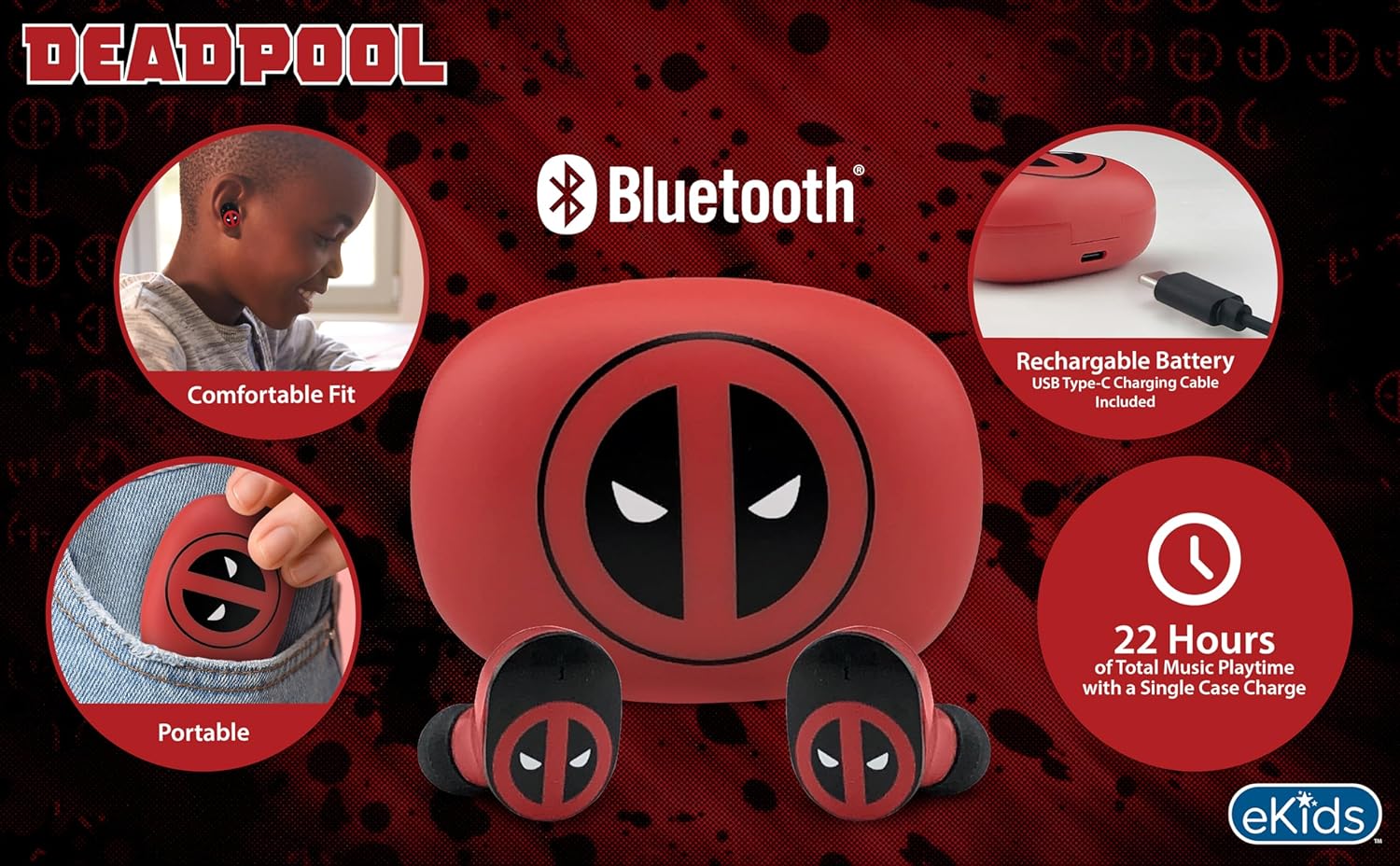
Image 2.1: The eKids Marvel Deadpool Wireless Earbuds and their charging case, showcasing the distinctive Deadpool logo.
3. Настройка
3.1 Зарадка навушнікаў і футляра
- Open the charging case and place both earbuds inside, ensuring they are correctly seated.
- Падключыце зарадны кабель USB-C з камплекта да зараднага порта на корпусе.
- Connect the other end of the USB-C cable to a compatible USB power source (e.g., computer, wall adapter).
- Індыкатар на зарадным чахле загарыцца, паказваючы стан зарадкі. Пасля поўнай зарадкі індыкатар можа змяніць колер або выключыцца.
A full charge provides up to 22 hours of total music playtime, with the case offering 2.5 times extra charge for the earbuds.

Image 3.1: The Deadpool-themed charging case with the USB-C charging cable connected, illustrating the charging process.
3.2 Спалучэнне з прыладай Bluetooth
- Пераканайцеся, што навушнікі зараджаныя і змешчаныя ў зарадны кейс.
- Open the charging case. The earbuds will automatically power on and attempt to connect to the last paired device.
- На вашай прыладзе (смартфоне, планшэце, камп'ютары) перайдзіце ў налады Bluetooth.
- Пошук available devices and select "eKids Deadpool Earbuds" (or similar name).
- Once connected, the LED light on the earbuds will stop flashing or change to a solid color.
The earbuds are compatible with iPhone, Android, and other Bluetooth-enabled devices.
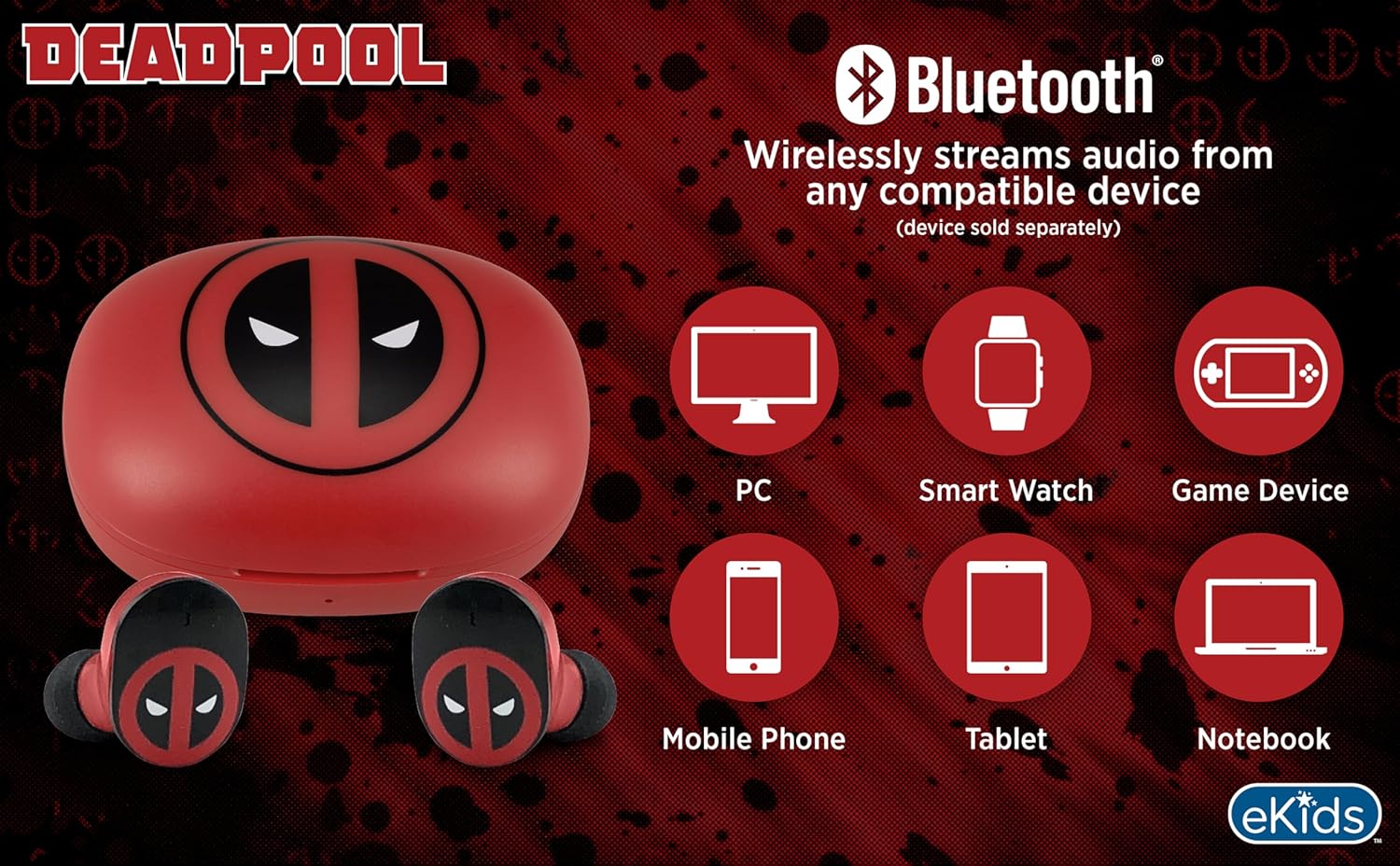
Image 3.2: An illustration showing the Bluetooth connectivity of the earbuds with various devices such as PCs, smartwatches, game devices, mobile phones, tablets, and notebooks.
3.3 Selecting Ear Cushions for Comfort
The earbuds come with three sizes of rubber ear cushions (small, medium, large) to ensure a comfortable and secure fit. Experiment with different sizes to find the best fit for your ears. A proper fit enhances sound quality and comfort.
- Gently remove the pre-installed ear cushions from the earbuds.
- Select a different size ear cushion.
- Carefully attach the new ear cushion to the earbud, ensuring it is securely fastened.

Image 3.3: The Deadpool earbuds shown with the three different sizes of ear cushions included for a customized fit.
4. Кіраванне навушнікамі-ўкладышамі
4.1 Уключэнне/выключэнне сілкавання
- Уключэнне: Адкрыйце зарадны кейс, і навушнікі аўтаматычна ўключацца і паспрабуюць падключыцца да апошняй спалучанай прылады.
- Выключэнне: Змясціце навушнікі назад у зарадны футляр і зачыніце вечка. Яны аўтаматычна выключацца і пачнуць зараджацца.
4.2 Прайграванне музыкі
- Прайграванне/Паўза: Націсніце на любы навушнік адзін раз.
- Наступны трэк: Двойчы націсніце правы навушнік.
- Папярэдні трэк: Двойчы націсніце на левы навушнік.
- Рэгулятар гучнасці: Рэгулюйце гучнасць непасрэдна з падлучанай прылады.
4.3 Тэлефонныя званкі
Убудаваны мікрафон дазваляе рабіць званкі ў рэжыме hands-free.
- Адказ/завяршэнне выкліку: Націсніце на любы навушнік адзін раз.
- Адхіліць выклік: Націсніце і ўтрымлівайце любы навушнік на працягу 2 секунд.
5. Тэхнічнае абслугоўванне
- Уборка: Выкарыстоўвайце мяккую сухую тканіну для чысткі навушнікаў і зараднага футляра. Не выкарыстоўвайце абразіўныя ачышчальнікі або растваральнікі.
- захоўванне: Калі навушнікі не выкарыстоўваюцца, захоўвайце іх у зарадным чахле, каб абараніць і падтрымліваць зараджанасць.
- Пазбягайце вады: These earbuds are not waterproof. Avoid exposure to water or excessive moisture.
- тэмпература: Do not expose the earbuds or case to extreme temperatures.
6. Выпраўленне непаладак
| праблема | Рашэнне |
|---|---|
| Навушнікі не спалучаюцца. | Ensure earbuds are charged. Turn off Bluetooth on your device and turn it back on. Forget the device in your Bluetooth settings and re-pair. |
| Няма гуку з аднаго навушніка. | Place both earbuds back in the charging case, close the lid, then open it again. Check device audio balance settings. |
| Зарадны чахол не зараджаецца. | Праверце кабель USB-C і адаптар сілкавання. Пераканайцеся, што кабель надзейна падключаны як да корпуса, так і да крыніцы сілкавання. |
| Нізкая якасць гуку. | Ensure earbuds are properly seated in your ears with the correct size ear cushions. Move closer to your connected device to avoid interference. |
7. Тэхнічныя характарыстыкі
- Марка: электронныя дзеці
- мадэль: B0D1CS61NB
- колер: Deadpool (Red/Black)
- Размяшчэнне вушэй: У вуха
- Формаў-фактар: У вуха
- Імпеданс: 32 Ом
- Адлегласць Bluetooth: ≥ 10M / 32ft
- Адчувальнасць: 100dB ± 3dB at 1kHz spl
- Тэрмін службы батарэі: Up to 22 hours total playtime with charging case
- Порт для зарадкі: USB-C
- Памеры (корпус): Approximately 2.4 in / 6.2 cm (width) x 1.8 in / 4.6 cm (height) x 1.2 in / 3.1 cm (depth)
- Dimensions (Earbud): Approximately 0.9 in / 2.5 cm (height) x 0.7 in / 1.8 cm (width)

Image 7.1: A detailed diagram illustrating the dimensions and key specifications of the Deadpool wireless earbuds and their charging case.
8. Гарантыя і падтрымка
Каб атрымаць інфармацыю аб гарантыі і падтрымцы кліентаў, звярніцеся да дакументацыі, якая прыкладаецца да вашай пакупкі, або наведайце афіцыйны сайт eKids. webсайт. Захоўвайце пацвярджэнне пакупкі для любых гарантыйных прэтэнзій.
For additional assistance, you may contact eKids customer service directly.
9. Афіцыйнае відэа прадукту
Відэа 9.1: Афіцыйная відэапрэзентацыя прадуктуasing the eKids Marvel Deadpool Wireless Earbuds, highlighting their features and design. This video provides a visual overview of the product's functionality and appearance.