
ASMAX ASMAXF1DP01
ASMAX F1 Motorcycle Bluetooth Headset User Manual
Model: ASMAX F1
1. Уводзіны
The ASMAX F1 Motorcycle Bluetooth Headset is an advanced communication system designed for motorcyclists. It features Bluetooth 5.3 technology, supporting up to 10 riders with a communication range of up to 1.8km. The F1 offers dual intercom modes (Free and Group Mesh), voice control, superior sound quality with ENC noise reduction, and an IP67 waterproof rating. Its magnetic mounting system and fast-charging capabilities ensure convenience and reliability for all your rides.
2. Інфармацыя па бяспецы
- Заўсёды надавайце прыярытэт бяспецы дарожнага руху. Не карыстайцеся прыладай такім чынам, каб гэта адцягвала вас ад язды.
- Перад паездкай пераканайцеся, што гарнітура надзейна замацавана на шлеме.
- Adjust volume levels to ensure you can still hear ambient traffic sounds.
- Не спрабуйце разбіраць або мадыфікаваць прыладу, бо гэта можа ануляваць гарантыю і стварыць рызыку бяспекі.
- Трымайце прыладу далей ад экстрэмальных тэмператур і прамых сонечных прамянёў.
- Charge the device using only the provided cable and a compatible power source.
3. Змесціва ўпакоўкі
Праверце, ці ёсць усе прадметы ў вашай упакоўцы:
- ASMAX F1 Bluetooth Headset Unit(s)
- Speaker and Microphone Kit(s)
- Magnetic Mounting Base(s)
- USB-кабель(і) для зарадкі
- Кіраўніцтва карыстальніка
- Mounting Accessories (e.g., adhesive pads, clips)

Image: ASMAX F1 Headset and included accessories.
4. Прадукт скончыўсяview
4.1 Кампаненты
The ASMAX F1 unit features a sleek design with an illuminated cross-shaped indicator. It is designed for easy attachment to most motorcycle helmets.

Image: ASMAX F1 Bluetooth Headset units.
4.2 Элементы кіравання і індыкатары
The ASMAX F1 is equipped with intuitive controls and indicators for ease of use while riding.
- Кнопка дамафона: Initiates and manages intercom connections.
- Кнопкі рэгулявання гучнасці +/-: Рэгулюе гучнасць гуку.
- Функцыянальная кнопка: Multi-purpose button for various operations.
- Святлодыёдны індыкатар: Displays device status (e.g., power, pairing, charging).
- Галасавое кіраванне: Activates functions using voice commands (e.g., "Hi Max").

Image: ASMAX F1 controls and helmet compatibility.
5. Настройка
5.1 Installation on Helmet
The ASMAX F1 features a magnetic mounting system for easy and secure attachment to your helmet.
- Choose a suitable location on the side of your helmet, typically on the left side, ensuring it does not obstruct your vision or helmet functionality.
- Clean the helmet surface thoroughly where the mounting base will be attached.
- Attach the magnetic mounting base to the helmet using the provided adhesive pad or clamp. Ensure it is firmly secured.
- Insert the speakers into the helmet's ear pockets. Ensure they are positioned directly over your ears for optimal sound.
- Route the microphone boom or wired microphone to a position near your mouth, ensuring clear voice pickup and minimal wind noise.
- Connect the speaker and microphone cables to the ASMAX F1 unit.
- Attach the ASMAX F1 unit to the magnetic mounting base. The strong magnet will secure it in place.
5.2 Першапачатковая зарадка
Before first use, fully charge the ASMAX F1 unit. The 1250mAh battery supports fast charging.
- Connect the provided USB charging cable to the ASMAX F1 unit's charging port.
- Падключыце другі канец кабеля да адаптара харчавання USB (не ўваходзіць у камплект) або да порта USB кампутара.
- The LED indicator will show charging status. Once fully charged, the indicator will change (refer to specific LED behavior in the full manual).
- Прылада можа зараджацца падчас выкарыстання.
6. Інструкцыя па эксплуатацыі
6.1 Уключэнне/выключэнне сілкавання
- Уключэнне: Press and hold the Function Button for approximately 3 seconds until the LED indicator lights up and you hear a voice prompt.
- Выключэнне: Press and hold the Function Button for approximately 3 seconds until the LED indicator turns off and you hear a voice prompt.
6.2 Спалучэнне з мабільнай прыладай праз Bluetooth
The ASMAX F1 uses Bluetooth 5.3 for stable connections.
- With the ASMAX F1 powered off, press and hold the Function Button for approximately 5-7 seconds until the LED indicator flashes rapidly (usually blue/red alternating), indicating pairing mode.
- На мабільным тэлефоне ўключыце Bluetooth і пачніце пошук новых прылад.
- Select "ASMAX F1" from the list of available devices.
- Once paired, the LED indicator will change (e.g., slow blue flashes) and you will hear a confirmation tone.

Image: Universal pairing capability of ASMAX F1.
6.3 Рэжымы інтэркома
The ASMAX F1 supports various intercom modes for group communication.
- Свабодны рэжым: For spontaneous connections within range. Up to 10 riders can join instantly.
- Group Mode (MESH Communication): For private conversations with a team of up to 10 riders. Supports 1-on-1 chats within the group.
- CloudTalk Mode: (Requires app update) Supports cross-brand cloud intercom for up to 50 people, anywhere with a mobile network.

Image: ASMAX F1 10-Rider Mesh Group Intercom.
6.4 Галасавое кіраванне
Activate voice commands by saying "Hi Max" followed by your command. This allows for hands-free operation.
- "Hi Max, Music On"
- "Hi Max, Next Track"
- "Hi Max, Volume Up/Down"
- "Hi Max, Answer The Phone"
- "Hi Max, End Intercom"
- "Hi Max, Phone Pairing"
- "Hi Max, Group Mesh"
- "Hi Max, Free Mode"

Image: ASMAX F1 Voice Control feature.
6.5 Шматзадачнасць гуку
The ASMAX F1 allows for simultaneous audio streams, such as listening to music while receiving navigation instructions or participating in an intercom conversation.

Image: ASMAX F1 Audio Multitasking.
7. Тэхнічнае абслугоўванне
- Уборка: Працярыце прыладу мяккай дamp тканіна. Не выкарыстоўвайце агрэсіўныя хімікаты або абразіўныя ачышчальнікі.
- захоўванне: Калі прылада не выкарыстоўваецца, захоўвайце яе ў прахалодным сухім месцы.
- Сыход за батарэяй: Для аптымальнага тэрміну службы батарэі пазбягайце частай поўнай разрадкі. Рэгулярна зараджайце яе.
- Воданепранікальнасць: The ASMAX F1 is IP67 waterproof. While it can withstand rain and splashes, avoid prolonged submersion.

Image: ASMAX F1 IP67 Waterproof feature.
8. Выпраўленне непаладак
| праблема | Магчымая прычына | Рашэнне |
|---|---|---|
| Прылада не ўключаецца. | Нізкі акумулятар. | Зарадзіце прыладу цалкам. |
| Немагчыма спалучыць з тэлефонам. | Device not in pairing mode; Bluetooth off on phone. | Ensure device is in pairing mode (flashing LED). Turn on phone's Bluetooth. Forget previous pairings on phone. |
| Intercom connection issues. | Out of range; interference; incorrect mode. | Ensure units are within range. Check for obstacles. Verify correct intercom mode (Free/Group). |
| Дрэнная якасць гуку / шум. | Microphone position; speaker placement; high speed. | Adjust microphone closer to mouth. Ensure speakers are aligned with ears. ENC noise reduction works best with visor closed at high speeds. |
| Voice commands not responding. | Microphone issue; noisy environment; incorrect command. | Ensure microphone is clear. Speak clearly. Try again in a quieter environment. Refer to voice command list. |
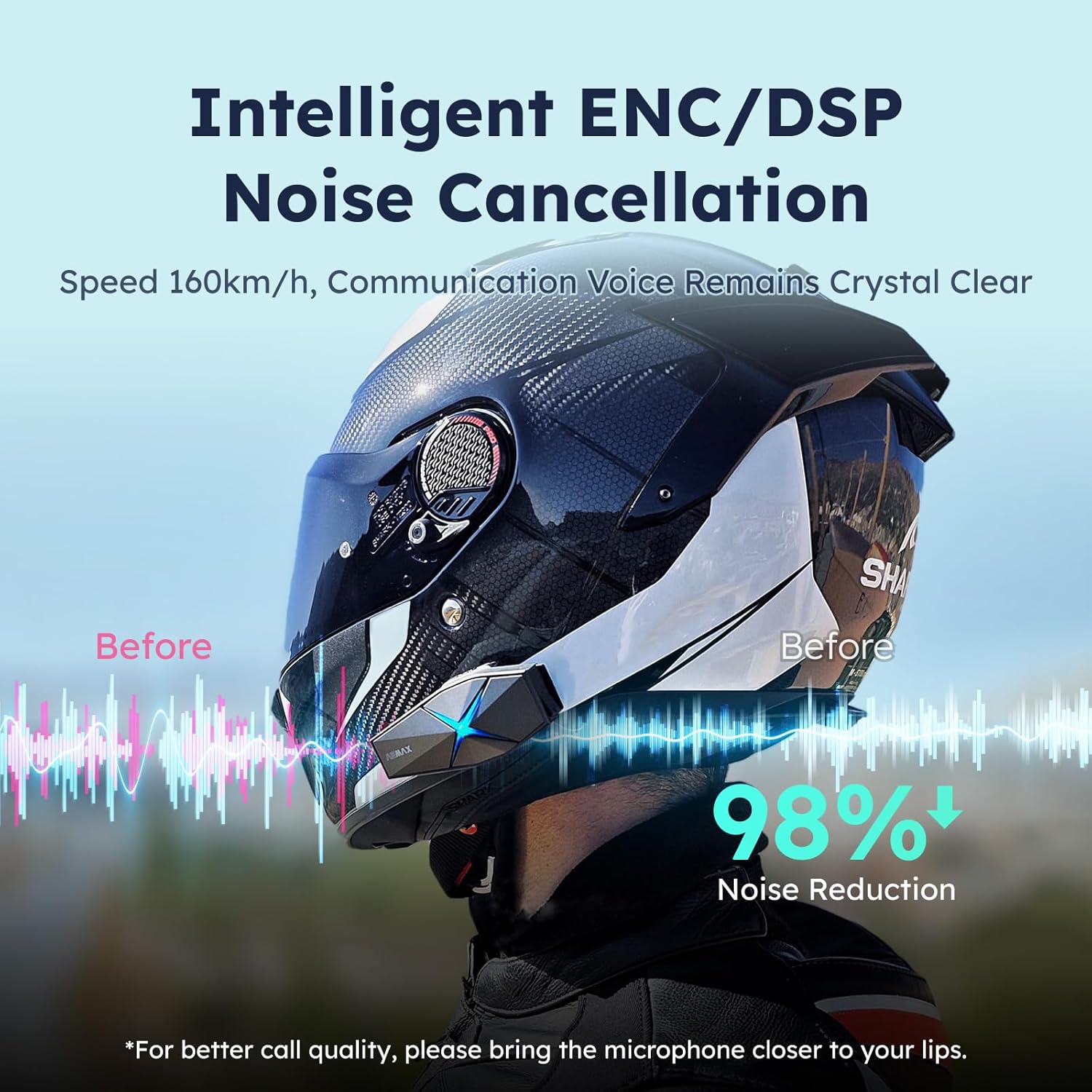
Image: ASMAX F1 Noise Cancellation technology.
9. Тэхнічныя характарыстыкі
| Асаблівасць | Дэталь |
|---|---|
| Назва мадэлі | ASMAX F1 (F1 DP) |
| Версія Bluetooth | 5.3 |
| Дыяпазон дамафонаў | Up to 1.8 km (10 riders) |
| Ёмістасць батарэі | 1250 мАг |
| Зарадка | Fast Charging, USB |
| Рэйтынг воданепранікальнасці | IP67 |
| Кантроль шуму | Active Noise Cancellation (ENC/DSP) |
| Галасавое кіраванне | "Hi Max" commands |
| Функцыі гуку | Audio Multitasking, Superior Sound Quality |
| Памеры | Approx. 86mm x 36mm x 23.6mm (unit) |
| Вага | Approx. 50g (unit) |
| Размяшчэнне вушэй | У вуха |
| Імпеданс | 32 Ом |
| Адчувальнасць | 105 дБ |
| АЧХ | 20 Гц (мінімум) |

Image: ASMAX F1 Dual-Chip Octa-Core technology.
10. Гарантыя і падтрымка
ASMAX products come with a standard manufacturer's warranty. For specific warranty terms and conditions, please refer to the warranty card included in your product packaging or visit the official ASMAX webсайт.
For technical support, troubleshooting assistance, or any inquiries regarding your ASMAX F1 headset, please contact ASMAX customer service through their official channels. Contact information can typically be found on the ASMAX webсайце або ва ўпакоўцы прадукту.
Regularly check the ASMAX website or app for firmware updates to ensure optimal performance and access to new features, such as CloudTalk Mode.
Звязаныя дакументы - ASMAXF1DP01
 |
ASMAX Z1 Bluetooth Intercom Headset User Manual Comprehensive user manual for the ASMAX Z1 Bluetooth intercom headset, covering setup, features, operations, and app integration. Learn how to install, pair, and use voice commands for calls, music, and intercom functions. |
 |
Хуткае кіраўніцтва па выкарыстанні Bluetooth-гарнітуры з галасавым кіраваннем для шлема ASMAX Z1 Кароткае кіраўніцтва па выкарыстанні Bluetooth-гарнітуры з галасавым кіраваннем для шлема ASMAX Z1 з галасавым кіраваннем, якая ўключае сістэму mesh-сувязі, галасавыя каманды і інтэграцыю з праграмамі. |
 |
Кіраўніцтва па эксплуатацыі інтэлектуальнай Bluetooth-гарнітуры для шлема ASMAX S1 Comprehensive product manual for the ASMAX S1 Intelligent Helmet Bluetooth Headset, covering package contents, installation, app connection, functions, music, radio, phone calls, intercom modes, and quick operation guide. |
 |
Кіраўніцтва карыстальніка для матацыклетнага шлема Kebidumei Y10-2X з гарнітурай-перагаворшчыкам Падрабязнае кіраўніцтва карыстальніка для матацыклетнага шлема Kebidumei Y10-2X, якое ахоплівае ўсё астатняе.view, характарыстыкі, эксплуатацыя, мантаж і меры бяспекі. |
 |
MOMAN H2 PRO Motorcycle Helmet Intercom User Manual Detailed user manual for the MOMAN H2 PRO motorcycle helmet intercom. This guide provides comprehensive instructions on installation, operation, phone and music controls, FM radio functions, Bluetooth pairing, music sharing, technical specifications, charging, and important safety notes. |
 |
Кіраўніцтва карыстальніка Bluetooth-дамафона для матацыклаў LEXIN LX-B4FM Comprehensive user manual for the LEXIN LX-B4FM motorcycle Bluetooth intercom system, covering installation, operation, pairing, group calls, troubleshooting, and safety guidelines. |
Ask a question about this manual
Ask about setup, troubleshooting, compatibility, parts, safety, or missing instructions. Manuals+ will review the question and use this page’s manual context to help answer it.