
1. Уводзіны
The MeLE Overclock 4C Mini PC N100 is a compact and powerful micro desktop computer designed for business, education, and multimedia use. Featuring an Intel N100 processor, 32GB DDR4 RAM, and a 512GB SSD, it supports 4K triple display output and runs Windows 11 Pro, with compatibility for Linux and Ubuntu.

Фронт view of the MeLE Overclock 4C Mini PC N100.
2. Настройка
2.1 Што ў камплекце
- 1*Overclock 4C Mini PC
- 1*12V/3A Power Adapter
- 1*Vesa Mount
- 1*Кіраўніцтва карыстальніка
2.2 Пачатковае падключэнне
Connect the power adapter, display cables (HDMI or USB-C), and any peripherals such as a keyboard and mouse to the appropriate ports on the mini PC. Once all connections are secure, press the power button to start the device.
Надview video demonstrating the unboxing, port connections, and basic usage scenarios like light gaming and triple display multitasking of the MeLE Overclock 4C Mini PC N100.

Буйны план view of the MeLE Overclock 4C Mini PC N100's ports, including Kensington Lock Slot, USB 3.2 Gen2, USB 2.0, USB Type-C (PD3.0, DP1.4, Data), Micro-SD slot, Audio Jack, HDMI 2.0, Reset Button, and Gigabit Ethernet port.
2.3 Усталёўка мацавання VESA
The included VESA mount allows for convenient installation of the mini PC on the back of a compatible TV or monitor, helping to save desk space.
3. Інструкцыя па эксплуатацыі
3.1 Уключэнне/выключэнне
Press the power button located on the front of the device to turn it on. To shut down, use the operating system's power options. A brief press of the power button can also initiate sleep mode.
3.2 Канфігурацыя дысплея
The mini PC supports triple display output via two HDMI 2.0 ports and one USB-C port, enabling 4K UHD video playback (4096x2160@60Hz) and HDR. Configure display settings through your operating system.
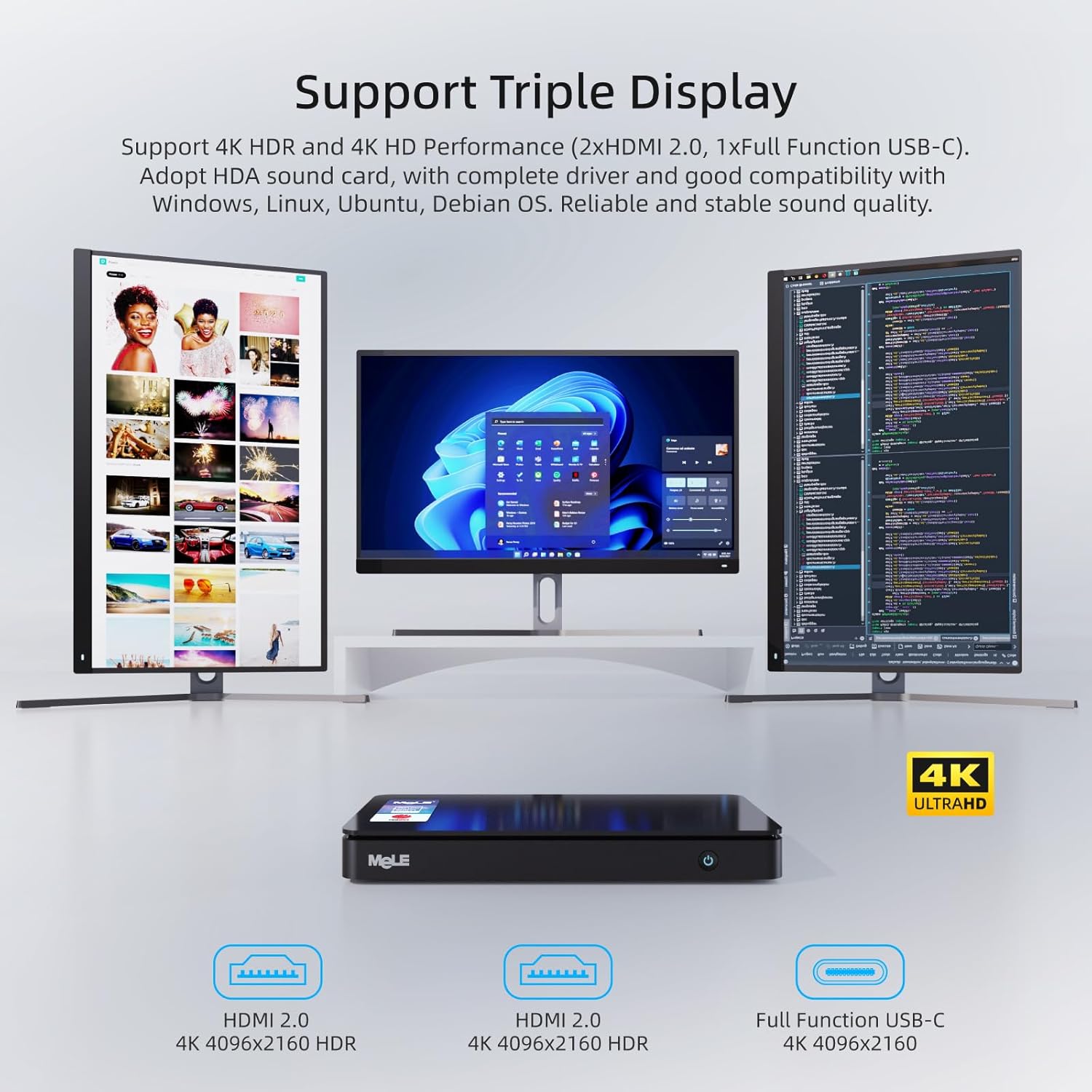
The MeLE Overclock 4C Mini PC N100 connected to three monitors, demonstrating its triple display multitasking capability with 4K resolution.
Відэа-шоўasing the 4K video playback capabilities of the MeLE Overclock 4C Mini PC N100, highlighting smooth and detailed visual performance.
3.3 Сеткавае і бесправадное падключэнне
Connect to the internet using the Gigabit Ethernet port or via dual-band Wi-Fi (2.4G and 5.0G) with Wi-Fi 5 MU-MIMO support. Bluetooth 5.1 is available for connecting wireless peripherals.

Illustration of the MeLE Overclock 4C Mini PC N100's stable connectivity options, including Wi-Fi 5, Bluetooth 5.1, and Gigabit Ethernet.
4. Тэхнічнае абслугоўванне
4.1 Storage Upgrade
The device supports storage expansion via an M.2 22x80 Key M Slot for PCIe3.0 x4 SSDs (up to 4TB) and a Micro SD slot (up to 2TB). Refer to the video below for instructions on how to upgrade the SSD.
A step-by-step guide on how to safely open the MeLE Mini PC and replace or upgrade the SSD storage.

Унутраны view of the MeLE Overclock 4C Mini PC N100, illustrating the M.2 2280 slot for PCIe3.0 x4 SSDs up to 4TB and Micro SD slot for up to 2TB, along with RAM upgrade options.
4.2 Ачыстка
To ensure optimal performance and longevity, regularly clean the exterior of the mini PC with a soft, dry cloth. Avoid using liquid cleaners directly on the device. Ensure ventilation openings are free from dust and obstructions.

Выбухнуў view of the MeLE Overclock 4C Mini PC N100, showcasing its intelligent cooling fan design, pure copper pipe, Intel N100 processor, and thermal conductive engineering plastic for efficient heat dissipation.
5. Выпраўленне непаладак
5.1 Няма харчавання
- Пераканайцеся, што адаптар сілкавання надзейна падключаны як да міні-ПК, так і да спраўнай разеткі.
- Праверце працаздольнасць разеткі, падключыўшы да яе іншую прыладу.
- Праверце адаптар сілкавання на наяўнасць бачных пашкоджанняў.
5.2 Няма вываду на дысплей
- Confirm that the display cables (HDMI, USB-C) are securely connected to both the mini PC and the monitor.
- Пераканайцеся, што манітор уключаны і настроены на правільную крыніцу ўваходнага сігналу.
- Try using a different display cable or monitor to rule out hardware issues.
5.3 Павольная праца
- Зачыніце непатрэбныя праграмы, якія працуюць у фонавым рэжыме.
- Check for available operating system updates and install them.
- Пераканайцеся, што на SSD-назапашвальніку дастаткова вольнага месца.
- Monitor system temperatures to ensure proper cooling.
6. Тэхнічныя характарыстыкі
| Асаблівасць | Дэталь |
|---|---|
| Марка | MELE |
| Назва мадэлі | Overclock 4C |
| Аперацыйная сістэма | Windows 11 Pro (supports Linux, Ubuntu, Debian) |
| Мадэль працэсара | Intel N100 (12th Gen Alder Lake) |
| Хуткасць працэсара | Да 3.4 Ггц |
| Ядры/патокі працэсара | 4 ядраў / 4 патокаў |
| Разумны кэш | 6 Мб |
| TDP | 15 Вт |
| RAM Memory Installed | 32 ГБ DDR4 |
| Хуткасць памяці | 3200 МГц |
| Ёмістасць памяці | 512 ГБ SSD |
| Сховішча з магчымасцю пашырэння | M.2 2280 SATA SSD & NVMe SSD up to 4TB, Micro SD slot up to 2TB |
| Графічны супрацэсар | Intel UHD Graphics (up to 1.20 GHz) |
| Відэавыхад | 2x HDMI 2.0 (4K@60Hz), 1x USB-C (DP1.4, 4K@60Hz) |
| Парты USB | 2x USB 3.2 Gen2, 1x USB 2.0, 1x USB-C (PD3.0, DP1.4, Data) |
| Падключэнне да сеткі | Gigabit Ethernet (RJ45), Wi-Fi 5 (2.4G/5.0G, MU-MIMO), Bluetooth 5.1 |
| Аўдыё інтэрфейс | 3.5mm Audio Jack (Headphone and MIC) |
| Функцыі бяспекі | Kensington Lock Slot, Windows 11 Pro security features |
| Дадатковыя магчымасці | Auto power on, PXE/iPXE boot, RTC wake, Wake on LAN, BIOS/CMOS reset |
| Памеры | 7.0 х 3.7 х 0.8 цалі (178 х 94 х 21 мм) |
| Вага | 0.7 фунтаў (0.32 кг) |
| Спосаб астуджэння | Разумны вентылятар |
7. Гарантыя і падтрымка
7.1 Інфармацыя аб гарантыі
MeLE offers a one-year warranty for this product, with a three-month replacement policy and lifetime service. MeLE is committed to complying with all applicable laws on privacy protection and personal data security.
7.2 Падтрымка кліентаў
For any inquiries or technical assistance, please contact MeLE customer service. Replies are typically provided within 24 hours. Service Contact: Service@mele.cn