
1. Уводзіны
The seenda Bluetooth & 2.4G USB Dual Mode Wireless Mouse offers versatile connectivity and ergonomic comfort for various devices. Designed for quiet operation and portability, it features adjustable DPI settings for precise control. This manual provides detailed instructions for setup, operation, and maintenance to ensure optimal performance.

Image 1.1: The seenda mouse offering dual connectivity options to a laptop and a tablet.
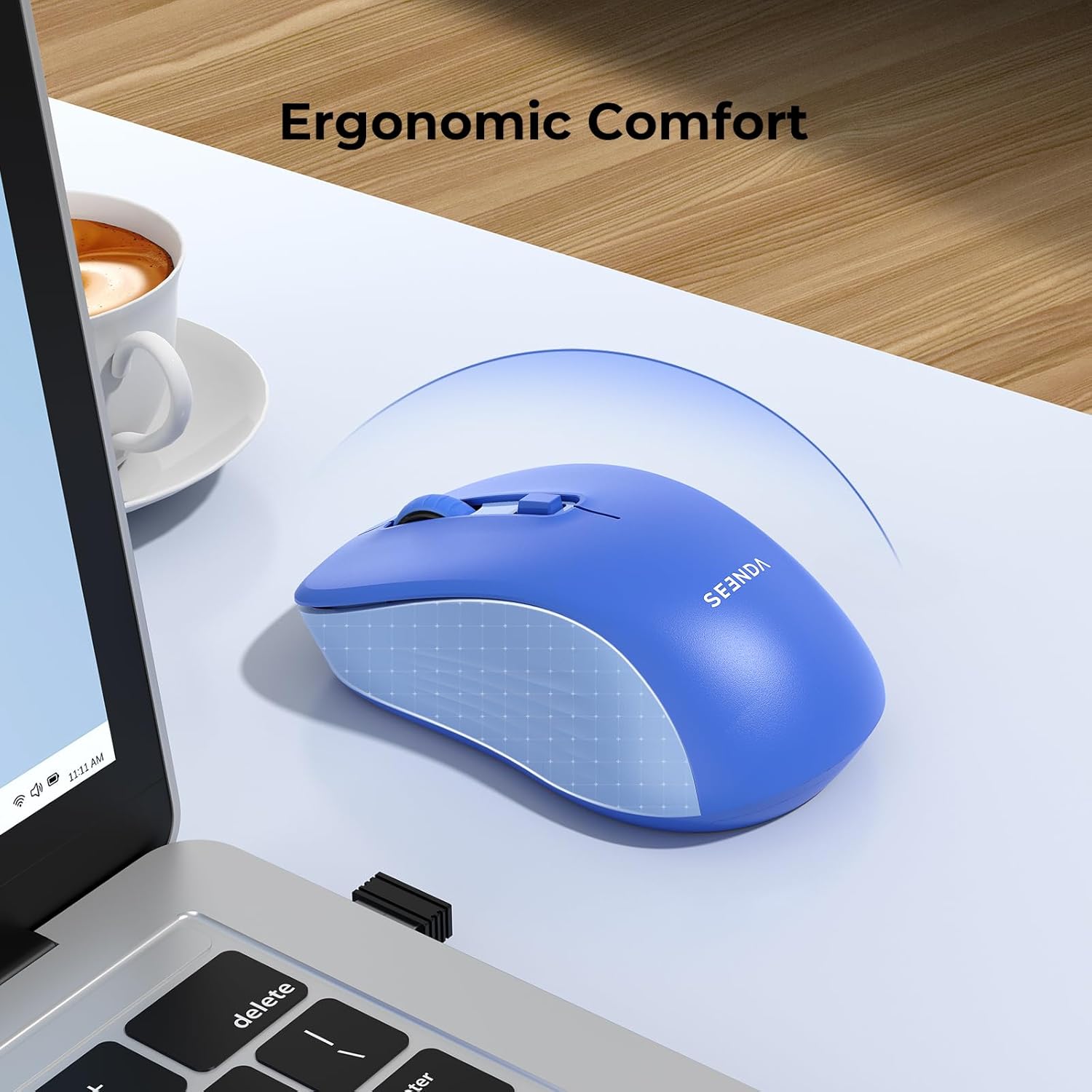
Image 1.2: The ergonomic design of the seenda mouse ensures comfortable use.
2. Змесціва ўпакоўкі
- seenda Dual Mode Wireless Mouse
- 2.4G USB-прыёмнік (знаходзіцца ўнутры мышы)
- Кіраўніцтва карыстальніка
3. Прадукт скончыўсяview
Азнаёмцеся з кампанентамі мышы:

Image 3.1: Labeled components of the seenda wireless mouse.
- Левая кнопка: Стандартная функцыя левага кліку.
- Правая кнопка: Стандартная функцыя правай кнопкі мышы.
- Кола пракруткі: Для вертыкальнай пракруткі і клік сярэдняй кнопкай мышы.
- Кнопка DPI: Рэгулюе адчувальнасць курсора (800/1200/1600 DPI).
- Кнопка пераключэння рэжымаў: Located on the bottom, switches between 2.4G USB and Bluetooth modes.
- Выключальнік сілкавання: On/Off switch to conserve battery.
- Слот для батарэі: Holds 1 AA battery (not included).
- Памяць USB-прыёмніка: Secure compartment for the 2.4G USB receiver.
4. Настройка
4.1. Устаноўка батарэі
- Адкрыйце вечка батарэйнага адсека на ніжняй частцы мышы.
- Insert one AA battery (not included) into the compartment, ensuring correct polarity.
- Зачыніце крышку батарэйнага адсека.
4.2. Падключэнне 2.4G USB-прыёмніка
- Locate the 2.4G USB receiver stored in its compartment on the bottom of the mouse.
- Выміце USB-прымач.
- Падключыце USB-прыёмнік да вольнага порта USB на вашым кампутары або ноўтбуку.
- Turn on the mouse using the Power Switch.
- The mouse should automatically connect. If not, press the Mode Switch Button on the bottom of the mouse until the indicator light for 2.4G mode is active.
4.3. Злучэнне Bluetooth
The mouse supports Bluetooth 5.2 and Bluetooth 3.0 for wider compatibility.
- Turn on the mouse using the Power Switch.
- Press the Mode Switch Button on the bottom of the mouse to select Bluetooth mode (BT1 or BT2). The corresponding indicator light will blink.
- On your device (laptop, tablet, or smartphone), go to Bluetooth settings.
- Уключыце Bluetooth і пачніце пошук новых прылад.
- Select "BT5.2 Mouse" or "BT3.0 Mouse" from the list of available devices to pair.
- Пасля падключэння індыкатар перастане міргаць.
5. Інструкцыя па эксплуатацыі
5.1. Пераключэнне паміж прыладамі
The mouse can connect to up to two Bluetooth devices and one 2.4G USB device. Use the Mode Switch Button on the bottom to cycle through the connections:
- Press once to switch between BT1, BT2, and 2.4G modes.
- The corresponding indicator light will show the active mode.
5.2. Adjusting DPI (Cursor Sensitivity)
The mouse features 3 adjustable DPI levels (800-1200-1600) to suit your preference and task requirements.
- Press the DPI Button (located below the scroll wheel) to cycle through the DPI settings.
- Each press will change the sensitivity, allowing for finer control or faster movement.

Image 5.1: The DPI button allows adjustment of cursor sensitivity.
5.3. Quiet Clicks
The mouse is designed with silent click technology, reducing click noise by 95% (≤32dB). This feature makes it ideal for use in quiet environments such as offices, libraries, or shared workspaces.

Image 5.2: The mouse features quiet click buttons for a silent user experience.
5.4. Энергазберажэнне
To conserve battery life, the mouse will enter a sleep mode after a period of inactivity. Click any button to wake it up. Always turn off the mouse using the Power Switch when not in use for extended periods.
6. Сумяшчальнасць
This portable mouse offers broad compatibility:
- 2.4G USB Mode: Compatible with USB-enabled devices running Windows XP, Windows 7/8/10 or higher, Mac OS X 10.10 or higher.
- Рэжым Bluetooth: Compatible with Bluetooth-enabled devices running Windows 8/10 or higher, Mac OS X 10.10 or higher, and Android 4.5 or higher.
7. Тэхнічнае абслугоўванне
- Трымайце мыш у чысціні, праціраючы яе мяккай сухой тканінай.
- Avoid exposing the mouse to extreme temperatures, direct sunlight, or liquids.
- Захоўвайце USB-прыёмнік у прызначаным для яго адсеку, калі ён не выкарыстоўваецца, каб пазбегнуць страты.
- Replace the AA battery when the mouse performance degrades or the indicator light suggests low power.
8. Выпраўленне непаладак
| выпуск | Магчымае рашэнне |
|---|---|
| Mouse not responding (2.4G mode) | 1. Ensure the mouse is turned on. 2. Check if the USB receiver is securely plugged into the computer. 3. Try a different USB port. 4. Replace the battery. 5. Press the Mode Switch Button to ensure 2.4G mode is selected. |
| Mouse not responding (Bluetooth mode) | 1. Ensure the mouse is turned on. 2. Check if Bluetooth is enabled on your device. 3. Press the Mode Switch Button to ensure Bluetooth mode (BT1 or BT2) is selected and its indicator is blinking for pairing. 4. Re-pair the mouse in your device's Bluetooth settings. 5. Replace the battery. |
| Рух курсора няўстойлівы або павольны | 1. Clean the optical sensor on the bottom of the mouse. 2. Use the mouse on a clean, non-reflective surface. 3. Adjust the DPI setting using the DPI button. 4. Replace the battery. |
| Немагчыма пераключацца паміж прыладамі | Ensure the Mode Switch Button is pressed firmly. Verify that devices are properly paired in their respective modes. |
9. Тэхнічныя характарыстыкі

Image 9.1: Physical dimensions of the seenda wireless mouse.
| Асаблівасць | Дэталь |
|---|---|
| Тэхналогія падлучэння | Bluetooth (BT5.2/BT3.0), 2.4G USB Wireless |
| Тэхналогія выяўлення руху | Аптычны |
| Рэгуляваны DPI | 800/1200/1600 |
| Гузікі | 5 (Left, Right, Scroll Wheel/Middle Click, DPI, Mode Switch) |
| Крыніца харчавання | 1 батарэі АА (не ўключаны) |
| Тэрмін службы батарэі | Да 24 месяцаў (у залежнасці ад выкарыстання) |
| Працоўны дыяпазон | Да 10 метраў |
| Рука арыентацыі | правільна |
| Матэрыял | Пластыкавыя |
| Колер | Сіні |
10. Гарантыя і падтрымка
The seenda Bluetooth & 2.4G USB Dual Mode Wireless Mouse comes with a 12-month warranty from the date of purchase. For technical support, warranty claims, or any questions regarding your product, please contact seenda customer service through the retailer where you purchased the item or visit the official seenda webсайт.