
Уводзіны
Welcome to the user manual for your Timex Activity Tracker Watch, model TW5M60800. This digital quartz watch features a durable brass case, a comfortable khaki silicone strap, and a green dial. Designed for daily wear, it includes activity tracking functions and is water-resistant up to 30 meters. This manual provides essential information for setting up, operating, maintaining, and troubleshooting your watch to ensure optimal performance.

Малюнак 1: Фронт view of the Timex Activity Tracker Watch TW5M60800. This image displays the digital green dial, the brass case, and the khaki silicone strap.
Настройка
1. Пачатковая актывацыя
Your watch may come with a plastic battery saver tab. Gently pull and remove this tab from the side of the watch to activate the battery and power on the device.
2. Устаноўка часу і даты
The Timex Activity Tracker Watch typically features multiple buttons for setting.
- Знайдзіце РЭЖЫМ button (usually on the bottom left). Press it repeatedly to cycle through display modes until you reach the time setting mode (often indicated by flashing digits).
- Выкарыстоўвайце НАБОР or НАЛАДЗІЦЬ button (usually top left or right) to select the digit you wish to change (hours, minutes, year, month, day).
- Выкарыстоўвайце ПУСК/СТОП or КРУГ/СКІД button (usually on the right side) to increase the value of the selected digit.
- Пасля таго, як усе налады правільныя, націсніце кнопку РЭЖЫМ націсніце яшчэ раз, каб выйсці з рэжыму наладкі.
Малюнак 2: Збоку view of the watch, illustrating the placement of control buttons on the brass case. These buttons are used for navigating menus and adjusting settings.
3. Рэгуляванне рамяня
The watch features a silicone strap with a traditional buckle clasp. Adjust the strap to a comfortable fit on your wrist, ensuring it is snug but not too tight to allow for accurate activity tracking.
Інструкцыя па эксплуатацыі
1. Базавы дысплей часу
In the default mode, the watch displays the current time (hours, minutes, seconds) and often the day of the week.
2. Accessing Activity Tracker Functions
Націсніце РЭЖЫМ button to cycle through various functions. Look for modes labeled "Activity," "Steps," "Distance," or "Calories."
- Крокі: Паказвае агульную колькасць пройдзеных крокаў.
- Адлегласць: Паказвае разліковую пройдзеную адлегласць.
- Калорыі: Паказвае прыблізна колькасць спаленых калорый.
- Daily Goal: Some models allow setting a daily step goal. Refer to the on-screen prompts for setting and tracking.
To reset daily activity data, typically hold down a specific button (e.g., СКІД or ЛАП) while in an activity tracking mode. Consult the watch's on-screen prompts for exact instructions.
3. Воданепранікальнасць
This watch is water-resistant to 30 meters (3 ATM). This means it is suitable for everyday use and can withstand splashes or brief immersion in water. It is не suitable for swimming, showering, or diving. Avoid pressing buttons while the watch is wet or submerged.
Тэхнічнае абслугоўванне
1. Чыстка гадзінніка
To clean the watch case and strap, use a soft, damp cloth. For the silicone strap, a mild soap solution can be used, then rinse thoroughly with clean water and dry completely. Avoid using harsh chemicals or abrasive materials, as these can damage the watch's finish.
2. Замена батарэі
The watch is powered by a CR2032 battery. When the display dims or stops functioning, it's time to replace the battery.
- Carefully remove the back cover of the watch using a small screwdriver or a specialized watch tool.
- Звярніце ўвагу на арыентацыю старой батарэі перад тым, як яе выняць.
- Устаўце новую батарэю CR2032 станоўчым (+) бокам уверх.
- Replace the back cover, ensuring it is securely fastened to maintain water resistance.
It is recommended to have battery replacement performed by a qualified watch technician to ensure proper sealing and water resistance.

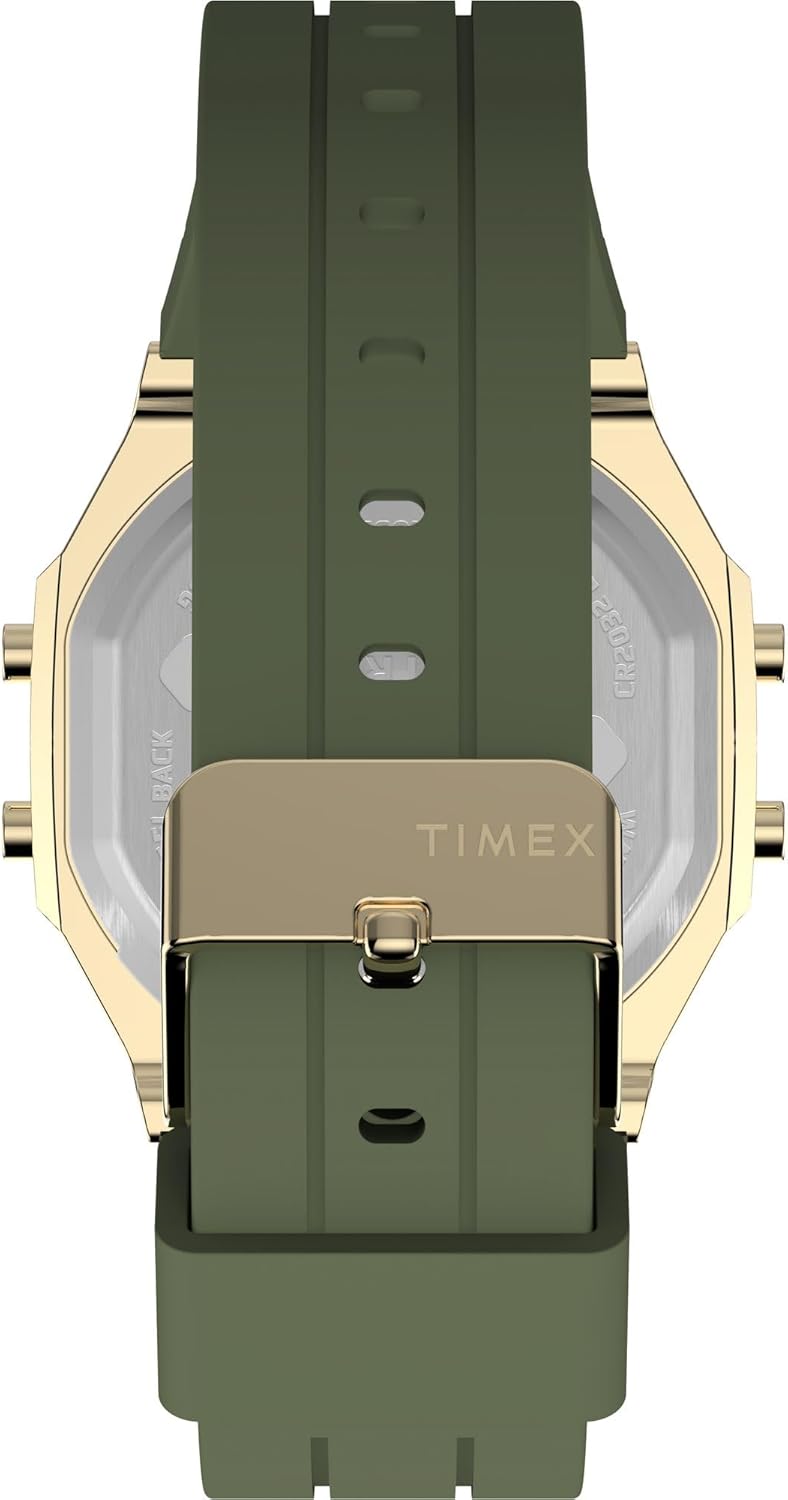
Малюнак 3: Тыл view of the watch, displaying the stainless steel back with "TIMEX ACTIVITY TRACKER" engraving, battery type (CR2032), and water resistance rating.
3. Захоўванне
Калі гадзіннік не выкарыстоўваецца, захоўвайце яго ў прахалодным, сухім месцы, удалечыні ад прамых сонечных прамянёў і экстрэмальных тэмператур.
Ліквідацыю непаладак
| праблема | Магчымая прычына | Рашэнне |
|---|---|---|
| Дысплей пусты або цьмяны. | Нізкі або разраджаны акумулятар. | Replace the CR2032 battery. Ensure the battery saver tab is removed. |
| Няправільны час або дата. | Час/дата ўстаноўлены няправільна або скінуты. | Выконвайце інструкцыі «Устаноўка часу і даты» ў раздзеле «Налада». |
| Activity tracking data is inaccurate. | Watch not worn properly, or sensor obstruction. | Ensure the watch is worn snugly on the wrist. Clean the back sensor area. |
| Кнопкі не рэагуюць. | Watch may be in a locked mode or battery issue. | Try a soft reset (if applicable, by holding all buttons for a few seconds). Check battery. |
Тэхнічныя характарыстыкі
| Асаблівасць | Дэталь |
|---|---|
| Нумар мадэлі | TW5M60800 |
| Тып дысплея | Лічбавы |
| Тып руху | Кварц |
| Крыніца харчавання | Акумулятар (CR2032) |
| Матэрыял корпуса | Латунь |
| Дыяметр корпуса | 40 міліметра |
| Таўшчыня корпуса | 10 міліметра |
| Крыштальны матэрыял | Акрыл |
| Матэрыял папружкі | Сілікон |
| Колер папружкі | Хакі |
| Колер цыферблата | Зялёны |
| Воданепранікальнасць | 30 метраў (3 атм) |
| Тып зашпількі | Спражка |
| аддзел | Унісекс для дарослых |
Гарантыя і падтрымка
For detailed warranty information, please refer to the warranty card included with your product packaging or visit the official Timex website. For further assistance or technical support, please contact Timex customer service through their official channels.