
1. Уводзіны
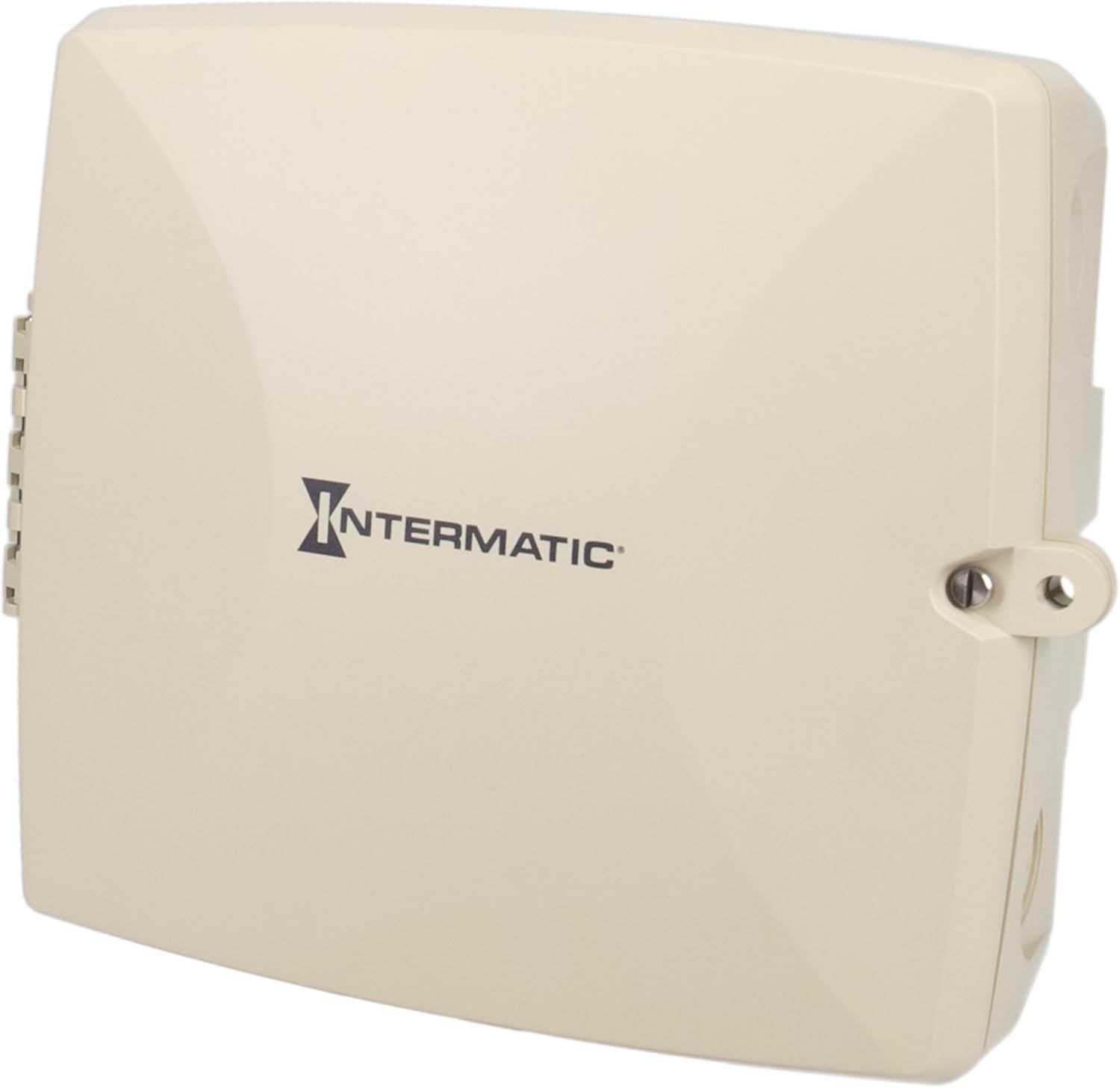
The Intermatic PE723P is a 7-day electronic Wi-Fi pool timer designed for automated control of pool and spa equipment. This device allows for precise scheduling of pumps, lighting, sanitizers, and auxiliary devices across two independent circuits. Remote management is available via the Intermatic Connect mobile application and voice control integration. The PE723P features a durable, weather-resistant enclosure and automatic voltage detection for versatile installation.
2. Важная інфармацыя па бяспецы
WARNING: Risk of Electric Shock. Disconnect power at the circuit breaker or disconnect switch before installing or servicing this device.
- Устаноўка павінна выконвацца кваліфікаваным электрыкам у адпаведнасці з усімі мясцовымі і нацыянальнымі электрычнымі нормамі.
- Пераканайцеся, што прылада належным чынам заземлена.
- Do not operate if the enclosure is damaged.
- Keep the enclosure door closed and secured when not servicing.
- This device is intended for outdoor use and is rated Type 3R for protection against rain, sleet, and external ice formation.
3. Змесціва ўпакоўкі
Перад пачаткам усталёўкі пераканайцеся, што ўсе кампаненты наяўныя:
- Intermatic PE723P Wi-Fi Pool Timer Unit
- Мантажныя элементы (шрубы, анкеры)
- Інструкцыя па эксплуатацыі (гэты дакумент)
4. Асаблівасці прадукту
- 7-Day Digital Programming: Allows for up to 96 ON/OFF events per day.
- Падключэнне Wi-Fi: Remote control and scheduling via the Intermatic Connect mobile app.
- Галасавое кіраванне: Compatible with Amazon Alexa for convenient operation.
- 2-Circuit Control: Independently manage two 30A circuits for various pool/spa equipment.
- Аўта-Voltage Выяўленне: Automatically adjusts to 120–277 VAC (50/60 Hz) input.
- Трывалы корпус: Type 3R plastic enclosure for outdoor environments, operating from -40°F to 158°F.
- Энерганезалежная памяць: Retains programmed schedules during power outagэс.
- Святлодыёдныя індыкатары стану: Provides real-time feedback on device status and network connectivity.
5. Ўстаноўка
5.1 Мантаж корпуса
The PE723P is designed for wall mounting. Select a suitable location near the pool/spa equipment, ensuring it is accessible for wiring and operation, and protected from direct sunlight if possible to prolong component life.
- Адчыніце дзверы корпуса.
- Mark the desired mounting points on the wall using the pre-drilled holes on the back of the enclosure as a template.
- Drill pilot holes and insert appropriate anchors if mounting into masonry or drywall.
- Secure the enclosure to the wall using the provided mounting screws.

Малюнак 1: Задняя частка view of the PE723P enclosure, illustrating the mounting points for wall installation.
5.2 Wiring the Timer
WARNING: Ensure power is disconnected at the main breaker before proceeding with any wiring.
The PE723P features two independent circuits and auto-voltage detection. Refer to the internal wiring diagram and terminal block for correct connections.
- Route electrical conduits into the appropriate knockouts on the enclosure.
- Connect the incoming power supply (120-277 VAC) to the designated LINE terminals.
- Connect the load wires for Circuit 1 (e.g., pump) to the CIRCUIT 1 terminals.
- Connect the load wires for Circuit 2 (e.g., lights) to the CIRCUIT 2 terminals.
- Пераканайцеся, што ўсе злучэнні шчыльныя і надзейныя.
- Зачыніце і замацуйце дзверцы корпуса.

Малюнак 2: Унутраны view of the PE723P, showing the terminal block for power and load connections, along with control buttons and LED indicators.
Малюнак 3: Падрабязны view of the PE723P's internal control panel, highlighting the MODE button, SERVICE, MANUAL, AUTO, and NETWORK LEDs, RESET button, and circuit control buttons.
6. Пачатковая налада і падключэнне да Wi-Fi
6.1 Уключэнне харчавання
After completing all wiring, restore power to the timer at the circuit breaker. The timer will power on and the LED indicators will illuminate.
6.2 Intermatic Connect App Installation
- Спампаваць Intermatic Connect app from your mobile device's app store (iOS or Android).
- Стварыце ўліковы запіс або ўвайдзіце, калі ў вас ужо ёсць.
6.3 Падключэнне да Wi-Fi
Follow the in-app instructions to add your PE723P timer to your Wi-Fi network. This typically involves:
- Placing the timer in pairing mode (often by pressing and holding the MODE button or a combination of buttons).
- Selecting your Wi-Fi network and entering the password within the app.
- The NETWORK LED on the timer will indicate connection status (e.g., blinking during pairing, solid green when connected).
The PE723P supports long-range Wi-Fi connectivity up to 180 ft (line of sight).
7. Аперацыя
7.1 Расклад праграм
All scheduling and programming are managed through the Intermatic Connect mobile app. The app allows you to:
- Set up to 96 ON/OFF events daily for each of the two circuits.
- Create custom 7-day schedules.
- Adjust schedules remotely from anywhere with an internet connection.
7.2 Ручное кіраванне
The PE723P offers manual control options directly on the unit:
- Кнопка MODE: Press the MODE button to cycle through operating modes: SERVICE, MANUAL, and AUTO.
- Circuit Buttons (1 and 2): In MANUAL mode, press the corresponding circuit button to toggle the connected equipment ON or OFF.
7.3 Святлодыёдныя індыкатары
The LEDs on the control panel provide status information:
- СЭРВІС: Indicates service mode.
- ІНСТРУКЦЫЯ: Indicates manual operation mode.
- АЎТА: Indicates automatic schedule operation mode.
- СЕТКА: Indicates Wi-Fi connection status (e.g., solid for connected, blinking for pairing/disconnected).
8. Тэхнічнае абслугоўванне
The Intermatic PE723P is designed for minimal maintenance. Regular checks can help ensure optimal performance:
- Перыядычная праверка: Annually inspect the enclosure for any signs of damage or wear.
- Чысціня: Keep the exterior of the enclosure clean and free of debris. Use a soft, damp cloth for cleaning; do not use abrasive cleaners or solvents.
- Тэрмінальныя злучэнні: Periodically check electrical terminal connections to ensure they remain tight. Always disconnect power before inspecting internal components.
9. Выпраўленне непаладак
| праблема | Магчымая прычына | Рашэнне |
|---|---|---|
| Таймер не ўключаецца. | No power supply; tripped breaker; loose wiring. | Check circuit breaker. Verify power connections. Consult a qualified electrician. |
| Equipment does not turn ON/OFF as scheduled. | Incorrect programming; timer in MANUAL or SERVICE mode; Wi-Fi disconnected. | Verify schedules in the app. Ensure timer is in AUTO mode. Check Wi-Fi connection. |
| NETWORK LED is blinking or OFF. | No Wi-Fi connection; incorrect Wi-Fi credentials; router issue. | Re-attempt Wi-Fi pairing via the app. Check router status and signal strength. Ensure correct Wi-Fi password. |
| Cannot control via app. | No internet connection on phone or timer; app issue. | Check phone's internet connection. Verify timer's NETWORK LED is solid. Restart app or phone. |
| Timer loses settings after power outage. | This should not occur. The PE723P has non-volatile memory. | If settings are lost, contact Intermatic customer support. |
For further assistance, refer to the Intermatic Connect app's help section or contact customer support.
10. Тэхнічныя характарыстыкі
| Атрыбут | Каштоўнасць |
|---|---|
| Нумар мадэлі | PE723P |
| Марка | Інтэрматык |
| тtage | 120-277 VAC, 50/60 Hz (Auto-Voltage) |
| Грузападымальнасць | 30А на ланцуг |
| Колькасць контураў | 2 |
| Тып корпуса | Type 3R Outdoor Plastic |
| Працоўная тэмпература | Ад -40°F да 158°F (ад -40°C да 70°C) |
| Памеры прадукту | 11" Г x 14" Ш x 10.75" У |
| Вага прадмета | 4.59 фунта |
| Матэрыял | Пластыкавыя |
| Колер | Шэры |
| Сувязь | Wi-Fi, Voice Control (Alexa) |
11. Гарантыя і падтрымка кліентаў
For warranty information, please refer to the documentation included with your product or visit the official Intermatic website. If you encounter any issues or require technical assistance, please contact Intermatic customer support:
- Інтэрматык Webсайт: www.intermatic.com
- Абслугоўванне кліентаў: Звярніцеся да website for current contact information (phone, email, or online support portal).