1. Уводзіны
Thank you for choosing the GOOJODOQ Portable Handheld Turbo Fan. This manual provides essential information for the safe and efficient operation, maintenance, and troubleshooting of your device. Please read it thoroughly before use and retain it for future reference.
2. Інструкцыі па тэхніцы бяспекі
- Не апускайце вентылятар у ваду ці іншыя вадкасці.
- Keep the fan away from open flames, heat sources, and direct sunlight to prevent battery damage or overheating.
- Не ўстаўляйце пальцы або староннія прадметы ў рашотку вентылятара.
- Гэта прылада не з'яўляецца цацкай. Захоўваць у недаступным для дзяцей.
- Выкарыстоўвайце для зарадкі толькі той зарадны кабель, які ўваходзіць у камплект, або сертыфікаваны кабель USB-C.
- Do not attempt to disassemble, repair, or modify the fan. Contact customer support if service is required.
- Dispose of the fan and its battery according to local regulations.
3. Змесціва ўпакоўкі
Калі ласка, праверце ўпакоўку на наяўнасць наступных прадметаў:
- GOOJODOQ Portable Handheld Turbo Fan
- Зарадны кабель USB-C
- Кіраўніцтва карыстальніка
- Hand Strap (may be pre-attached or included separately)
4. Прадукт скончыўсяview
4.1 Кампаненты вентылятара
The GOOJODOQ Portable Handheld Turbo Fan features a compact design with a powerful motor and intuitive controls.

Малюнак 1: Фронт view of the GOOJODOQ Portable Handheld Turbo Fan, showing the digital display and airflow.
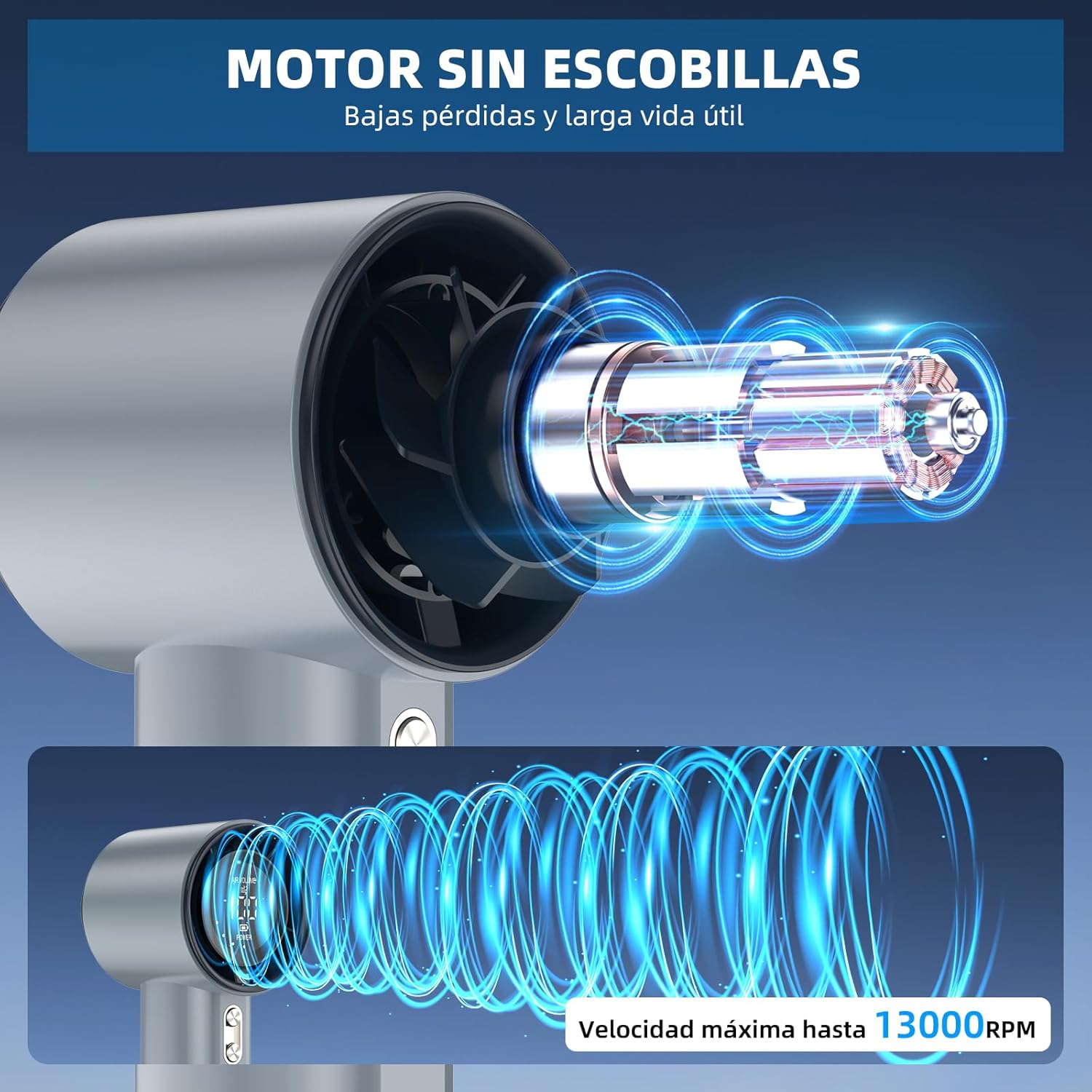
Малюнак 2: Internal structure illustrating the brushless motor and optimized airflow design, capable of up to 13000 RPM.
4.2 кнопкі кіравання
The fan is equipped with two control buttons for easy operation.
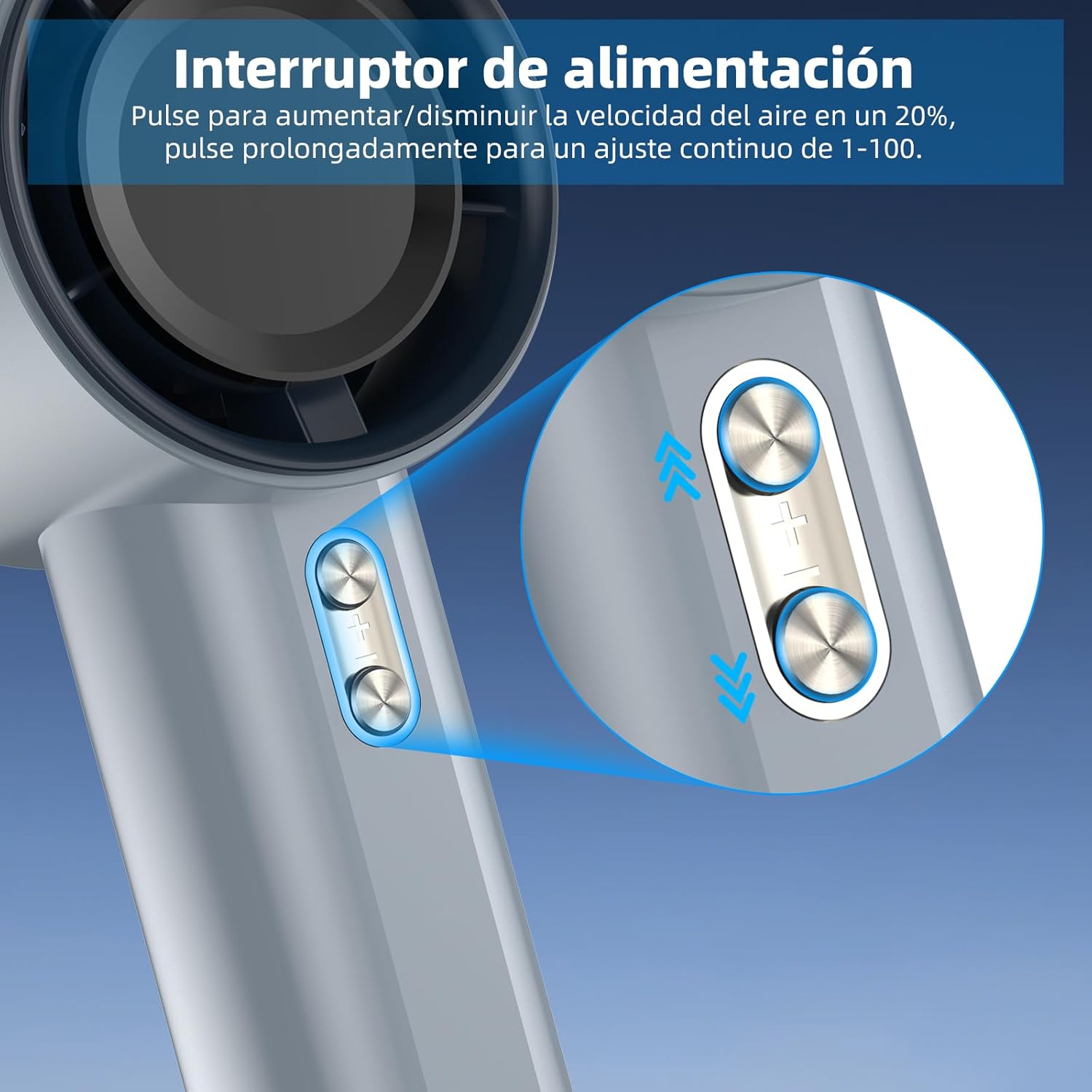
Малюнак 3: Detail of the power/speed adjustment buttons. Short press to adjust speed by 20%, long press for continuous 1-100 speed adjustment.
4.3 Лічбавы дысплей
The integrated digital display provides real-time information about the fan's status.

Малюнак 4: The digital display indicates the current air volume (speed level from 1-100) and battery power level.
Дысплей паказвае:
- АБ'ЁМ ПАВЕТРА: Indicates the current fan speed level (1-100).
- Магутнасць: Паказвае пакінуты зарад батарэі.
5. Настройка
5.1 Першапачатковая зарадка
Before first use, fully charge the fan. The fan is equipped with a 4000mAh battery.
- Connect the provided USB-C charging cable to the charging port on the fan.
- Connect the other end of the USB-C cable to a compatible USB power adapter (e.g., phone charger, computer USB port) or power bank.
- The digital display will show the charging status. A full charge typically takes approximately 2.5 hours.
- Пасля поўнай зарадкі адключыце зарадны кабель.

Малюнак 5: The fan's USB-C charging port and internal 4000mAh battery, indicating a 2.5-hour charging time for up to 12 hours of operation.
A full charge can provide up to 12 hours of working time, depending on the speed setting.
5.2 Мацаванне раменьчыка для рукі
For added security and portability, attach the hand strap to the designated loop on the fan handle.
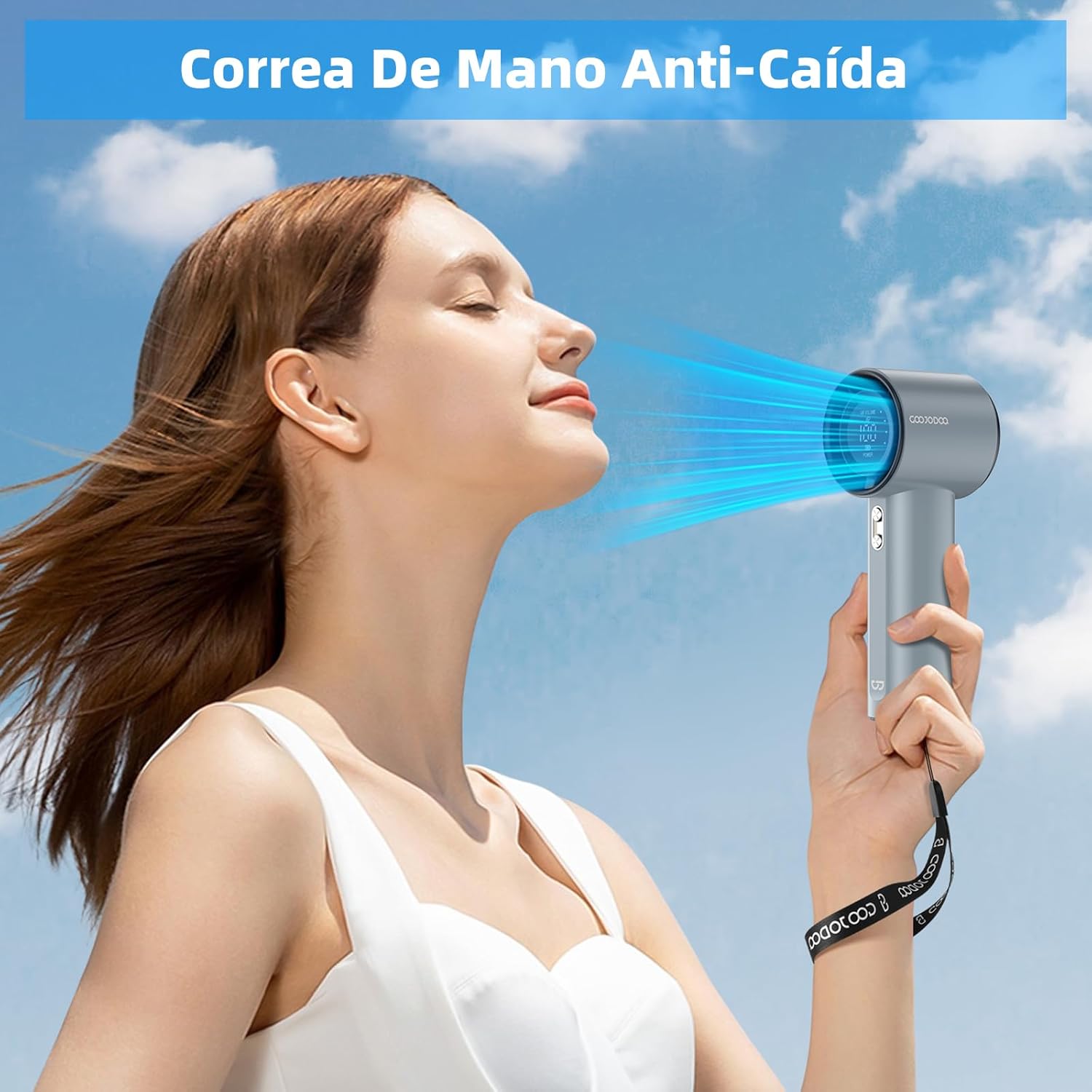
Малюнак 6: The fan with an attached hand strap, demonstrating its use for secure carrying.
6. Інструкцыя па эксплуатацыі
6.1 Уключэнне/выключэнне сілкавання
- To turn on the fan: Press and hold either the '+' or '-' button for a few seconds until the display illuminates and the fan starts.
- To turn off the fan: Press and hold either the '+' or '-' button for a few seconds until the display turns off.
6.2 Рэгуляванне хуткасці вентылятара
The fan offers 100 adjustable speed levels.
- Паступовая карэкціроўка: Short press the '+' button to increase the fan speed by 20 levels. Short press the '-' button to decrease the fan speed by 20 levels.
- Continuous Adjustment: Press and hold the '+' button to continuously increase the fan speed. Press and hold the '-' button to continuously decrease the fan speed. Release the button when the desired speed is reached.
The current speed level (AIR VOLUME) will be displayed on the digital screen.
7. Тэхнічнае абслугоўванне
7.1 Ачыстка
- Перад чысткай пераканайцеся, што вентылятар выключаны і адключаны ад любой крыніцы харчавання.
- Працярыце знешні бок вентылятара мяккай сухой тканінай.
- Use a soft brush or cotton swab to gently remove dust from the air inlet and outlet grilles. Do not use water or harsh cleaning agents.
7.2 Захоўванне
- Захоўвайце вентылятар у прахалодным, сухім месцы, удалечыні ад прамых сонечных прамянёў і экстрэмальных тэмператур.
- Калі вы захоўваеце прыладу працяглы час, зараджайце яе прыкладна да 50% кожныя тры месяцы, каб падоўжыць тэрмін яе службы.
8. Выпраўленне непаладак
| праблема | Магчымая прычына | Рашэнне |
|---|---|---|
| Вентылятар не ўключаецца. | Акумулятар разраджаны. | Charge the fan fully using the USB-C cable. |
| Вентылятар не ўключаецца. | Кнопка харчавання націснута няправільна. | Press and hold either the '+' or '-' button for a few seconds to power on. |
| Fan speed cannot be adjusted. | Кнопкі не рэагуюць. | Ensure the fan is on. If issue persists, try charging the fan. |
| Паменшаны паток паветра. | Air inlets/outlets are blocked by dust. | Clean the air grilles as described in the Maintenance section. |
| Вентылятар нечакана спыняецца. | Нізкі акумулятар. | Зарадзіце вентылятар. |
If you encounter issues not listed here or if problems persist, please contact GOOJODOQ customer support.
9. Тэхнічныя характарыстыкі
| Марка | ГУЖОДОК |
| мадэль | Партатыўны ручны турбавентылятар |
| Магутнасць/Ватtage | 5 ват |
| Матэрыял | Пластыкавыя |
| Колькасць хуткасцяў | 100 (рэгуляваны) |
| Ёмістасць батарэі | 4000 мАг (прыблізна) |
| Час зарадкі | Прыбл. 2.5 гадзіны |
| Час працы | Да 12 гадзін (у залежнасці ад хуткасці) |
| Вага прадмета | 400 г |
| Памеры прадукту | 6.1 Г х 5.9 Ш х 16 В сантыметраў |
| Крыніца харчавання | USB-C |
| Тып кіравання | Touch Panel Control (Buttons) |

Малюнак 7: The compact and portable design of the fan, shown being placed into a small bag. While the image indicates 225g, the product specifications state an item weight of 400g.
Заўвага: тэхнічныя характарыстыкі могуць быць зменены без папярэдняга паведамлення.
10. Гарантыя і падтрымка
For warranty information, technical support, or customer service inquiries, please refer to the contact details provided on the product packaging or visit the official GOOJODOQ website. Please have your product model and purchase date available when contacting support.