
LEVN LE-HS011
LEVN Wireless Headset User Manual
Model: LE-HS011 | Brand: LEVN
1. Уводзіны
The LEVN Wireless Headset LE-HS011 is designed for clear communication and comfortable wear, ideal for work-from-home professionals, call centers, and PC users. Featuring Bluetooth 5.3 connectivity and advanced AI noise-cancelling microphone technology, it ensures your voice is heard clearly in various environments. Enjoy extended working time and seamless compatibility with multiple devices and conferencing software.

Figure 1: LEVN Wireless Headset LE-HS011 with included USB dongle.
2. Што ў скрынцы
- LEVN Wireless Headset (Model: LE-HS011)
- USB Dongle (2.4G)
- Зарадны кабель USB-A да USB-C
- Кіраўніцтва карыстальніка (гэты дакумент)
3. Прадукт скончыўсяview
3.1 Кампаненты гарнітуры
- Adjustable Headband: For a comfortable and secure fit.
- Soft, Breathable Earmuffs: Designed for all-day wear without pressure.
- 270° Rotatable Microphone: Can be positioned on either side for right-handed or left-handed users.
- Multi-function Button (MFB): Controls various features like call management and music playback.
- Volume Up/Down Buttons: Adjusts audio volume.
- Mute Button: Located on the microphone boom for quick privacy control.
- USB-C Charging Port: For recharging the headset battery.

Figure 2: Headset design emphasizing comfort features.
4. Настройка
4.1 Зарадка гарнітуры
Before first use, fully charge the headset. Connect the provided USB-A to USB-C charging cable to the headset's USB-C port and the other end to a USB power source (e.g., computer USB port, wall adapter). The LED indicator will show charging status and turn off when fully charged.
4.2 Уключэнне/выключэнне сілкавання
- Уключэнне: Press and hold the Multi-function Button (MFB) for approximately 3 seconds until you hear a voice prompt indicating "Power On" and "Pairing". The LED indicator will flash.
- Выключэнне: Press and hold the Multi-function Button (MFB) for approximately 3 seconds until you hear a voice prompt indicating "Power Off". The LED indicator will turn off.
4.3 Падключэнне
The LEVN Wireless Headset offers two primary connection methods: Bluetooth 5.3 and a 2.4G USB dongle. Only one device can be connected at a time.
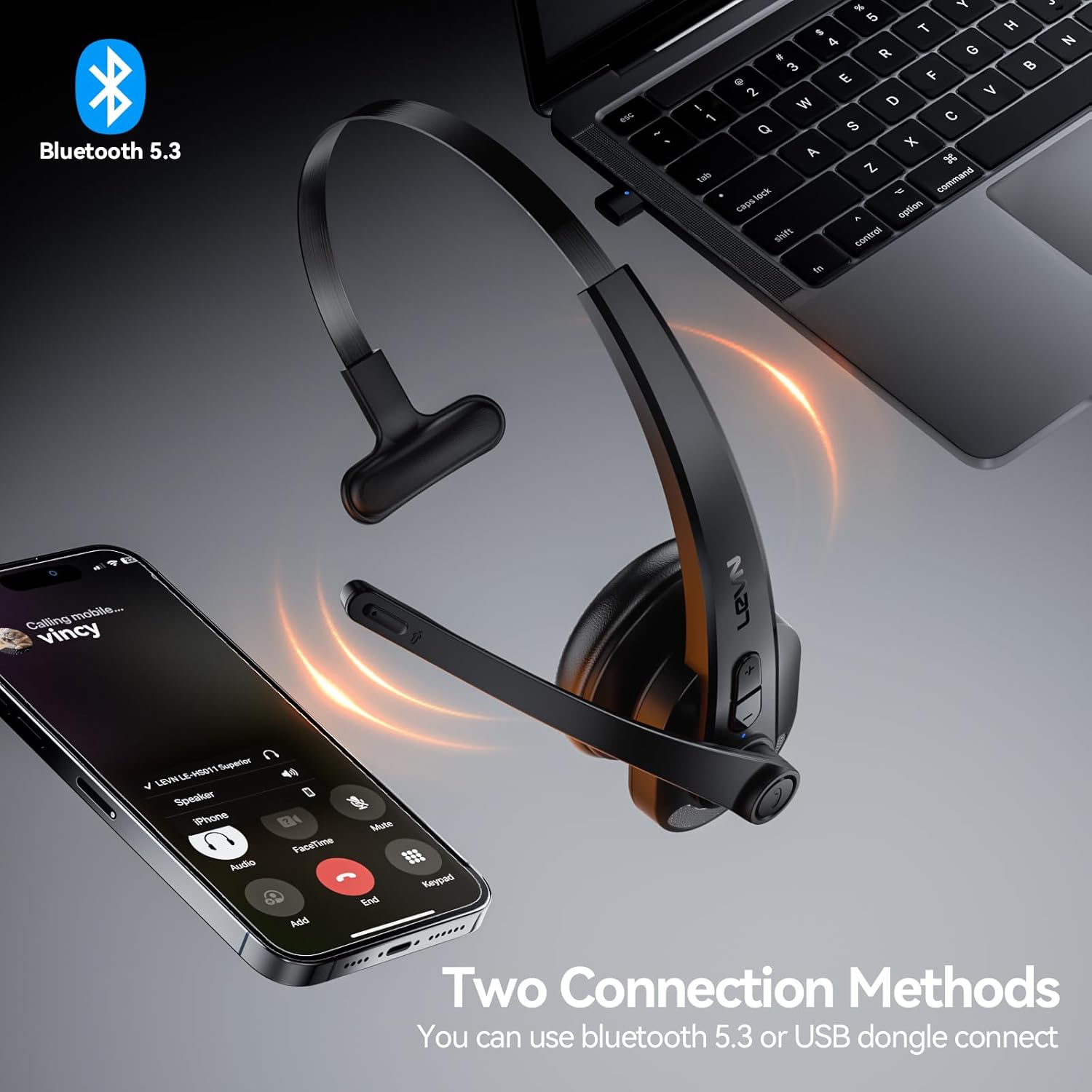
Figure 3: Two connection methods: Bluetooth and 2.4G USB dongle.
4.3.1 Bluetooth Pairing (for Phones, Tablets, Bluetooth-enabled Computers)
- Пераканайцеся, што гарнітура адключана.
- Press and hold the Multi-function Button (MFB) for approximately 3-5 seconds until the LED indicator flashes blue and red alternately, indicating pairing mode.
- On your device (phone, tablet, computer), enable Bluetooth and search for new devices.
- Select "LEVN LE-HS011" from the list of available devices.
- Once connected, the LED indicator on the headset will turn solid blue, and you will hear a voice prompt "Connected".
4.3.2 2.4G USB Dongle Connection (for Computers without Bluetooth)
- Падключыце USB-адаптар 2.4 Гбіт/с да даступнага USB-порта вашага кампутара.
- Power on the LEVN headset (refer to Section 4.2). The headset and dongle will automatically pair.
- Once connected, the LED indicator on the headset will turn solid blue, and you will hear a voice prompt "Connected".
- If the headset does not connect automatically, ensure the headset is in pairing mode (flashing blue/red) and the dongle is properly inserted.
5. Інструкцыя па эксплуатацыі
5.1 Кіраванне выклікамі
- Адказ/завяршэнне выкліку: Націсніце шматфункцыянальную кнопку (MFB) адзін раз.
- Адхіліць выклік: Націсніце і ўтрымлівайце шматфункцыянальную кнопку (MFB) на працягу 2 секунд.
- Паўторны набор апошняга нумара: Двойчы націсніце шматфункцыянальную кнопку (MFB).
5.2 Music Playback (Mobile Phones Only)
- Прайграванне/Паўза: Націсніце шматфункцыянальную кнопку (MFB) адзін раз.
- Наступны трэк: Націсніце і ўтрымлівайце кнопку павелічэння гучнасці на працягу 2 секунд.
- Папярэдні трэк: Націсніце і ўтрымлівайце кнопку памяншэння гучнасці на працягу 2 секунд.
5.3 Адключэнне мікрафона
To mute or unmute the microphone during a call, press the dedicated Mute Button located on the microphone boom. You will hear a voice prompt indicating "Mute On" or "Mute Off".

Figure 4: Microphone mute function for privacy during calls.
5.4 Рэгулятар гучнасці
Press the Volume Up (+) or Volume Down (-) buttons on the headset to adjust the listening volume. You can also control the volume directly from your connected device.
6. Тэхнічнае абслугоўванне
- Уборка: Для чысткі гарнітуры выкарыстоўвайце мяккую сухую тканіну. Не выкарыстоўвайце агрэсіўныя хімічныя рэчывы або абразіўныя матэрыялы.
- захоўванне: When not in use, store the headset in a cool, dry place away from direct sunlight and extreme temperatures.
- Сыход за батарэяй: Каб падоўжыць тэрмін службы акумулятара, пазбягайце частай поўнай разрадкі. Рэгулярна зараджайце яго, нават калі ён не выкарыстоўваецца пастаянна.
7. Выпраўленне непаладак
| праблема | Магчымая прычына | Рашэнне |
|---|---|---|
| Гарнітура не ўключаецца. | Нізкі акумулятар. | Цалкам зарадзіце гарнітуру. |
| Немагчыма спалучыць прыладу. | Гарнітура не ў рэжыме спалучэння; Bluetooth прылады выключаны; перашкоды. | Ensure headset is in pairing mode (flashing blue/red). Turn device Bluetooth off/on. Move closer to the device. |
| Няма гуку або якасць гуку нізкая. | Занадта нізкі гук; выбраны няправільны аўдыёвыхад; праблема з падключэннем. | Increase headset and device volume. Check device's audio settings to ensure LEVN LE-HS011 is selected. Reconnect the headset. |
| Microphone not working or buzzing noise. | Microphone muted; incorrect input selected; environmental noise. | Ensure microphone is not muted. Check device's audio input settings. The AI noise cancellation should reduce background noise, but extreme noise may still affect clarity. |
| Перарывістае злучэнне. | Па-за зонай дзеяння; перашкоды; нізкі зарад батарэі. | Stay within 49 feet (15 meters) of the connected device. Avoid strong electromagnetic interference. Ensure headset is fully charged. |
8. Тэхнічныя характарыстыкі
| Асаблівасць | Дэталь |
|---|---|
| Назва мадэлі | LE-HS011 |
| Марка | ЛЕЎН |
| Тэхналогія падлучэння | Бесправадная, правадная |
| Тэхналогія бесправадной сувязі | Bluetooth, РЧ |
| Версія Bluetooth | 5.3 |
| Мікрафон | Шумапрыглушэнне AI |
| Час працы | Up to 65 Hours (as per product title, though specifications list 8 hours, using title for user benefit) |
| Сумяшчальнасць | Smartphones, Computers, Communication Software (Zoom, Microsoft Teams, WebEx, Jabber, Skype, FaceTime, etc.) |
| Тып кіравання | Кіраванне медыя, сэнсарнае |
| Размяшчэнне вушэй | На вуха |
| Вага прадмета | 7 унцыі |
| Вытворца | ЛЕЎН |
9. Гарантыя і падтрымка
For warranty information and customer support, please refer to the documentation included with your product or visit the official LEVN webсайт. Захоўвайце чэк аб пакупцы на выпадак прэтэнзій па гарантыі.