
1. Прадукт скончыўсяview
The FUNLAB Firefly Wireless Pro Controller is designed to enhance your gaming experience on Nintendo Switch, Switch OLED, and Switch Lite consoles. It features Hall Effect joysticks for precise control, customizable RGB LED lighting, programmable back paddle buttons, and motion control capabilities.
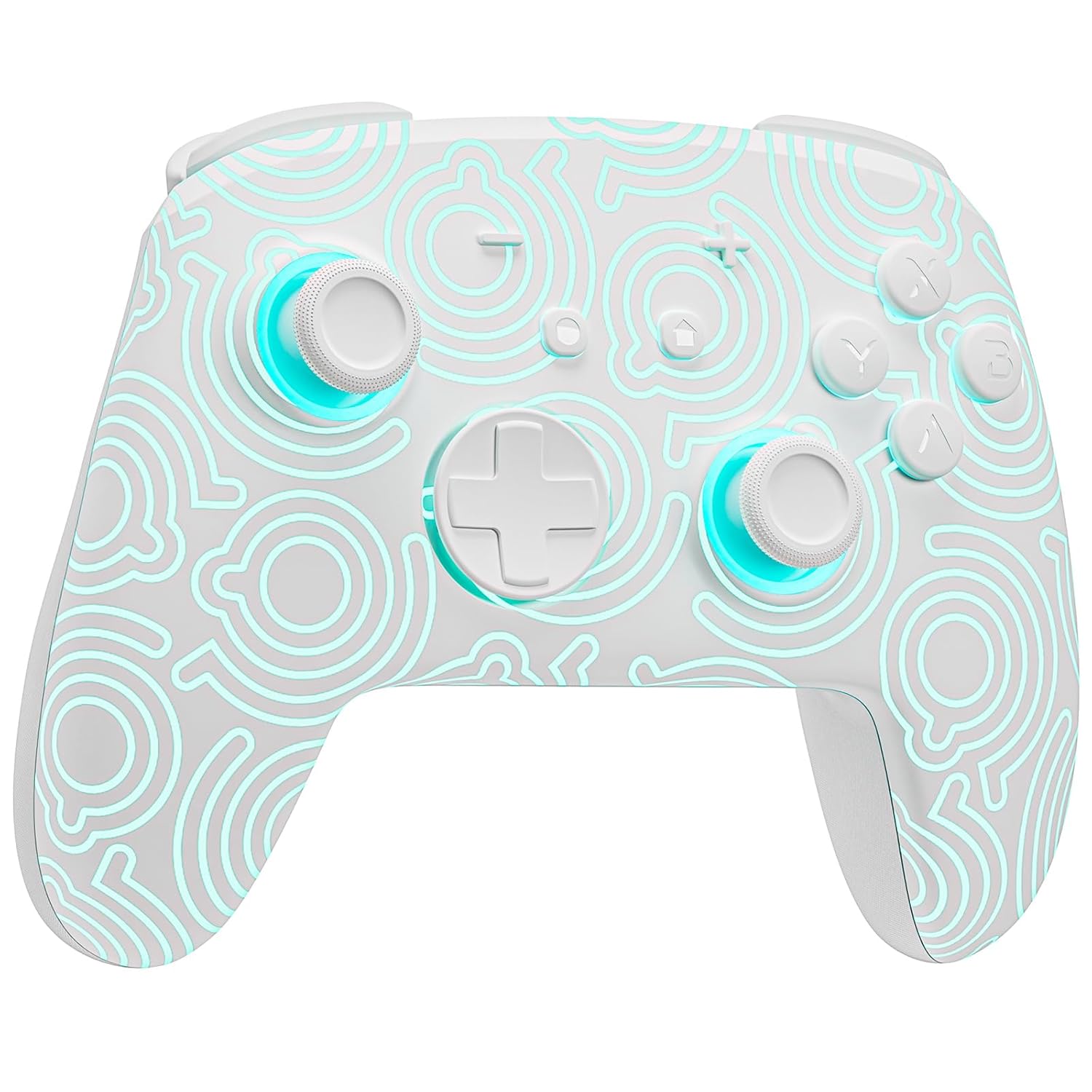
Выява 1.1: Спераду view of the FUNLAB Firefly Wireless Pro Controller, showcasing its white design with illuminated patterns.
2. Змесціва ўпакоўкі
- FUNLAB Firefly Wireless Pro Controller
- Зарадны кабель USB-C
- Кіраўніцтва па эксплуатацыі
3. Налада і падключэнне
3.1 Initial Pairing with Nintendo Switch
- Ensure your Nintendo Switch console is powered on and updated to the latest system software.
- For the first-time connection, connect the controller to the Switch console using the provided USB-C charging cable. This wired activation is required to enable the one-touch wake-up function.
- Once connected, the controller will automatically pair with the console.
- After initial wired pairing, you can disconnect the cable. The controller can now be connected wirelessly.
3.2 Wireless Connection and Wake-Up Function
- To connect wirelessly, press the ДОМ button on the controller. The controller will attempt to connect to the last paired console.
- The controller supports a one-key wake-up function. Pressing the ДОМ button will wake up a sleeping Nintendo Switch, Switch OLED, or Switch Lite console instantly, provided it has been previously paired via wired connection.
3.3 Зарадка кантролера
- Connect the controller to a USB power source (e.g., Switch dock, computer, USB wall adapter) using the USB-C charging cable.
- The controller features a built-in 3.7V/950mAH Lithium battery.
- A full charge provides approximately 12.5 hours of playtime (with LED lights off). Charging indicators will typically show the charging status.

Image 3.1: Illustration of the controller's battery life, indicating 12 hours playing time and 950mAh capacity.
3.4 Сумяшчальнасць з некалькімі прыладамі
The controller is compatible with multiple devices beyond the Nintendo Switch, including Android, iOS, Steam Deck, and PC systems. Refer to the specific pairing instructions for each device in the included manual or online resources.
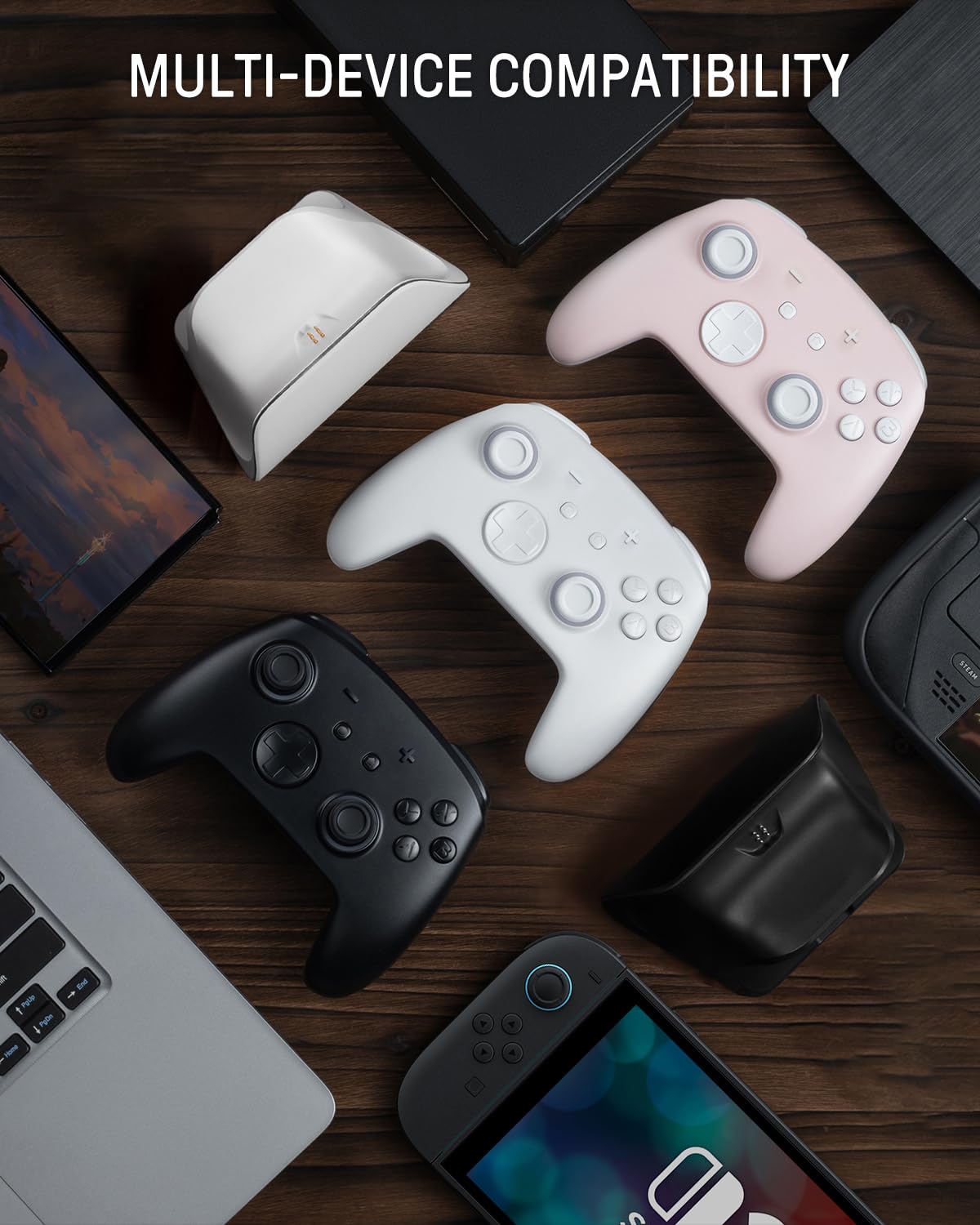
Image 3.2: The controller shown alongside various compatible devices such as laptops, smartphones, and handheld gaming consoles.
4. Інструкцыя па эксплуатацыі
4.1 Hidden-til-lit Display and LED Lighting
The controller features a unique hidden-til-lit display. When the LED is inactive, the controller appears as a solid white unit. Upon activation, a hidden pattern illuminates, enhancing the visual experience.
- Націсніце Кнопка святла (located on the back or front, depending on model variant) to cycle through 7 LED colors.
- The controller offers 4 lighting modes: breathing light mode, quick flash mode, vibration lighting mode, and always-on mode.
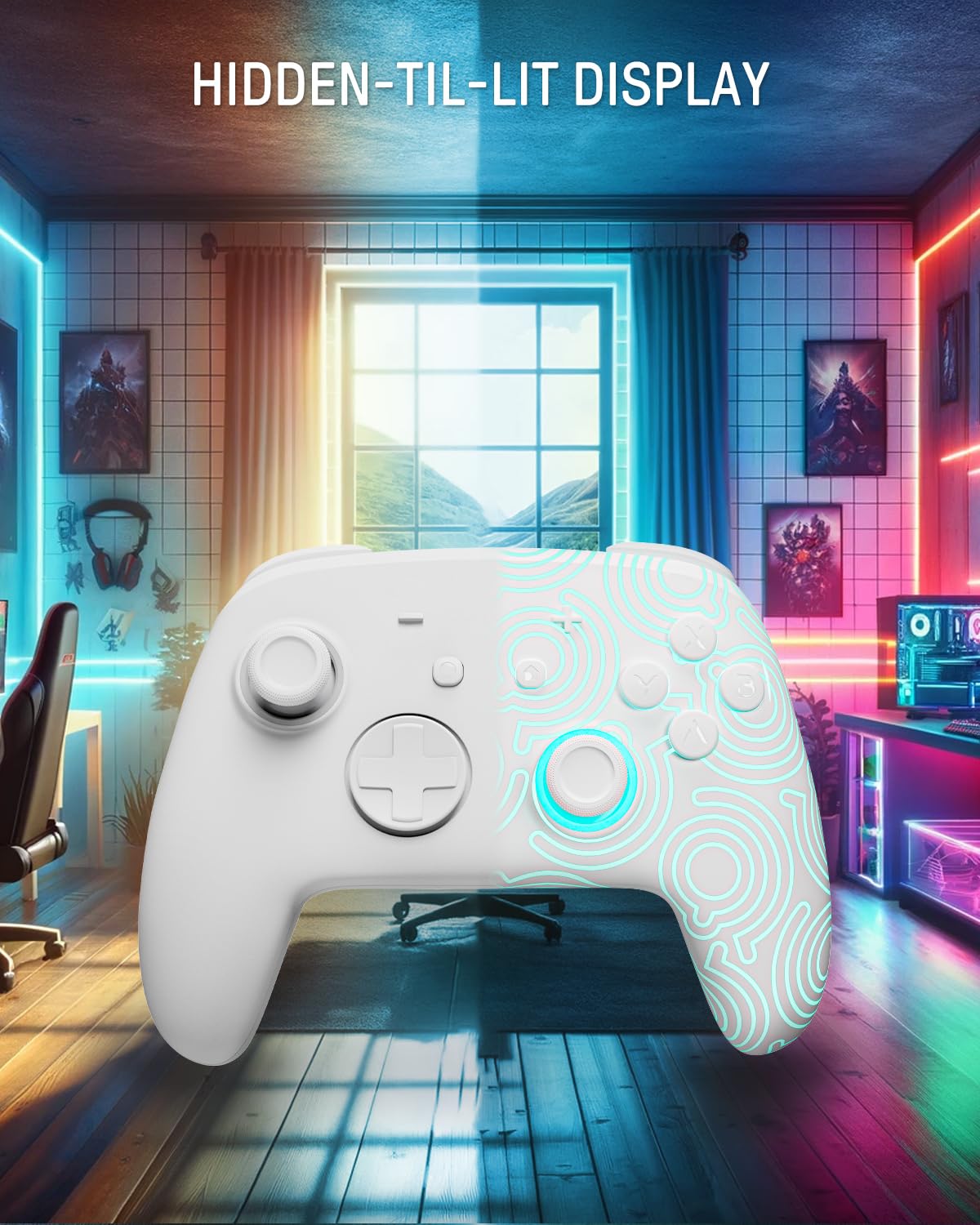
Image 4.1: The controller demonstrating its hidden-til-lit display, with one side illuminated and the other unlit.
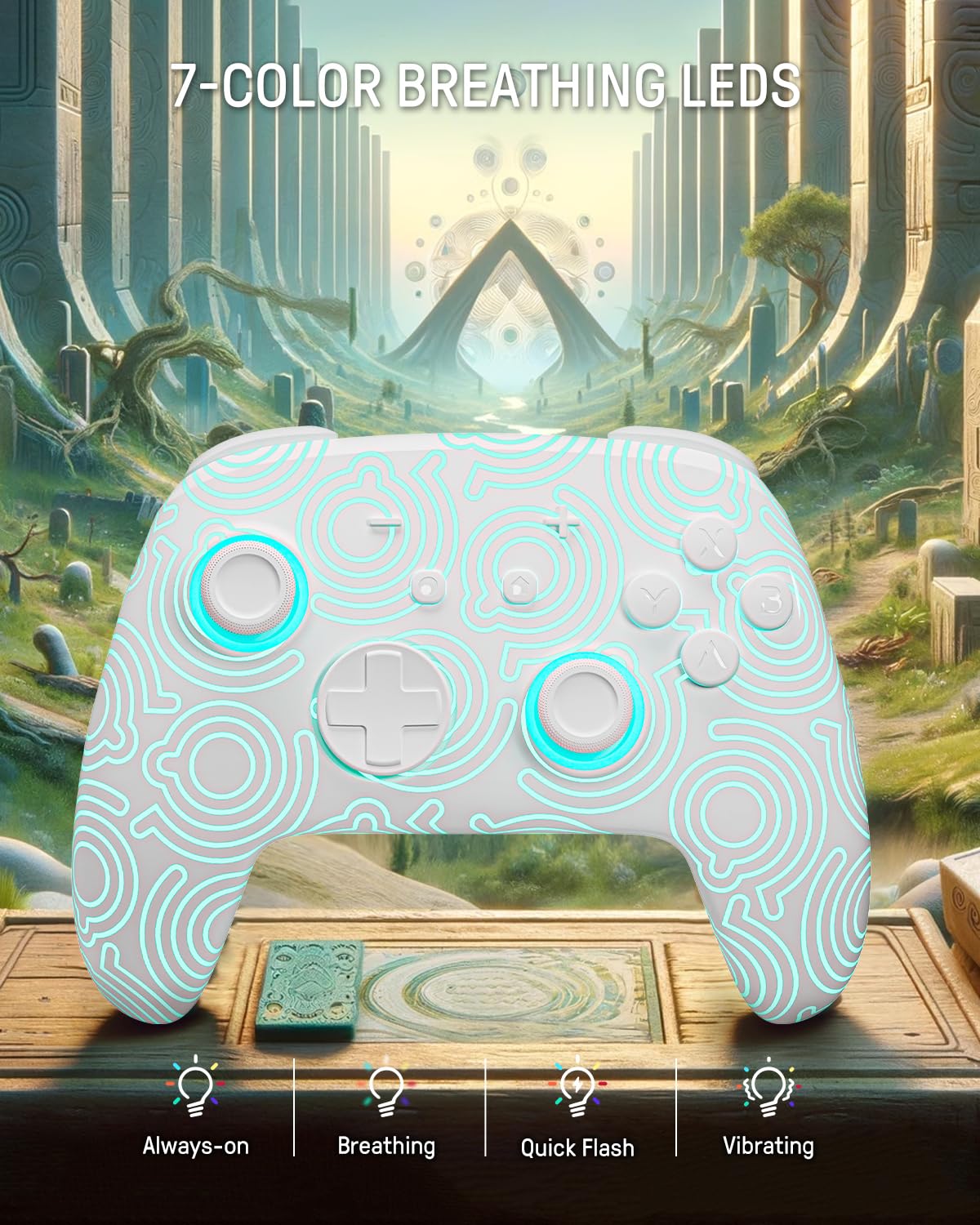
Image 4.2: The controller displaying its 7-color breathing LED feature, with various lighting modes indicated.
4.2 Джойстыкі з эфектам Хола
The controller is equipped with Hall Effect joysticks, which utilize magnetic sensors instead of physical contacts. This design provides precise and sensitive control, ensuring accurate and smooth gameplay while offering a longer lifespan and stable performance with reduced mechanical wear and stick drift.

Image 4.3: A detailed diagram illustrating the internal components and magnetic sensing principle of a Hall Effect joystick.
4.3 Back Paddle Buttons
The controller includes programmable back paddle buttons. These buttons can be assigned to replicate other controller inputs, allowing for enhanced gameplay and customized control setups to suit individual playstyles.

Малюнак 4.4: ззаду view of the controller, highlighting the two programmable back paddle buttons.
4.4 Turbo Function and Motion Control
- The controller features a Функцыя турба, which supports continuous input for rapid button presses. This is beneficial for games requiring quick, repeated actions, such as shooting games.
- Дакладны motion control is integrated, allowing for immersive gameplay in titles that utilize gyroscope or accelerometer input.
4.5 Функцыя вібрацыі
The controller provides immersive vibration feedback, bringing in-game actions to life. The intensity of the vibration can often be adjusted or toggled off via console settings or dedicated controller buttons, if available.

Image 4.5: An illustration depicting the vibration function of the controller, with intensity levels indicated.
5. Тэхнічнае абслугоўванне
- Уборка: Для чысткі кантролера выкарыстоўвайце мяккую сухую тканіну. Для ўстойлівага бруду злёгкуampпрамыйце тканіну вадой. Пазбягайце выкарыстання агрэсіўных хімічных рэчываў або абразіўных матэрыялаў.
- захоўванне: Захоўвайце кантролер у прахалодным, сухім месцы, удалечыні ад прамых сонечных прамянёў і экстрэмальных тэмператур.
- Сыход за батарэяй: Каб падоўжыць тэрмін службы батарэі, пазбягайце частай поўнай разрадкі кантролера. Рэгулярна зараджайце яго, нават калі ён не выкарыстоўваецца працяглы час.
6. Выпраўленне непаладак
6.1 Кантролер не падключаецца
- Пераканайцеся, што кантролер зараджаны.
- Perform the initial wired pairing as described in Section 3.1.
- Check the console's Bluetooth settings to ensure it is enabled and searching for devices.
- Try resetting the controller (a small reset button may be present on the back, often requiring a pin to press).
6.2 Input Lag or Unresponsive Buttons
- Ensure the controller is fully charged. Low battery can affect performance.
- Move closer to the console to minimize wireless interference.
- Пераканайцеся, што іншыя бесправадныя прылады не ствараюць перашкод.
- Restart both the controller and the console.
6.3 Святлодыёдныя лямпы не працуюць
- Press the Light button repeatedly to cycle through modes and colors.
- Ensure the controller has sufficient battery charge.
7. Тэхнічныя характарыстыкі
| Асаблівасць | Дэталь |
|---|---|
| мадэль | FUNLAB Firefly Wireless Pro Controller |
| ASIN | B0D2LCBVYD |
| Памеры прадукту | 5.91 х 2.36 х 4.33 цалі |
| Вага прадмета | 8.8 унцыі |
| Вытворца | FUNLAB |
| Тып батарэі | 1 літый-іённы акумулятар (у камплекце) |
| Ёмістасць батарэі | 950 мАг |
| Прыблізны час гульні | Да 12.5 гадзін (пры выключанай падсветцы) |
| Сувязь | Wireless (Bluetooth), USB-C (wired) |
| Сумяшчальнасць | Nintendo Switch, Switch OLED, Switch Lite, Android, iOS, Steam Deck, PC |
| Асаблівасці | Hall Effect Joysticks, RGB 7 LED Colors, Back Paddle Buttons, Turbo Function, Motion Control, Wake-Up Function |
8. Гарантыя і падтрымка
For warranty information and customer support, please refer to the documentation included with your product or visit the official FUNLAB webсайт. Вы таксама можаце звязацца з прадаўцом непасрэдна праз платформу, дзе быў набыты тавар, каб атрымаць дапамогу.
вытворца: FUNLAB
Дата першай даступнасці: 24 красавіка 2024 г