
Geevon GN-228614C-T3-US
Geevon Digital Atomic Wall Clock (Model GN-228614C-T3-US) Instruction Manual
Падрабязнае кіраўніцтва па ўсталёўцы, эксплуатацыі і абслугоўванні.
1. Уводзіны
This manual provides detailed instructions for the setup, operation, and maintenance of your Geevon Digital Atomic Wall Clock with Moon Phase and Backlight (Model GN-228614C-T3-US). Please read this manual thoroughly before using the product to ensure proper function and longevity.
2. Што ўваходзіць у камплект
Пасля распакавання пераканайцеся, што ўсе кампаненты наяўныя:
- One atomic clock
- One outdoor sensor
- One AC/DC power adapter
- Адно кіраўніцтва карыстальніка
Note: 3 AAA batteries for the main unit and 2 AAA batteries for the outdoor sensor are required but not included.
3. Настройка
3.1. Уключэнне асноўнага блока
The main unit can be powered by either the included AC/DC power adapter or 3 AAA batteries (not included).
- Выкарыстанне сеткі пераменнага току: Connect the AC/DC power adapter to the clock's power input port and plug it into a standard electrical outlet.
- Выкарыстанне батарэек: Open the battery compartment on the back of the clock and insert 3 new AAA batteries, observing the correct polarity (+/-).

Image: Back of the main clock unit with the battery compartment open, showing where to insert 3 AAA batteries. Control buttons are visible above the compartment.

Image: Close-up of the back of the clock showing the battery compartment and inserted batteries. A "Low Battery Indicator" graphic is also present.
3.2. Installing the Outdoor Sensor
The wireless outdoor sensor requires 2 AAA batteries (not included).
- Адкрыйце батарэйны адсек на задняй панэлі вонкавага датчыка.
- Insert 2 new AAA batteries, observing the correct polarity (+/-).
- Зачыніце батарэйны адсек.
- Place the sensor in a covered outdoor location, such as under a patio or porch, to protect it from direct sunlight and rain. Ensure it is within 200 feet (60 meters) of the main unit.

Image: The main clock unit on a table indoors and the outdoor sensor mounted on an exterior wall, illustrating the wireless connection.
Video: This video demonstrates how to install batteries in both the main clock unit and the outdoor sensor, and how the outdoor sensor transmits temperature data to the main unit. It also shows the clock's display and various features in action.
3.3. Initial Synchronization and Time Zone Setting
The clock automatically attempts to synchronize with the WWVB atomic clock signal from Fort Collins, Colorado. This process can take 2-5 days for initial synchronization, especially if the signal is weak. During signal reception, the backlight will temporarily turn off for 1-2 minutes to avoid interference.
To manually set the time zone and other settings:
- Press and hold the "MODE" button for 3 seconds. The hour display will start to flash. Use the "UP" or "DOWN" buttons to set the correct hour.
- Press "MODE" to confirm and move to the minute setting. Use "UP" or "DOWN" to set the correct minute.
- Continue pressing "MODE" to cycle through year, month, and date settings, adjusting each with "UP" or "DOWN".
- After setting the date, the Daylight Saving Time (DST) display will flash. Use "UP" or "DOWN" to turn DST on or off as applicable.
- Next, the Time Zone display will flash. Use "UP" or "DOWN" to select your time zone (EST, AST, HST, AKST, PST, MST, CST).
- Finally, the temperature unit (°C/°F) will flash. Use "UP" or "DOWN" to select your preferred unit.
- Press "MODE" again to confirm all settings and end the setting procedures, entering the normal mode.

Image: The clock display showing time, date, and temperature, with graphics illustrating "Spring Forward" (+1h) and "Fall Back" (-1h) for Daylight Saving Time.

Image: Close-up of the back of the clock, highlighting the control buttons (LIGHT, MEM, 12/24, ALARM, SNZ, CH, DOWN UP/RCC, MODE) and a map of US time zones (PST, MST, CST, EST, AKST, HST, AST).
Video: This video demonstrates how to install batteries in both the main clock unit and the outdoor sensor, and how the outdoor sensor transmits temperature data to the main unit. It also shows the clock's display and various features in action.
4. Інструкцыя па эксплуатацыі
4.1. Адлюстраваннеview
The 8.8-inch LCD TN HD display shows the following information:
- Час (фармат 12/24 гадзін)
- Date and Day of the Week
- Фазы месяца
- Indoor Temperature (°C/°F)
- Outdoor Temperature (°C/°F)
- Daily Minimum and Maximum Temperature Data
- Temperature Trends (rising/falling)

Image: The clock's large LCD display showing all its features, including time, day, date, moon phase, indoor and outdoor temperatures, and temperature trends. Dimensions of the clock are also indicated.
4.2. Кіраванне падсветкай
The clock features 3 brightness levels: Off, Dim, and Bright. The backlight behavior depends on the power source:
- Магутнасць пераменнага току: The backlight can remain on continuously at your chosen brightness level.
- Магутнасць батарэі: To conserve battery life, the backlight will illuminate for 10 seconds when the top button is tapped, then turn off.
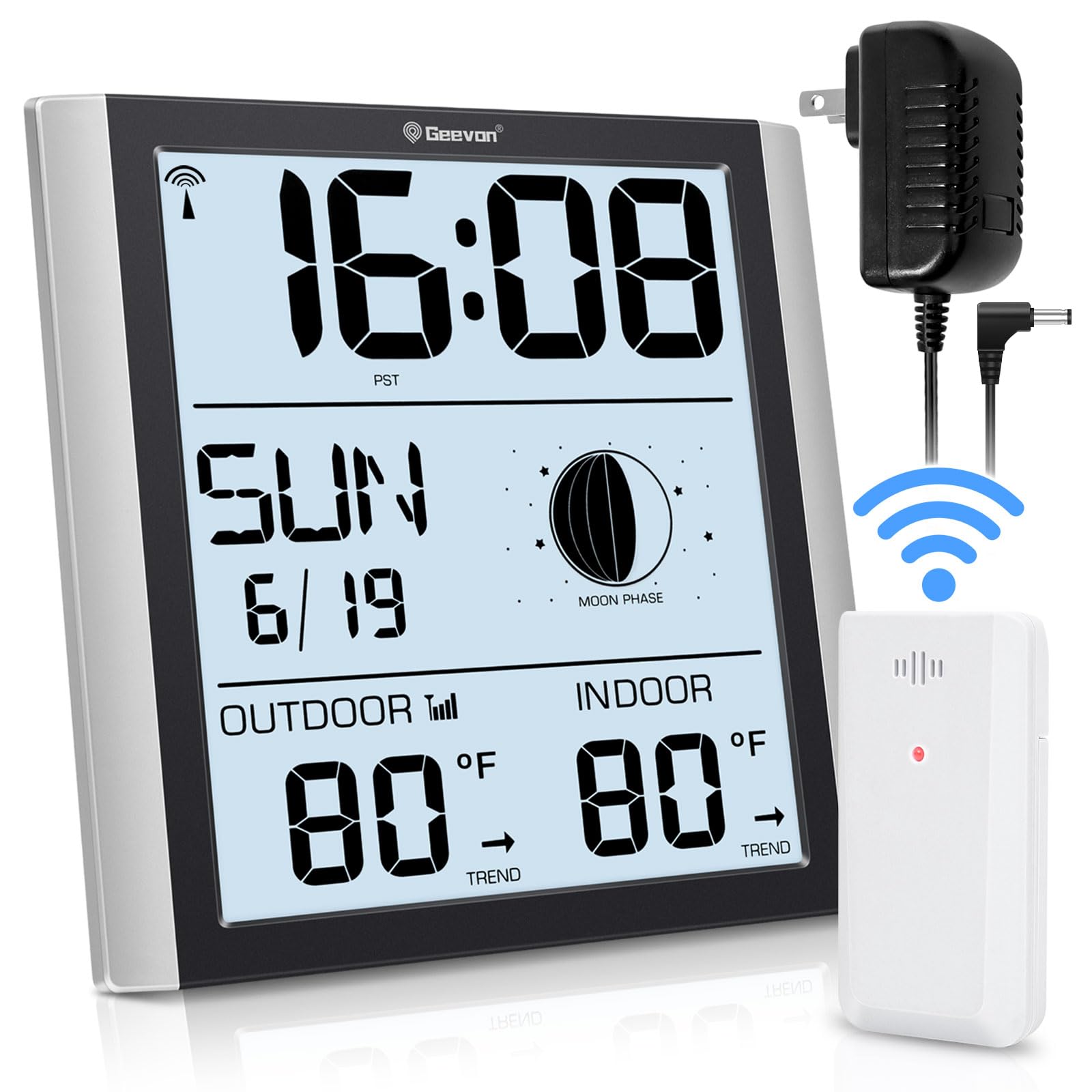
Image: The clock display shown with three different backlight settings: High, Low, and Off, demonstrating the adjustable brightness feature.
Video: This video demonstrates the three backlight brightness levels (Off, Dim, Bright) of the Geevon Atomic Wall Clock and how to adjust them by touching the top button. It also shows the clock in various room settings.
4.3. Функцыя будзільніка і паўтору будзільніка
The clock includes an alarm with a snooze feature:
- Ўстаноўка будзільніка: Press the "ALARM" button on the back of the clock to enter alarm setting mode. Use "UP" or "DOWN" to set the desired alarm time. Press "ALARM" again to confirm.
- Activating Alarm: Once set, the alarm will sound with a gradually increasing "beep" sound.
- Адклад: Press the "SNZ" button (top button) during the alarm to activate the 5-minute snooze function.
- Спыненне сігналізацыі: To stop the alarm completely, press any other button besides "SNZ". If no action is taken, the alarm will automatically stop after 2 minutes.
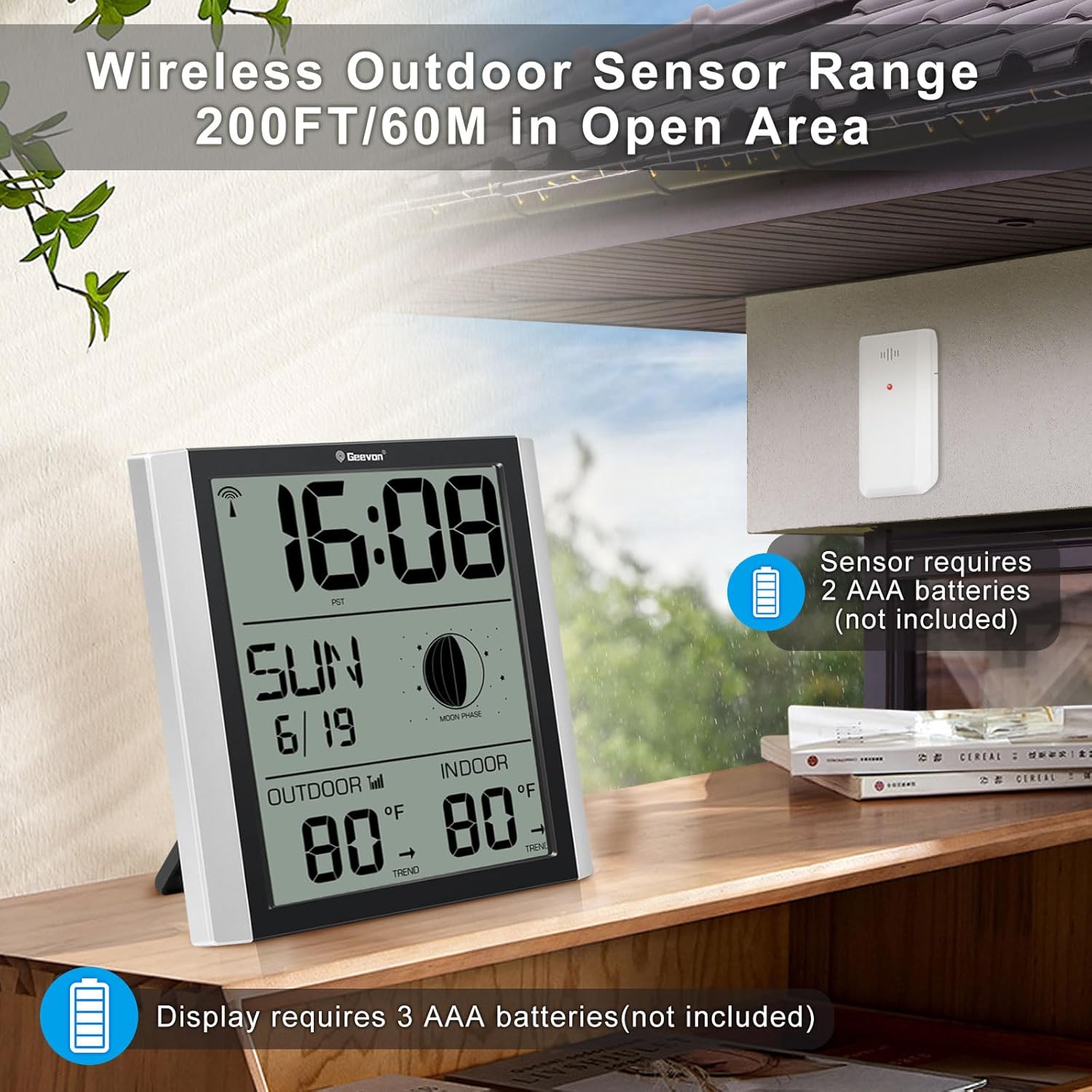
Image: The clock display with icons for "Ascending Beep" and "5-minute Snooze", illustrating the alarm features. A person is shown waking up in bed.
4.4. Пераключэнне адзінак вымярэння тэмпературы
To switch between Celsius (°C) and Fahrenheit (°F) for temperature display, press the "UP/RCC" button on the back of the clock during normal operation.
4.5. Max/Min Temperature Records
The clock records the daily minimum and maximum indoor and outdoor temperatures. Press the "MEM" button on the back of the clock to view these records. Press it again to cycle through current, maximum, and minimum readings.
5. Варыянты размяшчэння
The Geevon Digital Atomic Wall Clock offers versatile placement options:
- Настольнае выкарыстанне: Utilize the integrated tripod stand on the back for stable placement on a desk, nightstand, or shelf.
- Насценны мантаж: Use the two hanging holes on the back to mount the clock securely on a wall.
Image: The clock is shown with its foldable stand for tabletop use and also with hanging holes for wall mounting, illustrating its two placement methods.
For optimal performance, place both the main unit and the outdoor sensor at least 3 feet (1 meter) away from electronic devices such as TVs, computers, microwaves, or radios, as these can cause electromagnetic interference.
6. Тэхнічнае абслугоўванне
- Уборка: Wipe the clock and sensor with a soft, dry cloth. Do not use abrasive cleaners or solvents.
- Замена батарэі: Replace batteries in both the main unit and outdoor sensor when the low battery indicator appears on the display. Always replace all batteries at the same time with new ones.
- захоўванне: If storing the unit for an extended period, remove all batteries to prevent leakage.
7. Выпраўленне непаладак
| праблема | Магчымая прычына | Рашэнне |
|---|---|---|
| Няма дысплея на галоўным блоку. | Няма харчавання або разраджаныя батарэі. | Ensure AC adapter is properly connected or replace batteries. |
| Тэмпература на вуліцы не адлюстроўваецца або паказваецца няправільна. | Outdoor sensor batteries dead, out of range, or interference. | Replace sensor batteries. Move sensor closer to the main unit. Ensure no large metal objects or electronics are between units. |
| Atomic time not synchronizing. | Weak WWVB signal, interference, or incorrect time zone. | Ensure correct time zone is set. Move clock to a location with better signal reception (e.g., near a window, away from electronics). Allow 2-5 days for initial synchronization. Signal reception is usually better at night. |
| Backlight not staying on (when using AC power). | Адаптар харчавання не падключаны або няспраўны. | Ensure AC adapter is securely plugged in. If problem persists, contact support. |
8. Тэхнічныя характарыстыкі
- Нумар мадэлі: GN-228614C-T3-US
- Марка: Джівон
- Тып дысплея: Digital LCD TN HD
- Памер дысплея: 8.8 цаляў
- Крыніца харчавання (асноўны блок): AC/DC Power Adapter (included) or 3 x AAA Batteries (not included)
- Крыніца харчавання (вонкавы датчык): 2 х ААА батарэі (не ўключаны)
- Падключэнне: Wireless (for outdoor sensor)
- Дыяпазон вонкавага датчыка: Да 60 м (200 футаў) на адкрытай прасторы
- Дакладнасць тэмпературы: ±1 °C
- Асаблівасці: Atomic Clock (WWVB), Moon Phase, Backlight (3 levels), Alarm with Snooze, Indoor/Outdoor Temperature, Max/Min Temperature Records, Temperature Trend Indicator, 12/24H Time Format, Calendar (Day, Month, Date, Day of Week), Daylight Saving Time (DST) On/Off.
- матэрыял: Акрыланітрылбутадыенстырол (АБС)
- Памеры прадукту: 2.1" Г x 7.87" Ш x 7.75" У
- Вага прадмета: 1.4 фунта
9. Гарантыя і падтрымка
Geevon is committed to providing high-quality products and excellent customer service. If you encounter any issues or have questions regarding your Geevon Digital Atomic Wall Clock, please contact our customer support team. We offer lifetime consulting services and are available 24/7 online.
Каб атрымаць падтрымку, звярніцеся да кантактнай інфармацыі, прадастаўленай пры куплі, або наведайце афіцыйны сайт Geevon. webсайт.