
1. Прадукт скончыўсяview
This manual provides essential instructions for the safe and efficient use of your HUAWEI MatePad SE 11" Tablet. Please read this manual thoroughly before using the device and retain it for future reference.

Выява: Задняя частка view of the HUAWEI MatePad SE 11" tablet, highlighting its lightweight (475g) and slim (6.9mm) design. The tablet features a premium metal unibody construction.
The HUAWEI MatePad SE 11" is designed for an immersive visual and audio experience, featuring an 11-inch FullView Eye Comfort screen and a powerful quad-speaker system. Its lightweight and slim design make it highly portable.
2. Пачатковая налада
2.1. Распакоўка і змесціва ўпакоўкі
Carefully unpack your HUAWEI MatePad SE 11" tablet. Ensure all items listed below are present:
- HUAWEI MatePad SE 11" Tablet (6GB+128GB)
- Зарадная прылада
- Кабель Type-C
- Кароткае кіраўніцтва
- Гарантыйны талон
2.2. Зарадка планшэта
Before first use, fully charge the tablet. Connect the Type-C cable to the tablet's USB-C port and the charger, then plug the charger into a power outlet. The tablet supports 22.5W fast charging.
2.3. Уключэнне / выключэнне харчавання
- Каб уключыць: Press and hold the Power button until the HUAWEI logo appears.
- Каб выключыць: Націсніце і ўтрымлівайце кнопку харчавання, затым абярыце з прапанаваных опцый «Выключыць харчаванне».
- Каб перазапусціць: Націсніце і ўтрымлівайце кнопку харчавання, затым абярыце з опцый «Перазагрузка».
2.4. Пачатковая канфігурацыя
Выконвайце інструкцыі на экране, каб завяршыць пачатковую наладу, у тым ліку:
- Выбар мовы
- Падключэнне да сеткі Wi-Fi
- HUAWEI ID login (or create a new one)
- Security settings (PIN, password, pattern, or facial recognition)
3. Кіраванне планшэтам
3.1. Асаблівасці дысплея

Image: The HUAWEI MatePad SE 11" screen, showcasing its 11-inch FHD+ Eye Comfort display. Key features include an 85% screen-to-body ratio, 1920x1200 resolution, and 400 Nits brightness for a clear visual experience.
The 11-inch FHD+ Eye Comfort display provides an immersive visual experience. It features:
- дазвол: 1920 х 1200 пікселяў
- Камфорт для вачэй: TÜV Rheinland certified for low blue light and flicker-free viewing, reducing eye strain during prolonged use.
- Яркасць: 400 Nits, with 4096-level brightness adjustment.
- E-Book Mode: A dedicated mode for a paper-like reading experience.
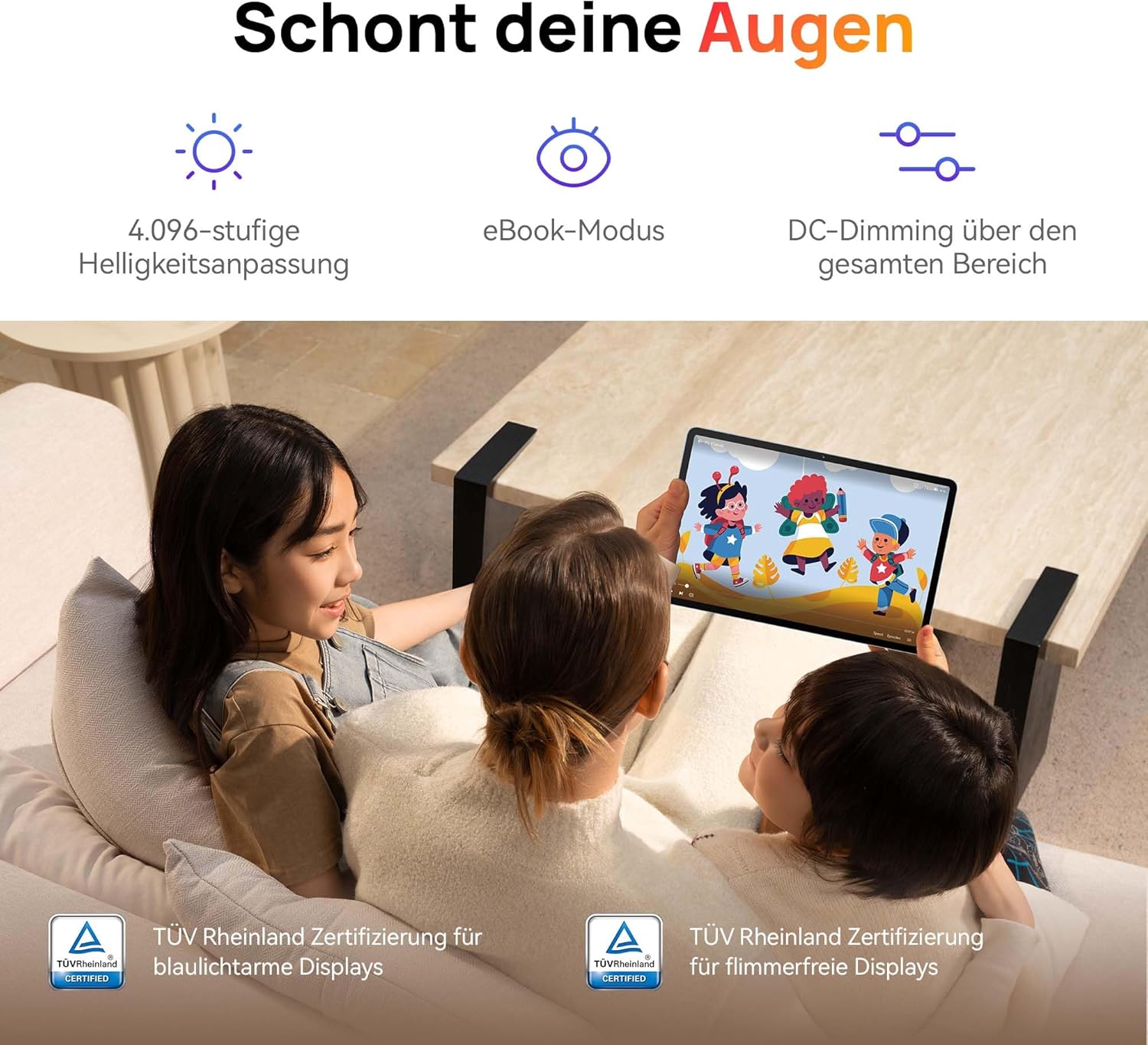
Image: Children using the tablet, illustrating the eye protection features. The display is TÜV Rheinland certified for low blue light and flicker-free operation, ensuring a comfortable viewвопыту.
3.2. Аўдыёсістэма

Image: A user enjoying music on the tablet, demonstrating the immersive quad-speaker system. This system is optimized by HUAWEI Histen 9.0 technology for high-quality audio.
The tablet features a symmetrical quad-speaker system optimized by HUAWEI Histen 9.0 technology, providing cinematic sound quality for various applications.
3.3. Kids Corner

Image: The Kids Corner interface on the tablet, designed as a safe and engaging environment for children. Features include posture warnings, a blue light filter, and an eBook mode, along with content from BabyBus.
Kids Corner provides a safe and dedicated environment for children to learn and play. Parents can manage:
- Time limits for usage.
- Allowed applications and content.
- Features like posture warnings and blue light filters to promote healthy digital habits.
It also includes content from BabyBus, offering games, stories, and nursery rhymes.
3.4. M-Pen Lite (Optional Accessory)

Image: The HUAWEI M-Pen Lite stylus, an optional accessory that enhances interaction with the tablet for drawing, writing, and note-taking. It is supported by the HUAWEI MatePad SE 11" Stylus Set.
If you have the HUAWEI M-Pen Lite, it can be used for enhanced interaction, drawing, and note-taking. Ensure your tablet supports the M-Pen Lite stylus set.
The tablet also supports applications like GoPaint for professional and easy-to-use digital art, and HUAWEI Note for organized note-taking.

Image: GoPaint application on the tablet, illustrating its interface for digital art creation.

Image: HUAWEI Note application on the tablet, showing its capabilities for detailed note-taking.
3.5. Сувязь
- Wi-Fi: Connect to available Wi-Fi networks for internet access. Supports 802.11ac.
- Bluetooth: Спалучэнне з прыладамі Bluetooth, такімі як навушнікі, дынамікі або клавіятуры.
- Порт USB-C: Used for charging, data transfer, and connecting compatible accessories.
3.6. Multi-Window and Multi-Device Collaboration
The tablet supports multi-window functionality for enhanced multitasking and multi-device screen sharing for seamless integration with other HUAWEI devices.
4. Тэхнічнае абслугоўванне і догляд
- Уборка: Для чысткі экрана і корпуса выкарыстоўвайце мяккую тканіну без ворса. Пазбягайце абразіўных матэрыялаў або агрэсіўных хімічных рэчываў.
- Сыход за батарэяй: To prolong battery life, avoid extreme temperatures. Do not allow the battery to fully discharge frequently.
- Абнаўленні праграмнага забеспячэння: Рэгулярна правярайце наяўнасць абнаўленняў праграмнага забеспячэння і ўсталёўвайце іх, каб забяспечыць аптымальную прадукцыйнасць і бяспеку.
- захоўванне: Keep the tablet in a cool, dry place away from direct sunlight and moisture.
5. Выпраўленне непаладак
| праблема | Магчымае рашэнне |
|---|---|
| Планшэт не ўключаецца. | Пераканайцеся, што акумулятар зараджаны. Падключыце зарадную прыладу і пачакайце некалькі хвілін, перш чым зноў уключыць прыладу. |
| Экран не рэагуе. | Restart the tablet by holding the Power button for approximately 10 seconds. If unresponsive, ensure the screen is clean and dry. |
| Праблемы з падключэннем да Wi-Fi. | Check if Wi-Fi is enabled. Restart your router and the tablet. Ensure you are within range of the Wi-Fi signal. |
| Apps are not downloading from Play Store. | The HUAWEI MatePad SE 11" runs on HarmonyOS and uses HUAWEI AppGallery. Google Play Store services are not natively supported. Use Petal Search to find and install apps or access web versions of services. |
| Павольная прадукцыйнасць. | Зачыніце непатрэбныя фонавыя праграмы. Ачысціце кэш і часовую памяць. files. Ensure sufficient storage space is available. Restart the tablet. |
6. Тэхнічныя характарыстыкі
| Асаблівасць | Дэталь |
|---|---|
| Назва мадэлі | MatePad SE 11" |
| Нумар мадэлі | 53014FHK |
| Памеры (Д х Ш х У) | 26.23 х 16.38 х 0.69 см |
| Вага | 475 грам |
| Памер дысплея | 11 цалі |
| Тып дысплея | ВК |
| Дазвол дысплея | 1920 x 1200 пікселяў (FHD+) |
| Суадносіны бакоў | 16:9 |
| Аперацыйная сістэма | HarmonyOS |
| Працэсар | Huawei Processor (Agassi6-W09C) |
| АЗП | 6 ГБ |
| Ёмістасць захоўвання | 128 ГБ |
| Тып батарэі | Літый-палімерны |
| Ёмістасць батарэі | 7700 мАг |
| Зарадка | 22.5W Fast Charging (via USB Type-C) |
| Раздзяленне задняй камеры | 8 мегапікселяў |
| Выступоўцы | 4 speakers with HUAWEI Histen 9.0 |
| Бесправадныя тэхналогіі | Wi-Fi (802.11ac), Bluetooth |
| Парты USB | 1 (USB тыпу C) |
| Асаблівасці | 11-inch Eye Comfort Screen, Kids Corner, Multi-window, Multi-device screen sharing |
| Уваходзіць у скрынку | Tablet, Charger, Type-C Cable, Quick Start Guide, Warranty Card |
7. Гарантыя і падтрымка
7.1. Інфармацыя аб гарантыі
Your HUAWEI MatePad SE 11" Tablet comes with a manufacturer's warranty. Please refer to the included Warranty Card for specific terms and conditions. Spare parts availability is guaranteed for 24 months.
7.2. Падтрымка кліентаў
For technical assistance, troubleshooting beyond this manual, or warranty claims, please contact HUAWEI customer support. Visit the official HUAWEI webсайт для кантактнай інфармацыі і рэсурсаў падтрымкі.
Інтэрнэт-рэсурсы: HUAWEI Support Webсайт