
1. Уводзіны
The NIIMBOT D11H is a compact, portable, and inkless thermal label printer designed for various labeling needs. It connects wirelessly via Bluetooth to your smartphone, allowing for easy creation and printing of high-resolution labels. This manual provides essential information for setting up, operating, and maintaining your device.
2. Змесціва ўпакоўкі
Праверце, ці ўсе пералічаныя ніжэй прадметы ўваходзяць у вашу ўпакоўку:
- 1x NIIMBOT D11H Label Printer
- 1x Label Roll (pre-installed or included)
- 1x зарадны кабель USB Type-C
- 1x User Manual (Japanese)

3. Настройка
3.1. Загрузка этыкетачнай паперы
- Slide the cover button on the side of the printer to open the paper compartment.
- Insert the label roll into the compartment with the labels facing upwards, ensuring it is correctly aligned.
- Pull a small portion of the label paper out through the printer's exit slot.
- Надзейна зачыніце вечка.

3.2. Уключэнне
Press and hold the power button located on the front of the printer for 3 seconds until the indicator light turns green, indicating the device is powered on.
3.3. Загрузка прыкладання і злучэнне Bluetooth
- Download the "NIIMBOT" app from the App Store (iOS) or Google Play Store (Android).
- Уключыце Bluetooth на вашым смартфоне.
- Open the NIIMBOT app and tap on the "Connect" or "Printer Connection" option. The app will automatically scan for nearby devices.
- Select your NIIMBOT D11H printer from the list of available devices to establish a Bluetooth connection.

4. Інструкцыя па эксплуатацыі
4.1. Стварэнне этыкетак
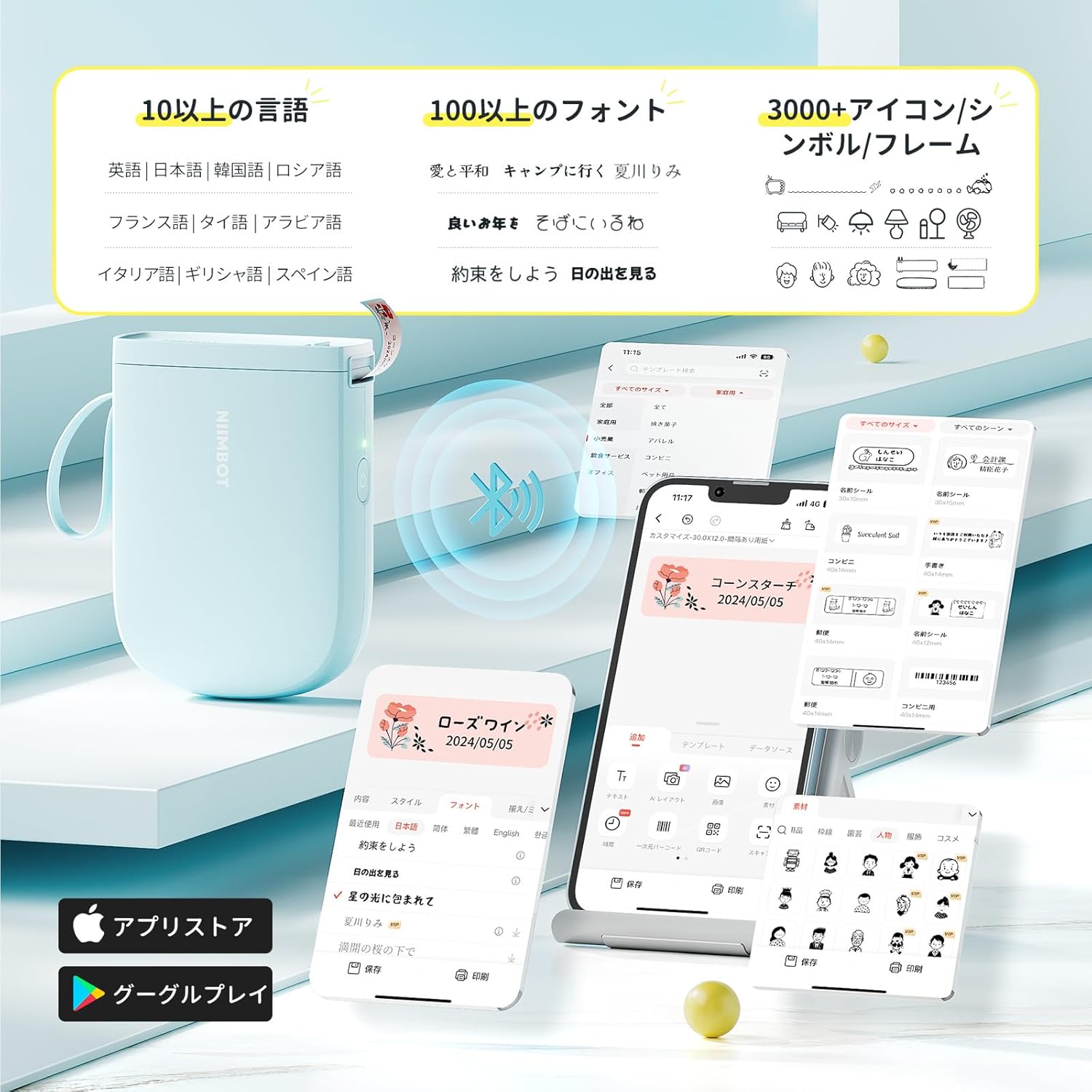
The NIIMBOT app offers a wide range of features for label creation:
- Увод тэксту: Easily type and customize text with over 20 fonts and various styles.
- Шаблоны: Utilize automatic template matching and thousands of image elements for quick design.
- Image Recognition: Import images for printing.
- Штрых-код/QR-код: Generate and print barcodes and QR codes.
- Пакетны друк: Print multiple labels efficiently.

4.2. Друк этыкетак
Once your label design is complete in the app, tap the "Print" button. You can adjust the number of copies and print density before confirming. The printer will automatically feed and cut the labels.
4.3. Універсальнае прымяненне
The NIIMBOT D11H is suitable for a wide range of uses, including organizing documents, creating name tags, price tags, date reminders for food, and labeling items in the kitchen, office, or warehouse.


5. Тэхнічнае абслугоўванне
To ensure optimal performance and longevity of your NIIMBOT D11H label printer, follow these maintenance guidelines:
- Уборка: Regularly clean the print head with a soft, lint-free cloth moistened with alcohol. Ensure the printer is off before cleaning.
- захоўванне: Захоўвайце прынтар у прахалодным, сухім месцы, удалечыні ад прамых сонечных прамянёў і экстрэмальных тэмператур.
- акумулятар: Рэгулярна зараджайце прынтар, нават калі ён выкарыстоўваецца рэдка, каб падтрымліваць яго працаздольнасць.
6. Выпраўленне непаладак
If you encounter issues with your NIIMBOT D11H, refer to the following common troubleshooting steps:
- Прынтар не падключаецца: Ensure Bluetooth is enabled on your smartphone and the printer is powered on. Try restarting both devices and reconnecting through the app.
- Дрэнная якасць друку: Check if the label paper is loaded correctly and is a genuine NIIMBOT thermal label. Clean the print head if necessary. Adjust print density in the app settings.
- Замяцце паперы: Open the paper compartment, carefully remove any jammed paper, and reload the label roll correctly.
- Прынтар не адказвае: Ensure the battery is charged. If the device is unresponsive, try resetting it by holding the power button for an extended period (e.g., 10-15 seconds).
7. Тэхнічныя характарыстыкі
| Асаблівасць | Спецыфікацыя |
|---|---|
| Марка | НІІМБОТ |
| Назва мадэлі | D11H |
| Тэхналогія падлучэння | Bluetooth |
| Тэхналогія друку | Цеплавы |
| Максімальнае разрозненне друку (манахромны) | 300 DPI |
| Максімальная хуткасць друку (монахромны) | 40.0 мм/с |
| Максімальны памер носьбіта (паперы) | 15 мм (шырыня) |
| Памеры прадукту | 11 х 3 х 7 см |
| Вага прадмета | 360 г |
| Сумяшчальныя прылады | Смартфоны (Android і iOS) |
| Колер | Сіні |
8. Гарантыя і падтрымка
For warranty information or technical support, please refer to the official NIIMBOT webсайт або звярніцеся да прадаўца. Захоўвайце чэк аб куплі як пацверджанне пакупкі.