
1. Уводзіны
Thank you for choosing the Mesqool Vibrating Alarm Clock. This device is designed to provide a reliable and customizable wake-up experience, particularly beneficial for heavy sleepers, individuals with hearing impairments, or those who prefer a silent alarm. Featuring a powerful vibration, dual alarm settings, and a long-lasting rechargeable battery, this cordless alarm clock is suitable for both home and travel use.
2. Змесціва ўпакоўкі
- Mesqool Vibrating Alarm Clock (Purple)
- Зарадны кабель USB-C
- Папружка
- Кіраўніцтва карыстальніка

Image: Contents of the Mesqool Vibrating Alarm Clock package, showing the purple alarm clock, a USB-C charging cable, a purple wrist strap, and the user manual.
3. Прадукт скончыўсяview

Выява: спераду view of the Mesqool Vibrating Alarm Clock, showcasing its digital display with time, AM indicator, battery level, and alarm icons.
Асноўныя характарыстыкі:
- Бесправадная праца: Enjoy freedom of placement without being tethered by cables.
- Акумулятарная батарэя: Equipped with a 3000mAh high-capacity battery, providing up to six months of use on a single charge.
- Рэгуляваная вібрацыя: Three vibration levels (Low, Medium, High) to suit individual preferences.
- Падвойныя будзільнікі: Set two independent alarms for different schedules, with options for weekday, weekend, or all 7 days.
- Некалькі рэжымаў сігналізацыі: Choose between Vibration Only, Alarm Only (audible), or both Vibration and Alarm.
- Рэгуляваная гучнасць будзільніка: Audible alarm volume ranges from 56db to 105db.
- Кампактны і партатыўны: Mini size (3.35"W x 3.35"H x 1.06"D) makes it ideal for travel.
- 9-хвілінны адклад: Allows for a brief delay before the alarm reactivates.
- Параметры фармату часу: Пераключэнне паміж 12-гадзінным і 24-гадзінным фарматам адлюстравання часу.
- Функцыя летняга часу: Daylight Saving Time adjustment.
- Функцыя блакавання: Prevents accidental button presses during sleep or travel.
4. Настройка
4.1 Першапачатковая зарадка
Before first use, fully charge the alarm clock. Connect the provided USB-C cable to the charging port on the side of the device and plug the other end into a standard USB power adapter (not included) or a computer USB port. The battery indicator on the display will show charging status and full charge.

Image: The Mesqool alarm clock being charged via its USB-C port, with the charging cable connected to a power source.

Image: A close-up diagram highlighting the battery indicator on the display and the Type-C charging port on the side of the alarm clock.
4.2 Прымацаванне раменьчыка на запясце
Thread the provided wrist strap through the small loop hole on the side of the alarm clock. This can help prevent losing the clock, especially when used under a pillow.
5. Інструкцыя па эксплуатацыі
5.1 Функцыі кнопак
Familiarize yourself with the buttons located on the top and side of the alarm clock:
- TIME/SNOOZE Button: Press to enter time setting mode; press during alarm to activate snooze.
- ALARM 1 Button: Press to set Alarm 1.
- ALARM 2 Button: Press to set Alarm 2.
- Кнопка «+»: Increase value during setting; adjust volume/vibration level.
- Кнопка «-»: Decrease value during setting; adjust volume/vibration level.
- Пераключальнік БЛАКІРОВКА: Slide to lock/unlock buttons.
- VIBRATION/ALARM Mode Switch: Select alarm mode (Vibration Only, Alarm Only, Both).
- 12/24H & DST Switch: Toggle between 12-hour and 24-hour time format, and activate/deactivate DST.

Выява: Падрабязны view of the top control panel of the alarm clock, indicating the functions of the TIME/SNOOZE, ALARM 1, ALARM 2, '+' and '-' buttons.

Выява: бок А view of the alarm clock, illustrating the position and function of the lock switch, vibration/alarm mode switch, and 12/24H & DST switch.
5.2 Настройка часу
- Ensure the LOCK switch is in the unlocked position.
- Націсніце і ўтрымлівайце TIME/SNOOZE кнопку на працягу 3 секунд. Лічбы гадзін будуць міргаць.
- Выкарыстоўвайце «+» or '-' кнопкі для рэгулявання гадзіны.
- Націсніце TIME/SNOOZE зноў націсніце кнопку, каб пацвердзіць гадзіны і перайсці да налады хвілін. Лічбы хвілін будуць міргаць.
- Выкарыстоўвайце «+» or '-' кнопкі для налады хвілін.
- Націсніце TIME/SNOOZE button again to confirm the minute and move to day setting. The day indicator will flash.
- Выкарыстоўвайце «+» or '-' buttons to select the current day (MON, TUE, WED, THU, FRI, SAT, SUN).
- Націсніце TIME/SNOOZE button one last time to save all settings and exit time setting mode.
5.3 Налада сігналаў трывогі (сігнал трывогі 1 і сігнал трывогі 2)
The clock supports two independent alarms. The setting process is identical for both.
- Ensure the LOCK switch is in the unlocked position.
- Націсніце і ўтрымлівайце ТРЫВОГА 1 or ТРЫВОГА 2 button for 3 seconds. The alarm hour digits will flash.
- Выкарыстоўвайце «+» or '-' кнопкі для налады гадзін будзільніка.
- Націсніце адпаведную ТРЫВОГА button again to confirm the hour and move to minute setting. The alarm minute digits will flash.
- Выкарыстоўвайце «+» or '-' кнопкі для наладжвання хвілін будзільніка.
- Націсніце адпаведную ТРЫВОГА button again to confirm the minute and move to alarm frequency setting. The day indicators will flash.
- Выкарыстоўвайце «+» or '-' buttons to select the alarm frequency:
- ПН-ПТ: Weekday alarm.
- SAT-SUN: Будзільнік на выхадныя.
- MON-SUN: Everyday alarm.
- Націсніце адпаведную ТРЫВОГА button one last time to save all settings and exit alarm setting mode.
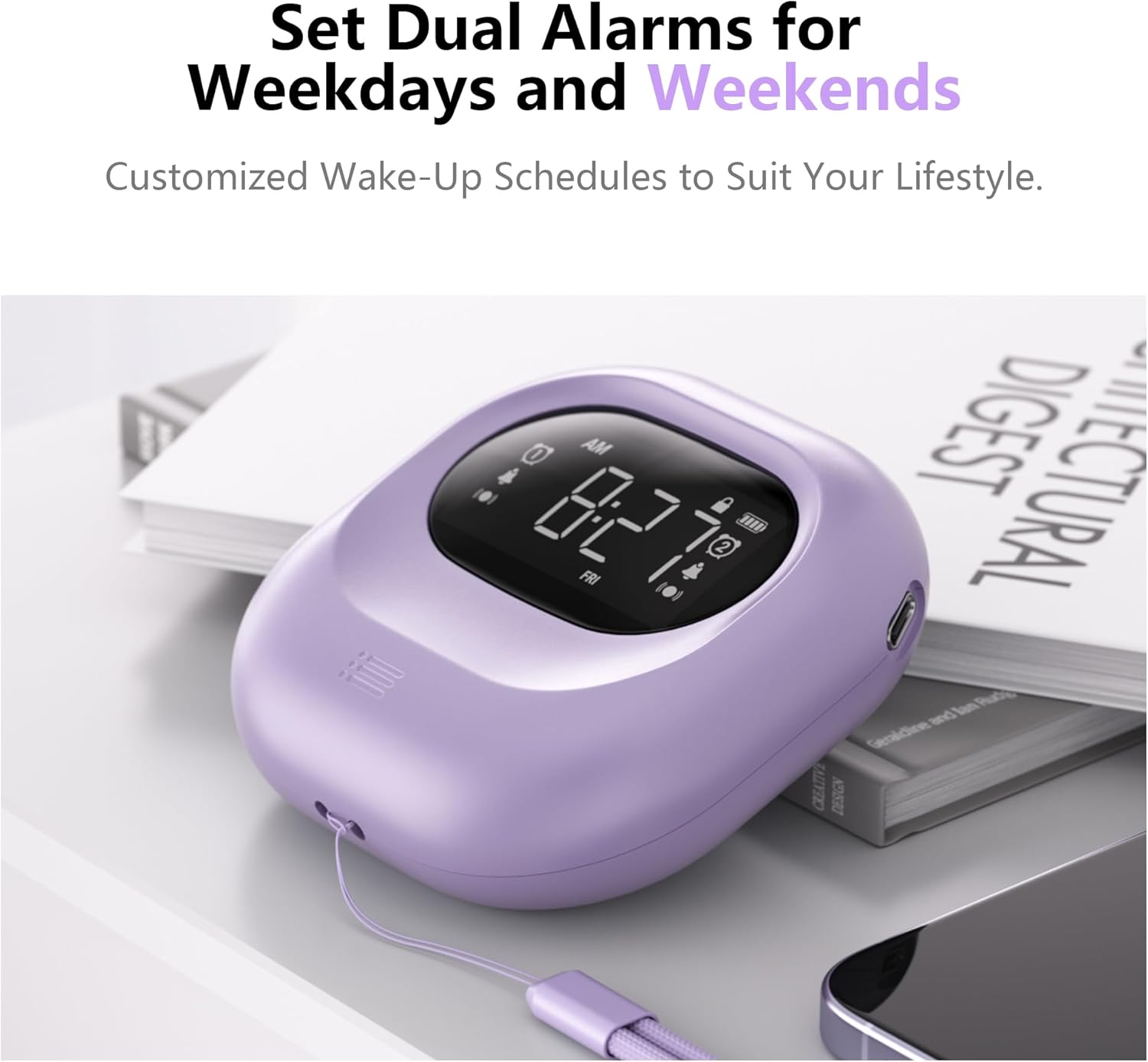
Image: The alarm clock positioned on a bedside table, showing the digital display with two alarm icons activated, indicating the dual alarm functionality.

Image: A visual representation of the dual alarm feature, demonstrating how to set alarms for weekdays, weekends, or all seven days.
5.4 Рэгуляванне ўзроўню вібрацыі
The alarm clock offers three vibration intensity levels: Low, Medium, and High. To adjust:
- Знайдзіце VIBRATION/ALARM Mode Switch збоку прылады.
- Slide the switch to the desired vibration level (L, M, H).

Image: A person sleeping with the alarm clock placed under their pillow, demonstrating its use for silent, vibrating wake-up. The image also shows icons for Low, Middle, and High vibration settings.

Image: A graphic representation of the three adjustable vibration levels: Low, Middle, and High, indicating increasinінтэнсіўнасць g.
5.5 Adjusting Alarm Volume and Mode
The audible alarm volume can be adjusted, and you can select the alarm mode.
- To adjust volume: While the alarm is sounding, press the «+» or '-' buttons to increase or decrease the volume (56db to 105db).
- To select alarm mode: Use the VIBRATION/ALARM Mode Switch on the side of the device to choose between:
- VIB: Толькі вібрацыя
- БАЗЗ: Audible Alarm Only
- VIB+BUZZ: Both Vibration and Audible Alarm
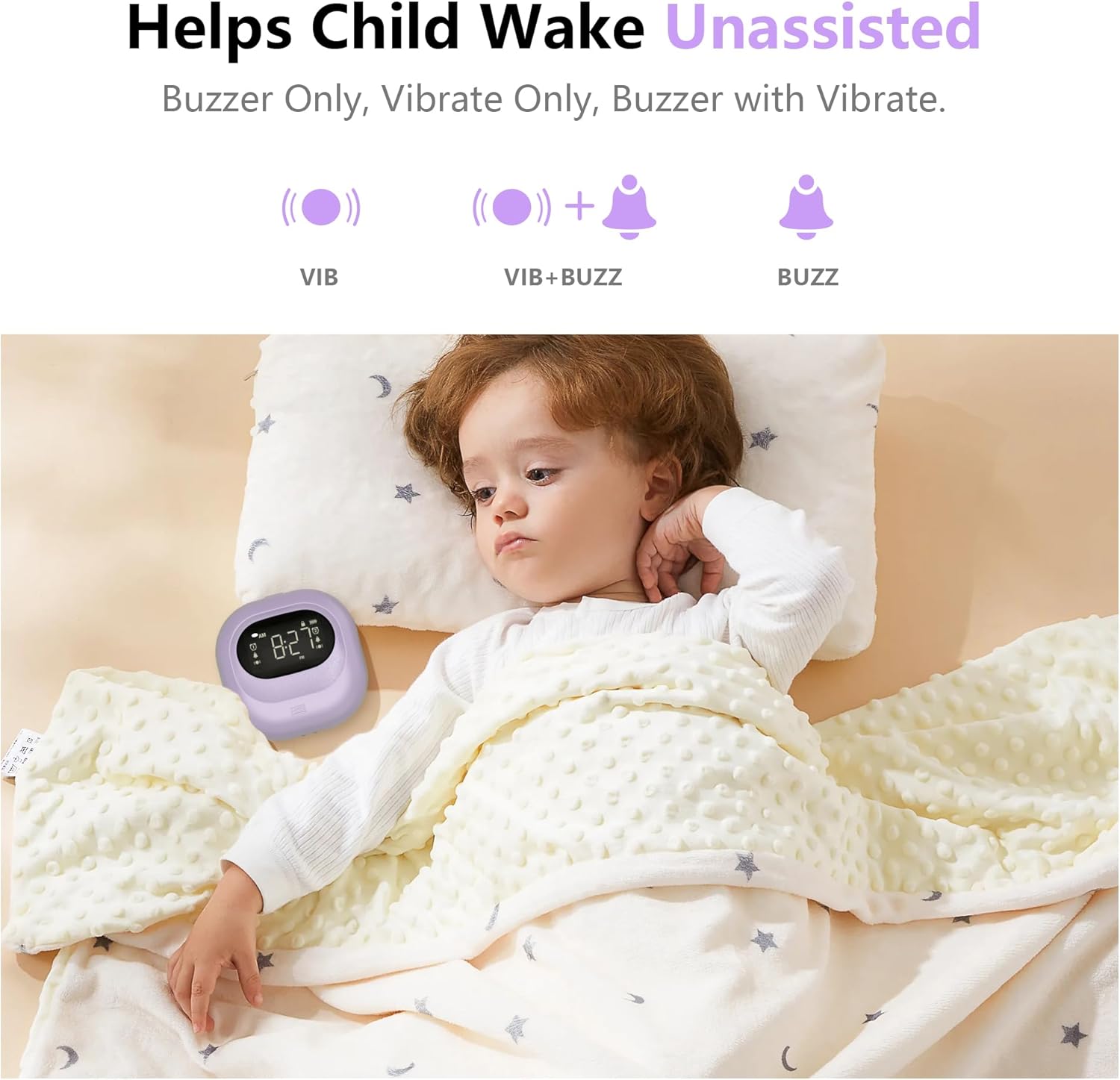
Image: A child sleeping peacefully with the alarm clock placed near their head, illustrating the various alarm modes available: Vibration Only, Vibration with Buzzer, and Buzzer Only.

Image: A graphic illustrating the three alarm modes (Vibration, Vibration + Buzzer, Buzzer) and the adjustable volume range for the audible alarm, from 56db to 105db.
5.6 Функцыя паўтору
Калі гучыць будзільнік, націсніце кнопку TIME/SNOOZE button to activate the 9-minute snooze function. The alarm will temporarily stop and sound again after 9 minutes. To cancel snooze and turn off the alarm, press any other button.
5.7 12/24H Time Format and DST
Выкарыстоўвайце 12/24H & DST Switch on the side of the device to toggle between 12-hour (with AM/PM indicator) and 24-hour time formats. This switch also allows you to activate or deactivate Daylight Saving Time (DST) if needed.
5.8 Функцыя блакіроўкі
To prevent accidental changes to settings or unintended alarm deactivation, slide the ЗАМОК switch on the side of the device to the locked position. This will disable all buttons except for the snooze function (if an alarm is active). Slide it back to the unlocked position to adjust settings.
Image: A close-up of the side of the alarm clock, highlighting the lock switch and its function to prevent accidental operations.
6. Зарадка і акумулятар
The Mesqool Vibrating Alarm Clock is equipped with a 3000mAh rechargeable battery. A full charge can provide up to six months of operation, depending on usage frequency and vibration intensity. When the battery is low, a battery indicator will appear on the display. Connect the USB-C cable to recharge the device.
7. Тэхнічнае абслугоўванне
- Працірайце прыладу мяккай сухой тканінай. Не выкарыстоўвайце абразіўныя ачышчальнікі або растваральнікі.
- Avoid exposing the alarm clock to extreme temperatures, direct sunlight, or moisture.
- Не спрабуйце разбіраць прыладу, бо гэта прывядзе да анулявання гарантыі.
8. Выпраўленне непаладак
| праблема | Магчымая прычына | Рашэнне |
|---|---|---|
| Сігналізацыя не гучыць/не вібруе. | Alarm is not set, alarm mode is incorrect, or battery is low. | Ensure alarm is set correctly (Section 5.3). Check the VIBRATION/ALARM Mode Switch (Section 5.5). Charge the device (Section 6). |
| Кнопкі не рэагуюць. | LOCK switch is engaged. | Slide the LOCK switch to the unlocked position (Section 5.8). |
| Дысплей цьмяны або пусты. | Батарэя разраджаная або разраджаная. | Charge the device (Section 6). |
| Паказваецца няправільны час. | Time was not set correctly or DST is active/inactive incorrectly. | Reset the time (Section 5.2). Check the DST setting (Section 5.7). |
9. Тэхнічныя характарыстыкі
| Асаблівасць | Дэталь |
|---|---|
| Марка | Мескул |
| Нумар мадэлі | CR1027 |
| Колер | Фіялетавы |
| Тып дысплея | Лічбавы |
| Памеры прадукту | 3.35" Ш х 3.35" В х 1.06" Г |
| Вага прадмета | 6.7 унцыі |
| Крыніца харчавання | Працуе ад батарэі (акумулятарная) |
| Ёмістасць батарэі | 3000 мАг |
| Матэрыял | Акрыланітрылбутадыенстырол (ABS-пластык) |
| Дыяпазон гучнасці сігналізацыі | 56db - 105db |
| Асаблівасці | Adjustable Vibration, Battery Indicator, Cordless, Dual Alarms, Snooze, 12/24H, DST, Lock Function |
10. Гарантыя і падтрымка
10.1 Інфармацыя аб гарантыі
This Mesqool Vibrating Alarm Clock comes with an extended warranty. Please refer to the warranty card included in your package or contact Mesqool customer support for specific details regarding warranty coverage and duration.
10.2 Падтрымка кліентаў
For any questions, technical assistance, or support needs, please contact Mesqool customer service. Contact information can typically be found on the product packaging, the official Mesqool webсайт або гарантыйны талон.