
Уводзіны
This manual provides essential instructions for the safe and efficient use of your Sencor SRV 1550WH Robot Vacuum Cleaner and Mop. Please read this manual thoroughly before operating the device and keep it for future reference.
Прадукт скончаныview
The Sencor SRV 1550WH is a robot vacuum cleaner and mop designed for autonomous cleaning. It vacuums dirt and simultaneously mops dust from hard floors. Equipped with two side brushes, it effectively cleans along walls and in corners. Its ultra-slim design allows it to navigate under furniture and around obstacles. The SENCOR Smart Room technology ensures efficient movement, and the device features intelligent impact and fall sensors for safe operation.
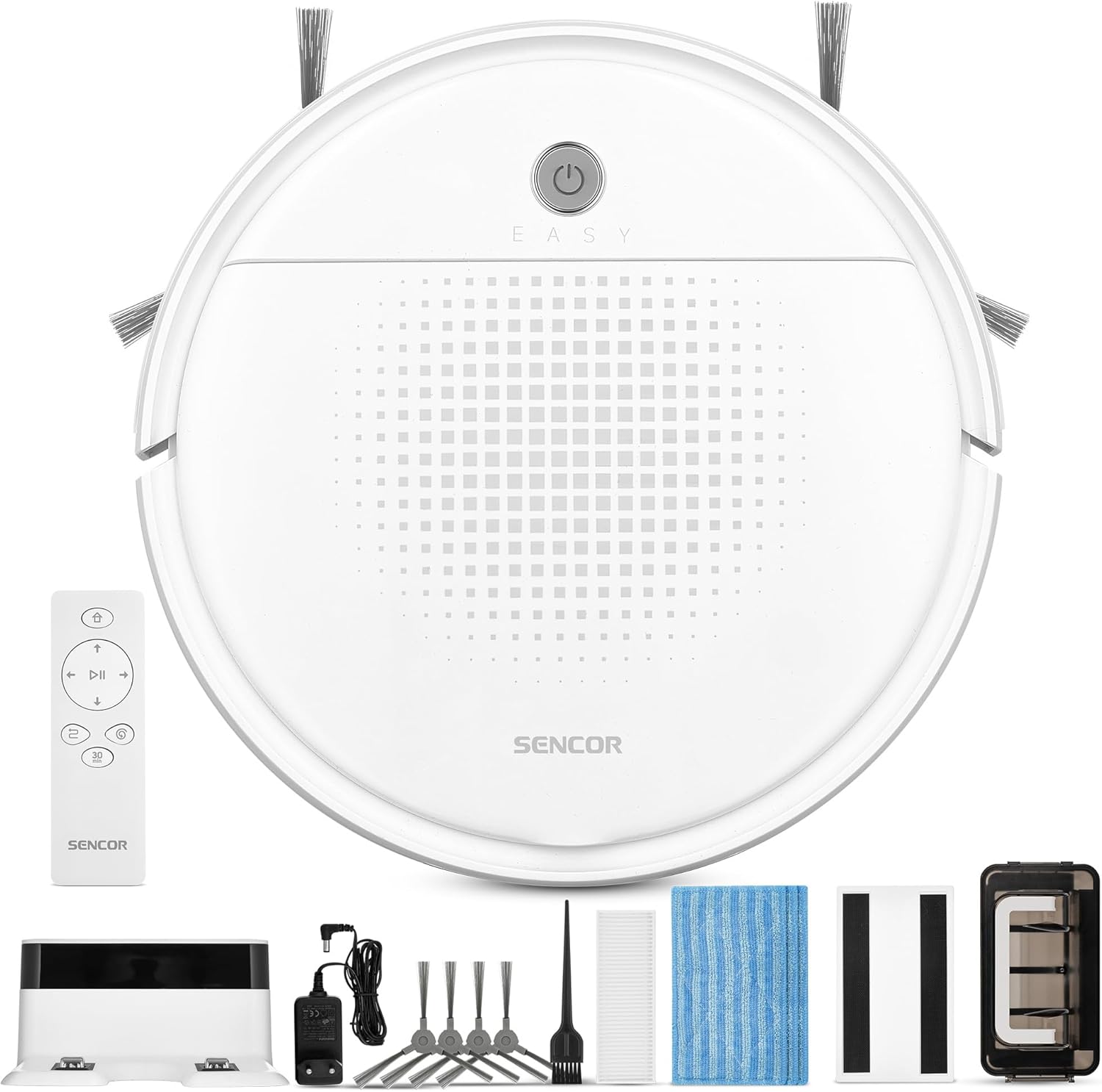
Малюнак 1: Sencor SRV 1550WH Robot Vacuum Cleaner and Mop with its included accessories, including the charging station, remote control, side brushes, mop pads, and cleaning tools.
Змест пакета
- Robot vacuum cleaner (including two side brushes and filters)
- Станцыя зарадкі акумулятараў
- Аксэсуар для ачысткі
- 3x textile mop sleeves
- Пульт дыстанцыйнага кіравання
- 2x AAA batteries (for remote control)
- 2x spare rotating side brushes
- Адаптар харчавання
- 1x spare HEPA filter
- Шчотка для чысткі
Інструкцыі па тэхніцы бяспекі
Before using the appliance, please read all safety warnings and instructions. Failure to follow these instructions may result in electric shock, fire, or serious injury. Keep this manual in a safe place for future reference.
- Гэтым прыборам могуць карыстацца дзеці ва ўзросце ад 8 гадоў і асобы з паніжанымі фізічнымі, сэнсарнымі або разумовымі здольнасцямі або з адсутнасцю вопыту і ведаў, калі яны знаходзяцца пад наглядам або атрымалі інструкцыі адносна бяспечнага выкарыстання прыбора і разумеюць звязаныя з гэтым небяспекі .
- Дзеці не павінны гуляць з прыладай. Чыстка і абслугоўванне карыстальнікам не павінны праводзіцца дзецьмі без нагляду.
- Only use the original power adapter and charging station provided by the manufacturer.
- Не выкарыстоўвайце прыладу ў вільготных памяшканнях або побач з вадой.
- Ensure the charging station is placed on a flat, stable surface against a wall, with clear space around it.
- Remove any loose cables, small objects, or fragile items from the cleaning area before operation.
- Do not operate the robot over open flames or hot ashes.
- Не дазваляйце робату збіраць буйныя прадметы, вадкасці або падпаленыя/дымячыя матэрыялы.
- Рэгулярна чысціце шчоткі і фільтры для падтрымання аптымальнай прадукцыйнасці.
Настройка
1. Распакаванне і першапачатковы агляд
Carefully remove all components from the packaging. Check for any signs of damage. Retain the packaging for future transport or storage.
2. Размяшчэнне зараднай станцыі
Place the charging station against a wall in an open area. Ensure there is at least 1 meter (3 feet) of clear space on both sides and 2 meters (6 feet) in front of the charging station for the robot to easily dock. Connect the power adapter to the charging station and plug it into a power outlet.
3. Усталёўка бакавых шчотак
Turn the robot upside down. Align the side brushes with the corresponding posts on the bottom of the robot and press them down until they click into place. Ensure they are securely attached.
4. Пачатковая аплата
Place the robot onto the charging station. Ensure the charging contacts on the robot align with those on the station. The indicator light on the robot will show its charging status. For first-time use, charge the robot for at least 5-6 hours to ensure the battery is fully conditioned.
Кіраванне робатам-пыласосам
1. Уключэнне / выключэнне харчавання
Press and hold the power button on the robot for a few seconds to turn it on or off. Alternatively, use the power button on the remote control.

Малюнак 2: A hand holding the remote control for the Sencor robot vacuum, with the robot and charging station visible in the background, illustrating remote operation.
2. Запуск цыклу ачысткі
Націсніце "Clean" button on the robot or the remote control to start a cleaning cycle. The robot will automatically select a cleaning path using SENCOR Smart Room technology.
3. Рэжымы ачысткі
- Аўтаматычная ачыстка: The robot navigates and cleans the entire accessible area.
- 30-Minute Program: Ideal for smaller areas or a single room, the robot cleans for approximately 30 minutes before returning to the charging station. Activate this mode via the remote control.
4. Mop Function
To use the mop function, attach a clean textile mop sleeve to the bottom of the robot. The robot will vacuum and mop simultaneously. Ensure the water tank (if applicable, though not explicitly mentioned for this model, it's implied by "laveur") is filled if a wet mop is desired. For this model, it uses an antistatic mop for dust wiping.
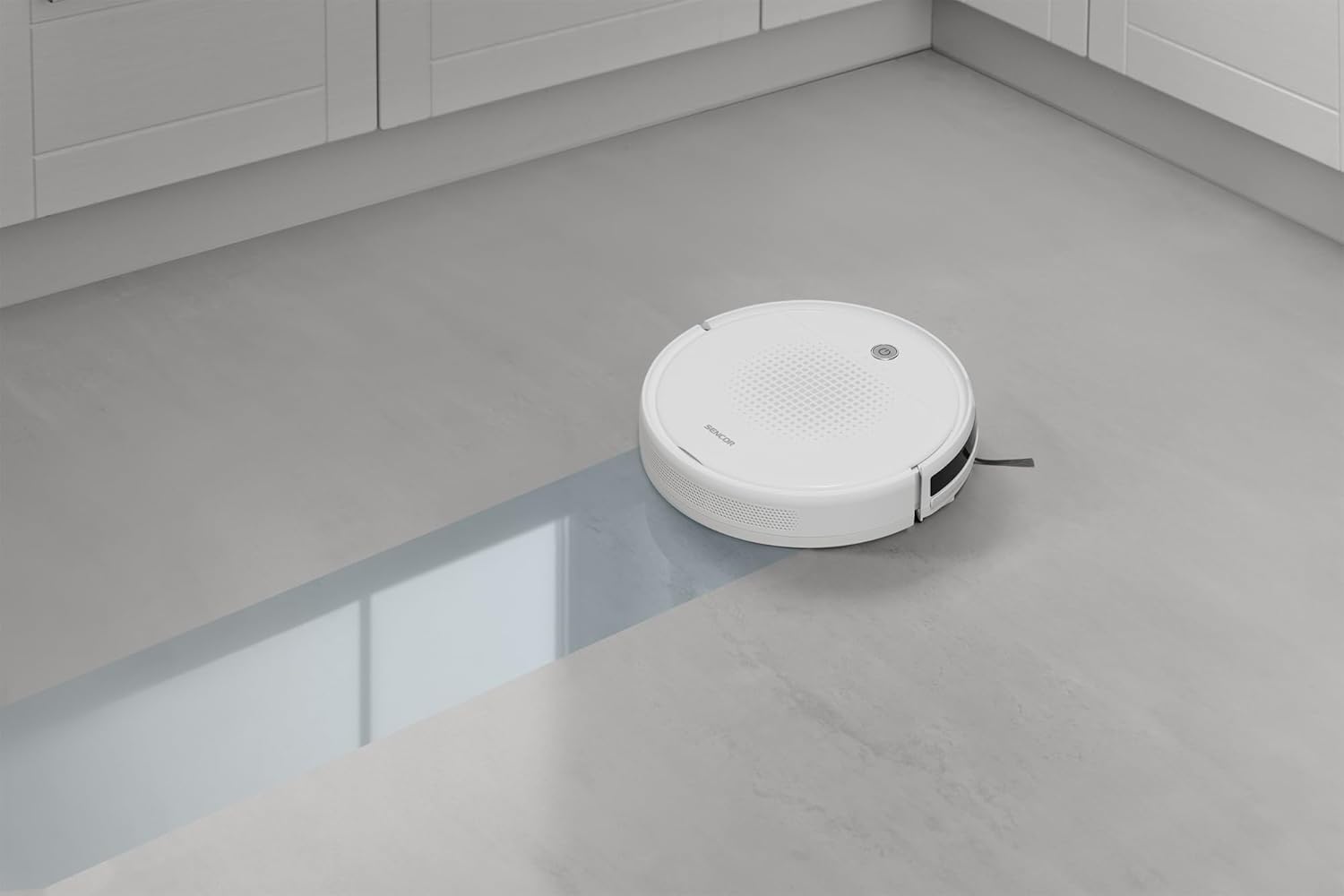
Малюнак 3: The Sencor robot vacuum cleaner actively mopping a hard floor, leaving a clean path behind it.
5. Automatic Docking and Charging
When the battery is low or a cleaning cycle is complete, the robot will automatically return to its charging station. Ensure the charging station is accessible and powered on.

Малюнак 4: The Sencor robot vacuum cleaner moving from a carpeted area to a hard floor, demonstrating its ability to clean different surfaces and pick up debris.

Малюнак 5: The Sencor robot vacuum cleaner operating under a sofa, highlighting its ultra-slim 7 cm design for accessing hard-to-reach areas.
Тэхнічнае абслугоўванне
Рэгулярнае тэхнічнае абслугоўванне забяспечвае аптымальную прадукцыйнасць і падаўжае тэрмін службы вашага робата-пыласоса.
1. Апаражніць пылазборнік
Press the release button to remove the dust bin. Open the dust bin cover and empty its contents into a trash can. It is recommended to empty the dust bin after each cleaning cycle.
2. Ачыстка/замена фільтраў
Remove the HEPA filter and primary filter from the dust bin. Tap the filters gently to remove dust. The HEPA filter is not washable; replace it every 3-6 months depending on usage. The primary filter can be rinsed with water and air-dried completely before reinstallation.
3. Ачыстка бакавых шчотак
Periodically remove the side brushes by pulling them upwards. Use the provided cleaning brush or a pair of scissors to remove any tangled hair or debris. Reinstall them securely.
4. Губкі для швабры
Remove the textile mop sleeve after each use. Rinse it thoroughly with water and allow it to air dry. Replace mop sleeves when they show signs of wear or reduced effectiveness.
5. Ачыстка датчыкаў і зарадных кантактаў
Wipe the anti-drop sensors, bumper sensors, and charging contacts on both the robot and the charging station with a clean, dry cloth to ensure proper function.
Ліквідацыю непаладак
If your robot vacuum encounters an issue, refer to the following common problems and solutions:
| праблема | Магчымая прычына | Рашэнне |
|---|---|---|
| Робат не ўключаецца. | Нізкі ўзровень зарада батарэі; не зараджаецца. | Place the robot on the charging station and ensure it is fully charged. |
| Робат не зараджаецца. | Charging contacts are dirty; charging station not powered. | Clean charging contacts on both robot and station. Ensure charging station is plugged in and powered. |
| Робат часта захрасае. | Obstacles in cleaning path; tangled brushes. | Clear the cleaning area of loose cables, small objects. Clean side brushes for tangled hair. |
| Слабая эфектыўнасць уборкі. | Full dust bin; dirty filters; worn brushes. | Empty dust bin. Clean or replace filters. Clean or replace side brushes. |
| Робат не вяртаецца на зарадную станцыю. | Charging station is blocked or not powered; robot too far from station. | Ensure charging station is accessible and powered. Manually place robot near station to assist docking. |
Тэхнічныя характарыстыкі
| Марка | СЕНСАР |
| Нумар мадэлі | SRV 1550WH |
| Колер | Белы |
| Памеры (Д х Ш х У) | 29 х 29 х 7 см (11.4 х 11.4 х 2.7 цалі) |
| Вага | 1.9 кілаграмаў (4.19 фунта) |
| Ёмістасць пылазборніка | 200 мілілітраў |
| тtage | 220 вольт |
| Матэрыял | Пластыкавыя |
| Узровень шуму | 60 дэцыбел |
| Тэрмін службы батарэі (час працы) | Да 60 хвілін (1 гадзіна) |
| Асаблівасці | Automatic docking, Anti-fall, Anti-collision, Automatic stop, Continuous suction, Simultaneous suction and cleaning, Dirt detection sensor, Logical navigation, Programmable, Pet hair pickup, Easy-to-empty dirt container, Cordless, Bagless, Low noise level, Washable primary filter, HEPA filter. |
| Тып фільтра | HEPA |
| Тып кантролера | Пульт дыстанцыйнага кіравання |
Гарантыя і падтрымка
Sencor offers a satisfaction guarantee for this product. Please refer to your purchase documentation for specific warranty terms and conditions.
- Гарантыя задавальнення: A 30-day satisfaction guarantee is offered.
- Запасныя часткі: Інфармацыя аб наяўнасці запасных частак у цяперашні час недаступная.
- For further assistance or technical support, please contact Sencor customer service through their official webсайт або кантактную інфармацыю, прадастаўленую пры пакупцы.