
1. Прадукт скончыўсяview
The WOOPKER AK35 is a compact 2.0 channel stereo audio amplifier designed for home use. It features Bluetooth 5.0 connectivity, USB and SD card inputs, AUX input, and controls for bass, treble, and master volume. This amplifier delivers clear and powerful sound for various audio setups.
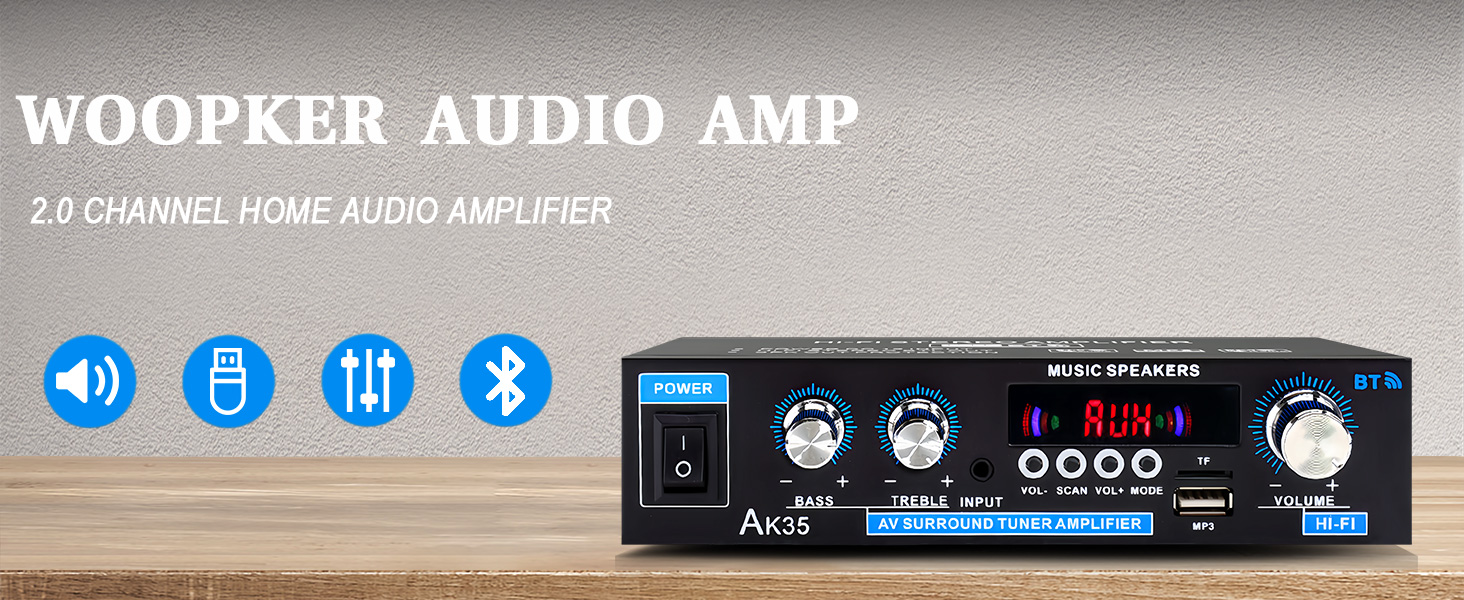
Выява 1.1: Спераду view of the AK35 Stereo Audio Ampзадымнік.
2. Змесціва ўпакоўкі
Праверце наяўнасць усіх прадметаў у камплекце:
- 1x AK35 Audio Ampзадымнік
- 1x кабель харчавання
- 1x Кіраўніцтва карыстальніка (гэты дакумент)
- 1x Пульт дыстанцыйнага кіравання
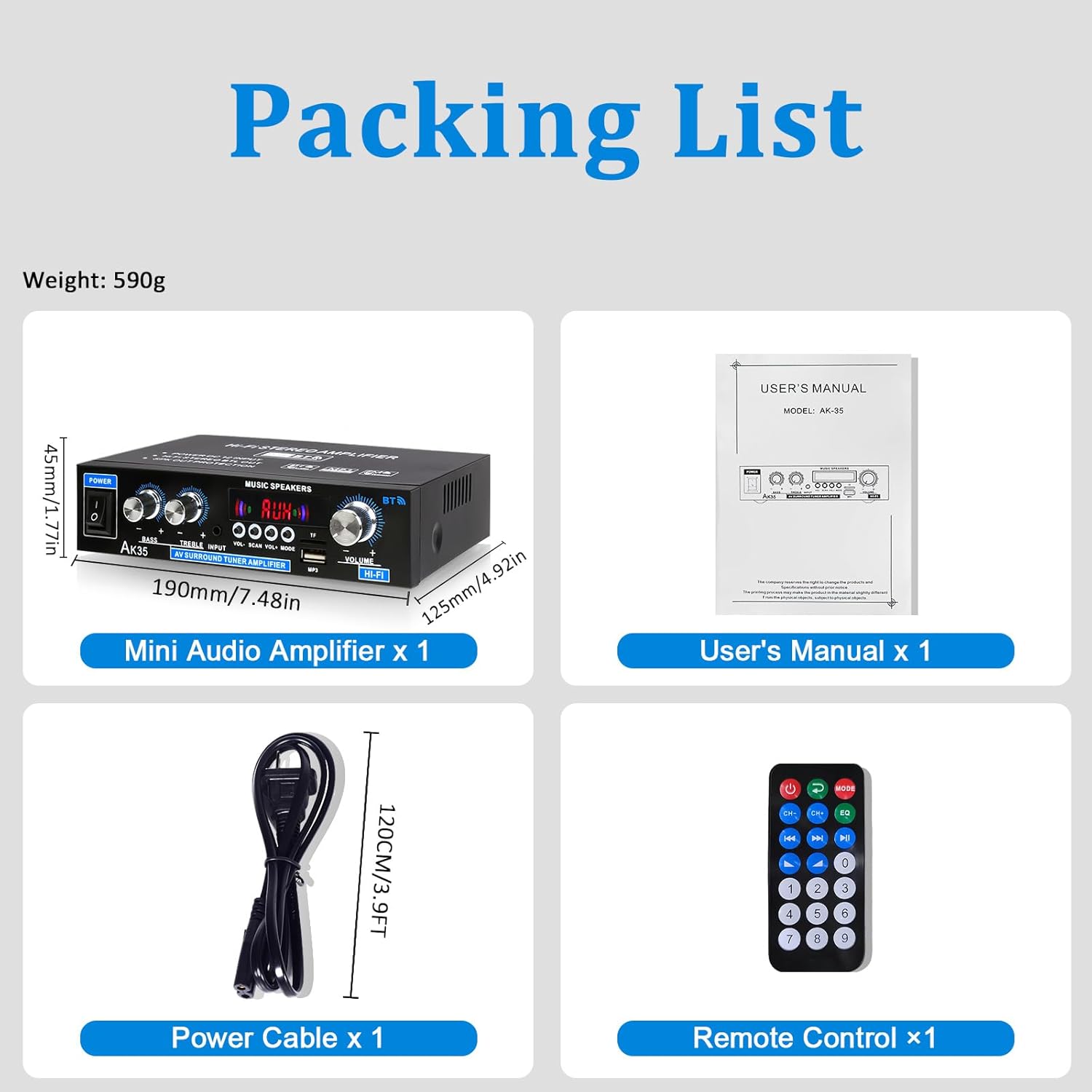
Image 2.1: Contents of the AK35 ampвыратавальны пакет.
3. Інструкцыі па ўсталёўцы
3.1 Элементы кіравання пярэдняй панэлі
Азнаёмцеся з элементамі кіравання і індыкатарамі на пярэдняй панэлі:

Image 3.1: Front Panel Layout of the AK35 Ampзадымнік.
- Выключальнік сілкавання: Ператварае ampLifier ON/OFF.
- Басовая ручка: Рэгулюе нізкачастотны аўдыёвыхад.
- Ручка высокіх частот: Рэгулюе гучнасць высокачастотнага гуку.
- Аўдыё ўваход: Selects the audio source (AUX, USB, SD, Bluetooth, FM).
- Святлодыёдны дысплей: Shows current mode, track information, or frequency.
- Асноўны аб'ём: Кантралюе агульную гучнасць выхаду.
- Функцыянальныя кнопкі: Includes VOL-, SCAN, VOL+, MODE for navigation and control.
- TF/USB Port: For connecting USB flash drives or SD cards (via adapter).
3.2 Злучэнні задняй панэлі
Understand the rear panel for proper connectivity:

Image 3.2: Rear Panel Layout of the AK35 Ampзадымнік.
- Аўдыёўваходны раз'ём (RCA): Connect external audio sources via RCA cables.
- Speaker Output Jack (L/R): Connect passive speakers.
- Уваходная сілкаванне пастаяннага току 12 В/5 А: Для крыніцы харчавання пастаяннага току.
- Уваходнае напружанне пераменнага току 110-240 В: Для сілкавання пераменным токам.
- FM-радыё антэна: Падключыце ўключаную FM-антэну для прыёму радыё.
3.3 Падключэнне калонкі
Follow these steps to connect your speakers:

Image 3.3: Speaker Connection Diagram.
- Before connecting speakers, distinguish the positive (+) and negative (-) terminals. The positive terminal is usually red, and the negative terminal is black.
- Націсніце зашпільку на задняй частцы АК35 amplifier and insert bare speaker wires into the speaker clasp corresponding to the positive and negative terminals.
- Ensure proper polarity (+ to + and - to -) for both left and right channels.
- Пазбягайце падключэння і адключэння USB-назапашвальнікаў, SD-карт, аўдыёкабеляў RCA або кабеляў дынамікаў падчас amplifier уключаны.
3.4 Падключэнне харчавання
Connect the power cable to the AC power input on the rear panel and then to a suitable power outlet.
Video 3.4: Demonstrates connecting speaker wires and powering on the AK35 ampзадымнік.
4. Інструкцыя па эксплуатацыі
4.1 Уключэнне/выключэнне сілкавання
Flip the Power Switch on the front panel to turn the ampліфікатар ВКЛ або ВЫКЛ.
4.2 Выбар рэжыму ўводу
Press the 'MODE' button on the front panel or remote control to cycle through available input sources: Bluetooth (BT), AUX, USB, SD, and FM Radio.
4.3 Спалучэнне па Bluetooth
Каб падключыць прыладу Bluetooth:
- Пераключыць amplifier to Bluetooth mode (the LED display will show "BLUE").
- Уключыце Bluetooth на мабільнай прыладзе або камп'ютары.
- Пошук "AK35" in the list of available devices and select it to pair.
- Пасля спалучэння, the amplifier will confirm the connection, and you can stream audio wirelessly.

Image 4.3: Bluetooth 5.0 connectivity for wireless music streaming.
Video 4.3: Demonstrates Bluetooth pairing and music playback with the AK35 ampзадымнік.
4.4 Прайграванне з USB/SD-карты
Insert a USB flash drive or an SD card (with an adapter) into the TF/USB port. The amplifier аўтаматычна пераключыцца ў рэжым USB/SD і пачне прайграваць аўдыё files. Use the Function Buttons (VOL-, SCAN, VOL+) to control playback.
4.5 Выкарыстанне AUX-уваходу
Connect an external audio source (e.g., CD player, DVD player, computer) to the RCA Audio Input Jacks on the rear panel using an RCA cable. Switch the amplifier to AUX mode to play audio from the connected device.
4.6 FM -радыё
Ensure the FM antenna is connected to the rear panel. Switch the amplifier to FM mode. Use the 'SCAN' button to auto-scan and save available radio stations. Use VOL- and VOL+ to navigate through saved stations.
4.7 Рэгуляванне гучнасці, басоў і высокіх частот
Adjust the Master Volume knob for overall sound level. Use the Bass and Treble knobs to fine-tune the low and high frequencies according to your preference.

Image 4.7: Remote control for easy adjustment of ampналады lifier.
5. Тэхнічнае абслугоўванне
5.1 Ачыстка
Працярыце amplifier's exterior with a soft, dry cloth. Do not use liquid cleaners or solvents, as they may damage the finish or internal components.
5.2 Захоўванне
Калі прылада не выкарыстоўваецца працяглы час, захоўвайце яе ampзахоўвайце ў прахалодным, сухім месцы, удалечыні ад прамых сонечных прамянёў і экстрэмальных тэмператур.
6. Выпраўленне непаладак
| праблема | Магчымая прычына | Рашэнне |
|---|---|---|
| Няма ўлады | Сеткавы кабель не падключаны; выключаны выключальнік харчавання; няспраўная разетка. | Ensure power cable is securely connected. Turn the power switch ON. Test the power outlet with another device. |
| Няма выхаду гуку | Incorrect input mode; Speaker wires loose; Volume too low; Audio source issue. | Select the correct input mode. Check speaker wire connections. Increase master volume. Verify audio source is playing and connected correctly. |
| Bluetooth не падключаецца | Amplifier not in BT mode; Device not in pairing mode; Interference. | Пераключальнік amplifier to BT mode. Ensure your device's Bluetooth is on and searching. Move closer to the ampзадымнік. |
| USB/SD-карта не прайграваецца | Няправільна file фармат; карта/дыск няправільна ўстаўлены; пашкоджаны files. | Забяспечце аўдыё files are in supported formats (e.g., MP3). Reinsert the USB drive/SD card. Try a different USB drive/SD card. |
7. Тэхнічныя характарыстыкі
- мадэль: АК35
- Пікавая магутнасць: 100W + 100W
- Намінальная магутнасць (RMS): 30W х 2
- Каналы: 2.0
- Версія Bluetooth: 5.0
- Уваходы: AUX (RCA), USB, SD Card, Bluetooth, FM Radio
- элементы кіравання: Bass, Treble, Master Volume
- Спажываная магутнасць: DC 12V/5A, AC 110-240V
- Вага прадмета: 1.28 фунта (прыблізна 580 г)
- Памеры ўпакоўкі: 8.03 х 6.93 х 2.13 цалі (прыблізна 20.4 х 17.6 х 5.4 см)
8. Гарантыя і падтрымка
WOOPKER products are designed for reliability and performance. For warranty information or technical support, please refer to the contact details provided with your purchase or visit the official WOOPKER webсайт. Захоўвайце чэк аб пакупцы на выпадак прэтэнзій па гарантыі.