
1. Уводзіны
This manual provides detailed instructions for the installation, operation, and maintenance of your XIAOVV 2MP Outdoor Wi-Fi Security Camera. This camera is designed for outdoor surveillance, offering features such as 2MP high-definition video, 2.4G Wi-Fi connectivity, human motion tracking, three night vision modes, two-way audio communication, and flexible storage options. Please read this manual thoroughly before using the product to ensure proper setup and functionality.
2. Змесціва ўпакоўкі
- XIAOVV 2MP Outdoor Wi-Fi Security Camera
- Адаптар сілкавання
- Камплект мантажных шруб
- Кіраўніцтва карыстальніка
3. Прадукт скончыўсяview
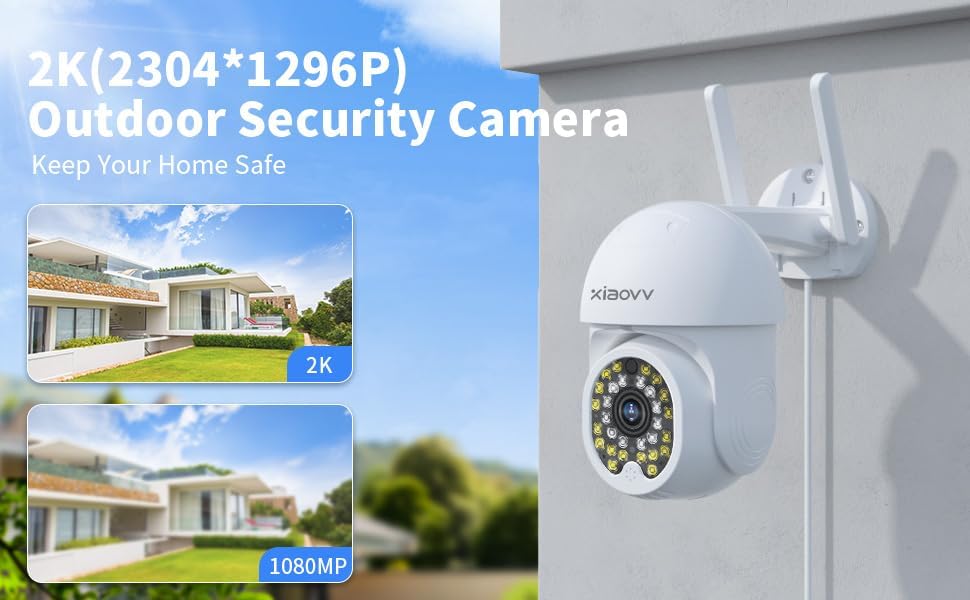
The XIAOVV 2MP Outdoor Wi-Fi Security Camera features a durable, weatherproof design suitable for outdoor environments. It includes a lens for video capture, infrared LEDs for night vision, a microphone and speaker for two-way audio, and dual antennas for enhanced Wi-Fi connectivity. The camera's dome-shaped body allows for pan and tilt functionality.

Малюнак 3.1: Спераду view of the XIAOVV 2MP Outdoor Wi-Fi Security Camera, illustrating its design and interaction with the mobile application.
4. Настройка
4.1 Мантаж камеры
Select a suitable outdoor location for mounting, ensuring a clear view and proximity to a power source. Use the provided screw kit to securely attach the camera to a wall or ceiling. The camera's design allows for flexible positioning to cover desired areas.
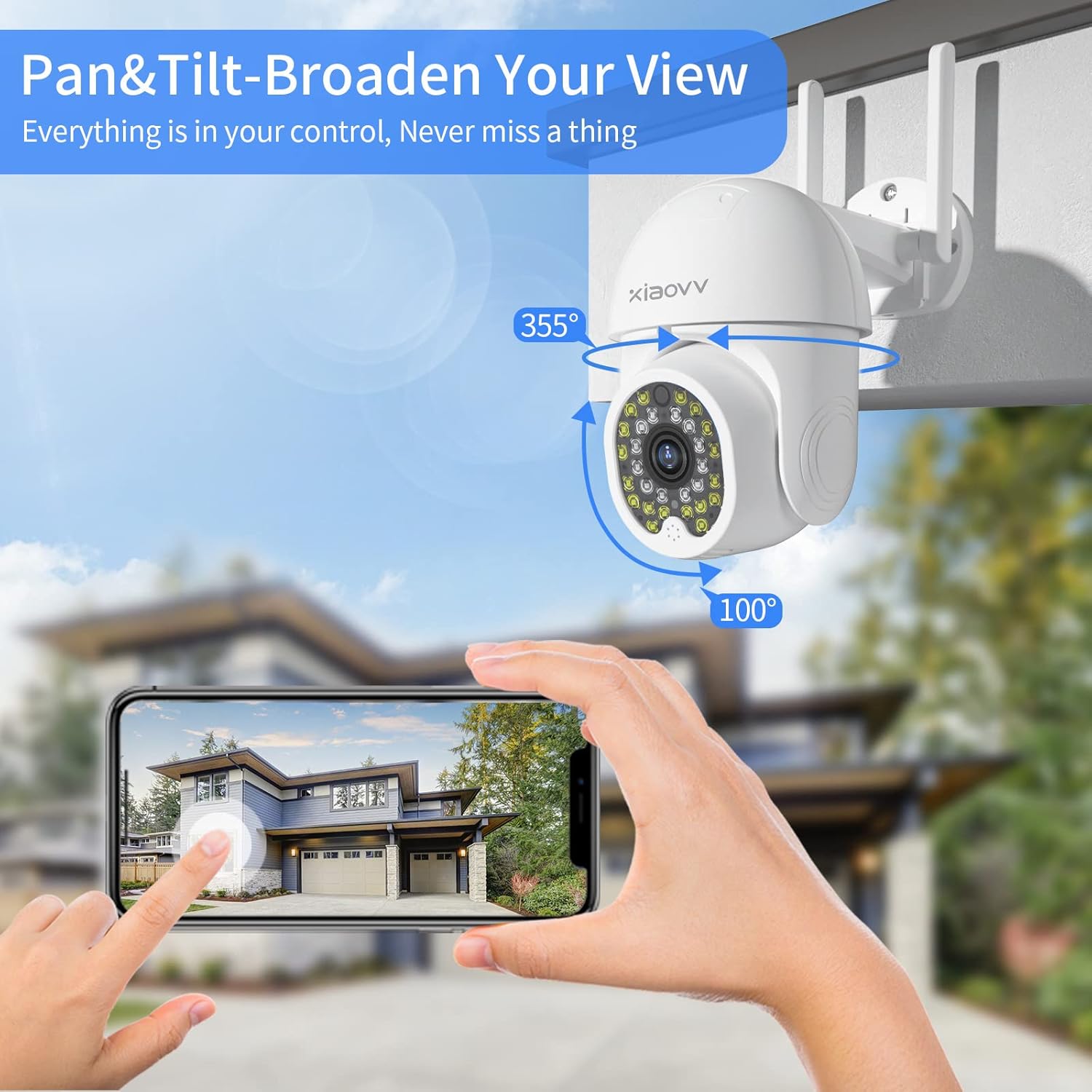
Figure 4.1: The camera mounted, demonstrating its pan (355°) and tilt (100°) range for broad coverage.
4.2 Уключэнне
Connect the camera to the provided power adapter and plug it into an electrical outlet. The camera will initiate its startup sequence, indicated by an LED light.
4.3 Усталёўка і падключэнне праграмы
- Спампаваць XIAOVV app з крамы праграм вашага смартфона (iOS або Android).
- Зарэгіструйце новы ўліковы запіс або ўвайдзіце ў сістэму, калі ён у вас ужо ёсць.
- Follow the in-app instructions to add a new device. This typically involves scanning a QR code displayed on the camera or generated by the app.
- Connect the camera to your 2.4GHz Wi-Fi network. Ensure your smartphone is also connected to the same network during the setup process.
- Once connected, the camera's live feed will appear in the app, indicating successful setup.
Малюнак 4.2: Выпample of the XIAOVV app interface for camera management.
5. Інструкцыя па эксплуатацыі
5.1 У прамым эфіры View і аддалены доступ
Open the XIAOVV app on your smartphone to access the live video feed from your camera. You can view the feed remotely from any location with an internet connection. The app also allows for sharing live images with authorized family or friends.
5.2 Кіраванне паваротам і нахілам
Within the app, use the directional controls to remotely adjust the camera's viewing angle. The camera supports 350 degrees horizontal rotation and 90 degrees vertical rotation, providing comprehensive coverage without blind spots.
5.3 Двухбаковае аўдыё
The camera is equipped with a built-in microphone and speaker. To use two-way audio, tap the microphone icon in the app to speak, and release to listen. This feature enables communication with visitors or deterrence of unwanted individuals.

Figure 5.1: The camera's two-way audio feature in use, allowing for real-time conversation.
5.4 Выяўленне руху і абвесткі
The camera features advanced motion detection that can identify human or animal movement. When motion is detected, the camera will send an instant alert message to your smartphone via the XIAOVV app. Sensitivity settings can be adjusted within the app.
5.5 Рэжымы начнога бачання
The camera offers three distinct night vision modes for clear footage in low-light conditions:
- Інфрачырвоны рэжым: Provides black and white video using infrared LEDs.
- Поўнакаляровы рэжым: Utilizes built-in spotlights to provide full-color video in dark environments.
- Рэжым сігналізацыі: Activates spotlights and an audible alarm upon motion detection at night.

Figure 5.2: Visual representation of the three night vision modes available.
5.6 Запіс і захоўванне
The camera supports continuous 24/7 recording and event-based recording. Video footage can be stored in two ways:
- Лакальнае сховішча: Insert a microSD card (not included) into the camera's designated slot for local video storage.
- Воблачныя сэрвісы: Subscribe to cloud storage services via the XIAOVV app for secure, remote access to your recordings.

Figure 5.3: The camera supports continuous recording, ensuring constant surveillance.
6. Тэхнічнае абслугоўванне
Каб забяспечыць аптымальную прадукцыйнасць і даўгавечнасць вашай камеры:
- Уборка: Перыядычна працірайце аб'ектыў і корпус камеры мяккай сурвэткайamp тканіна. Пазбягайце абразіўных ачышчальнікаў.
- Абнаўленні прашыўкі: Check the XIAOVV app regularly for available firmware updates. Keeping the firmware updated ensures access to the latest features and security enhancements.
- крыніца харчавання: Пераканайцеся, што адаптар харчавання і кабель не пашкоджаны.
7. Выпраўленне непаладак
- Камера не падключаецца да Wi-Fi: Ensure the camera is within range of your 2.4GHz Wi-Fi router. Verify the Wi-Fi password entered in the app is correct. Restart the camera and your router.
- No live feed: Check the internet connection of both your camera and smartphone. Ensure the camera is powered on.
- Папярэджанні аб руху не атрыманы: Verify that motion detection is enabled in the app settings and that app notifications are allowed on your smartphone.
- Дрэнная якасць выявы: Clean the camera lens. Ensure there is adequate lighting, especially at night (check night vision mode settings).
- Праблемы з двухбаковым аўдыё: Check the volume settings on your smartphone and within the app. Ensure there are no obstructions blocking the camera's microphone or speaker.
8. Тэхнічныя характарыстыкі
| Асаблівасць | Дэталь |
|---|---|
| Марка | XIAOVV |
| мадэль | 2MP Outdoor Wi-Fi Camera |
| Пратакол злучэння | Wi-Fi |
| Тэхналогія бесправадной сувязі | Wi-Fi |
| Крыніца харчавання | Правадная электрычная |
| Міжнародны рэйтынг абароны | IP65 |
| Формаў-фактар | Купал |
| Тып мацавання | Насценнае мацаванне |
| Тып абвесткі | Толькі рух |
| Фармат захопу відэа | MPEG-4 |
| Вага прадмета | 1.39 фунта |
| Памеры ўпакоўкі | 7.76 х 7.52 х 4.49 цалі |
| Рэкамендуемае выкарыстанне для прадукту | У памяшканні/на вуліцы |
9. Гарантыя і падтрымка
XIAOVV products are designed for reliability and performance. For warranty information, please refer to the documentation included with your purchase or contact XIAOVV customer support. For technical assistance, troubleshooting, or any inquiries regarding your camera, please reach out to our customer service team. Contact details can typically be found on the XIAOVV official website or within the XIAOVV app.