
CORSAIR RS120 120mm PWM Fan Instruction Manual
Мадэль: RS120
Уводзіны
The CORSAIR RS120 120mm PWM Fan is designed to enhance your PC's cooling performance with efficient airflow and quiet operation. Featuring a daisy-chain connection system, multiple fans can be controlled through a single 4-pin PWM header on your motherboard, simplifying cable management. This fan is equipped with CORSAIR AirGuide technology for focused airflow and Magnetic Dome bearings for reduced noise and extended lifespan. The Zero RPM mode allows for silent operation under low thermal loads.
Асноўныя характарыстыкі:
- Streamlined Fan Connections: Daisy-chain multiple fans using a single 4-pin PWM connector.
- Precise PWM Speeds: Adjustable fan speeds up to 2,100 RPM, delivering up to 72.8 CFM airflow.
- Тэхналогія CORSAIR AirGuide: Anti-vortex vanes direct airflow for concentrated cooling, ideal for radiators and heatsinks.
- Высокі статычны ціск: Optimized for use as radiator fans with 4.15mm-H2O static pressure.
- Quiet Operation with Magnetic Dome Bearing: Minimizes noise and friction for increased longevity.
1. Настройка і ўстаноўка
Follow these steps to properly install your CORSAIR RS120 PWM fan into your PC system.
1.1 Распакоўка і праверка кампанентаў
Carefully unpack the fan and ensure all components are present. The package typically includes the fan unit and mounting screws.
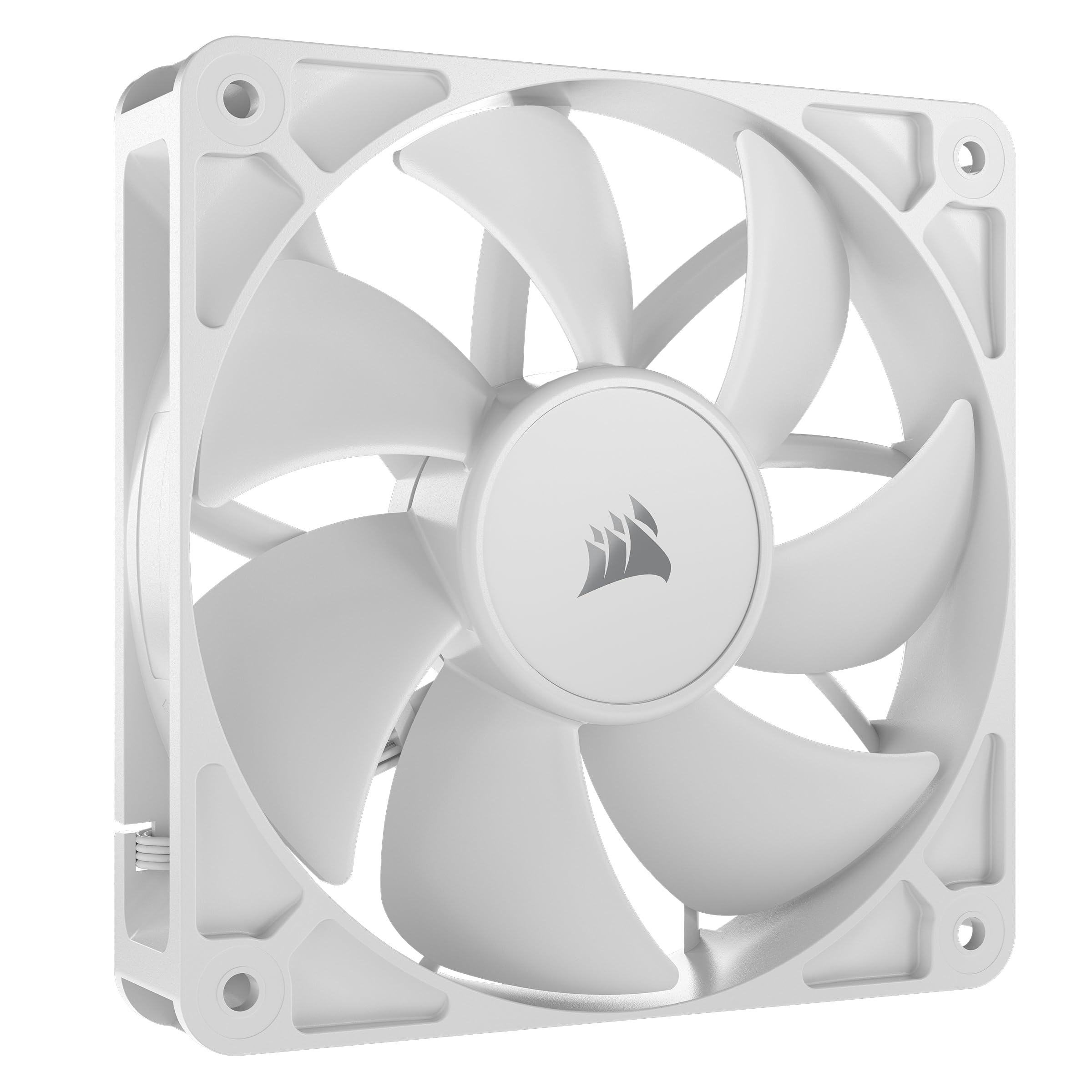
Image: The CORSAIR RS120 120mm PWM Fan, showing its white blades and black frame.
1.2 Мантаж вентылятара
- Identify the desired mounting location within your PC case (e.g., front intake, rear exhaust, top exhaust, or on a radiator).
- Align the fan with the screw holes on your case or radiator. Ensure the fan is oriented to provide the desired airflow direction (typically, the side with the frame supports points towards the exhaust direction).
- Secure the fan using the provided mounting screws. Do not overtighten.

Image: Multiple CORSAIR RS120 fans installed in a PC case, illustrating typical mounting positions.
1.3 Падключэнне вентылятара
The CORSAIR RS120 fans feature a daisy-chain connection system for simplified cable management.
- Locate the 4-pin PWM connector on your motherboard.
- Connect the primary fan's 4-pin PWM cable to the motherboard header.
- If installing multiple RS120 fans, connect the daisy-chain cable from the first fan to the next fan, and so on. This allows all connected fans to be controlled via a single motherboard header.
- Пераканайцеся, што ўсе злучэнні надзейныя.

Image: A visual representation of the daisy-chain connection for multiple CORSAIR RS120 fans, connecting to a single motherboard PWM header.
2. Інструкцыя па эксплуатацыі
The CORSAIR RS120 fan offers flexible control over its operation to balance cooling performance and noise levels.
2.1 ШІМ-кантроль
The fan utilizes Pulse-Width Modulation (PWM) technology, allowing your motherboard or fan controller to precisely adjust fan speeds based on system temperature. This ensures optimal cooling when needed and quieter operation during lighter loads.
- Access your motherboard's BIOS/UEFI settings or use compatible fan control software (e.g., CORSAIR iCUE, if applicable, or motherboard manufacturer's software) to configure fan curves.
- Adjust the fan speed profiles to match your cooling requirements and noise preferences.
2.2 Рэжым нулявых абаротаў
For ultimate silence during low thermal loads, the RS120 fan supports Zero RPM mode. When configured, the fan blades will stop spinning completely until the system temperature reaches a predefined threshold, eliminating fan noise entirely.
- Enable Zero RPM mode through your motherboard's BIOS/UEFI settings or fan control software.
- Monitor your system temperatures to ensure adequate cooling even in Zero RPM mode.

Image: A CORSAIR RS120 fan highlighting the Zero RPM mode feature, indicating silent operation at low loads.
3. Тэхнічнае абслугоўванне
Regular maintenance helps ensure the longevity and optimal performance of your CORSAIR RS120 fans.
3.1 Ачыстка
- Перыядычна правярайце лопасці вентылятара і раму на наяўнасць пылу.
- Gently clean the fan blades and frame using a soft brush, compressed air, or a microfiber cloth.
- Ensure the fan is powered off and disconnected from the power source before cleaning.
- Avoid using liquid cleaners directly on the fan or its electrical components.
3.2 Праверка падключэння
Occasionally check all fan connections to the motherboard and between daisy-chained fans to ensure they are secure and free from obstruction.
4. Выпраўленне непаладак
If you encounter issues with your CORSAIR RS120 fan, refer to the following common troubleshooting steps:
4.1 Празмерны шум
- Check Fan Speed: Ensure fan speeds are not set too high in your BIOS/UEFI or fan control software. Adjust fan curves to a lower RPM if noise is a concern.
- Праверце наяўнасць перашкод: Verify that no cables or other components are touching the fan blades, causing rattling or buzzing sounds.
- Назапашванне пылу: Clean the fan blades and frame as described in the Maintenance section.
- Мантаж: Ensure the fan is securely mounted and screws are not overtightened, which can sometimes cause vibrations.
4.2 Insufficient Cooling
- Напрамак паветранага патоку: Confirm the fan is installed with the correct airflow direction for its position (e.g., intake for front/bottom, exhaust for rear/top).
- Хуткасць вентылятара: Increase fan speeds in your BIOS/UEFI or fan control software to provide more airflow.
- Пылавыя фільтры: If your case has dust filters, ensure they are clean and not restricting airflow.
- Канфігурацыя сістэмы: Ensure other cooling components (CPU cooler, GPU cooler) are functioning correctly.
5. Тэхнічныя характарыстыкі
| Асаблівасць | Дэталь |
|---|---|
| Марка | Карсар |
| мадэль | RS120 |
| Памер вентылятара | 120 мм |
| Тып раздыма харчавання | 4-Pin PWM |
| тtage | 12 вольт |
| Ватtage | 4.8 ват |
| Спосаб астуджэння | Вентылятар |
| Сумяшчальныя прылады | Працоўны стол |
| Узровень шуму | 36 дэцыбел (макс.) |
| Матэрыял | Copper (internal motor components) |
| Максімальная хуткасць кручэння | 2100 XNUMX абаротаў у хвіліну |
| Ёмістасць паветранага патоку | 72.8 кубічных футаў у хвіліну (CFM) |
| Статычны ціск | 4.15 мм-H2O |
| Тып падшыпніка | Магнітны купалападобны падшыпнік |
| UPC | 840006684244 |
6. Інфармацыя аб гарантыі
The CORSAIR RS120 120mm PWM Fan comes with a 5 гады гарантыі ад вытворцы. Please retain your proof of purchase for warranty claims. For detailed terms and conditions, visit the official Corsair webсайт або звярніцеся ў службу падтрымкі кліентаў.
7. Падтрымка кліентаў
For further assistance, technical support, or warranty inquiries, please contact Corsair customer support through their official webсайт:
8. Афіцыйнае відэа прадукту
Відэа: Чыноўнік скончыўview of the CORSAIR RS Series Fans, showcasing their features and design. This video provides a visual guide to the fan's capabilities and aesthetic.