
1. Уводзіны
Thank you for choosing the THOMSON 24-inch HD Google TV (Model 24HG2S14CW). This manual provides essential information for setting up, operating, and maintaining your new television. Please read these instructions carefully before using the product to ensure safe and optimal performance.
Experience complete entertainment for the whole family with the Thomson 24-inch HD Google TV. Google TV simplifies your entertainment experience by organizing content from your apps and subscriptions per user. Create multiple user profiles and benefit from organized recommendations. Enjoy a wide range of smart features, including access to over 400,000 movies and TV shows from numerous available apps, smart voice control with Google Assistant, and integrated Google Cast for wireless streaming of movies, music, and videos from compatible devices. Its elegant design with a 3-sided bezel-less frame allows you to fully concentrate on the on-screen action. Dolby Audio technology creates a dynamic sound experience. The integrated triple tuner allows reception via satellite antenna, terrestrial antenna, or cable, meaning you can receive all available channels without additional equipment. The ergonomic remote control with backlighting allows you to keep track of everything, even in dim lighting, and a dedicated 'Favorite' button provides quick access to your preferred app.
2. Інфармацыя па бяспецы
Заўсёды выконвайце асноўныя меры бяспекі пры выкарыстанні гэтага вырабу, каб знізіць рызыку пажару, паражэння электрычным токам і траўмаў.
- Крыніца харчавання: Пераканайцеся, што тэлевізар падключаны да крыніцы сілкавання, якая адпавядае патрабаванням па гучнасціtage specified on the rating label. For 12V operation, use only the provided 12V adapter.
- Вентыляцыя: Не блакуйце вентыляцыйныя адтуліны. Пакіньце дастатковую прастору вакол тэлевізара для належнай цыркуляцыі паветра і прадухілення перагрэву.
- Размяшчэнне: Размясціце тэлевізар на ўстойлівай, роўнай паверхні. Пазбягайце размяшчэння яго пад прамымі сонечнымі прамянямі, побач з крыніцамі цяпла або ў месцах з высокай вільготнасцю або пылам.
- Вада і вільгаць: Не падвяргайце тэлевізар уздзеянню дажджу або вільгаці. Не стаўце на тэлевізар прадметы, напоўненыя вадкасцямі, напрыклад, вазы.
- Уборка: Адключыце тэлевізар ад сеткі перад чысткай. Выкарыстоўвайце мяккую сухую тканіну. Не выкарыстоўвайце вадкія або аэразольныя ачышчальнікі.
- Абслугоўванне: Не спрабуйце самастойна абслугоўваць гэты прадукт. Звярніцеся да ўсіх абслугоўванняў кваліфікаванага абслуговага персаналу.
3. Змесціва ўпакоўкі
Калі ласка, праверце, ці ўсе прадметы ўваходзяць у ваш пакет:
- THOMSON 24-inch HD Google TV
- Пульт дыстанцыйнага кіравання (з батарэйкамі)
- Power Adapter (for standard AC outlet)
- 12V Power Cable (for camping/caravan use)
- Тумбы пад тэлевізар (2 штукі)
- Шрубы для падстаўкі пад тэлевізар
- Кароткае кіраўніцтва
- Інструкцыя па эксплуатацыі (гэты дакумент)
4. Настройка
4.1 Фізічная ўстаноўка
Мацаванне стоек:
- Асцярожна пакладзеце тэлевізар экранам уніз на мяккую чыстую паверхню, каб пазбегнуць пашкоджання экрана.
- Align the stands with the screw holes on the bottom of the TV.
- Замацуйце падстаўкі з дапамогай шруб, якія ўваходзяць у камплект. Пераканайцеся, што яны надзейна прымацаваныя.
The TV offers two stand positions to fit various furniture widths. Refer to the image below for guidance.

Мацаванне на сцяне (дадаткова):
If you plan to wall mount your TV, please consult a professional installer. Ensure the wall mount is compatible with the TV's VESA mounting pattern and weight.
4.2 Падключэнне сілкавання
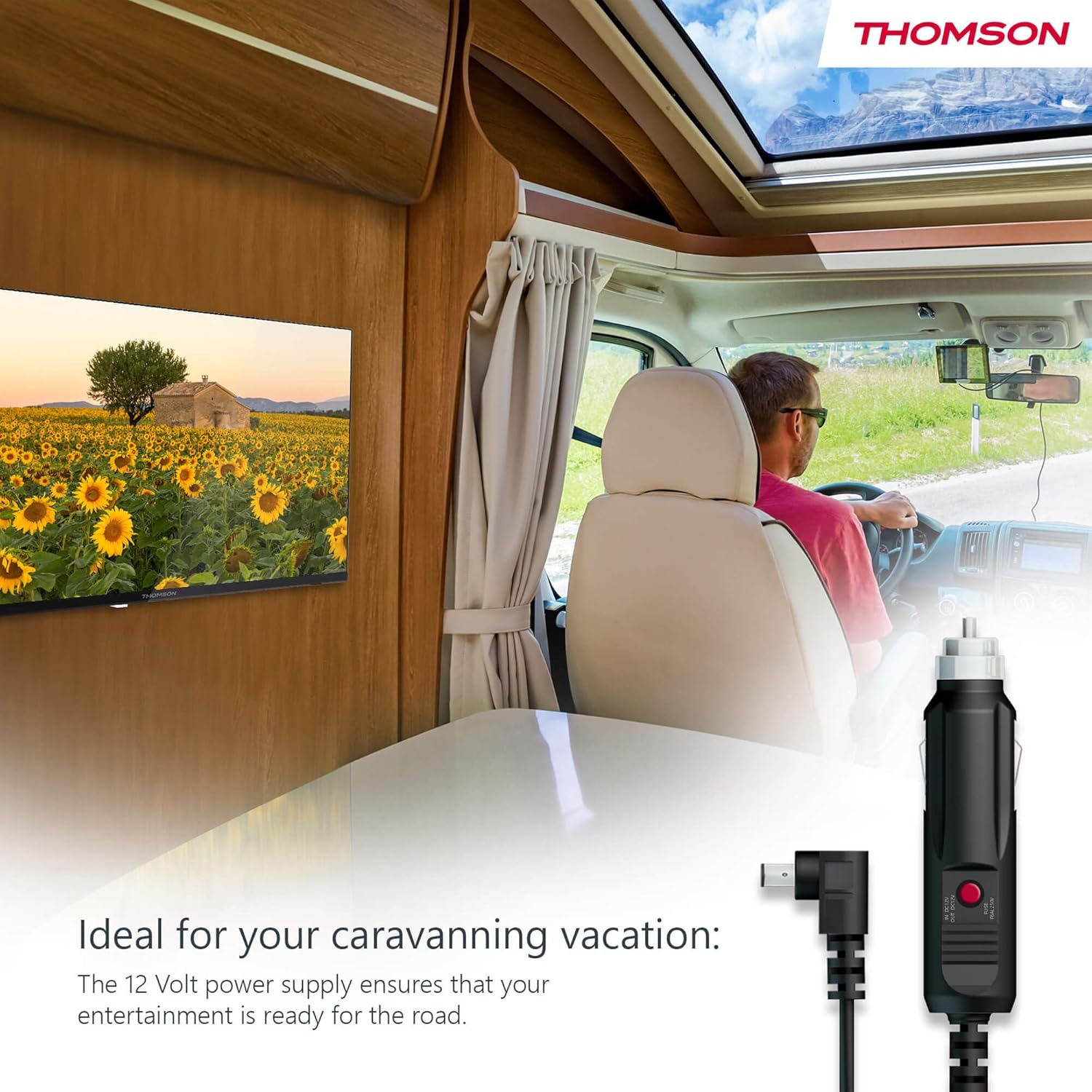
Your THOMSON TV supports both standard AC power and 12V DC power, making it ideal for camping or caravan use.
- Standard AC Power: Connect the provided power adapter to the TV's power input and then plug it into a standard wall outlet.
- 12V DC Power (Camping): For mobile use, connect the 12V power cable to the TV's power input and then to a compatible 12V power source in your vehicle or caravan.
4.3 Connecting Antennas/Cables
The integrated triple tuner allows reception via DVB-T (terrestrial antenna), cable, or satellite antenna.
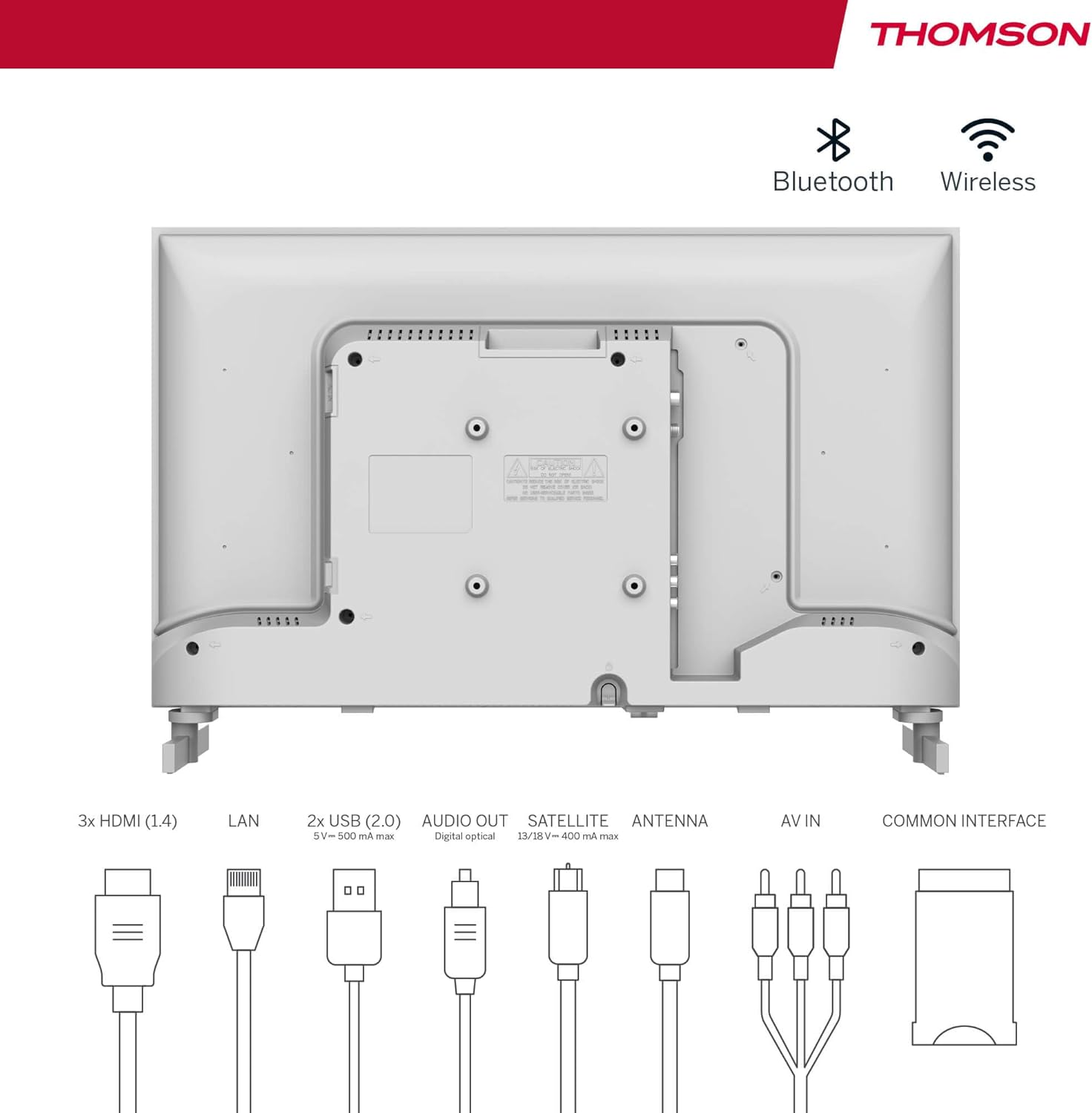
- Terrestrial Antenna: Connect a DVB-T/T2 antenna cable to the 'ANTENNA' input on the TV.
- Кабельнае тэлебачанне: Connect your cable TV coaxial cable to the 'ANTENNA' input on the TV.
- Спадарожнікавая антэна: Connect your satellite dish cable to the 'SATELLITE' input on the TV.
4.4 Падключэнне знешніх прылад
- Прылады HDMI: Connect Blu-ray players, game consoles, or other HDMI devices to the HDMI ports (3 available).
- USB прылады: Connect USB drives for media playback or software updates to the USB ports (2 available).
- Аўдыёвыхад: Use the digital optical audio output to connect to a soundbar or home theater system.
- AV-уваход: For older devices, use the AV In ports.
- LAN: Для праваднога падключэння да Інтэрнэту падключыце кабель Ethernet да порта LAN.
- CI+ Module: Insert a CI+ module and smart card (if required by your service provider) into the Common Interface slot.
4.5 Пачатковая налада (Google TV)
- Power on the TV. The initial setup wizard will guide you through the process.
- Выберыце жаданую мову.
- Connect to a Wi-Fi network or use a wired LAN connection.
- Увайдзіце ў свой уліковы запіс Google, каб атрымаць доступ да функцый Google TV, праграм і персаналізаваных рэкамендацый.
- Follow the on-screen prompts to set up Google Assistant and tune channels (for antenna/cable/satellite).
5. Кіраванне тэлевізарам
5.1 Пульт дыстанцыйнага кіравання
The included remote control is designed for intuitive navigation of your Google TV.

- Кнопкі з падсветкай: The remote features backlighting for easy use in dark environments.
- Галасавое кіраванне: Press the Google Assistant button and speak into the remote to control your TV, search for content, or ask questions.
- Кнопка абранага прыкладання: Use the star button to quickly access your most frequently used application.
- профіfile Пераключальнік: Easily switch between different user profiles set up on your Google TV.

5.2 Інтэрфейс Google TV
Google TV organizes content from your streaming services and apps into a single, easy-to-navigate interface.

- Персаналізаваныя рэкамендацыі: The 'For You' tab provides content suggestions based on your viewing habits across all your streaming services.
- Праграмы: Access a wide range of applications from the Google Play Store, including popular streaming platforms.
- Бібліятэка: Find your purchased movies and shows from Google Play.
- профіfiles: Create separate user profiles for each family member to get personalized content and recommendations.
5.3 Google Cast
Integrated Google Cast allows you to wirelessly stream movies, music, and videos from compatible devices (smartphones, tablets, computers) directly to your TV screen.
- Ensure your device and TV are connected to the same Wi-Fi network.
- Open a Cast-enabled app on your device (e.g., YouTube, Netflix).
- Націсніце на значок трансляцыі (▶) within the app and select your THOMSON TV.
5.4 Dolby Audio
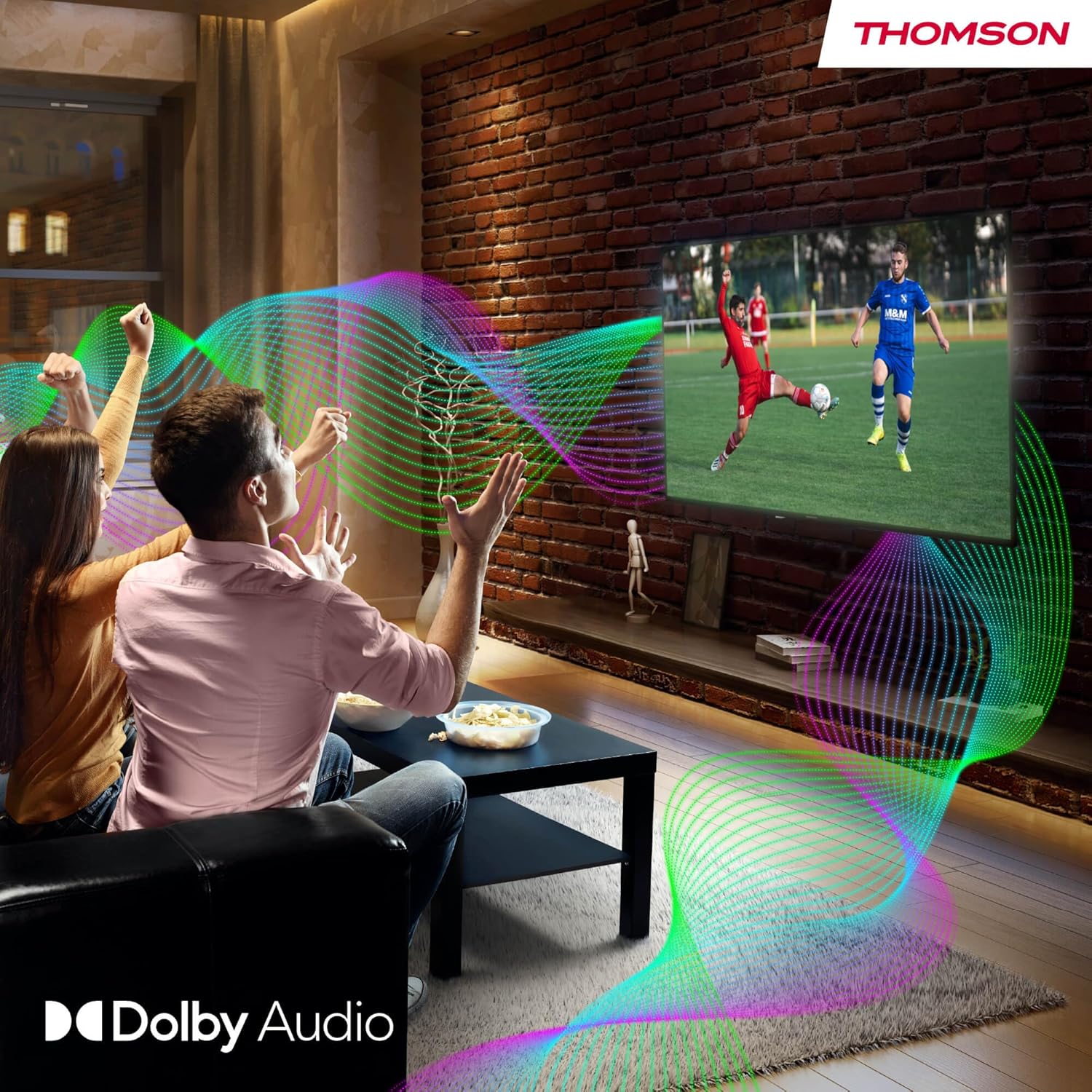
Your TV features Dolby Audio technology for an enhanced sound experience, delivering clear dialogue and immersive audio.
6. Тэхнічнае абслугоўванне
- Ачыстка экрана: Акуратна працярыце экран мяккай тканінай без ворса. Для выдалення ўстойлівых плям злёгкуampen the cloth with water or a specialized screen cleaner (ensure it's safe for LED screens). Never spray liquid directly onto the screen.
- Чыстка корпуса тэлевізара: Use a soft, dry cloth to wipe the exterior of the TV.
- Абнаўленні праграмнага забеспячэння: Your Google TV will periodically check for and install software updates. Ensure your TV is connected to the internet for these updates.
- Кабельнае кіраванне: Keep cables tidy and organized to prevent damage and ensure proper ventilation.
7. Выпраўленне непаладак
If you encounter any issues with your TV, refer to the following common problems and solutions:
| праблема | Магчымае рашэнне |
|---|---|
| Няма ўлады | Check if the power cable is securely connected to the TV and the power outlet. Ensure the outlet is working. Try a different power source. |
| Няма выявы, але гук ёсць | Праверце крыніцу ўваходнага сігналу. Пераканайцеся, што знешнія прылады правільна падключаны і ўключаны. |
| Няма гуку, але выява ёсць | Check the volume level. Ensure mute is not activated. Check audio output settings and external audio device connections. |
| Пульт дыстанцыйнага кіравання не працуе | Check and replace batteries. Ensure there are no obstructions between the remote and the TV. |
| Немагчыма падключыцца да Wi-Fi | Пераканайцеся, што ваш маршрутызатар уключаны і працуе. Паўторна ўвядзіце пароль Wi-Fi. Паспрабуйце перазагрузіць тэлевізар і маршрутызатар. |
| Нізкая якасць выявы | Check antenna/cable connections. Adjust picture settings. For streaming content, check internet speed. |
8. Тэхнічныя характарыстыкі
| Асаблівасць | Дэталь |
|---|---|
| Марка | Томсан |
| Нумар мадэлі | 24HG2S14CW |
| Памер экрана | 24 цаляў (60 см) |
| дазвол | HD (1366 x 768) |
| Тэхналогія адлюстравання | святлодыёд |
| Частата абнаўлення | 60 Гц |
| Аперацыйная сістэма | Google TV |
| Галасавое кіраванне | Памочнік Google |
| Аўдыётэхналогія | Dolby Audio |
| Падтрымка HDR | HDR10 |
| Сувязь | Wi-Fi, Bluetooth 5.1, HDMI (3 ports), USB (2 ports), LAN, Digital Optical Audio Out, AV In, CI+ |
| Тып цюнэра | Triple Tuner (DVB-T/T2, DVB-C, DVB-S/S2) |
| Электразабеспячэнне | 12V DC / Standard AC |
| Колер | Белы |
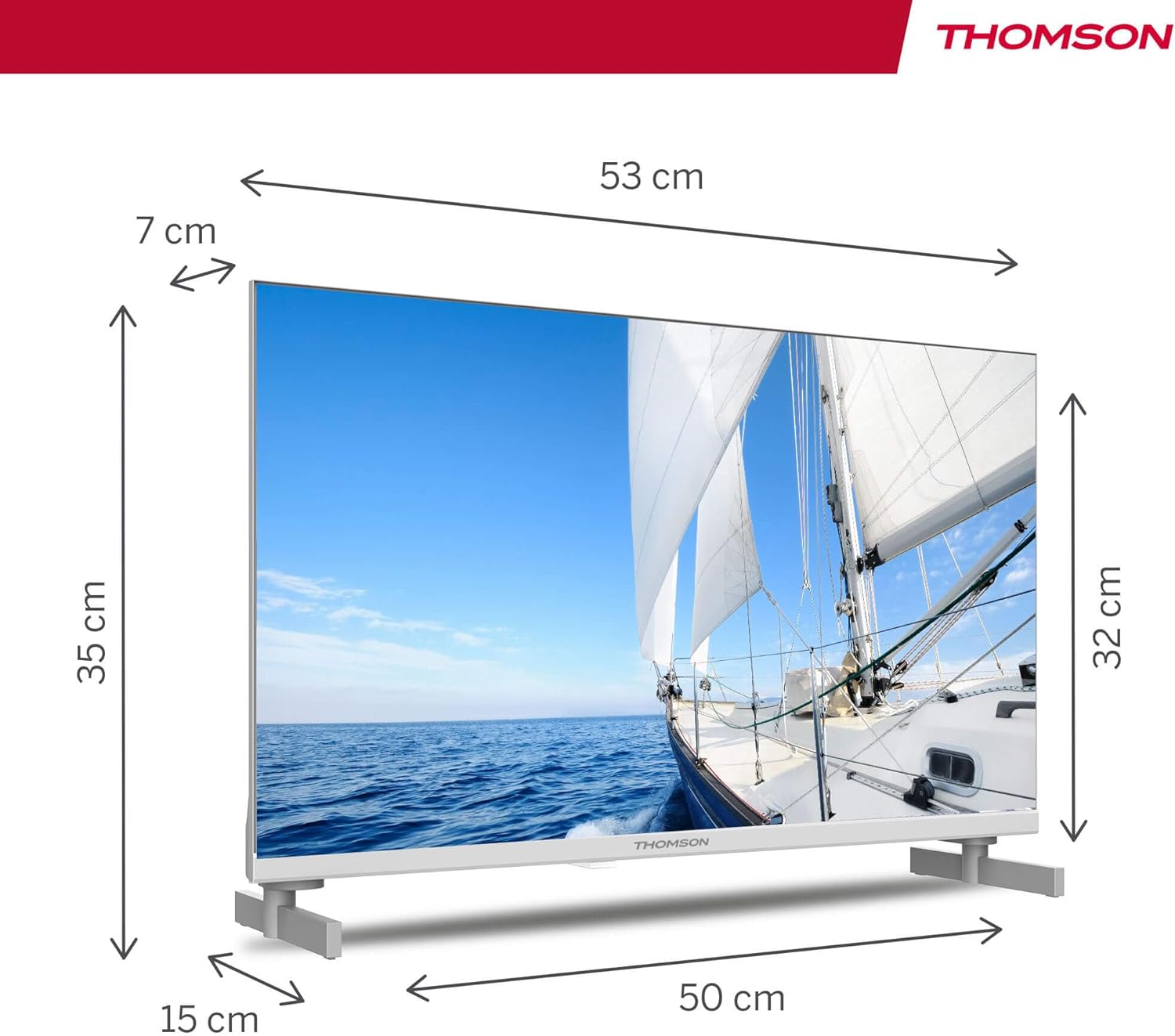
| Памеры прадукту (Д х Ш х У) | 53.48 х 15.05 х 35.32 см |
| Вага | 3.5 кг |
| Клас энергаэфектыўнасці | E |
| Power Consumption (1000h) | 18 кВт.гадз |

9. Гарантыя і падтрымка
THOMSON products are designed and manufactured to the highest quality standards. This product is covered by a manufacturer's warranty. Please refer to the warranty card included in your package for specific terms and conditions, including the warranty period and coverage details.
For technical support, troubleshooting assistance, or warranty claims, please contact THOMSON customer service through their official webсайт або кантактную інфармацыю, указаную ў гарантыйнай дакументацыі.