
1. Прадукт скончыўсяview
This manual provides instructions for the Aroepurt Vortex Hd55 Phone Case. This case is designed to offer robust protection and enhanced functionality for your Vortex Hd55 phone. Key features include multi-layer shock absorption, a luminous effect, and an integrated ring support with magnetic car mount compatibility.
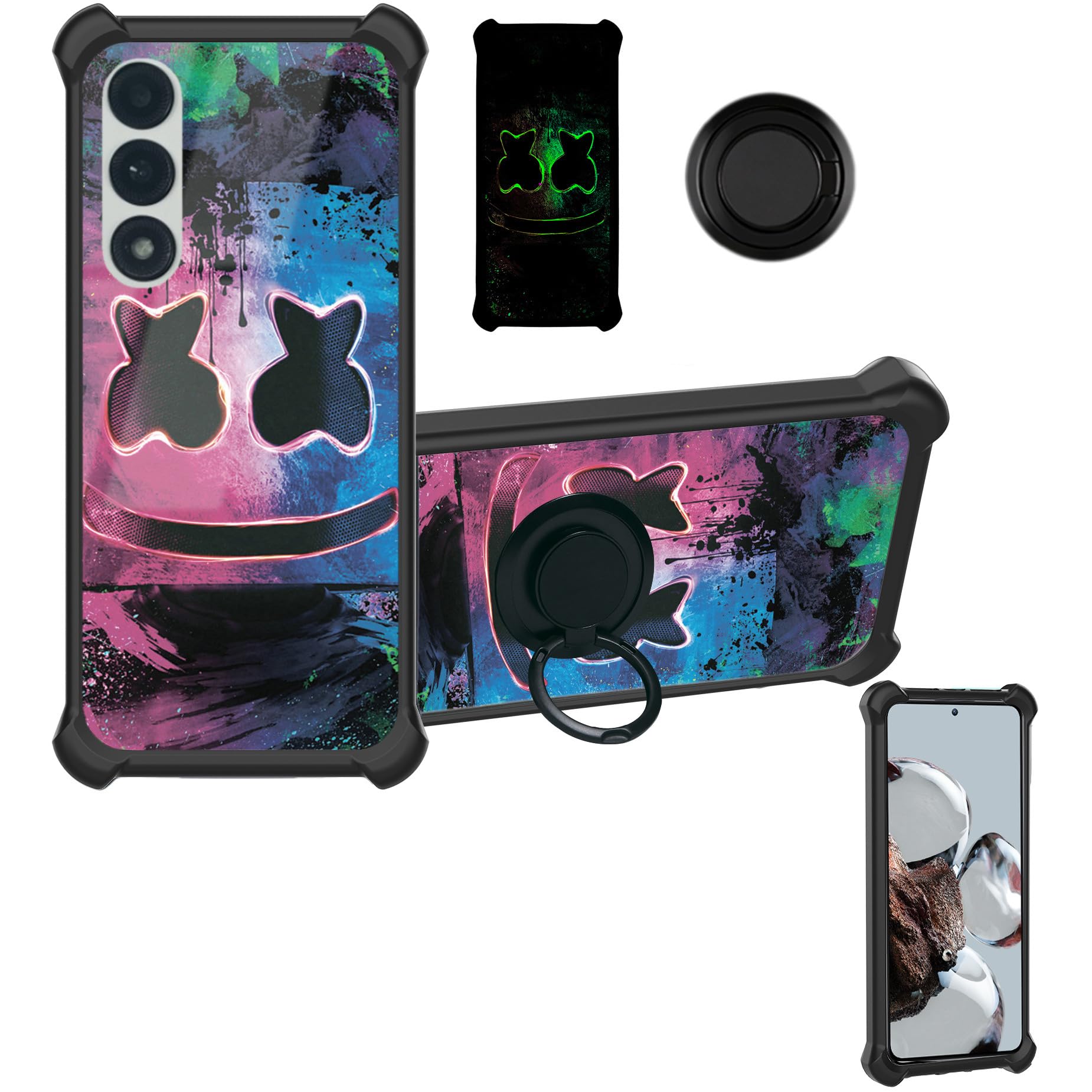
Image 1: Aroepurt Vortex Hd55 Phone Case. This image displays the overall design of the phone case, highlighting its form factor and aesthetic.
2. Кампаненты прадукту
Пакет уключае наступныя рэчы:
- 1 x Aroepurt Vortex Hd55 Phone Case
3. Кіраўніцтва па ўстаноўцы
3.1 Installing the Phone Case
- Ensure your Vortex Hd55 phone is clean and free of dust or debris.
- Align the phone with the case, starting with the top or bottom edge.
- Gently press the phone into the case, ensuring all corners and edges are securely fitted. Verify that all ports and buttons are accessible and functional.
3.2 Attaching the Ring Support
The adhesive metal finger ring support can be attached to the back of the case or used separately.
- Clean the desired attachment area on the back of the phone case.
- Peel off the protective film from the adhesive side of the ring support.
- Carefully position the ring support on the case and press firmly for at least 30 seconds to ensure strong adhesion.

Image 2: One-Hand Operation. This image illustrates how the integrated ring support facilitates comfortable one-handed use of the phone, allowing easier access to all screen areas.
4. Асноўныя характарыстыкі і выкарыстанне
4.1 Shock Protection
The case features a multi-layer design for enhanced shock absorption. It combines a solid PC (Polycarbonate) hard back panel with a soft silicone frame. The four corners are thickened and include shock airbags to provide additional cushioning against drops and impacts. The case design is also higher than the camera and screen, offering improved flat surface protection.
Image 3: Shockproof Design. This image highlights the shock-absorbing features of the case, including the soft silicone frame, hard PC backplane, thickened corners, and integrated shock airbags for superior impact protection.
4.2 Luminous Effect
The case incorporates a special process layer that absorbs light and sunlight. In a dark environment, this absorbed light is emitted, producing a fluorescent or luminous effect. For optimal glow, expose the case to bright light for a period before entering a dark area.

Image 4: Luminous Effect Style. This image demonstrates the glowing effect of the phone case in a dark environment, along with a diagram showing its multi-layer construction including the light-absorbing layer.
4.3 Ring Support Functionality
The integrated finger ring support offers multiple functionalities:
- Бяспечны захоп: Provides a firm hold on your phone, reducing the risk of accidental drops.
- Падстаўка: Rotates 360 degrees and flips 180 degrees, allowing you to prop your phone at various angles for hands-free viewінж.
4.4 Magnetic Car Mount Compatibility
The metal plate integrated into the ring support allows for convenient attachment to magnetic car mounts. This feature enables easy navigation and hands-free use while driving.
Заўвага: A magnetic car mount is not included with this product. This case does not support wireless charging due to the metal ring component.

Image 5: Support Magnetic Car Mount. This image illustrates how the phone case, with its integrated metal ring, can be securely attached to a magnetic car mount for convenient in-car use.
5. Тэхнічнае абслугоўванне
To maintain the appearance and functionality of your phone case:
- Рэгулярна чысціце корпус мяккай губкайamp тканіна.
- Avoid using harsh chemicals or abrasive cleaners, as these may damage the material or the luminous effect layer.
- Ensure the ring support mechanism is free from dirt or debris to maintain smooth rotation.
6. Выпраўленне непаладак
6.1 Luminous Effect Not Visible
- рашэнне: Ensure the case has been exposed to sufficient light (natural sunlight or artificial light) for a period before expecting the luminous effect in a dark environment. The intensity and duration of the glow depend on the amount of light absorbed.
6.2 Ring Support Stiffness
- рашэнне: If the ring feels stiff, gently rotate it a few times to loosen the mechanism. Ensure no foreign objects are obstructing its movement.
7. Тэхнічныя характарыстыкі прадукту
| Асаблівасць | Дэталь |
|---|---|
| Сумяшчальныя мадэлі тэлефонаў | Vortex Hd55 |
| Матэрыял | Полікарбанат, сілікон |
| Асаблівасці | 360 Rotating Ring, Car Magnetic Fixing, Luminous Effect, Shock Airbags |
| Памеры прадукту | 0.39 х 0.39 х 0.39 цалі |
| Вага прадмета | 1.76 унцыі |
| Вытворца | Vortex Hd55 YGH-BQ |
| ASIN | B0D4QRGJ1M |