
Уводзіны
This manual provides detailed instructions for the proper setup, operation, and maintenance of your WOOPKER AK35 200W Stereo Audio Ampвыратавальнік. Калі ласка, уважліва прачытайце гэтую інструкцыю перад выкарыстаннем прадукту, каб забяспечыць аптымальную прадукцыйнасць і даўгавечнасць.
Змест пакета
Перад тым, як працягнуць наладу, пераканайцеся, што ўсе пералічаныя ніжэй элементы ўваходзяць у камплект:
- 1x WOOPKER AK35 Audio Ampзадымнік
- 1x кабель харчавання
- 1x Кіраўніцтва карыстальніка (гэты дакумент)
- 1x Пульт дыстанцыйнага кіравання

Image: Contents of the WOOPKER AK35 package, including the ampвыратавальны круг, кабель харчавання, пульт дыстанцыйнага кіравання і кіраўніцтва карыстальніка.
Настройка
1. AmpLifier Надview
Familiarize yourself with the front and back panels of the AK35 amplifier to understand its various inputs, outputs, and controls.

Image: Front panel of the AK35 amplifier, showing the power switch, bass and treble knobs, audio input, LED display, function buttons, TF/USB port, and master volume control.

Image: Labeled diagram of the front panel, indicating: 1. Power Switch, 2. Bass Knob, 3. Treble Knob, 4. Audio Input, 5. LED Display, 6. Master Volume, 7. Function Buttons, 8. TF/USB Port.

Image: Back panel of the AK35 amplifier, showing RCA audio input, speaker output jacks, DC power input, AC power input, and FM antenna port.

Image: Labeled diagram of the back panel, indicating: 1. Audio Input Jack, 2. Speaker Output Jack, 3. DC 12V/5A Power, 4. AC 110-240V Power, 5. FM Radio Antenna.
2. Падключэнне дынамікаў
Follow these steps to connect your passive speakers to the AK35 ampпадпітка:
- Identify the positive and negative terminals of your speakers. The positive terminal is typically marked red, and the negative terminal is black.
- Націсніце зашпільку на задняй частцы АК35 amplifier's speaker output terminal. Insert the bare speaker wires into the corresponding positive (+) and negative (-) terminals. Ensure a secure connection.
- Пазбягайце падключэння і адключэння USB-назапашвальнікаў, SD-карт, аўдыёкабеляў RCA або кабеляў дынамікаў падчас ampвыратавальнік уключаны, каб прадухіліць пашкоджанне.

Image: Diagram illustrating how to connect passive speakers to the AK35 amplifier's speaker output terminals using bare wires. Also shows RCA input from a CD or DVD player.
3. Падключэнне сілкавання
Connect the provided power cable to the AC power input on the back of the amplifier, then plug it into a standard wall outlet. Alternatively, if using a DC 12V/5A power source, connect it to the DC input jack.
Інструкцыя па эксплуатацыі
1. Уключэнне/выключэнне харчавання
Press the 'POWER' switch on the front panel to turn the ampуключае або выключае пад'ёмнік.
2. Выбар рэжыму ўводу
Use the 'MODE' button on the front panel or the remote control to cycle through available input modes: Bluetooth (BT), AUX, USB, SD Card, and FM Radio.
3. Рэгулятар гучнасці
Adjust the 'VOLUME' knob on the front panel to control the master output volume. The remote control also provides volume adjustment buttons.
4. Кантроль тонаў
Use the 'BASS' and 'TREBLE' knobs on the front panel to adjust the low and high frequencies of the audio output, respectively.
5. Спарванне Bluetooth
- Пераключыць amplifier to 'BT' mode using the 'MODE' button. The LED display will show 'BT'.
- На мабільнай прыладзе ўключыце Bluetooth і знайдзіце даступныя прылады.
- Select 'AK35' from the list of devices to pair. A confirmation sound will indicate successful pairing.
- The Bluetooth 5.0 chip ensures a stable connection within approximately 30 feet (10 meters).
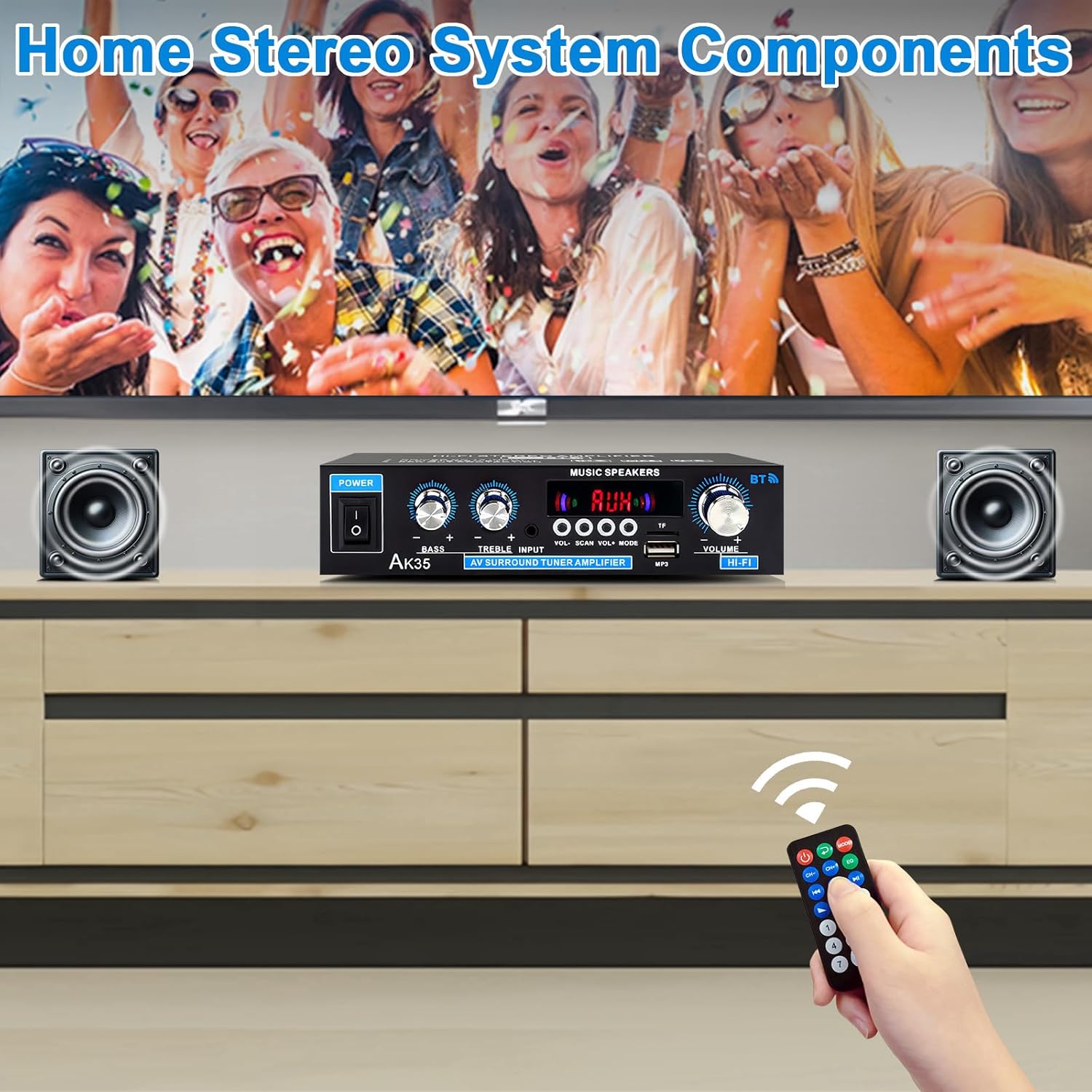
Image: The AK35 amplifier wirelessly streaming music via Bluetooth 5.0 from a smartphone to connected speakers.

Image: A close-up of the AK35 amplifier highlighting the bass and treble control knobs for sound customization.
6. Прайграванне з USB/SD-карты
Insert a USB flash drive or SD card into the designated port on the front panel. The amplifier аўтаматычна пераключыцца ў рэжым USB/SD і пачне прайграваць сумяшчальнае аўдыё files. Use the function buttons (play/pause, next/previous track) on the front panel or remote control to manage playback.
7. Аперацыя дыстанцыйнага кіравання
The included remote control allows for convenient adjustment of volume, input mode, track selection, and other functions from a distance.

Image: The remote control for the AK35 amplifier, featuring buttons for power, mode, EQ, volume, track control, and number pad.
8. Відэадэманстрацыя
Video: A demonstration of the WOOPKER AK35 amplifier in use, showcasing its connection to speakers and a smartphone, and the adjustment of volume and input modes.
Тэхнічнае абслугоўванне
To ensure the longevity and optimal performance of your AK35 ampвыратавальнік, выконвайце наступныя рэкамендацыі па тэхнічным абслугоўванні:
- Трымайце amplifier in a dry, well-ventilated area, away from direct sunlight, heat sources, and moisture.
- Clean the exterior with a soft, dry cloth. Do not use liquid cleaners or abrasive materials.
- Забяспечце належную вентыляцыю, не блакуючы вентыляцыйныя адтуліны на ampзадымнік.
- Адключыце кабель сілкавання ад разеткі, калі прылада не будзе выкарыстоўвацца працяглы час.
Ліквідацыю непаладак
If you encounter any issues with your AK35 ampвыратавальнік, звярніцеся да наступных распаўсюджаных праблем і рашэнняў:
| праблема | Магчымая прычына | Рашэнне |
|---|---|---|
| Няма выхаду гуку |
|
|
| Bluetooth не падключаецца |
|
|
| USB/SD-карта не прайграваецца |
|
|
| Пульт дыстанцыйнага кіравання не працуе |
|
|
Тэхнічныя характарыстыкі
The following table outlines the technical specifications for the WOOPKER AK35 Stereo Audio Ampпадпітка:
| Асаблівасць | Спецыфікацыя |
|---|---|
| Нумар мадэлі | АК35 |
| Пікавая выхадная магутнасць | 100W + 100W |
| Намінальная выхадная магутнасць (RMS) | 30W х 2 |
| Версія Bluetooth | 5.0 |
| Дыяпазон Bluetooth | Да 30 футаў (10 метраў) |
| Уваходы | AUX (RCA), USB 2.0, SD Card |
| Элементы кіравання | Bass, Treble, Master Volume, Input Mode |
| Электразабеспячэнне | AC 110-240V (50-60Hz) or DC 12V/5A |
| Вага прадмета | 1.28 фунта |
| Памеры ўпакоўкі | 8.03 х 6.93 х 2.13 цалі |
Гарантыя і падтрымка
WOOPKER products are designed for reliability and performance. This product is covered by a standard manufacturer's warranty against defects in materials and workmanship. For specific warranty details, please refer to the documentation provided at the time of purchase or contact WOOPKER customer support.
If you require technical assistance, have questions about your product, or need to report an issue, please contact WOOPKER customer support through the retailer where the product was purchased or visit the official WOOPKER webсайт для кантактнай інфармацыі.