
1. Уводзіны
This manual provides instructions for the installation, operation, and maintenance of your TECKNET Wireless Doorbell System. This system includes one wireless transmitter (doorbell button) and two plug-in receivers (chimes). It features a 400-meter wireless range, IP66 waterproof rating for the transmitter, 60 selectable chimes, 5 adjustable volume levels, and an RGB light indicator.

Image: The TECKNET Wireless Doorbell System showing one transmitter and two receivers.
2. Змесціва ўпакоўкі
Праверце, ці ёсць усе прадметы ў вашай упакоўцы:
- 1 × Transmitter (Doorbell Button)
- 2 × Plug-in Receivers (Chimes)
- 1 × Набор інструментаў для ўстаноўкі (шрубы, анкеры, клейкая стужка)
- 1 × Кіраўніцтва карыстальніка (гэты дакумент)
3. Асаблівасці прадукту
- Plug & Play Receivers: The receivers plug directly into a standard electrical outlet, requiring no batteries for operation.
- Воданепранікальны перадатчык IP66: The doorbell button is designed to withstand various weather conditions, operating reliably in temperatures from -20°C to 60°C.
- Пашыраны дыяпазон бесправадной сувязі: Enjoy a wireless range of up to 400 meters (1300 feet) in open areas, ensuring reliable signal transmission throughout your home or property.
- 60 Chimes and 5 Volume Levels: Choose from 60 distinct melodies and adjust the volume to one of 5 levels, ranging from 0dB to 110dB.
- Індыкатар RGB-святла: The receiver features an RGB light that flashes when the doorbell is pressed, providing a visual alert.
- Маўклівы рэжым: Activate silent mode to receive visual alerts (RGB light flash) without an audible chime, ideal for quiet environments or when a baby is sleeping.
- Функцыя памяці: The system automatically restores your last selected volume and chime settings after a power outage.

Image: The IP66 waterproof transmitter shown with water droplets, indicating its weather resistance.

Image: Illustration of the doorbell system covering a large house and yard, demonstrating the 400-meter wireless range.

Image: A child and adult singing next to a plug-in receiver, highlighting the 5 adjustable volume levels and 60 chimes.

Image: A sleeping baby next to a plug-in receiver, illustrating the silent mode feature with only the RGB light flashing.
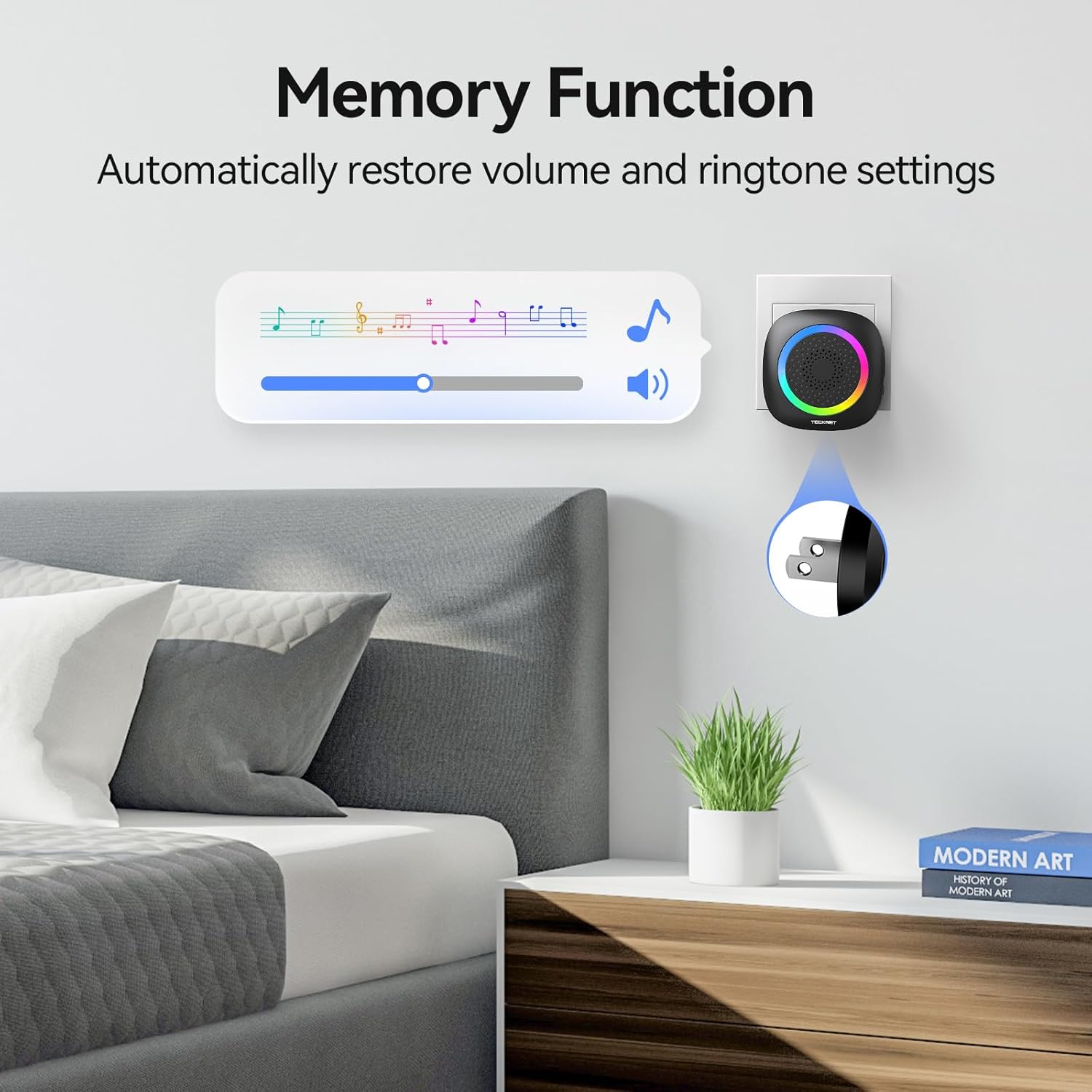
Image: A plug-in receiver in a bedroom, showing a graphic representation of the memory function for volume and ringtone settings.
4. Настройка і ўстаноўка
4.1 Transmitter (Doorbell Button) Installation
Перадатчык можна ўсталяваць з дапамогай клейкай стужкі або шруб.
- Ўстаноўка клею: Clean the mounting surface thoroughly. Peel off one side of the double-sided adhesive tape and attach it to the back of the transmitter. Peel off the other side and firmly press the transmitter onto the desired location (e.g., door frame, wall).
- Ўстаноўка шрубы: Open the back cover of the transmitter. Mark the positions for drilling holes. Drill two holes, insert the provided anchors, and then secure the transmitter's back plate with the screws. Snap the transmitter onto the secured back plate.

Image: A diagram illustrating both adhesive and screw installation methods for the doorbell transmitter.
4.2 Налада прымача
Plug the receiver(s) into any standard electrical outlet within the wireless range of the transmitter. Ensure the outlet is easily accessible and not obstructed.
5. Інструкцыя па эксплуатацыі
5.1 Changing Chime
To select a chime:
- Press the "Chime Selection" button on the receiver to cycle through the available 60 melodies.
- Once you hear your desired chime, stop pressing the button. The chime will be saved automatically due to the memory function.
5.2 Рэгуляванне гучнасці
Каб наладзіць гучнасць:
- Націсніце кнопку «Гучнасць» на прыёмніку, каб пераключацца паміж 5 узроўнямі гучнасці.
- The volume levels range from silent (0dB) to maximum (110dB).
5.3 Ціхі рэжым
To activate silent mode, press the "Volume" button until the volume reaches 0dB. In this mode, the receiver will only flash its RGB light when the doorbell button is pressed, providing a visual notification without sound.
5.4 Pairing Transmitter with Receiver(s)
The transmitter and receivers are pre-paired at the factory. If re-pairing is needed or if you add additional transmitters/receivers:
- Падключыце прыёмнік.
- Press and hold the "Volume" button on the receiver for approximately 5 seconds until the RGB light flashes rapidly. This indicates pairing mode.
- Immediately press the transmitter button once. The receiver will chime or flash its light to confirm successful pairing.
- If pairing multiple transmitters or receivers, repeat the process for each unit.
6. Тэхнічнае абслугоўванне
6.1 Ачыстка
Працірайце перадатчык і прыёмнікі дзвярнога званка мяккай сухой тканінай. Не выкарыстоўвайце абразіўныя ачышчальнікі або растваральнікі.
6.2 Transmitter Battery Replacement
The transmitter uses a CR2032 lithium-ion button cell battery. When the doorbell button stops working or its range decreases significantly, the battery may need replacement.
- Carefully open the back cover of the transmitter using a small screwdriver or coin.
- Выміце старую батарэю CR2032.
- Устаўце новую батарэю CR2032 станоўчым (+) бокам уверх.
- Надзейна зачыніце заднюю крышку.
- Test the doorbell to ensure it functions correctly. If not, re-pair the transmitter with the receiver(s) as described in Section 5.4.
7. Выпраўленне непаладак
- Doorbell not ringing:
- Ensure the receiver is properly plugged into a working electrical outlet.
- Check if the receiver is in silent mode (volume set to 0dB). Adjust the volume if necessary.
- Replace the battery in the transmitter if it has been in use for an extended period (refer to Section 6.2).
- Re-pair the transmitter with the receiver(s) (refer to Section 5.4).
- Short wireless range:
- Ensure there are no significant metal objects, thick walls, or other electronic devices directly between the transmitter and receiver that could interfere with the signal.
- Relocate the receiver to a more central position or closer to the transmitter.
- Заменіце батарэю перадатчыка.
- Receiver RGB light not flashing:
- Ensure the receiver is powered on and functioning.
- If the doorbell rings but the light does not flash, contact customer support.
8. Тэхнічныя характарыстыкі
| Асаблівасць | Дэталь |
|---|---|
| мадэль | 2 Receiver+1 Button |
| Далёкасць бесправадной сувязі | Да 400 м (1300 футаў) на адкрытай мясцовасці |
| Transmitter Waterproof Rating | IP66 |
| Працоўная тэмпература | -20°C да 60°C |
| Куранты | 60 мелодый на выбар |
| Узроўні гучнасці | 5 узроўняў (ад 0 дБ да 110 дБ) |
| Магутнасць прымача | Падключаецца да сеткі (сілкуецца ад пераменнага току) |
| Акумулятар перадатчыка | CR2032 Lithium-Ion (included) |
| Вага прадмета | 8.1 унцыі |
| Памеры ўпакоўкі | 6.61 х 3.46 х 2.44 цалі |
9. Гарантыя і падтрымка
TECKNET products are designed for reliability and performance. This product comes with a standard warranty. Customers who register for membership may receive an extended warranty of up to 36 months.
For technical support, warranty claims, or further assistance, please contact TECKNET customer service through the official website or your purchase platform. Please have your model number and purchase date available when contacting support.
TECKNET: Technology Enhances Life