
STRONG SRT32HG6733C
STRONG SRT32HG6733C 32-inch HD Android Smart TV User Manual
Model: SRT32HG6733C
Уводзіны
This manual provides essential information for the setup, operation, and maintenance of your STRONG SRT32HG6733C 32-inch HD Android Smart TV. Please read these instructions carefully before using the product to ensure proper functionality and safety.
Што ў скрынцы
Пасля распакавання пераканайцеся, што ўсе пералічаныя ніжэй прадметы наяўныя і знаходзяцца ў добрым стане:
- STRONG SRT32HG6733C TV Unit
- Remote control with voice recognition
- 2 х ААА батарэі
- Кіраўніцтва карыстальніка (гэты дакумент)

Image: The STRONG SRT32HG6733C TV unit with its central stand, remote control, and included accessories.
Настройка
1. Мацаванне падстаўкі
Carefully place the TV screen-down on a soft, clean surface to prevent scratches. Align the central stand with the mounting holes on the bottom of the TV. Secure the stand using the provided screws. Ensure the stand is firmly attached before proceeding.

Выява: Задняя частка view of the TV showing the central stand attachment points and various input ports.
2. Падключэнне сілкавання
Падключыце шнур сілкавання да ўваходу сілкавання тэлевізара, а затым да разеткі. Тэлевізар пяройдзе ў рэжым чакання.
3. Пачатковая налада і падключэнне да сеткі
Upon first power-on, the TV will guide you through the initial setup process. This includes language selection, country, and network connection. For optimal Smart TV functionality, connect to your Wi-Fi network. You can also connect via an Ethernet cable for a stable wired connection.

Image: The TV screen displaying connectivity options, highlighting Wi-Fi and Bluetooth symbols.
Інструкцыя па эксплуатацыі
Асноўныя функцыі
- Уключэнне/выключэнне харчавання: Націсніце кнопку харчавання на пульце дыстанцыйнага кіравання або на тэлевізары.
- Выбар канала: Use the CH+/- buttons or the number pad on the remote.
- Рэгулятар гучнасці: Выкарыстоўвайце кнопкі VOL+/-.
- Крыніца ўводу: Press the SOURCE button to select between HDMI, AV, DVB-T/T2, DVB-C, DVB-S/S2 inputs.
Функцыі Smart TV (Google TV)
Your TV runs on Google TV, providing access to a wide range of applications and services.
- Галоўны экран: Access your favorite apps, movies, and shows directly from the customizable home screen.
- Прыкладанні для струменевай перадачы: Pre-installed apps include Netflix, Prime Video, YouTube, and Disney+. Additional apps can be downloaded from the Google Play Store.
- Памочнік Google: Use the voice recognition remote to control your TV, search for content, and get information by pressing the Google Assistant button and speaking your command.
- Google Cast: Stream content from your compatible smartphone or tablet directly to the TV.

Image: The TV screen showing the Google TV interface with icons for Netflix, YouTube, Prime Video, Disney+, and other streaming services.

Image: A user holding the voice-controlled remote, with a visual representation of Google Assistant responding to a voice command on the TV screen.
Сувязь
Тэлевізар мае розныя парты для падключэння знешніх прылад:
- Парты HDMI (2): Падключыце прайгравальнікі Blu-ray, гульнявыя прыстаўкі або іншыя прылады з падтрымкай HDMI.
- USB-порт (x1): Прайграванне медыя files (photos, videos, music) from a USB storage device.
- Ethernet (RJ45) Port: Для праваднога падключэння да Інтэрнэту.
- Antenna (ANT in) / Satellite (SAT in) Inputs: Connect your terrestrial or satellite antenna for live TV.
- Слот CI: Для модуляў умоўнага доступу (CAM) для расшыфроўкі зашыфраваных каналаў.
- Выхад SPDIF: Для лічбавага аўдыёвыхаду на саўндбар або хатні кінатэатр.
- AV-уваход: Для падлучэння старых прылад з выкарыстаннем кампазітнага відэа і стэрэаўдыё.
- Выхад для навушнікаў: Для падлучэння навушнікаў.

Выява: Падрабязны зад view of the TV highlighting all available input and output ports, including AV in, HDMI, USB, Ethernet, S/PDIF, ANT in, SAT in, CI slot, and Headphone output.
Відэа: Кароткая падрыхтоўкаview demonstrating the TV's use in a mobile setting, such as a camper van, showing its compact size and clear display for entertainment on the go.
Тэхнічнае абслугоўванне
Чыстка тэлевізара
Каб ачысціць экран, акуратна працярыце яго мяккай тканінай без ворса. Для выдалення ўстойлівых плям злёгкуampen the cloth with water or a screen-cleaning solution. Avoid using harsh chemicals or abrasive materials. Clean the TV casing with a dry, soft cloth.
Абнаўлення праграмнага забеспячэння
Your Android TV may receive software updates periodically. Ensure your TV is connected to the internet to receive these updates. Updates can improve performance, add new features, and enhance security. You can check for updates manually in the TV's settings menu.
Ліквідацыю непаладак
| праблема | Магчымае рашэнне |
|---|---|
| Няма ўлады | Праверце, ці надзейна падключаны шнур сілкавання да тэлевізара і разеткі. Пераканайцеся, што разетка спраўная. |
| Няма выявы, але гук ёсць | Пераканайцеся, што выбрана правільная крыніца ўваходнага сігналу. Праверце падключэнне кабеляў да знешніх прылад. |
| Няма гуку, але выява ёсць | Check the volume level and mute status. Ensure audio cables are correctly connected if using external speakers. |
| Пульт дыстанцыйнага кіравання не працуе | Замяніце батарэйкі. Пераканайцеся, што паміж пультам дыстанцыйнага кіравання і ІЧ-датчыкам тэлевізара няма перашкод. |
| Немагчыма падключыцца да Wi-Fi | Ensure your router is on and working. Re-enter the Wi-Fi password. Try restarting both the TV and the router. |
| Праграмы Smart TV працуюць павольна або не рэагуюць | Check your internet connection speed. Close unused applications. Restart the TV. |
Тэхнічныя характарыстыкі
| Асаблівасць | Дэталь |
|---|---|
| Нумар мадэлі | SRT32HG6733C |
| Памер экрана | 32 цаляў (81 см) |
| Тэхналогія адлюстравання | святлодыёд |
| дазвол | HD Ready (1366 x 768p) |
| Аперацыйная сістэма | Google TV |
| Сувязь | Wi-Fi, Bluetooth, 2x HDMI, 1x USB, Ethernet (RJ45), AV In, SPDIF, ANT in, SAT in, CI Slot |
| Цюнеры | DVB-T/T2, DVB-C, DVB-S/S2 (HEVC 265 codec) |
| Асаблівасці | Google Assistant, Google Cast, Dolby Audio |
| Памеры (Ш х Г х У) | 71.8 х 22.3 х 45.2 см (з падстаўкай) |
| Уключаныя кампаненты | TV, Voice Remote, 2x AAA Batteries, Manual |
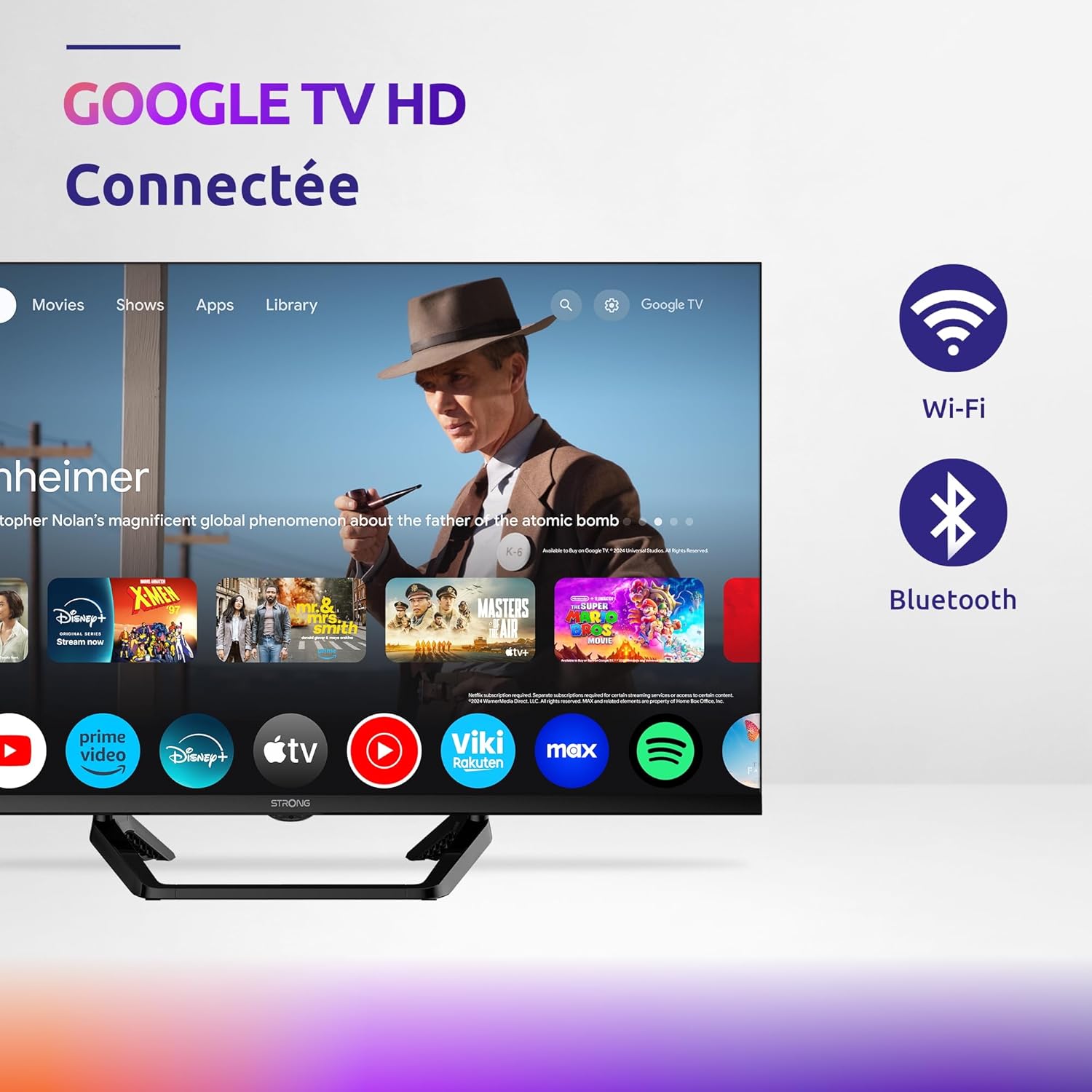
Image: Diagram showing the dimensions of the STRONG SRT32HG6733C TV, including width, height, and depth with the central stand.
Гарантыя і падтрымка
This product comes with a manufacturer's warranty of 24 months. For warranty claims or technical support, please refer to the contact information provided on the official STRONG webсайт або дакументы аб куплі.
For frequently asked questions and additional resources, visit the STRONG Brand Store.


Images: Icons representing warranty information and frequently asked questions.