
1. Уводзіны
This manual provides detailed instructions for the installation, operation, and maintenance of your SHZSR Android 13 Car Radio Stereo. This unit is specifically designed for Porsche Macan 95B models from 2014 to 2016, compatible with PCM 3.x systems. It upgrades your vehicle's infotainment system with a 12.3-inch touch screen, Android 13 OS, and advanced connectivity features.
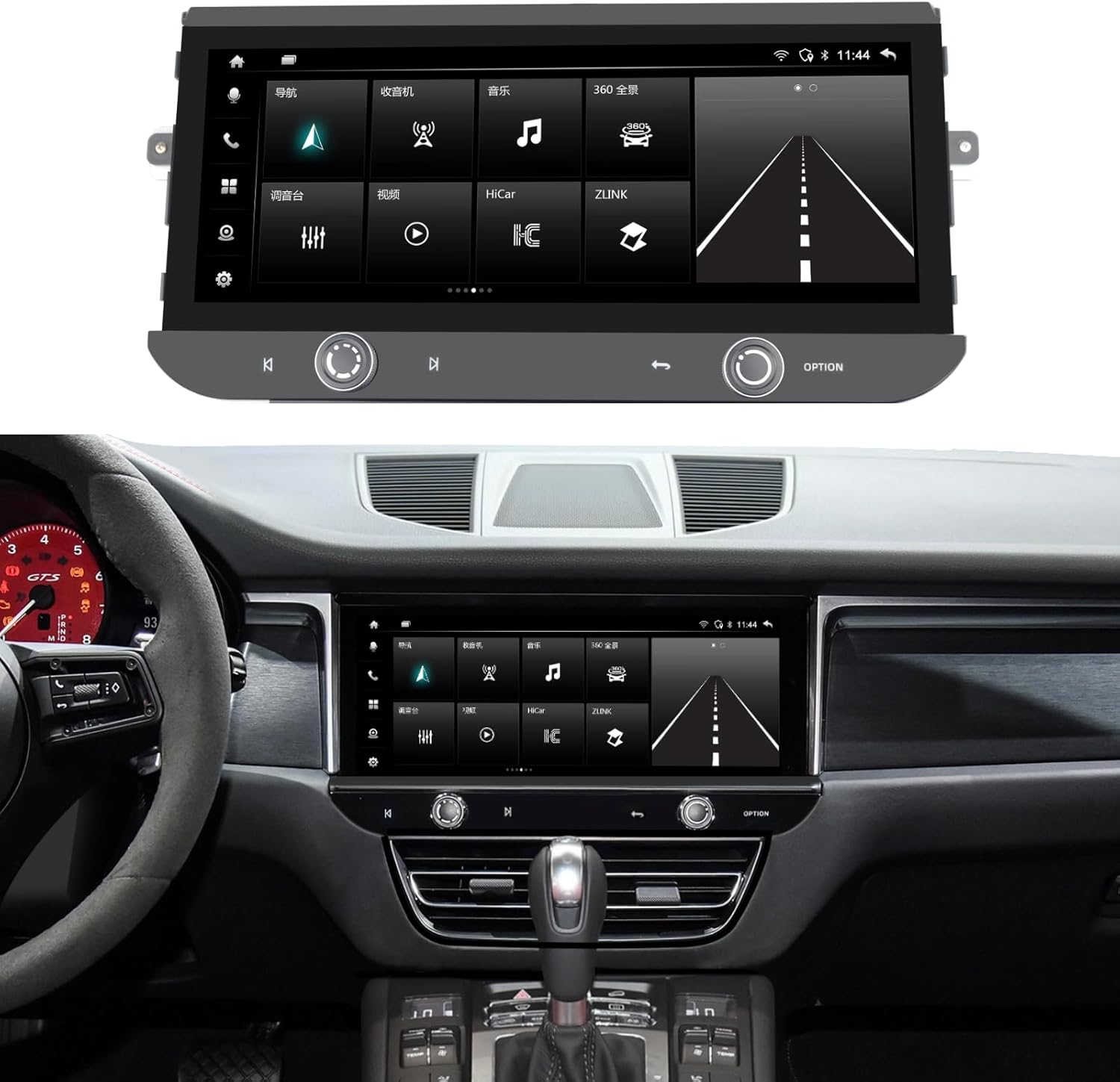
Image 1.1: The SHZSR Android 13 Car Radio Stereo seamlessly integrated into a Porsche Macan dashboard.
2. Прадукт скончыўсяview
The SHZSR Android 13 Car Radio Stereo enhances your driving experience with a powerful and intuitive infotainment system. Key features include:
- Аперацыйная сістэма: Android 13 with Qualcomm 668S chip.
- Дысплей: 12.3-inch Blu-ray touch screen with 2400x900 HD resolution, anti-scratch, anti-fingerprint, and anti-glare properties.
- Прадукцыйнасць: 8-Core CPU with 8GB RAM and 128GB internal storage.
- Падключэнне: Built-in Wireless/Wired CarPlay & Android Auto, 4G network support, Wi-Fi, and Bluetooth.
- Навігацыя: Integrated GPS navigation system with worldwide map support.
- Падтрымка камеры: Built-in 360 video system support, compatible with original 360 image systems and additional cameras.
- Інтэграцыя: Retains the original car system, CD player, and utilizes OEM speakers for audio output.

Image 2.1: Hardware features including the 12.3" ultra-large screen, 2400*900 resolution, channel switch, redesigned air vents, and volume knob.

Image 2.2: Software features including Android 13, 6GB RAM + 128GB ROM, 4G/BT/Wi-Fi Hotspot, Built-in APP Store, steering wheel control support, camera support, and original car speaker compatibility.
3. Настройка і ўстаноўка
The SHZSR Android 13 Car Radio Stereo is designed for non-destructive, plug-and-play installation. It integrates with your existing vehicle systems without permanent modifications.
3.1 Змест пакета
Праверце наяўнасць усіх кампанентаў у камплекце:
- Галоўны радыёблок
- Мантажная база
- Accessory Cables and Connectors
- Instruction Manuals (this document)

Image 3.1: All components included in the product package, numbered for identification.
3.2 Праверка сумяшчальнасці
Ensure your vehicle is a Porsche Macan 95B model from 2014-2016 with a PCM 3.x system. This unit is specifically designed for these configurations.
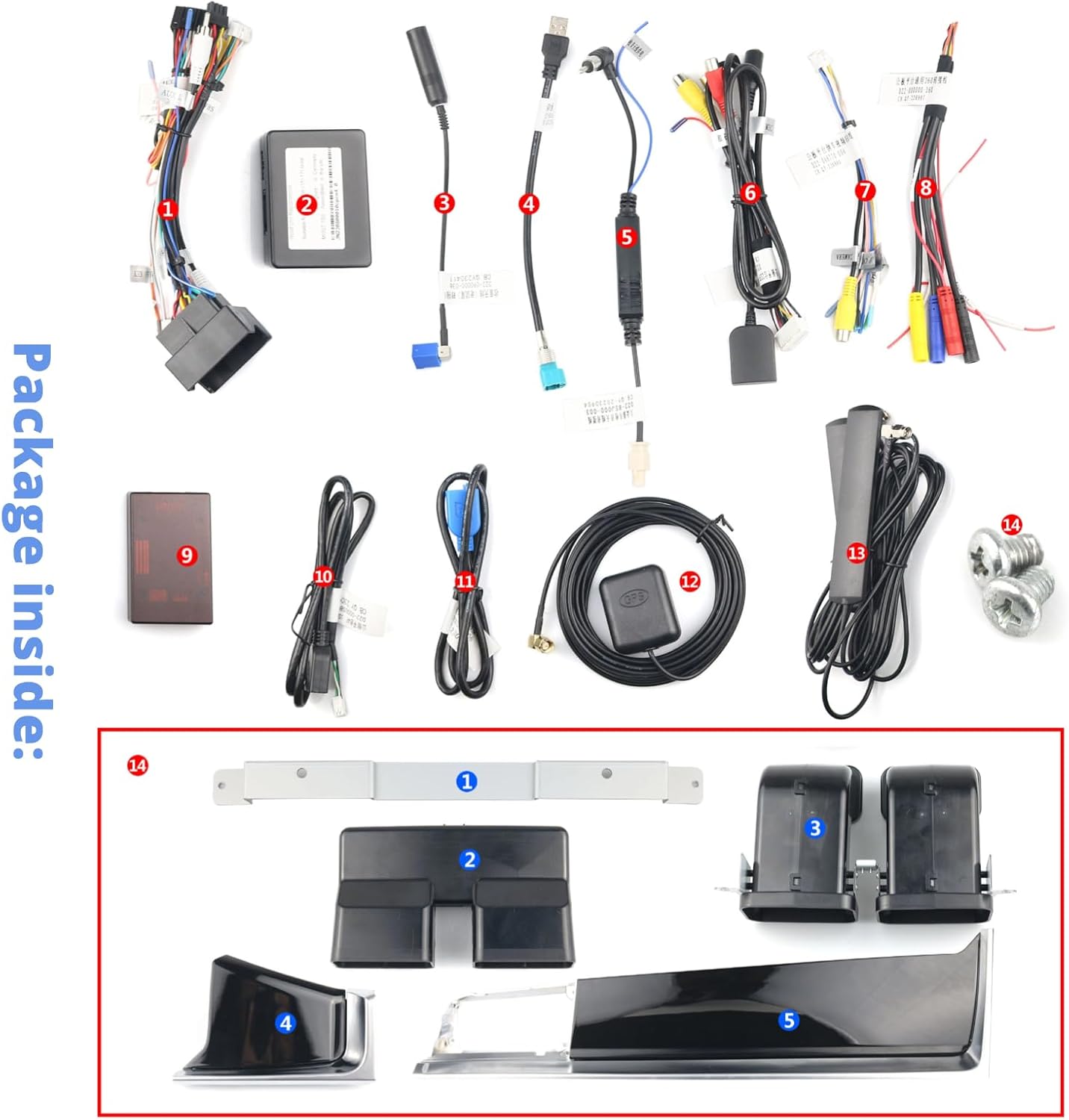
Image 3.2: The original Macan PCM 3.x system, indicating the area for upgrade.
3.3 Працэс ўстаноўкі
Installation typically involves removing the original screen and control panel, then connecting the new unit using the provided wiring harnesses. The design ensures that the original system and CD functionality are retained, with all audio routed through your OEM speakers. For detailed steps, refer to the specific installation guide provided with your unit or consult a professional installer.

Image 3.3: Visual comparison of the original interior style versus the upgraded interior with the new SHZSR unit.
4. Інструкцыя па эксплуатацыі
Once installed, the unit operates similarly to a modern Android tablet, optimized for in-car use.
4.1 Асноўныя аперацыі
- Сэнсарны экран: Navigate menus, select applications, and control functions using the responsive 12.3-inch touch screen.
- Элементы кіравання на рулі: The unit supports your original steering wheel controls for audio, calls, and other functions.
- Volume/Channel Knobs: Utilize the physical volume knob and channel switch for quick adjustments.
4.2 CarPlay і Android Auto
Connect your iPhone or Android device wirelessly or via USB to access CarPlay or Android Auto. This allows seamless integration of your smartphone's features, including navigation, music, messaging, and calls, directly on the car's display.
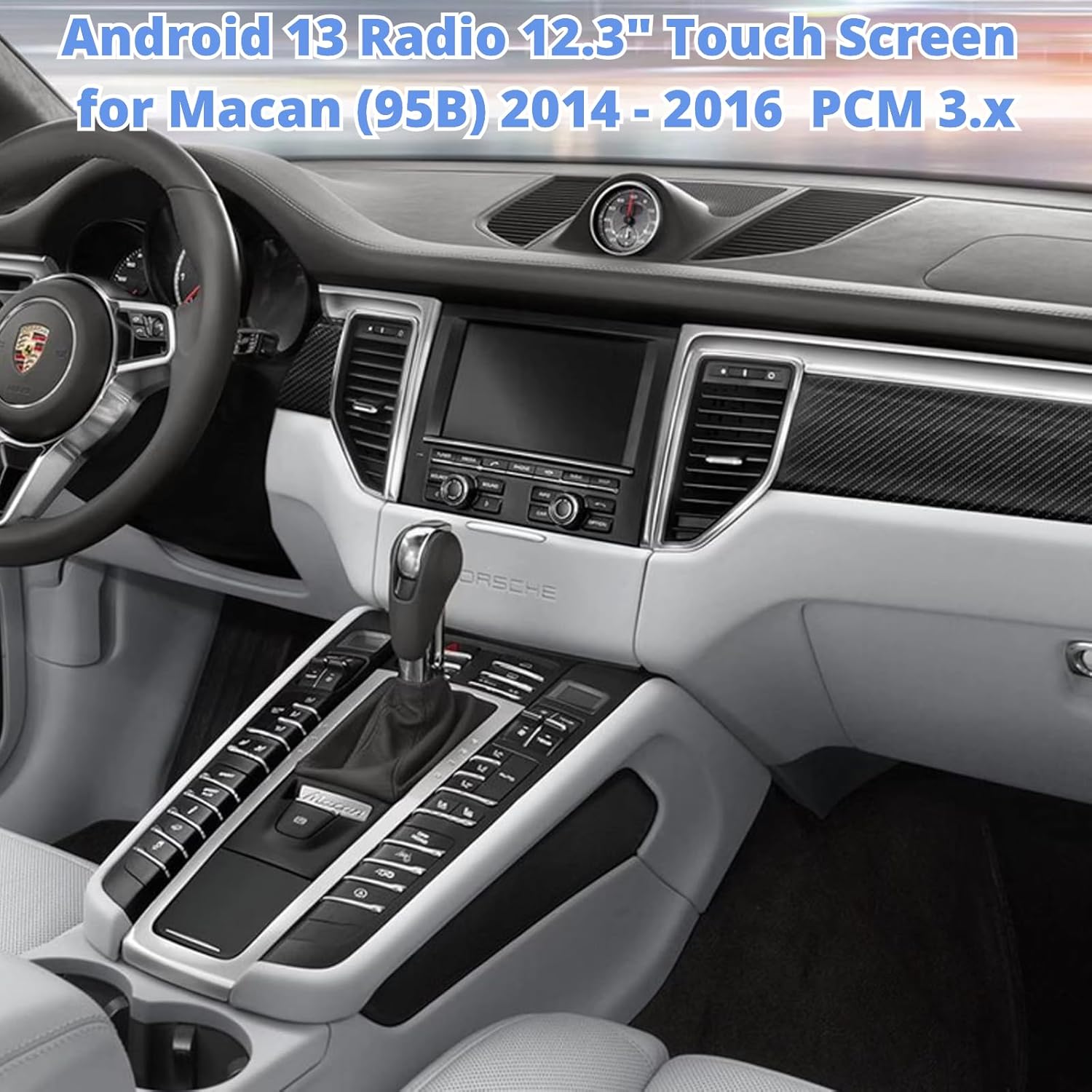
Image 4.1: The unit displaying the CarPlay interface with navigation and media options.
4.3 Навігацыя
The built-in GPS module provides accurate navigation. You can also use navigation apps via CarPlay, Android Auto, or download additional apps from the Google Play Store.
4.4 Усталёўка прыкладання
Access the built-in Google Play Store to download and install thousands of compatible Android applications, expanding the functionality of your car radio.

Image 4.2: The unit displaying the Google Play Store, allowing access to various applications.
4.5 4G/Wi-Fi/Bluetooth
Connect to the internet via 4G (with a compatible SIM card, not included) or Wi-Fi hotspot. Use Bluetooth for hands-free calling and audio streaming.
5. Тэхнічнае абслугоўванне
To ensure the longevity and optimal performance of your car radio stereo, follow these maintenance guidelines:
- Ачыстка экрана: Use a soft, lint-free cloth specifically designed for electronics to clean the touch screen. Avoid abrasive cleaners or harsh chemicals.
- тэмпература: Пазбягайце працяглага ўздзеяння на прыладу экстрэмальных тэмператур, як высокіх, так і нізкіх.
- Абнаўленні праграмнага забеспячэння: Перыядычна правярайце наяўнасць абнаўленняў праграмнага забеспячэння і ўсталёўвайце іх, каб забяспечыць аптымальную прадукцыйнасць і доступ да новых функцый.
- Кабельныя злучэнні: Ensure all cables are securely connected. Avoid pulling on cables forcefully.
6. Выпраўленне непаладак
If you encounter issues with your SHZSR Android 13 Car Radio Stereo, refer to the following common troubleshooting steps:
- Няма харчавання: Check all power connections and ensure the vehicle's ignition is on. Verify fuses if necessary.
- Няма гуку: Ensure the volume is not muted or set too low. Check audio output settings and speaker connections. Confirm that the original car system is correctly integrated.
- Сэнсарны экран не рэагуе: Try restarting the unit. If the issue persists, perform a factory reset (refer to the unit's settings menu for this option).
- Страта сігналу GPS: Пераканайцеся, што антэна GPS правільна ўсталявана і мае выразны сігнал view неба.
- Праблемы з падключэннем CarPlay/Android Auto: Ensure your phone's Bluetooth and Wi-Fi are enabled. Try reconnecting the device. For wired connections, check the USB cable.
- Запаволенне сістэмы: Close unnecessary background applications. Clear cache or perform a system restart.
Калі гэтыя дзеянні не вырашаць праблему, звярніцеся ў службу падтрымкі кліентаў.
7. Тэхнічныя характарыстыкі
| Асаблівасць | Спецыфікацыя |
|---|---|
| Марка | ШЗСР |
| Назва мадэлі | For Macan PCM 3.x |
| Аперацыйная сістэма | Android 13 |
| Працэсар | Qualcomm 668S, 8 Core CPU |
| Памяць (RAM) | 8 ГБ |
| Захоўванне (ROM) | 128 ГБ |
| Памер экрана | 12.3 цалі |
| Тып дысплея | Blu-ray Touch Screen |
| дазвол | 2400 х 900 |
| Сувязь | Bluetooth, Wi-Fi, 4G |
| Навігацыя | Built-in GPS, Worldwide Map Support |
| Асаблівасці | Wireless/Wired CarPlay & Android Auto, Retains Original System, Touchscreen, 360 Video System Support |
| Сумяшчальныя транспартныя сродкі | Porsche Macan 95B (2014-2016) with PCM 3.x |
8. Гарантыя і падтрымка
8.1 Інфармацыя аб гарантыі
This SHZSR Car Radio Stereo comes with a Гарантыя 1 год з даты пакупкі. Гэтая гарантыя распаўсюджваецца на вытворчыя дэфекты і няспраўнасці пры нармальным выкарыстанні. Яна не распаўсюджваецца на пашкоджанні, выкліканыя няправільнай устаноўкай, няправільным выкарыстаннем, няшчаснымі выпадкамі або несанкцыянаванымі мадыфікацыямі.
8.2 Падтрымка кліентаў
For technical assistance, warranty claims, or any questions regarding your product, please contact the SHZSR customer support team through the retailer where the product was purchased. Please have your purchase receipt and product model information ready when contacting support.