
truefree truefree O2
Кіраўніцтва карыстальніка для адкрытых навушнікаў truefree O2
Model: truefree O2
1. Уводзіны
Thank you for choosing the truefree O2 Open Ear Headphones. This manual provides detailed instructions for setting up, operating, and maintaining your new wireless earbuds. Please read this guide thoroughly to ensure optimal performance and a satisfying user experience.
2. Змесціва ўпакоўкі
Праверце, ці ёсць у вашай упакоўцы ўсе пералічаныя ніжэй прадметы:
- truefree O2 Open Ear Earbuds (x2)
- Чахол для зарадкі
- Зарадны кабель USB-C
- Кіраўніцтва карыстальніка
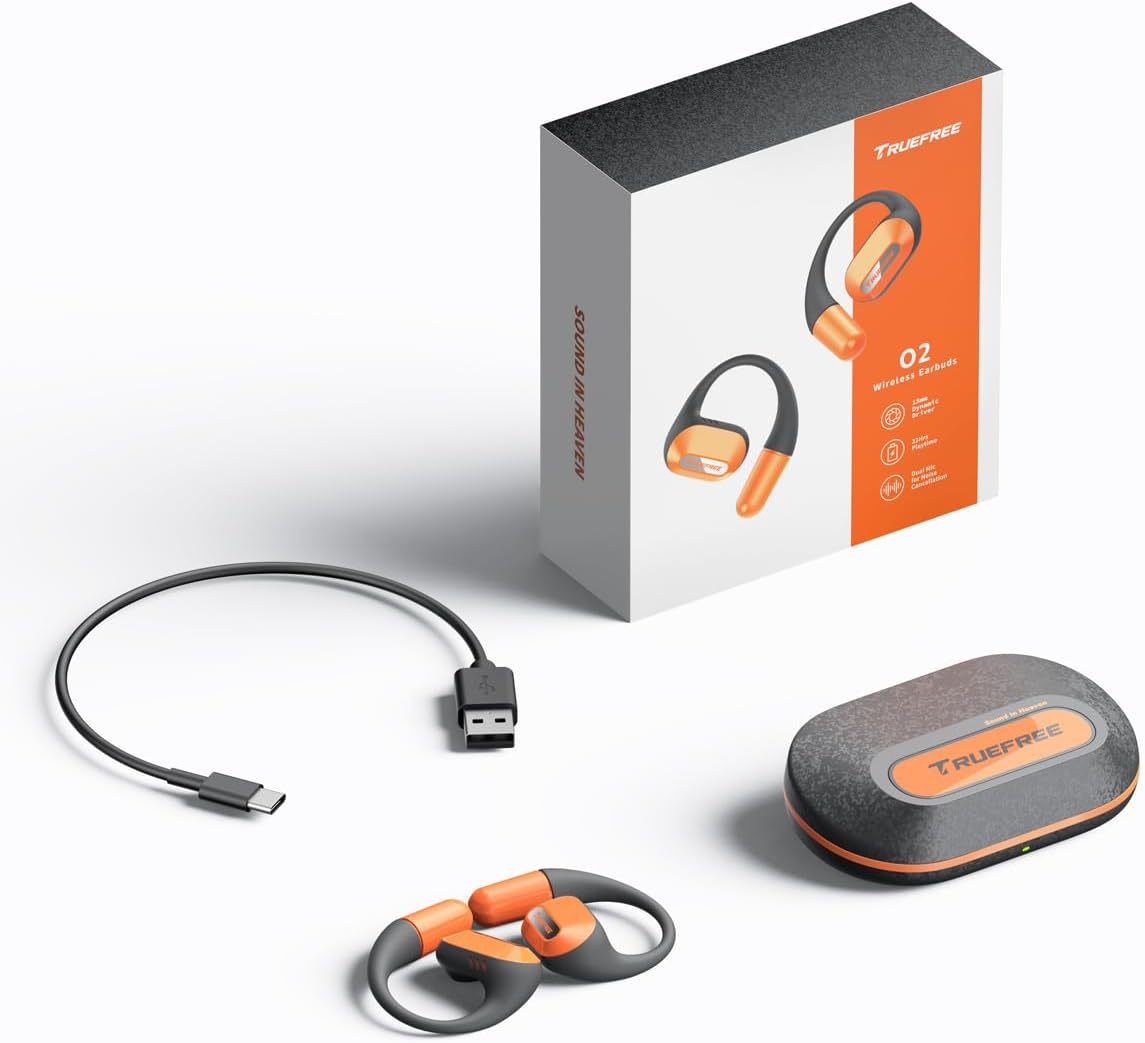
The complete package contents: two truefree O2 open ear earbuds, the charging case, a USB-C charging cable, and the user manual.
3. Прадукт скончыўсяview
The truefree O2 headphones feature an open-ear design for comfort and situational awareness, equipped with 15mm dynamic drivers and directional acoustics. The earbuds are ultra-lightweight (8g each) and designed with soft silicone ear hooks for a secure fit during various activities.

The truefree O2 open ear headphones and their compact charging case.
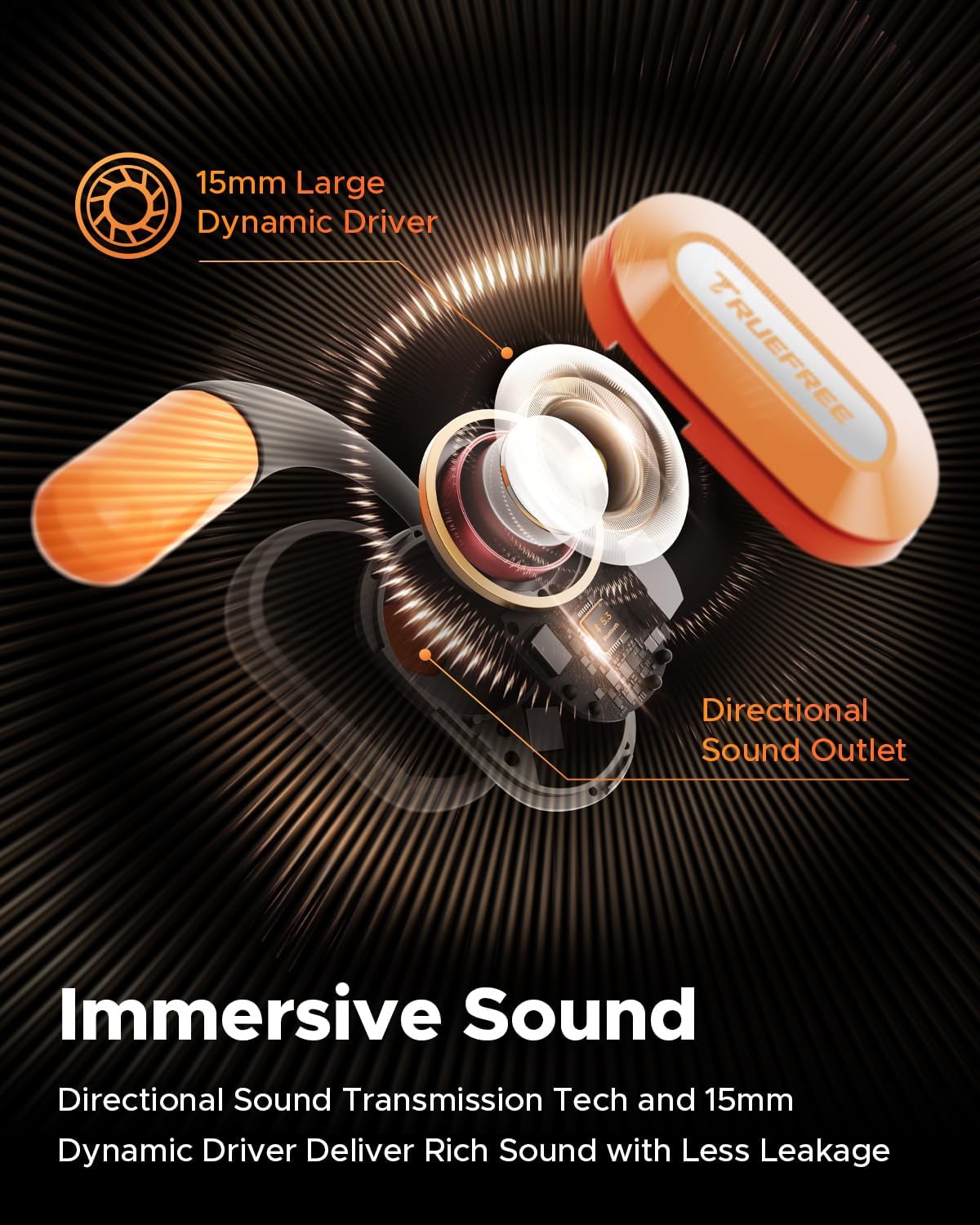
Выбухнуў view diagram of the truefree O2 earbud, highlighting its 15mm large dynamic driver and directional sound outlet for immersive audio with minimal leakage.
4. Нашэнне навушнікаў-ўкладышаў
Для аптымальнай якасці гуку і камфорту пераканайцеся, што навушнікі надзетыя правільна.
- Вызначце левы (L) і правы (R) навушнікі.
- Gently hook the earbud over your ear, positioning the speaker part towards your ear canal.
- Adjust the ear hook to fit snugly and securely around your ear. The flexible NiTi alloy memory steel wire ensures a stable fit for various ear shapes.
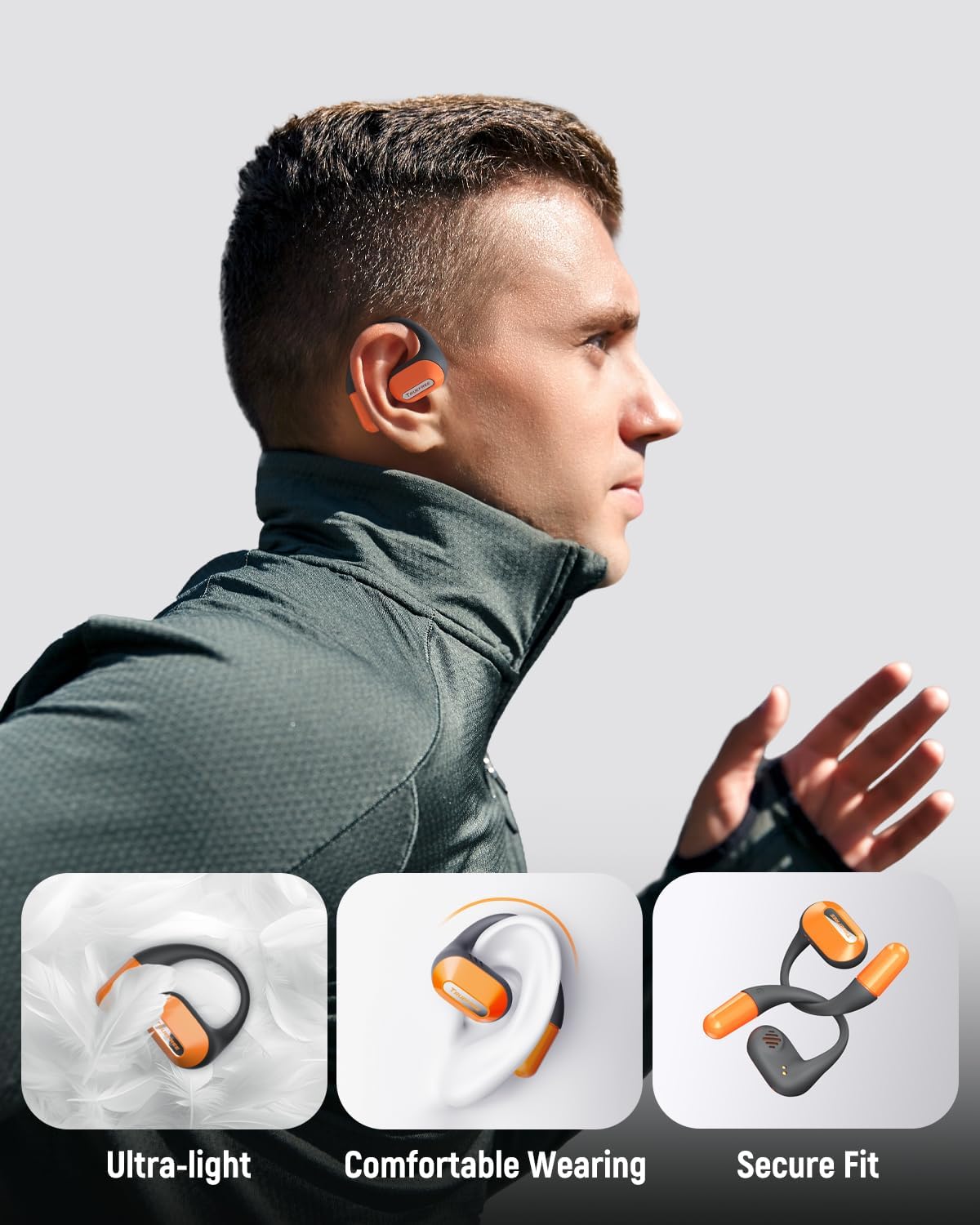
A user wearing the truefree O2 headphones, demonstrating their ultra-light design, comfortable fit, and secure ear hooks suitable for active use.
5. Зарадка
The truefree O2 headphones and charging case are designed for efficient power management.
5.1 Зарадка навушнікаў
- Змесціце навушнікі ў зарадны чахол. Пераканайцеся, што кантакты зараднай прылады супадаюць.
- Індыкатары на навушніках будуць паказваць стан іх зарадкі.
- Поўнай зарадкі хапае прыкладна на 6.5 гадзін прайгравання.
5.2 Зарадка корпуса
- Падключыце зарадны кабель USB-C да порта зарадкі на корпусе і да крыніцы харчавання.
- The charging case can be fully charged in approximately 1 hour and 15 minutes.
- A fully charged case provides up to 22 hours of total playtime for the earbuds.

An illustration detailing the IPX5 waterproof rating, 6.5 hours of playtime on a single charge, 22 hours total with the charging case, and 1 hour 15 minutes fast charging via USB-C.
6. Настройка
6.1 Пачатковае спалучэнне Bluetooth
- Адкрыйце зарадны кейс. Навушнікі аўтаматычна пяройдуць у рэжым спалучэння.
- Уключыце Bluetooth на вашай прыладзе (смартфоне, планшэце, ноўтбуку).
- Пошук "truefree O2" in the list of available Bluetooth devices.
- Select "truefree O2" to connect. A voice prompt will confirm successful pairing.
6.2 Кіраванне праграмамі
Enhance your experience by downloading the "Truefree" application from your device's app store.
- Настройка: Adjust EQ settings, including 9 personalized presets and a customizable option.
- Абнаўленні прашыўкі: Абнаўляйце свае навушнікі, выкарыстоўваючы найноўшыя функцыі і паляпшэнні.
- Спецыяльныя функцыі: Control features like game mode and other settings directly from the app.
- Падключэнне падвойнага прылады: Enable multipoint connection for seamless switching between two devices.
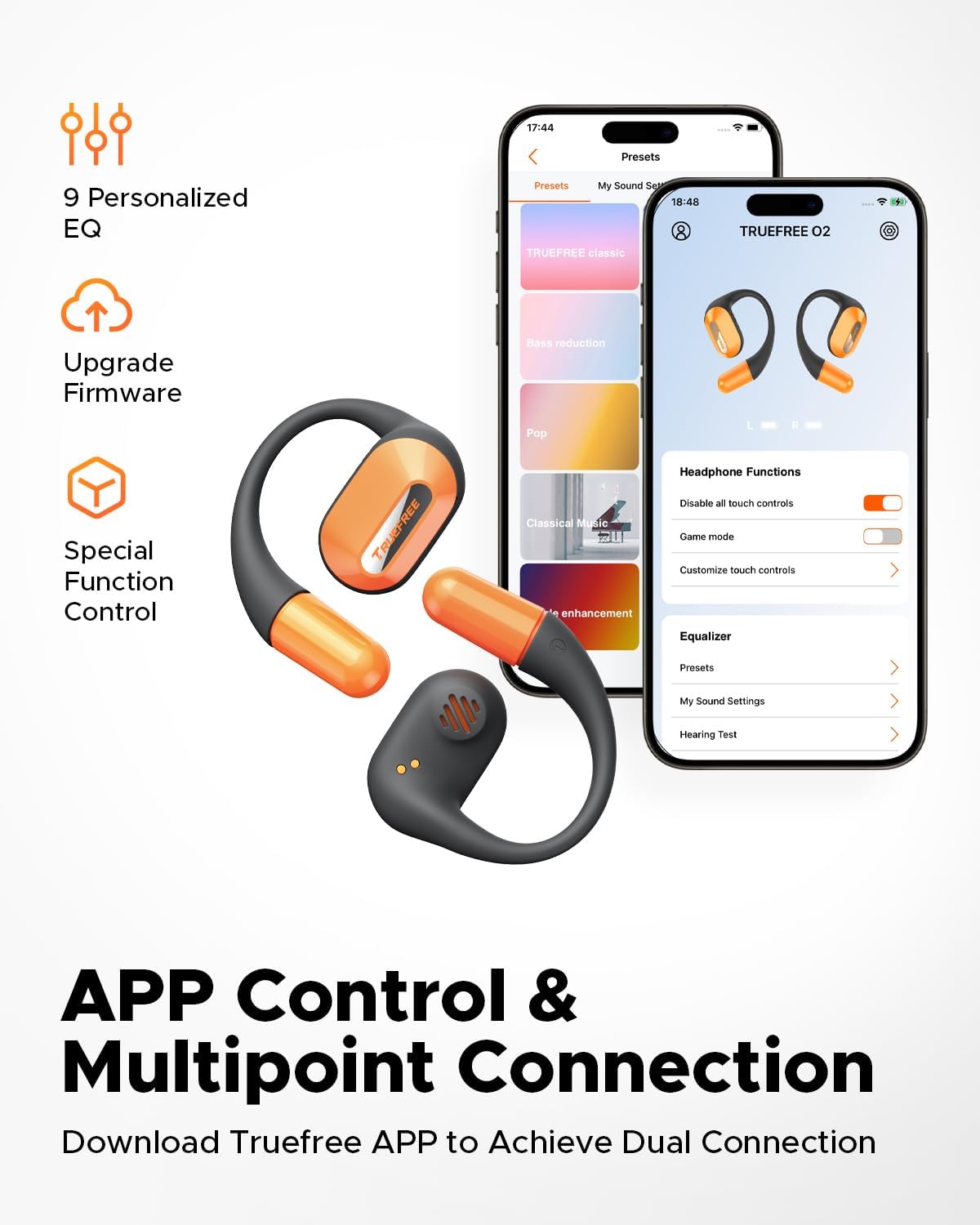
Screenshots of the Truefree mobile application, illustrating options for customizing EQ settings, game mode, and other control functions for the O2 headphones.
7. Аперацыйная
7.1 Сэнсарнае кіраванне
The truefree O2 earbuds feature intuitive touch controls on both the left (L) and right (R) earbuds.
| Дзеянне | Функцыя |
|---|---|
| L & R Double tap | Прайграванне/Паўза, Адказ/Завяршэнне выкліку |
| L & R Long press for 1.5s | Previous Track (L), Next Track (R), Power On/Off (when not in case) |
| L Single tap | Памяншэнне гучнасці |
| R Single tap | Павялічыць гучнасць |
| L Long press for 3s | Актывуйце рэжым гульні |
| R Long press for 3s | Актывуйце галасавой памочнік |

A visual guide to the touch control functions on the truefree O2 earbuds.
7.2 Шматкропкавае падключэнне
The truefree O2 supports connecting to two devices simultaneously, allowing for seamless switching between audio sources.
- Ensure the earbuds are connected to your first device.
- Put the earbuds back into the charging case, then take them out again to re-enter pairing mode.
- Connect the earbuds to your second device via Bluetooth.
- Once both devices are paired, the earbuds will intelligently switch audio based on activity (e.g., taking a call on your phone while listening to music on your laptop).

An image showing the truefree O2 headphones connected to both a laptop and a smartphone, illustrating the multipoint connection feature for seamless device switching.
7.3 Рэжым гульні
Уключыце гульнявы рэжым, каб паменшыць затрымку гуку і забяспечыць больш сінхранізаваны аўдыёвізуальны досвед падчас гульні.
- To activate: Long press the left earbud for 3 seconds.
- To deactivate: Repeat the action.
- Game Mode can also be toggled via the Truefree app.
8. Тэхнічнае абслугоўванне
8.1 Воданепранікальнасць па класе IPX5
The truefree O2 earbuds are IPX5 waterproof, meaning they are resistant to sweat and light splashes of water. This makes them suitable for workouts and outdoor activities.
- Не апускайце навушнікі ў ваду.
- Перад тым, як змясціць навушнікі назад у зарадны футляр, пераканайцеся, што яны сухія, каб пазбегнуць пашкоджанняў.

The truefree O2 earbud with water droplets, illustrating its IPX5 waterproof rating.
8.2 Ачыстка
- Працярыце навушнікі і зарадны футляр мяккай, сухой тканінай без ворса.
- Пазбягайце выкарыстання абразіўных матэрыялаў або агрэсіўных хімікатаў.
- Рэгулярна чысціце зарадныя кантакты як на навушніках-ўкладышах, так і на кейсе, каб забяспечыць належную зарадку.
9. Выпраўленне непаладак
If you encounter issues with your truefree O2 headphones, refer to the following common solutions:
| праблема | Рашэнне |
|---|---|
| Навушнікі не спалучаюцца | Ensure earbuds are charged. Turn off and on Bluetooth on your device. Forget "truefree O2" from your device's Bluetooth list and re-pair. |
| Ніякага гуку з аднаго навушніка | Змясціце абодва навушнікі назад у чахол, зачыніце яго, а затым зноў адчыніце. Праверце налады балансу гуку прылады. |
| Праблема з зарадкай | Clean charging contacts on earbuds and case. Try a different USB-C cable and power adapter. Ensure earbuds are correctly seated in the case. |
| Нізкая гучнасць | Adjust volume on both the earbuds and your connected device. Check EQ settings in the Truefree app. |
| Злучэнне часта абрываецца | Ensure no obstructions between earbuds and device. Reduce distance between earbuds and device. Avoid strong electromagnetic interference. |
If the issue persists, please contact truefree customer support for further assistance.
10. Тэхнічныя характарыстыкі
| Асаблівасць | Дэталь |
|---|---|
| Назва мадэлі | truefree O2 |
| Сувязь | Bluetooth 5.3 |
| Размяшчэнне вушэй | Адкрытае вуха |
| Форма навушніка | Кручок |
| Воданепранікальнасць | IPX5 |
| Тэрмін службы батарэі навушнікаў | Да 6.5 гадзін |
| Агульны час прайгравання (з кейсам) | Да 22 гадзін |
| Час зарадкі кейса | Approx. 1 hour 15 minutes (USB-C) |
| Памер аўдыё драйвера | 15 мм |
| Вага навушніка | 8 грам (кожны) |
| Тып кіравання | Сэнсарнае кіраванне, кіраванне праграмамі |
| Асаблівасці | Multipoint Pairing, Game Mode, Dual-mic Noise Cancelling |
11. Гарантыя і падтрымка
truefree is committed to providing excellent customer experience. If you have any problems or suggestions regarding your truefree O2 Open Ear Headphones, please do not hesitate to contact our customer support team. We are ready to offer you a satisfactory solution.
For support, please refer to the contact information provided on the truefree official webсайт або ваша платформа для пакупак.