
SYNCWIRE SW-XC971
Аўтамабільны адаптар FM-перадатчыка Syncwire Bluetooth 5.4
Мадэль: SW-XC971
Уводзіны
Thank you for choosing the Syncwire Bluetooth 5.4 FM Transmitter Car Adapter. This device allows you to stream audio from your Bluetooth-enabled devices to your car's FM radio, make hands-free calls, and fast charge your mobile devices. Featuring advanced Bluetooth 5.4 technology, dual microphones for clear calls, and powerful charging capabilities, this adapter enhances your in-car experience.
Інфармацыя па бяспецы
Avoid overcharging and overheating. Follow charging instructions to ensure safe use. Do not disassemble or modify the device. Keep out of reach of children. Ensure the device is securely plugged into the car's cigarette lighter socket before driving.
Прадукт скончаныview
Familiarize yourself with the components of your Syncwire FM Transmitter:

Image: The Syncwire Bluetooth FM Transmitter, showing its compact design and various ports and buttons.

Image: A detailed diagram labeling the key components of the FM Transmitter, including the QC 3.0 Port, PD 36W Port, CH Button, Deep Bass/Light Switch, Dual Mics, FM Display, Multifunction Button, and LED Light.
- Порт QC 3.0: Quick Charge 3.0 USB port for fast charging compatible devices (18W).
- PD 36W Port: Power Delivery USB-C port for ultra-fast charging compatible devices (36W).
- Кнопка CH: Выкарыстоўваецца для змены частаты FM.
- Deep Bass/Light Switch: Activates deep bass mode with a short press, or turns the LED light on/off with a long press.
- Dual Mics: Integrated microphones for clear hands-free calling.
- FM Display: Паказвае бягучую FM-частоту.
- Шматфункцыянальная кнопка: Controls calls (answer/end/reject), music playback (play/pause/next/previous), and volume.
- Святлодыёдны святло: Provides ambient lighting and indicates device status.
Кіраўніцтва па ўстаноўцы
Выканайце наступныя дзеянні для першапачатковай налады:

Image: A four-panel image illustrating the setup process: 1. Setting car radio to FM mode. 2. Selecting a blank unused FM frequency. 3. Adjusting the FM Transmitter to the same frequency. 4. Pairing the phone via Bluetooth.
- Падключыць: Insert the Syncwire FM Transmitter into your car's 12V/24V cigarette lighter socket. The LED display will light up.
- Set Car Radio to FM Mode: On your car's radio, switch to FM mode (not AM mode).
- Знайсці пустую FM-частоту: Tune your car radio to a blank, unused FM frequency. This is crucial for clear audio. Avoid frequencies with strong existing radio stations.
- Частата перадатчыка супадзення: Press the 'CH' button on the FM Transmitter. Then, use the multifunction button (joystick) to adjust the transmitter's frequency to match the empty frequency you found on your car radio.
- Спалучэнне Bluetooth: On your smartphone or Bluetooth-enabled device, enable Bluetooth and search for available devices. Select 'SW-XC971' from the list to pair. Once paired, you will hear a confirmation tone.
Інструкцыя па эксплуатацыі
Прайграванне музыкі
Once paired, you can stream music from your device to your car's speakers.
- Прайграванне/Паўза: Кароткае націсканне шматфункцыянальнай кнопкі.
- Наступны трэк: Push the multifunction button right.
- Папярэдні трэк: Push the multifunction button left.
- Павялічыць гучнасць: Push the multifunction button up.
- Паменшыць гучнасць: Push the multifunction button down.

Image: An illustration highlighting the Deep Bass & HiFi Stereo feature, showing the 'b' button for activation and a visual representation of enhanced sound waves.
HiFi Deep Bass: Short press the 'b' button (Deep Bass/Light Switch) to activate the deep bass mode for enhanced audio quality. Press again to return to standard mode.
Званок па гучнай сувязі
The dual microphones and CVC 8.0 noise reduction technology ensure clear calls.

Image: A diagram showing the various functions for hands-free calling using the multifunction button: Answer (short press), Handset/Hands-free (long press), Hang up (short press), Reject (long press), Redial last number (short press twice).
- Адказаць на званок: Кароткае націсканне шматфункцыянальнай кнопкі.
- Завяршыць выклік: Short press the multifunction button during a call.
- Адхіліць выклік: Long press the multifunction button when a call comes in.
- Паўторны набор апошняга нумара: Short press the multifunction button twice.
- Switch Call to Handset/Hands-free: Long press the multifunction button during a call to switch audio between the phone and the transmitter.
Зарадныя прылады
Перадатчык мае два порты хуткай зарадкі:

Image: The Syncwire FM Transmitter with cables plugged into its PD 36W and QC3.0 18W USB ports, illustrating its ability to super-fast charge devices simultaneously.
- PD 36W Port (USB-C): For Power Delivery compatible devices, offering up to 36W output.
- QC 3.0 18W Port (USB-A): For Quick Charge 3.0 compatible devices, offering up to 18W output.
You can charge two devices simultaneously. The intelligent safety features protect against overcharging, voltage spikes, overheating, and short circuits.
Кіраванне навакольным асвятленнем
The transmitter features a captivating rainbow light.
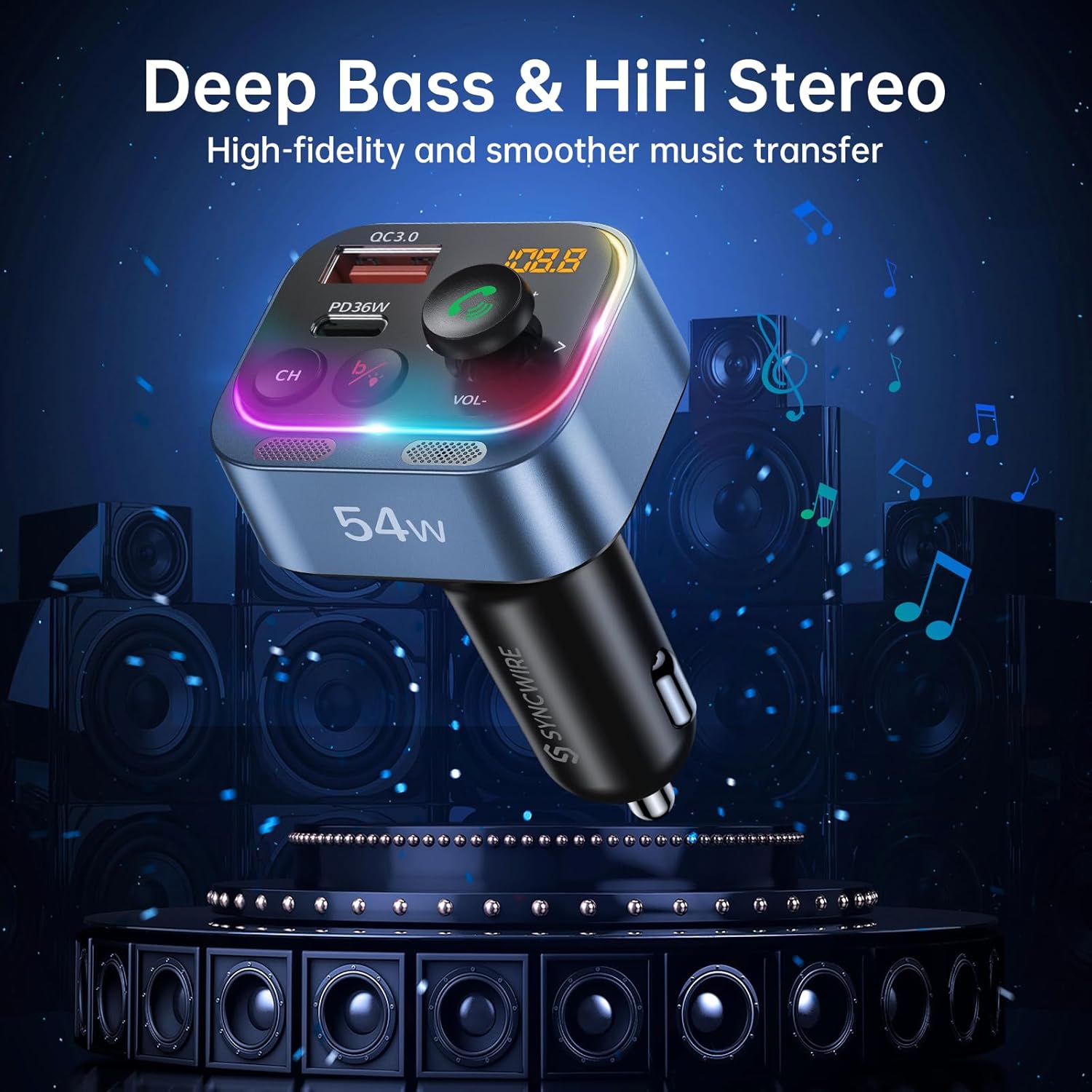
Image: Two panels demonstrating the Ambient Light Switch: one showing a long press to turn off the light, and the other showing a long press to turn on the light, with the device's rainbow LED illuminated.
- Уключыць/выключыць святло: Long press the 'b' button (Deep Bass/Light Switch) to toggle the rainbow light on or off.
Тэхнічнае абслугоўванне
Каб забяспечыць даўгавечнасць і аптымальную прадукцыйнасць вашага FM-перадатчыка Syncwire:
- Уборка: Для чысткі прылады выкарыстоўвайце мяккую сухую тканіну. Не выкарыстоўвайце вадкія ачышчальнікі або аэразолі.
- захоўванне: Калі прылада не выкарыстоўваецца працяглы час, захоўвайце яе ў прахалодным, сухім месцы, удалечыні ад прамых сонечных прамянёў і экстрэмальных тэмператур.
- Апрацоўка: Не кідайце прыладу і не падвяргайце яе моцным ударам.
Ліквідацыю непаладак
Калі ў вас узнікнуць праблемы, звярніцеся да наступных распаўсюджаных праблем і рашэнняў:
| праблема | Рашэнне |
|---|---|
| Статычны гук або дрэнная якасць гуку |
|
| Прылада не ўключаецца |
|
| Bluetooth не падключаецца |
|
| Call clarity issues (other party cannot hear me well) |
|
| Зарадка павольная або не працуе |
|
Тэхнічныя характарыстыкі
| Асаблівасць | Дэталь |
|---|---|
| Нумар мадэлі | SW-XC971 |
| Версія Bluetooth | 5.4 |
| Уваходны кнtage | 12В-24В |
| Выхад USB-C (PD) | 36W Макс |
| Выхад USB-A (QC3.0) | 18W Макс |
| Агульны выхад | 54 Вт |
| Дыяпазон частот FM | 87.5-108.0 МГц |
| Мікрафон | Два мікрафоны з шумапрыглушэннем CVC 8.0 |
| Асаблівасці | HiFi Deep Bass, Rainbow Light, Hands-Free Calling |
| Памеры | 3.43 х 2.4 х 1.73 цалі |
| Вага прадмета | 2.82 унцыі |
| Матэрыял | Прэміум матэрыял |
Гарантыя і падтрымка
Syncwire provides a 36-month warranty and lifetime support for this product. If your car radio Bluetooth adapter does not fit your car or does not work as expected, please feel free to contact us to find a satisfying solution. Our customer service team is dedicated to assisting you with any inquiries or issues you may have.
Ask a question about this manual
Ask about setup, troubleshooting, compatibility, parts, safety, or missing instructions. Manuals+ will review the question and use this page’s manual context to help answer it.