
Soobest SO800E
Soobest 14.2" Large Display Digital Wall Clock User Manual
Model: SO800E
Уводзіны
Thank you for choosing the Soobest 14.2" Large Display Digital Wall Clock. This versatile clock features a large LED screen, 8-in-1 color changing display, date, day of week, temperature, and timer functions. It is designed for easy readability and convenient operation with a remote control, making it ideal for various indoor settings including living rooms, bedrooms, offices, and gyms. This manual provides detailed instructions for setup, operation, and maintenance to ensure optimal performance and longevity of your device.

Image: The Soobest 14.2" Large Display Digital Wall Clock, showcasing its vibrant multi-color display and the included remote control.
Змест пакета
Калі ласка, уважліва праверце ўпакоўку, каб пераканацца ў наяўнасці ўсіх прадметаў і іх стане.
- 1 x Soobest 14.2" Large Display Digital Wall Clock
- 1 х пульт дыстанцыйнага кіравання
- 1 х адаптар сілкавання (праводны электрычны)
- 1 x Button Battery (for memory function, pre-installed)
- Mounting Hardware (Nails)
- Кіраўніцтва карыстальніка (гэты дакумент)

Image: An illustration of all items included in the Soobest Digital Wall Clock package, including the clock, remote, power adapter, and manual.
Настройка
Падключэнне сілкавання
- Unpack the clock and all accessories from the box.
- Connect the power adapter cable to the "power in" port on the back of the clock.
- Падключыце адаптар сілкавання да звычайнай электрычнай разеткі. Загарыцца дысплей гадзінніка.
- The pre-installed button battery serves as a memory function, retaining time and alarm settings during power outages. It does not power the display.
Варыянты мантажу
The clock can be mounted on a wall or placed on a tabletop.
- Насценны мацаванне: Use the provided nails and the mounting holes on the back of the clock to secure it to a wall. Ensure the wall can support the clock's weight (approximately 1.34 pounds).
- Стальніца: The clock can stand freely on a flat surface.

Image: Visual representation of the clock's dimensions and power connection, illustrating its suitability for wall mounting or tabletop use.
Інструкцыя па эксплуатацыі
Basic Display Information
The large LED display shows the following information at a glance:
- Час: Large digits for hours and minutes, with smaller seconds display.
- Дата: Month and Day.
- Дзень тыдня: Indicated by illuminated abbreviations (MON, TUE, etc.).
- Тэмпература ў памяшканні: Displayed in Fahrenheit (°F).
Выкарыстанне пульта дыстанцыйнага кіравання
All settings and functions are easily controlled via the included remote control.
- Ensure the remote control has a working battery.
- Point the remote control directly at the clock for optimal response.

Image: The clock displaying both time and timer modes, highlighting the seamless transition between them using the remote control.
Ўстаноўка часу і даты
- Націсніце НАБОР кнопку на пульце дыстанцыйнага кіравання. Лічбы гадзін будуць міргаць.
- Выкарыстоўвайце УВЕРХ/УНІЗ стрэлкі, каб наладзіць гадзіну.
- Прэса НАБОР again to move to minutes, then date, month, and year, adjusting each with the УВЕРХ/УНІЗ стрэлкі.
- Прэса НАБОР one last time to confirm all settings.
Дысплей са зменай колеру
The clock offers 8 RGB color modes: 4 fixed pure colors and 4 dynamic RGB color changes.
- Націсніце КОЛЕР button on the remote control to cycle through the available color modes.
- Choose the color that best suits your environment or mood.

Малюнак: Examples of the clock's diverse color display options, from solid colors to dynamic RGB changes.
Timer Function (Count Up/Count Down)
The clock can function as a timer, useful for kitchen, gym, or study activities.
- Націсніце РЭЖЫМ ТАЙМЕРУ button on the remote control to switch to timer mode. The display will show "00:00".
- Setting Countdown: Use the number buttons on the remote to input the desired countdown time (e.g., "0500" for 5 minutes). Press ПУСК/СТОП каб пачаць.
- Setting Count Up: У рэжыме таймера націсніце ПУСК/СТОП without setting a time to begin counting up from "00:00".
- When a countdown finishes, the clock will emit a crisp beep for 60 seconds.
- Прэса ЧАСАВЫ РЭЖЫМ to return to clock display.

Image: The clock functioning as a digital timer, demonstrating its utility in a home gym setting.
Auto Daylight Saving Time (DST)
If your region observes Daylight Saving Time, you can enable the auto DST feature.
- Націсніце летні час button on the remote control to toggle Auto DST ON or OFF.
- When ON, the clock will automatically adjust forward or backward by one hour at the appropriate times of the year.
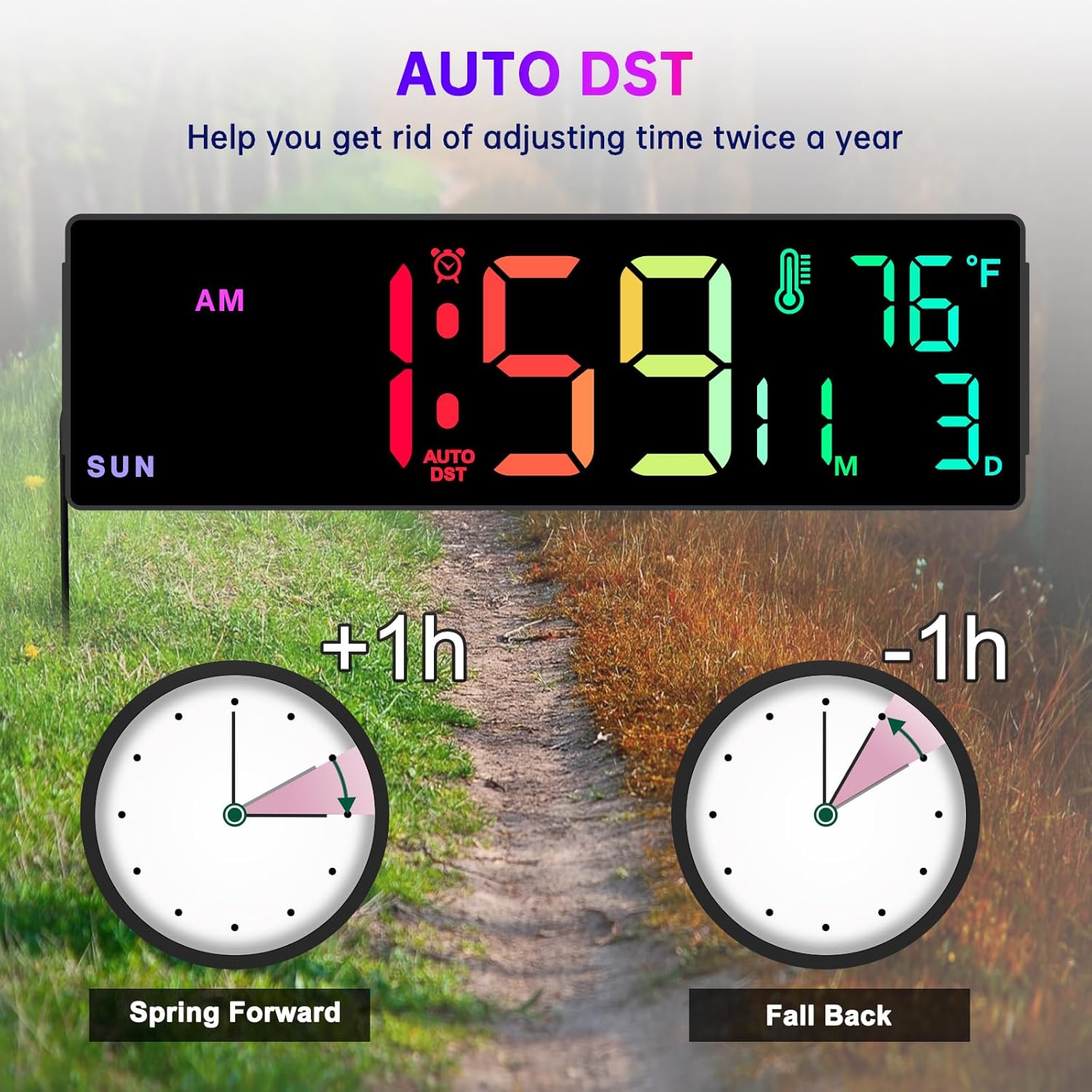
Image: A visual explanation of the Auto DST function, showing how the clock automatically adjusts for Daylight Saving Time.
Функцыя диммера
The clock features 5 levels of brightness to suit different lighting conditions and preferences.
- Націсніце ДЫММЕР button on the remote control to cycle through the 5 brightness levels.
- Adjust the brightness to prevent the display from being too bright, especially in dark rooms or at night.
Time Format Switch (12/24 Hour)
You can switch between 12-hour (AM/PM) and 24-hour (military) time formats.
- Націсніце 12/24 гадзіны button on the remote control to toggle between the two formats.
Тэхнічнае абслугоўванне
- Уборка: Use a soft, dry cloth to wipe the clock's surface. Do not use abrasive cleaners or solvents, as they may damage the display or casing.
- Магутнасць: Always ensure the clock is connected to a stable power source.
- Замена батарэі (пульт дыстанцыйнага кіравання): If the remote control becomes unresponsive, replace its battery. Refer to the remote control's markings for the correct battery type.
- Акумулятар памяці: The internal button battery for memory function typically lasts for a long time. If you notice settings are not retained after a power outage, it may need replacement by a qualified technician.
Ліквідацыю непаладак
| праблема | Магчымая прычына | Рашэнне |
|---|---|---|
| Адлюстраванне гадзінніка выключана. | Няма падключэння да харчавання або адсутнасці харчаванняtage. | Ensure the power adapter is securely plugged into the clock and a working electrical outlet. Check the power outlet with another device. |
| Не працуе пульт дыстанцыйнага кіравання. | Remote battery is dead or incorrect orientation. Obstruction between remote and clock. | Replace the remote control battery. Ensure there are no obstructions and point the remote directly at the clock. |
| Time/Date/Day is incorrect. | Not set correctly or Auto DST issue. | Follow the "Setting Time and Date" instructions. Verify Auto DST setting is correct for your region. |
| Дысплей занадта яркі/цьмяны. | Dimmer setting is not adjusted. | Выкарыстоўвайце ДЫММЕР button on the remote to adjust brightness levels. |
| Паказчыкі тэмпературы здаюцца недакладнымі. | Гадзіннік размяшчаецца побач з крыніцай цяпла/вентыляцыйнай вентыляцыі або пад прамымі сонечнымі прамянямі. | Relocate the clock to an area with stable ambient temperature. Note that minor variations compared to other thermometers are normal. |
Тэхнічныя характарыстыкі
- Марка: Soobest
- мадэль: SO800E
- Тып дысплея: Лічбавы святлодыёд
- Памер дысплея: 14.2 цаляў (дыяганаль)
- Вышыня лічбы: Approximately 3.1 inches (main time digits)
- Памеры прадукту: 13.1 цалі (Ш) х 4.1 цалі (В) х 1.1 цалі (Г)
- Крыніца харчавання: Электрычны шнур (адаптар пераменнага току ў камплекце)
- Рэзервовы акумулятар: 1 x Lithium Metal battery (included, for memory function only)
- Асаблівасці: Time, Date, Day of Week, Indoor Temperature, Timer (Count Up/Down), 8 RGB Color Modes, 5-Level Dimmer, Auto DST, 12/24H Format.
- Тып мацавання: Насценнае / настольнае мацаванне
- матэрыял: Пластыкавыя
- Вага прадмета: 1.34 фунта
Гарантыя і падтрымка
The Soobest 14.2" Large Display Digital Wall Clock comes with a Гарантыя 6 месяцаў з даты пакупкі, пакрываючы вытворчыя дэфекты.
For technical support, warranty claims, or any questions regarding your product, please contact Soobest customer service. Refer to the contact information provided on the product packaging or the official Soobest webсайт.
Калі ласка, захавайце чэк аб куплі ў якасці пацверджання пакупкі для гарантыйных мэт.
Ask a question about this manual
Ask about setup, troubleshooting, compatibility, parts, safety, or missing instructions. Manuals+ will review the question and use this page’s manual context to help answer it.