
1. Уводзіны
Thank you for choosing the GRIFEMA GB1054B Adjustable Laptop Stand. This product is designed to enhance your computing experience by providing an ergonomic setup, improved posture, and efficient heat dissipation for your device. This manual provides essential information for the proper setup, operation, and maintenance of your laptop stand.

Figure 1: GRIFEMA GB1054B Laptop Stand in use.
2. Асаблівасці прадукту
- Ergonomic Design & Adjustable Angles: Features 6 adjustable angle levels (10° to 40°) to achieve an optimal viewing height and angle, promoting better posture and reducing neck and back strain.
- Партатыўны і складаны дызайн: Lightweight (222g) and compact (255 x 44 x 20 mm when folded), making it easy to carry and store. Includes a carrying bag for convenience.
- Sturdy & Anti-Slip Construction: Constructed from durable aluminum with a triangular support structure for enhanced stability. Equipped with anti-slip silicone pads on the top surface and feet to prevent sliding and protect your device from scratches.
- Эфектыўнае рассейванне цяпла: The open, hollow design allows for natural airflow around your laptop, preventing overheating during prolonged use.
- Універсальная сумяшчальнасць: Compatible with laptops and tablets ranging from 10 to 17.3 inches, including popular brands like Mac, MacBook Pro, Microsoft Surface, and HP.

Figure 2: Illustration of the 6 adjustable height and angle settings for ergonomic use.
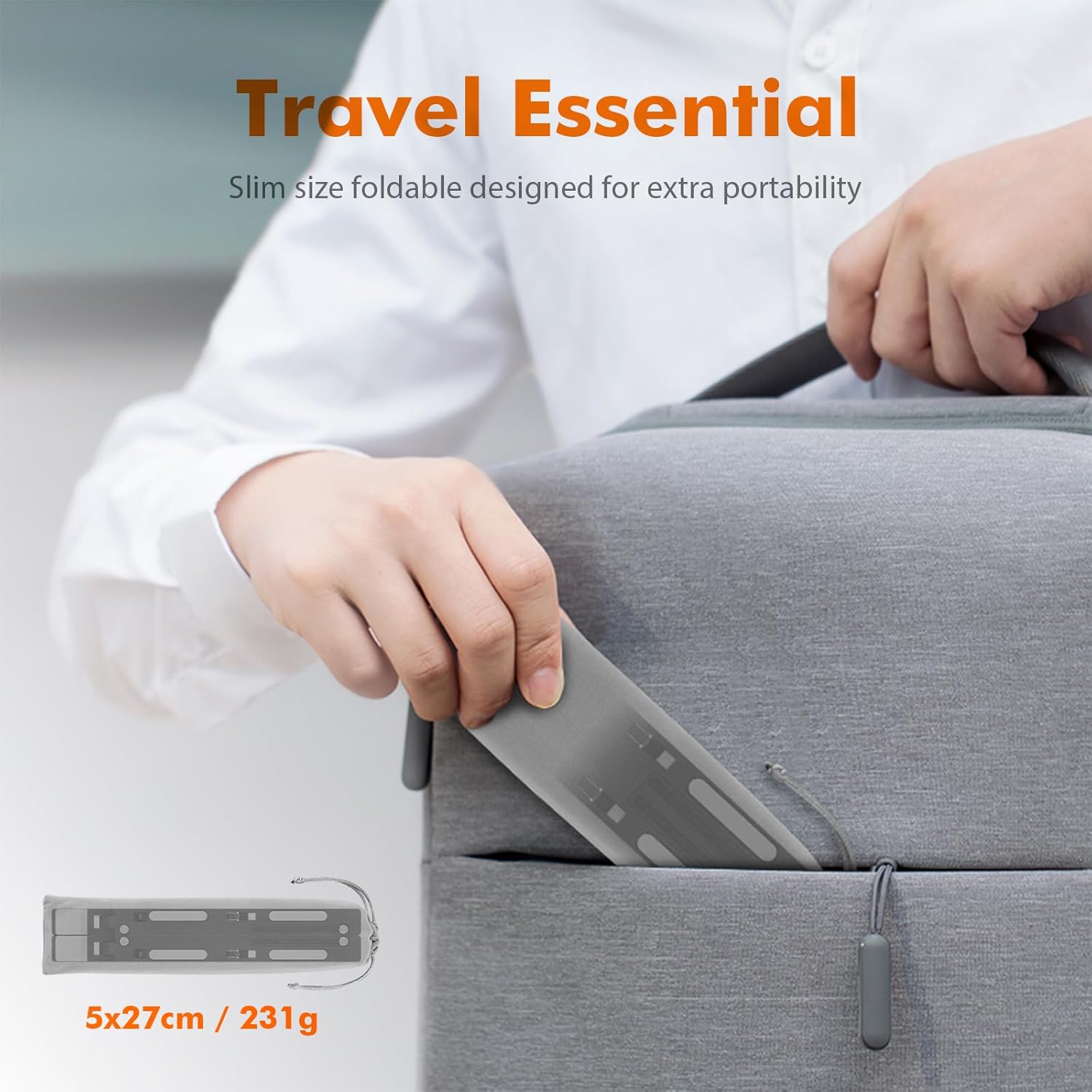
Figure 3: The laptop stand folded for portability and storage in its carrying bag.

Figure 4: Close-up of the anti-slip silicone pads and triangular structure for stability.

Figure 5: Illustration of airflow beneath a laptop placed on the stand, demonstrating heat dissipation.

Малюнак 6: Выпamples of compatible laptops and tablets on the stand.
3. Змесціва ўпакоўкі
Калі ласка, праверце ўпакоўку на наяўнасць наступных прадметаў:
- GRIFEMA GB1054B Laptop Stand
- Сумка для пераноскі
4. Інструкцыі па ўсталёўцы
The GRIFEMA GB1054B laptop stand is designed for quick and easy setup. No assembly is required.
- Remove the laptop stand from its carrying bag.
- Place the folded stand on a flat, stable surface.
- Gently pull the two halves of the stand apart to unfold it into its 'X' shape.
- Extend the support arms to their full length.
- Adjust the angle to your desired ergonomic position (refer to Section 5 for operating instructions).

Figure 7: Visual guide for unfolding and preparing the laptop stand for use.
5. Інструкцыя па эксплуатацыі
To adjust the angle of your laptop stand:
- Ensure no device is placed on the stand before adjusting the angle.
- Gently lift the support arms and move them to engage with the desired notch on the base. There are 6 available angle settings, ranging from 10° to 40°.
- Once the desired angle is set, ensure both support arms are securely locked into corresponding notches.
- Carefully place your laptop or tablet onto the stand, ensuring it rests securely against the front stoppers and on the silicone pads.
For optimal ergonomic benefits, position your screen so that the top edge is at or slightly below eye level.
6. Тэхнічнае абслугоўванне
To ensure the longevity and proper function of your GRIFEMA GB1054B laptop stand:
- Уборка: Працярыце падстаўку мяккай губкайamp cloth. Avoid using abrasive cleaners or solvents that could damage the finish or silicone pads.
- захоўванне: When not in use, fold the stand and store it in its provided carrying bag to protect it from dust and scratches.
- агляд: Periodically check the hinges and silicone pads for any signs of wear or damage.
7. Выпраўленне непаладак
If you encounter any issues with your laptop stand, please refer to the following common solutions:
- Падстаўка адчуваецца няўстойлівай: Ensure the stand is fully unfolded and both support arms are securely engaged in the corresponding notches. Make sure it is placed on a flat, stable surface.
- Laptop slides on the stand: Verify that the anti-slip silicone pads are clean and intact. Ensure your laptop is placed correctly against the front stoppers.
- Цяжкасці з рэгуляваннем вугла: Remove the laptop from the stand before attempting to adjust the angle. Apply gentle, even pressure when moving the support arms.
8. Тэхнічныя характарыстыкі
| Марка | ГРЫФЭМА |
| Нумар мадэлі | GB1054B |
| Матэрыял | Алюміній |
| Колер | Чорны |
| Рэгуляваныя куты | 6 levels (10° to 40°) |
| Сумяшчальныя прылады | Laptops and Tablets (10 to 17.3 inches) |
| Памеры ў складзеным выглядзе | 255 х 44 х 20 мм |
| Вага нета | 222 г |
| Асаблівасці | Ergonomic, Foldable, Adjustable, Heat Dissipation, Anti-slip |
| Рэкамендуемае выкарыстанне | Офіс, падарожжа |
9. Гарантыя і падтрымка
For warranty information or technical support, please contact the manufacturer, Ibergrif Griferias S.L, or your point of purchase. Please retain your proof of purchase for any warranty claims.