
Уводзіны
Thank you for choosing the TECKNET TK-MS317 Bluetooth Wireless Mouse. This manual provides detailed instructions for setting up, operating, and maintaining your mouse to ensure optimal performance. Please read this manual thoroughly before use and retain it for future reference.
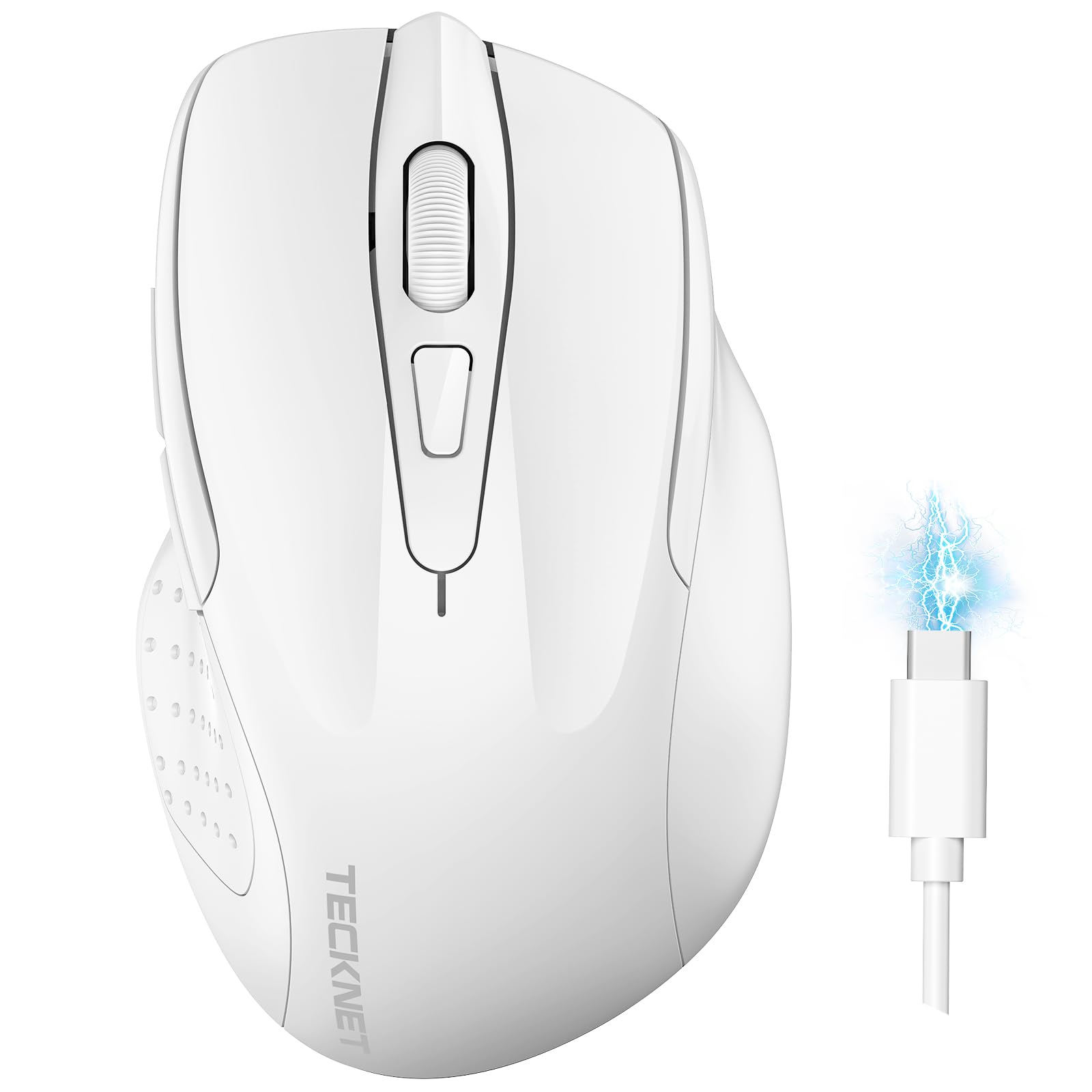
Image: The TECKNET TK-MS317 Bluetooth Wireless Mouse, showcasing its ergonomic design and sleek white finish.
Асаблівасці прадукту
- Патройныя рэжымы падключэння: Supports Bluetooth 5.0, Bluetooth 3.0, and 2.4GHz wireless connectivity, allowing seamless switching between up to two devices.
- Рэгуляваны DPI: Six adjustable DPI levels (800/1200/1600/2400/3200/4800) for precise control and adaptability to various tasks.
- Акумулятарная батарэя: Equipped with a 700 mAh rechargeable battery, providing extended usage on a single charge. Can be used while charging via USB-C.
- Бясшумныя клікі: Designed for quiet operation, reducing click noise by 90% for a focused work environment.
- Эрганамічны дызайн: Contoured shape fits comfortably in the palm, reducing hand fatigue during prolonged use.
- энергазберажэнне: Features a key-wake function and automatic sleep mode to conserve battery life.
- Універсальная сумяшчальнасць: Compatible with Windows 11/10/8/7/XP/Vista, Mac OS, Linux, Android, and iOS (BT 5.0 for iOS 10.4+).

Image: Illustration highlighting the silent click feature of the mouse, showing a quiet work environment.

Image: Diagram illustrating the ergonomic curvature of the TECKNET TK-MS317 mouse, designed for comfortable hand fit.
Інструкцыя па наладзе
1. Зарадка мышы
Before first use, or when the battery is low, connect the mouse to a power source using the provided USB-C cable. The charging indicator light will illuminate. A full charge typically takes about two hours and can last for 1 to 2 months of intensive use.

Image: The TECKNET TK-MS317 mouse connected via a USB-C cable for charging, highlighting its 700mAh battery capacity.
2. Падключэнне праз бесправадную сетку 2.4 ГГц
- Locate the USB 2.4G receiver, usually stored in a compartment on the underside of the mouse.
- Падключыце USB-прыёмнік да даступнага порта USB-A на вашым кампутары.
- Switch the mode selector on the bottom of the mouse to the "2.4G" position.
- The mouse should automatically connect to your computer. If not, try moving the mouse or restarting your computer.
3. Падключэнне праз Bluetooth (BT5.0 / BT3.0)
- Switch the mode selector on the bottom of the mouse to either "BT5.0" or "BT3.0" position.
- Press and hold the Bluetooth pairing button (usually located near the mode switch) for 3-5 seconds until the indicator light starts flashing, indicating pairing mode.
- On your device (computer, laptop, tablet, smartphone), go to Bluetooth settings.
- Пошук new devices. You should see "TECKNET Mouse" or a similar name appear in the list.
- Select the mouse to pair. Once connected, the indicator light on the mouse will stop flashing.
- To switch between paired Bluetooth devices or to the 2.4G mode, simply use the mode selector switch on the bottom of the mouse.

Image: Diagram showing the three connection modes (2.4G, Bluetooth 5.0, Bluetooth 3.0) of the TECKNET TK-MS317 mouse, connecting to a laptop and a tablet.
Інструкцыя па эксплуатацыі
1. Рэгуляванне DPI
The mouse features a DPI button, typically located behind the scroll wheel. Press this button to cycle through the six available DPI settings: 800, 1200, 1600, 2400, 3200, and 4800. Select the DPI that best suits your task and preference for cursor speed and precision.

Image: Visual representation of the TECKNET TK-MS317 mouse highlighting its 6 levels of adjustable DPI, up to 4800 DPI.
2. Пераключэнне рэжымаў
Use the physical switch on the underside of the mouse to select your desired connection mode: 2.4G, BT5.0, or BT3.0. This allows you to quickly switch between different devices without re-pairing.
3. Рэжым энергазберажэння
The mouse will automatically enter sleep mode after a period of inactivity to conserve battery. To wake the mouse, simply move it or click any button.
Тэхнічнае абслугоўванне
1. Уборка
Для чысткі мышы выкарыстоўвайце мяккую сухую тканіну. Для ўстойлівага бруду злёгкуamp cloth with mild soap can be used, ensuring no liquid enters the mouse. Avoid using harsh chemicals or abrasive materials.
2. Сыход за батарэяй
- Пазбягайце частай поўнай разрадкі акумулятара.
- Захоўвайце мыш у прахалодным, сухім месцы, калі яна не выкарыстоўваецца працяглы час.
- Выкарыстоўвайце для зарадкі толькі кабель USB-C, які ўваходзіць у камплект, або сертыфікаваны эквівалент.
Ліквідацыю непаладак
- Мышка не рэагуе:
- Пераканайцеся, што мыш зараджана.
- Check if the mode switch is set correctly (2.4G, BT5.0, or BT3.0).
- Для рэжыму 2.4G пераканайцеся, што USB-прыёмнік надзейна падключаны.
- For Bluetooth mode, ensure Bluetooth is enabled on your device and the mouse is paired. Try re-pairing if necessary.
- Try connecting the mouse to a different USB port or device to rule out port/device issues.
- Перарывістае падключэнне:
- Падсуньце мыш бліжэй да прымача/прылады.
- Пазбягайце выкарыстання мышы на металічных паверхнях, якія могуць перашкаджаць бесправадным сігналам.
- Ensure there are no other strong wireless interference sources nearby.
- Рух курсора няўстойлівы:
- Ачысціце аптычны датчык на ніжняй частцы мышы.
- Паспрабуйце выкарыстоўваць мыш на іншай паверхні або кілімку для мышы.
- Adjust the DPI setting to a lower value.
Тэхнічныя характарыстыкі
| Нумар мадэлі | ТК-МС317 |
| Марка | ТЭКНЕТ |
| Рэжымы падлучэння | Бесправадная сувязь 2.4 ГГц, Bluetooth 5.0, Bluetooth 3.0 |
| Ўзроўні DPI | 800, 1200, 1600, 2400, 3200, 4800 |
| Колькасць кнопак | 6 |
| Тып батарэі | Built-in 700 mAh Rechargeable Lithium Battery |
| Порт для зарадкі | USB-C |
| Вага | 150 грам |
| Сумяшчальнасць | Windows 11/10/8/7/XP/Vista, Mac OS, Linux, Android, iOS (10.4+ for BT 5.0) |
Гарантыя і падтрымка
TECKNET offers a 36-month warranty for registered users of this product. If you encounter any issues with your TECKNET TK-MS317 Bluetooth Wireless Mouse, please do not hesitate to contact our professional customer service team for assistance.
For warranty claims or technical support, please visit the official TECKNET webсайт або звярніцеся да кантактнай інфармацыі, размешчанай на ўпакоўцы прадукту.