
flatsons KMF-1
Flatsons KMF-1 Multi-Effects Processor User Manual
Your comprehensive guide to setting up, operating, and maintaining your KMF-1 Multi-Effects Processor.
1. Уводзіны
The Flatsons KMF-1 is an all-in-one multi-effects guitar pedal designed to provide a wide range of effects and amplifier/cabinet simulations. It allows users to effortlessly adjust settings to achieve their ideal tone. Utilizing Impulse Response (IR) technology, the KMF-1 accurately replicates classic cabinet sounds, enhanced by high-fidelity modeling. Each preset is meticulously crafted, drawing inspiration from iconic songs, offering exceptional tones with ease.
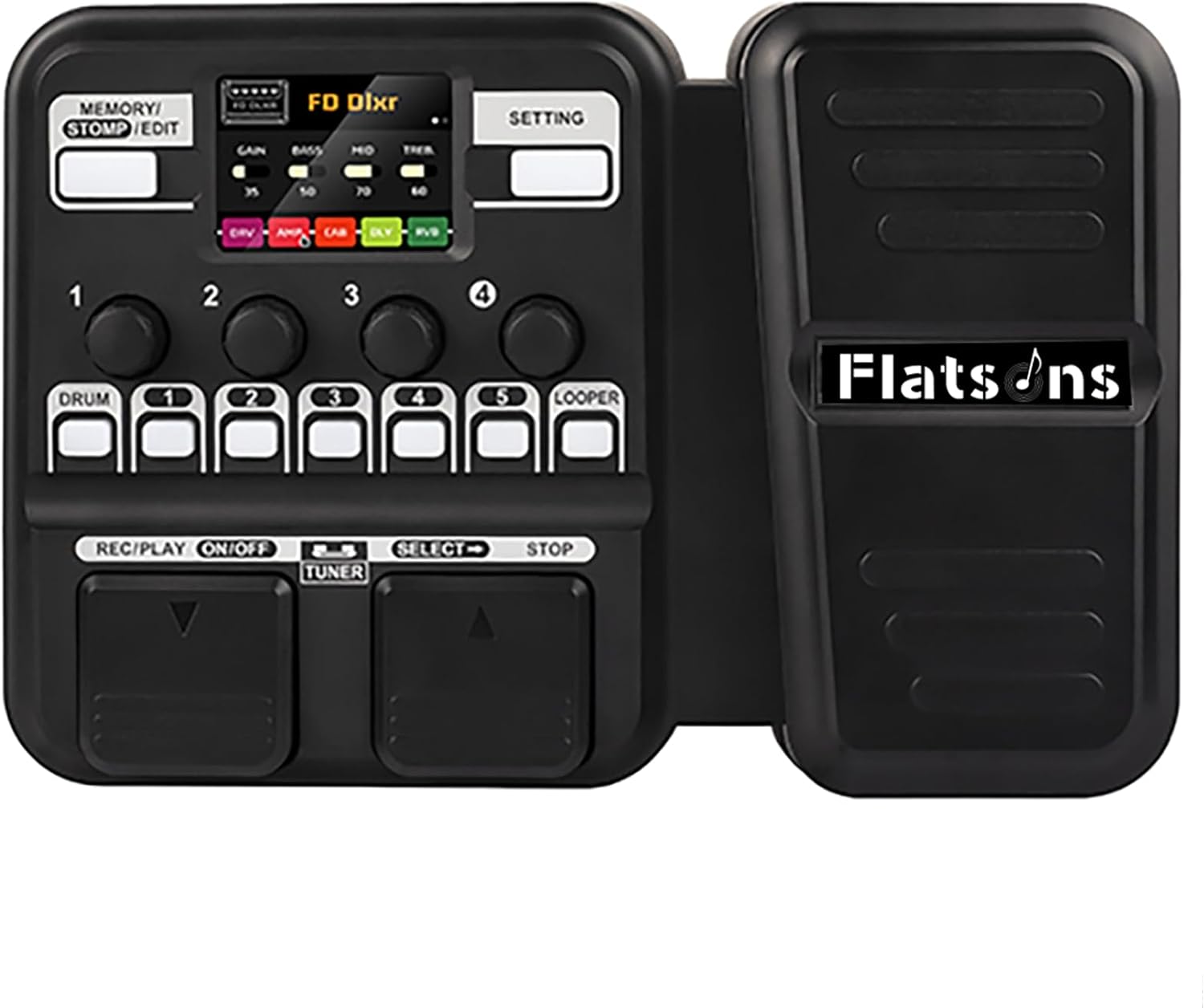
Figure 1: Flatsons KMF-1 Multi-Effects Processor. This image shows the compact black multi-effects pedal with an integrated expression pedal on the right and control panel on the left, featuring a small LCD screen and various buttons and knobs.
2. Асноўныя магчымасці
- TSAC Technology: Features TSAC (True Simulation of Analog Circuits) for accurate analog circuit simulation.
- ІЧ-Sampлінг: Incorporates 512-point IR sampling for realistic cabinet tones.
- Прэміум якасць гуку: Delivers high-quality sound suitable for both enthusiasts and professional musicians.
- Extensive Presets: Offers 50 presets for immediate playability.
- Барабанныя рытмы: Includes 42 built-in drum rhythms for practice and accompaniment.
- Looper Function: Features a 30-second looper for creative layering.
- Тэлефонная сувязь: Allows connection to a phone for backing tracks.
- Stomp Mode: Provides classic single-pedal control with 5 flexible effect blocks.
- ВК-дысплей: Equipped with a bright 128×32 LCD for real-time feedback and easy navigation.
- Зручныя элементы кіравання: Designed with intuitive controls for ease of use.
- Трывалы дызайн: Features a robust and customizable pedal.

Figure 2: Box simulation based on IR technology. This image displays the KMF-1's capability to simulate various speaker cabinets using Impulse Response technology, ensuring high-fidelity sound.
3. Кіраўніцтва па наладцы
Follow these steps to set up your Flatsons KMF-1 Multi-Effects Processor:
- Падключэнне сілкавання: The KMF-1 can be powered by 6 AA batteries or a DC 9V power adapter. For optimal performance and extended use, it is recommended to use the DC 9V power adapter. Connect the power adapter to the DC 9V 500mA input port (15).
- Інструментальны ўвод: Connect your electric guitar or other instrument to the Input jack (12) using a standard 1/4-inch instrument cable.
- Выходнае злучэнне:
- Для падключэння да amplifier or mixer, use the Output/Headphone jack (13).
- For silent practice, connect headphones to the same Output/Headphone jack (13).
- Дапаможны ўваход: To play along with backing tracks from an external device (e.g., smartphone, MP3 player), connect the device to the AUX IN jack (11).
- USB-злучэнне: For firmware updates or connecting to computer software (if applicable), use the USB-C port (14).
- Уключэнне: Once all connections are secure, power on the unit. The LCD screen will illuminate, indicating the device is ready for use.

Figure 3: Rich interfaces for Flatsons KMF-1. This image displays the various input and output ports on the side of the pedal, including AUX IN, Input, Output/Headphone, USB, and DC 9V power supply.

Figure 4: Flatsons KMF-1 Multi-Effects Pedal labeled diagram. This diagram clearly labels the various buttons, knobs, and ports on the KMF-1 unit, including Memory/Stomp/Edit button (1), Setting button (2), Adjustment button set (3), Adjustment and Select button (4), Drum Machine button (5), Block Select button (6), Looper button (7), Footswitch (8), Footswitch (9), Control Pedal (10), AUX IN (11), Input (12), Output/Headphone (13), USB-C (14), and Power supply (15).
4. Інструкцыя па эксплуатацыі
The KMF-1 offers intuitive controls for navigating its features:
4.1. Navigating Presets
Use the footswitches (8, 9) to scroll through the 50 available presets. The LCD screen will display the current preset number and name.
4.2. Stomp Mode
Engage Stomp Mode to individually activate or deactivate the 5 flexible effect blocks. This mimics the control of traditional individual stompbox pedals. The Block Select buttons (6) correspond to each effect block.
4.3. Adjusting Effects and Parameters
The Adjustment button set (3) and Adjustment and Select button (4) allow you to fine-tune parameters for each effect and amplifier model. Refer to the on-screen interface for specific parameter adjustments.
4.4. Drum Machine and Looper
Activate the Drum Machine using the dedicated button (5) to select from 42 drum rhythms. The Looper function (7) allows you to record and layer up to 30 seconds of audio.

Figure 5: Drum machine and looper features. This image shows the KMF-1's LCD screen displaying drum machine settings, including rhythm type, BPM, and volume, alongside the physical buttons for drum and looper functions.
5. Тэхнічнае абслугоўванне
To ensure the longevity and optimal performance of your Flatsons KMF-1, follow these maintenance guidelines:
- Уборка: Use a soft, dry cloth to clean the exterior of the unit. Avoid using abrasive cleaners, solvents, or waxes, as they may damage the finish.
- захоўванне: When not in use, store the KMF-1 in a cool, dry place away from direct sunlight and extreme temperatures.
- Сыход за батарэяй: If using AA batteries, remove them if the unit will not be used for an extended period to prevent leakage and damage.
- Сувязі: Periodically check all cable connections for wear and tear. Ensure cables are securely plugged in during use.
- Абнаўленні прашыўкі: Check the official Flatsons webсайт для атрымання даступных абнаўленняў прашыўкі, каб пераканацца, што ваша прылада мае найноўшыя функцыі і выпраўленні памылак.
6. Выпраўленне непаладак
If you encounter issues with your KMF-1, refer to the following common problems and solutions:
| праблема | Магчымая прычына | Рашэнне |
|---|---|---|
| Няма выхаду гуку |
|
|
| Скажоная або дрэнная якасць гуку |
|
|
| Прылада не ўключаецца |
|
|
7. Тэхнічныя характарыстыкі
| Атрыбут | Каштоўнасць |
|---|---|
| Вага прадмета | 2.44 фунта (1.11 кілаграма) |
| Памеры прадукту | 9.56 х 6.49 х 2.32 цалі (24.3 см Д х 16.5 см Ш х 5.9 см В) |
| Краіна паходжання | Кітай |
| Нумар мадэлі тавару | KMF-1 |
| Назва колеру | Чорны |
| Абсталяванне інтэрфейсу | USB тыпу C |
| Фармат сігналу | Лічбавы |
| Крыніца харчавання | Corded Electric/AA Battery Powered |
| тtage | 9 вольт |
| Марка | flatsons |
| стыль | Multi Effects Guitar Pedal |
| Дата першай даступнасці | 7 чэрвеня 2024 г |

Figure 6: Flatsons KMF-1 Dimensions. This image provides a visual representation of the pedal's dimensions, showing a length of 243mm, width of 165mm, and height of 59mm.
8. Гарантыя і падтрымка
For detailed warranty information and customer support, please refer to the official Flatsons webсайт або звярніцеся непасрэдна ў службу падтрымкі кліентаў.
Дадатковыя рэсурсы:
Ask a question about this manual
Ask about setup, troubleshooting, compatibility, parts, safety, or missing instructions. Manuals+ will review the question and use this page’s manual context to help answer it.