
iKF iKF Alive
iKF Alive Wireless Noise-Cancelling Neckband Earphones User Manual
Model: iKF Alive
1. Прадукт скончыўсяview
The iKF Alive Wireless Noise-Cancelling Neckband Earphones offer an immersive audio experience with advanced features. Designed for comfort and durability, these earphones are suitable for daily use, sports, and gaming.
- Актыўнае падаўленне шуму: Up to -49dB noise reduction for undisturbed listening.
- Magnetic Neckband Design: Prevents loss and offers convenient storage.
- IPX5 воданепранікальны: Resistant to sweat and rain, ideal for workouts.
- Падоўжаны час прайгравання: Up to 20 hours of playback (16 hours with ANC).
- HiFi стэрэагук: Equipped with 13mm composite speakers for superior audio quality.
- Рэжым нізкай затрымкі: Ensures seamless audio synchronization for gaming and videos.
- Шматкропкавае злучэнне: Connects to two devices simultaneously for easy switching.

Figure 1: iKF Alive Wireless Noise-Cancelling Neckband Earphones.
2. Што ў скрынцы
Калі ласка, праверце змесціва пакета пасля распакавання:
- iKF Alive Earphones x 1
- Кабель для зарадкі USB x 1
- Кіраўніцтва карыстальніка x 1
3. Настройка
3.1 Зарадка навушнікаў
Перад першым выкарыстаннем цалкам зарадзіце навушнікі. Поўная зарадка займае прыблізна 1.5 гадзіны.
- Connect the provided USB charging cable to the charging port on the neckband and a power source.
- Святлодыёдны індыкатар пакажа стан зарадкі.
- Once fully charged, the earphones provide up to 20 hours of playtime (16 hours with Active Noise Cancellation enabled).

Figure 2: Battery life and charging indication.
3.2 Спалучэнне па Bluetooth
The iKF Alive earphones use Bluetooth 5.4 for stable connectivity.
- Пераканайцеся, што навушнікі зараджаныя і выключаныя.
- Press and hold the multi-function button until the LED indicator flashes blue and red, indicating pairing mode.
- На вашай прыладзе (смартфоне, планшэце і г.д.) уключыце Bluetooth і знайдзіце даступныя прылады.
- Select "iKF Alive" from the list of devices to connect.
- Пасля падлучэння святлодыёдны індыкатар загарыцца сінім.
3.3 Шматкропкавае падключэнне
The earphones support connecting to two devices simultaneously.
- Падключыце навушнікі да першай прылады, як апісана вышэй.
- Адключыце Bluetooth на першай прыладзе.
- Put the earphones back into pairing mode and connect to the second device.
- Зноў уключыце Bluetooth на першай прыладзе. Навушнікі павінны аўтаматычна падключыцца да абедзвюх прылад.

Figure 3: Multipoint connection via the iKF App.
4. Інструкцыя па эксплуатацыі
4.1 Асноўныя элементы кіравання
The earphones feature a 3-button control panel on the neckband for easy management of music and calls.
- Уключэнне/выключэнне харчавання: Націсніце і ўтрымлівайце шматфункцыянальную кнопку.
- Прайграванне/Паўза: Аднаразовае націсканне шматфункцыянальнай кнопкі.
- Павялічыць/паменшыць гучнасць: Націсніце кнопкі «+» або «-».
- Наступны/Папярэдні трэк: Long press the '+' or '-' buttons.
- Адказ/завяршэнне выкліку: Аднаразовае націсканне шматфункцыянальнай кнопкі.
- Адхіліць выклік: Доўга націсніце шматфункцыянальную кнопку.
- Актываваць галасавы памочнік: Двойчы націсніце шматфункцыянальную кнопку.
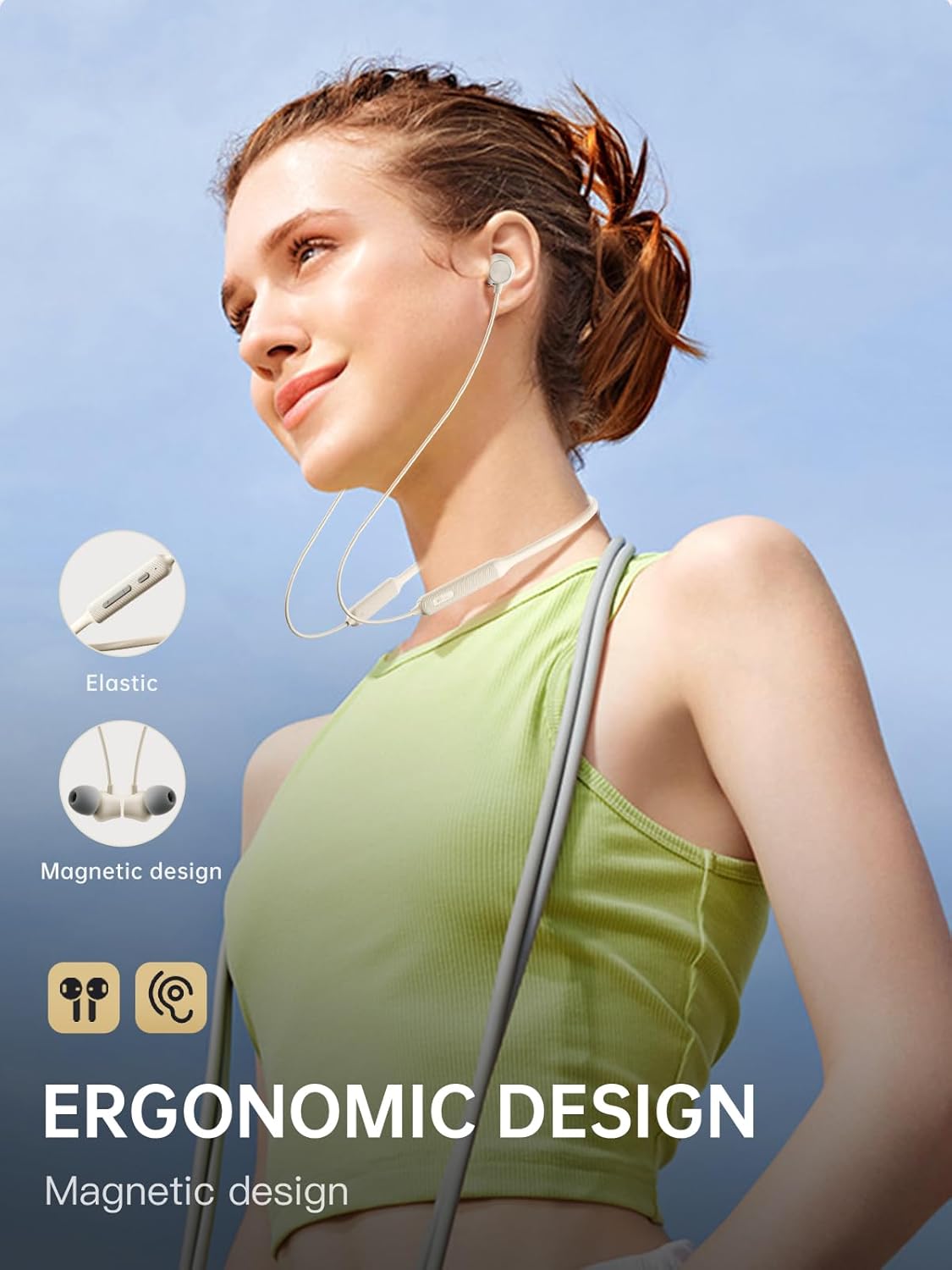
Figure 4: Ergonomic design and magnetic earbud feature.
4.2 Актыўнае падаўленне шуму (ANC)
The iKF Alive earphones feature up to -49dB Active Noise Cancellation to minimize ambient noise.
- Уключыць/выключыць шумавы кантролер: Use the dedicated ANC button on the neckband or control via the iKF App.
- The iKF App allows for three adjustable noise reduction gears to suit different environments.

Малюнак 5: Актыўнае шумапрыглушэнне ў дзеянні.
4.3 HiFi Stereo Sound and Low Latency
Experience high-fidelity audio and seamless synchronization.
- The 13mm composite speakers deliver rich, detailed HiFi stereo sound.
- Activate the low latency mode (38ms) for gaming and video streaming to ensure audio and visuals are perfectly synchronized.

Figure 6: Internal structure of the 13mm HiFi speaker driver.
4.4 iKF App Control
Enhance your experience with the iKF App, available for both Android and iOS devices.
- Customize noise cancellation levels.
- Access headphone positioning features.
- Manage in-ear detection settings.
- Configure sleep mode and custom touch controls.
5. Тэхнічнае абслугоўванне
5.1 Воданепранікальнасць
The iKF Alive earphones are IPX5 waterproof, providing protection against sweat and light rain.
- Avoid submerging the earphones in water.
- Пераканайцеся, што вечка зараднага порта шчыльна зачынена, каб прадухіліць трапленне вады.
- Wipe off any sweat or moisture after use with a soft, dry cloth.

Figure 7: Designed for sports with IPX5 water resistance.
5.2 Ачыстка і захоўванне
- Regularly clean the ear tips and earphone surfaces with a soft, slightly damp тканіна.
- Не выкарыстоўвайце агрэсіўныя хімікаты або абразіўныя матэрыялы.
- Захоўвайце навушнікі ў прахалодным, сухім месцы, удалечыні ад прамых сонечных прамянёў і экстрэмальных тэмператур.
- The magnetic earbuds help keep the neckband tidy and prevent tangling when not in use.
6. Выпраўленне непаладак
Калі ў вас узнікнуць якія-небудзь праблемы, звярніцеся да наступных распаўсюджаных рашэнняў:
| праблема | Магчымае рашэнне |
|---|---|
| Навушнікі не ўключаюцься | Пераканайцеся, што навушнікі цалкам зараджаныя. |
| Немагчыма спалучыць прыладу | Make sure earphones are in pairing mode (flashing blue/red). Turn off and on Bluetooth on your device. Forget previous pairings and try again. |
| Няма гуку альбо малая гучнасць | Check volume levels on both earphones and connected device. Ensure earphones are properly connected. |
| АНК працуе неэфектыўна | Ensure ANC is enabled. Adjust ear tips for a secure seal. Clean any debris from the microphone ports. |
| Перарывістае злучэнне | Ensure no obstacles between earphones and device. Move closer to the device. Avoid strong electromagnetic interference. |
Калі праблема не знікне, звярніцеся ў службу падтрымкі кліентаў.
7. Тэхнічныя характарыстыкі
| Асаблівасць | Дэталь |
|---|---|
| Назва мадэлі | iKF Alive |
| Марка | iKF |
| Сувязь | Бесправадная сувязь (Bluetooth 5.4) |
| Размяшчэнне вушэй | Укладышы |
| Формаў-фактар | Шыйная павязка |
| Актыўнае падаўленне шуму | Да -49 дБ |
| Узровень воданепранікальнасці | IPX5 |
| Час гульні | Да 20 гадзін (16 гадзін з ANC) |
| Час зарадкі | Прыбл. 1.5 гадзіны |
| Затрымка аўдыя | 38 мілісекунд |
| Тып драйвера | Dynamic Driver (13mm composite speakers) |
| Імпеданс | 32 Ом |
| Тып кіравання | Button, Touch (via App) |
| Асаблівасці | Multipoint Pairing, Noise Cancellation, Fast Charging |
| Сумяшчальныя прылады | Cellular Phones, Phones |
| Матэрыял | Сілікон |
8. Гарантыя і падтрымка
iKF provides a standard warranty for this product. Please refer to the warranty card included in your package for specific terms and conditions.
For technical support, troubleshooting assistance, or warranty claims, please contact iKF customer service through the official webсайт або ваш прадавец.
Ask a question about this manual
Ask about setup, troubleshooting, compatibility, parts, safety, or missing instructions. Manuals+ will review the question and use this page’s manual context to help answer it.