
1. Уводзіны
The MIPRO ACT-311/ACT-32H Single-Channel Handheld Wireless System is engineered for professional audio applications, offering high-fidelity sound and dependable performance. This system features a premium condenser microphone capsule for clear, dynamic vocal reproduction. Its design prioritizes ease of use with MIPRO's patented ACT technology for rapid frequency synchronization and an Auto Scan function to identify interference-free channels. Advanced diversity technology further enhances reliability by minimizing signal dropouts. This manual provides essential information for the proper setup, operation, and maintenance of your wireless system.
2. Змесціва ўпакоўкі
Please inspect the package contents carefully. If any items are missing or damaged, contact your dealer.
- Аднаканальны рэсівер ACT-311
- ACT-32H Handheld Wireless Microphone (Transmitter)
- Power Adapter for Receiver
- Audio Cable (XLR to 1/4" Phone Jack)
- AA Batteries (for Transmitter)
- Кіраўніцтва карыстальніка (гэты дакумент)
3. Прадукт скончыўсяview
The MIPRO ACT-311/ACT-32H system consists of a receiver unit and a handheld microphone transmitter.
3.1. ACT-311 Receiver
The ACT-311 receiver processes the wireless signal from the transmitter and outputs it as an audio signal. It features a clear LCD display, control buttons, and antenna inputs.
3.2. ACT-32H Handheld Transmitter
The ACT-32H is a robust handheld microphone with an integrated wireless transmitter. It includes a power switch, battery compartment, and an ACT sync port.
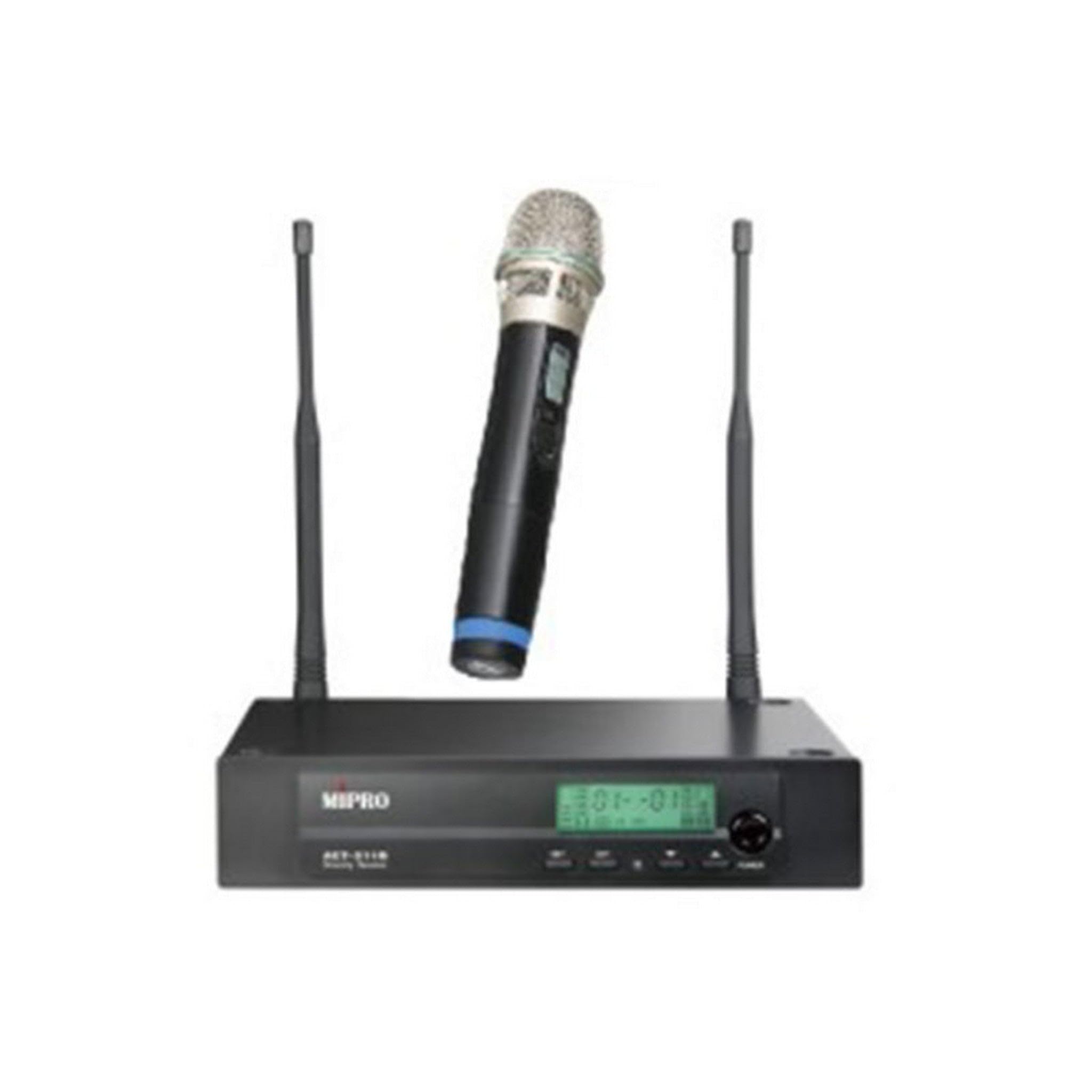
Figure 1: The MIPRO ACT-311/ACT-32H Single-Channel Handheld Wireless System, showing the receiver and handheld microphone.
4. Настройка
Follow these steps to set up your MIPRO wireless system.
4.1. Размяшчэнне прымача
- Place the ACT-311 receiver in a location free from obstructions and away from potential sources of interference (e.g., computers, digital processors, other wireless devices).
- Ensure the receiver's antennas are fully extended and positioned vertically for optimal signal reception.
- Maintain a clear line of sight between the receiver and the area where the transmitter will be used.
4.2. Падключэнне сілкавання
- Connect the supplied power adapter to the DC input jack on the rear panel of the ACT-311 receiver.
- Plug the power adapter into an appropriate AC power outlet.
- Do not power on the receiver yet.
4.3. Падключэнне аўдыёвыхаду
Connect the receiver's audio output to your mixer, amplifier, or sound system.
- Balanced Output (XLR): Use an XLR cable to connect the receiver's XLR output to a balanced input on your mixer.
- Unbalanced Output (1/4" Phone Jack): Use a 1/4" phone jack cable to connect the receiver's unbalanced output to an unbalanced input on your mixer or ampзадымнік.
4.4. Устаноўка батарэі перадатчыка
- Unscrew the lower part of the ACT-32H handheld microphone to reveal the battery compartment.
- Insert two fresh AA batteries, observing the correct polarity (+/-) as indicated inside the compartment.
- Securely screw the lower part back onto the microphone.
5. Інструкцыя па эксплуатацыі
This section details how to operate your MIPRO wireless system.
5.1. Уключэнне / выключэнне харчавання
- Receiver (ACT-311): Press the power button on the front panel. The LCD display will illuminate.
- Transmitter (ACT-32H): Slide the power switch on the handheld microphone to the "ON" position. The power indicator will light up.
- Always power on the receiver before the transmitter, and power off the transmitter before the receiver.
5.2. Frequency Synchronization (ACT Function)
MIPRO's patented ACT (Automatic Channel Targeting) function allows for quick and precise frequency matching between the receiver and transmitter.
- Пераканайцеся, што і прыёмнік, і перадатчык уключаны.
- On the ACT-311 receiver, press the ДЗЕЙНІЧАЙЦЕ button. The ACT indicator on the receiver will flash.
- Align the ACT sync port on the ACT-32H handheld microphone (usually near the base or battery compartment) with the ACT window on the receiver.
- Hold them together within a few centimeters until the receiver's ACT indicator stops flashing and the transmitter's frequency display matches the receiver's.
- The system is now synchronized and ready for use.
5.3. Channel Selection (Auto Scan)
Use the Auto Scan function to find the clearest available frequency channel.
- On the ACT-311 receiver, press the СКАНІРАВАЦЬ кнопка.
- The receiver will automatically scan for an interference-free channel.
- Once a clear channel is found, the receiver will display it.
- Perform the ACT synchronization process (Section 5.2) to match the transmitter to this newly selected channel.
5.4. Рэгуляванне гучнасці
Adjust the audio output level of the receiver using the АБ'ЁМ control knob on the front panel of the ACT-311. Start with a low volume and gradually increase it to a suitable level on your mixer or ampзадымнік.
5.5. Выкарыстанне мікрафона
- Hold the ACT-32H microphone approximately 2-6 inches (5-15 cm) from your mouth for optimal vocal pickup.
- Avoid covering the microphone grille with your hand, as this can affect sound quality and signal transmission.
- Be aware of the microphone's unidirectional polar pattern, which means it primarily picks up sound from the front, reducing background noise.
6. Тэхнічнае абслугоўванне
Proper maintenance ensures the longevity and optimal performance of your wireless system.
6.1. Уборка
- Wipe the receiver and transmitter with a soft, dry cloth.
- Для ўстойлівых забруджванняў выкарыстоўвайце злёгку damp тканінай, а затым старанна высушыце.
- Do not use abrasive cleaners, solvents, or harsh chemicals, as these can damage the finish or internal components.
- Periodically clean the microphone grille to prevent debris buildup.
6.2. Замена батарэі
- Replace the AA batteries in the ACT-32H transmitter when the low battery indicator appears on the microphone or receiver, or if you notice a decrease in performance.
- Always use fresh, high-quality alkaline or rechargeable batteries.
- Калі перадатчык не будзе выкарыстоўвацца працяглы час, выміце батарэйкі, каб прадухіліць уцечку.
6.3. Захоўванне
- Захоўвайце сістэму ў прахалодным, сухім месцы, удалечыні ад прамых сонечных прамянёў, экстрэмальных тэмператур і высокай вільготнасці.
- If transporting, use a protective case to prevent physical damage.
7. Выпраўленне непаладак
If you encounter issues with your MIPRO wireless system, refer to the following common problems and solutions.
7.1. Няма гуку
- Праверце магутнасць: Ensure both the receiver and transmitter are powered on and their respective power indicators are lit.
- Праверце злучэнні: Verify that the receiver's audio output is correctly connected to your mixer/amplifier and that all cables are secure.
- Праверыць аб'ём: Ensure the receiver's volume control is not set to minimum and that your mixer/amplifier input gain is appropriately set.
- Частата праверкі: Confirm that the transmitter and receiver are synchronized to the same frequency. Perform ACT synchronization if necessary.
- Праверце батарэі: Replace the batteries in the handheld transmitter if they are low or depleted.
7.2. Interference or Signal Dropouts
- Размяшчэнне прымача: Relocate the receiver to a higher position or away from metal objects and other electronic devices that may cause interference.
- Размяшчэнне антэны: Ensure receiver antennas are fully extended and positioned correctly.
- Scan for Clear Channel: Use the Auto Scan function on the receiver to find a new, clear frequency, then re-synchronize the transmitter.
- Працоўны дыяпазон: Ensure the transmitter is within the recommended operating range of the receiver.
- Узровень батарэі: Low transmitter batteries can cause signal instability. Replace them if needed.
7.3. Poor Sound Quality (Distortion, Weak Signal)
- Microphone Proximity: Ensure the microphone is held at an appropriate distance from the sound source (typically 2-6 inches).
- Налады ўзмацнення: Adjust the input gain on your mixer/amplifier. If the signal is too hot, it can cause distortion; if too low, it will be weak.
- Узровень батарэі: Weak batteries can affect audio quality. Replace them.
- Перашкоды: Ensure there are no physical obstructions between the transmitter and receiver.
8. Тэхнічныя характарыстыкі
Key technical specifications for the MIPRO ACT-311/ACT-32H Wireless System.
| Асаблівасць | Спецыфікацыя |
|---|---|
| Назва мадэлі | ACT-311/ACT-32H |
| Марка | МІПРО |
| Колькасць каналаў | 1 |
| АЧХ | 506-530 MHz (5A Band) |
| Стаўленне сігнал / шум | 70 дБ |
| Тэхналогія падлучэння | Бесправадная сувязь |
| Формаў-фактар мікрафона | Ручны |
| Палярны ўзор | Аднанакіраваны |
| Крыніца харчавання (перадатчык) | Харчаванне ад батарэек (AA) |
| Вага прадмета | 6 pounds (System total, approximate) |
9. Гарантыя і падтрымка
MIPRO products are designed for reliability and performance. For specific warranty information, please refer to the warranty card included with your product or visit the official MIPRO webсайт.
If you require technical assistance or have questions not covered in this manual, please contact your authorized MIPRO dealer or MIPRO customer support.