
1. Уводзіны
Дзякуй за пакупкуasing the Zenwire D300S Mini Projector. This manual provides essential information for the safe and efficient operation of your device. Please read it thoroughly before use and retain it for future reference.
Тэхніка бяспекі
- Не глядзіце непасрэдна ў аб'ектыў праектара, калі ён уключаны.amp уключаны.
- Забяспечце належную вентыляцыю, каб прадухіліць перагрэў. Не закрывайце вентыляцыйныя адтуліны.
- Выкарыстоўвайце толькі адаптар сілкавання, які ўваходзіць у камплект.
- Трымайце праектар далей ад вады або іншых вадкасцей.
- Пазбягайце размяшчэння праектара на няўстойлівых паверхнях.
- Не спрабуйце разбіраць або рамантаваць праектар самастойна. Звярніцеся да кваліфікаванага абслугоўваючага персаналу.
2. Змесціва ўпакоўкі
Калі ласка, праверце наяўнасць усіх прадметаў у вашай упакоўцы:
- Zenwire D300S Mini Projector
- Пульт дыстанцыйнага кіравання
- Адаптар сілкавання
- AV-кабель
- Кіраўніцтва карыстальніка (гэты дакумент)
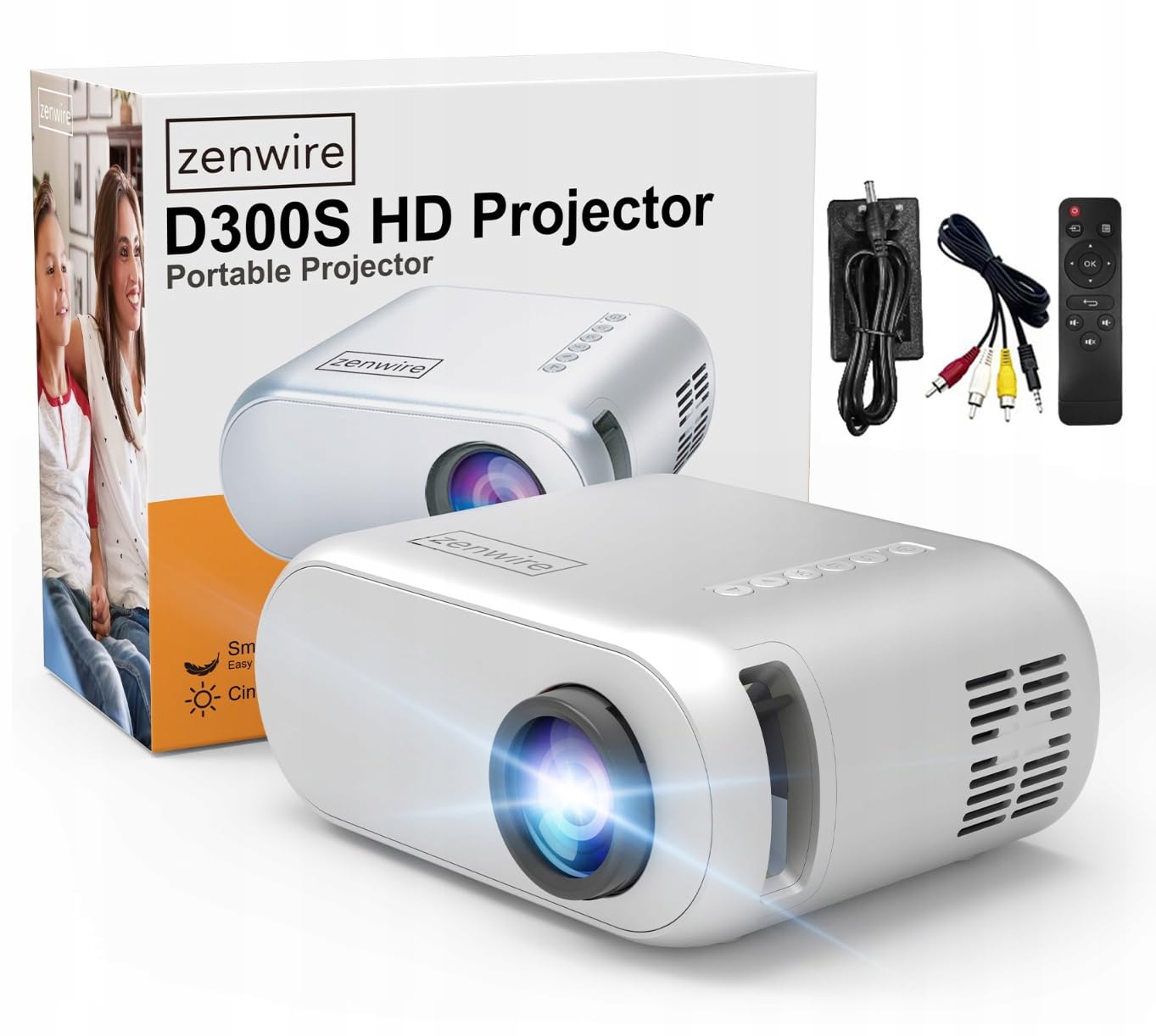
Image 2.1: Zenwire D300S Mini Projector and included accessories.
3. Прадукт скончыўсяview
Праектар спераду і зверху View
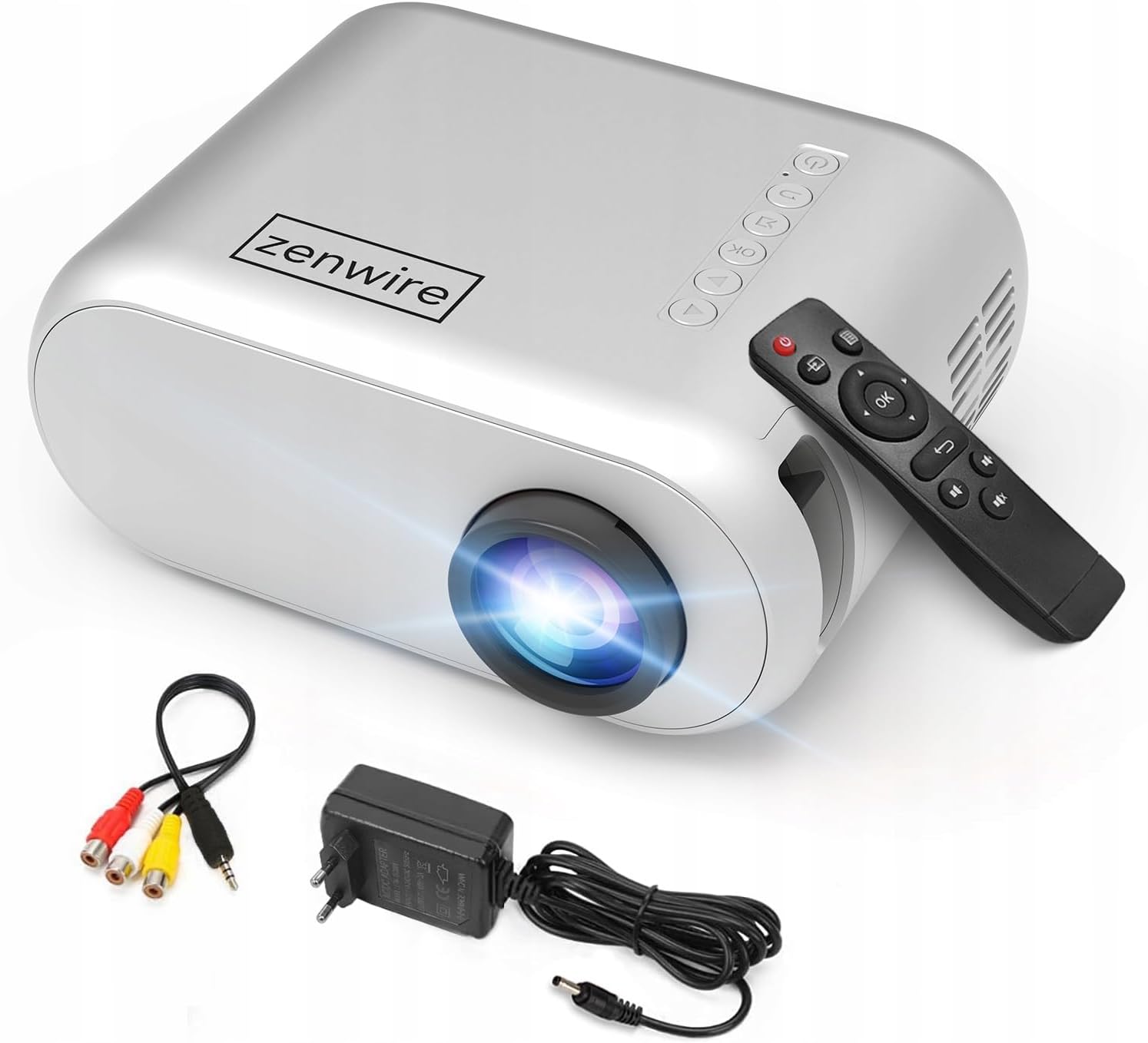
Малюнак 3.1: Пярэдняя і верхняя часткі view of the projector, showing the lens and top control panel.
Задняя панэль і падключэнне
The rear panel of the projector features various ports for connecting external devices:

Малюнак 3.2: ззаду view of the projector, highlighting the input/output ports.
- AV-уваход: For connecting devices using the included AV cable.
- Уваход HDMI: For connecting devices such as laptops, gaming consoles, or streaming sticks.
- Порт USB: Для падключэння USB-флэш-назапашвальнікаў для прайгравання медыяфайлаў files непасрэдна.
- AUX выхад: Для падлучэння знешніх дынамікаў або навушнікаў.
- Уваход пастаяннага току: Для падлучэння адаптара сілкавання.
Верхняя панэль кіравання
The top of the projector features a control panel for basic operations:
- Кнопка харчавання: Уключае або выключае праектар.
- Кнопкі навігацыі (Уверх/Уніз/Улева/Управа): Выкарыстоўваецца для навігацыі па меню.
- Кнопка ОК: Пацвярджае выбар.
- Кнопка "Назад": Вяртанне да папярэдняга меню або экрана.
- Кнопка крыніцы: Selects input source (HDMI, AV, USB).
4. Настройка
4.1 Размяшчэнне
Place the projector on a stable, flat surface. Ensure there is adequate space around the projector for ventilation. The projection distance affects the screen size. Refer to the image below for recommended distances and corresponding screen sizes.

Image 4.1: Recommended projection distances and screen sizes.
- For a 30-inch screen, place the projector approximately 0.9 meters away.
- For a 50-inch screen, place the projector approximately 1.5 meters away.
- For an 80-inch screen, place the projector approximately 2.4 meters away.
- For a 100-inch screen, place the projector approximately 3.0 meters away.
4.2 Падключэнне харчавання
Connect the power adapter to the DC Power Input port on the projector, then plug the adapter into a power outlet.
4.3 Падключэнне прылад
The Zenwire D300S supports various input sources:
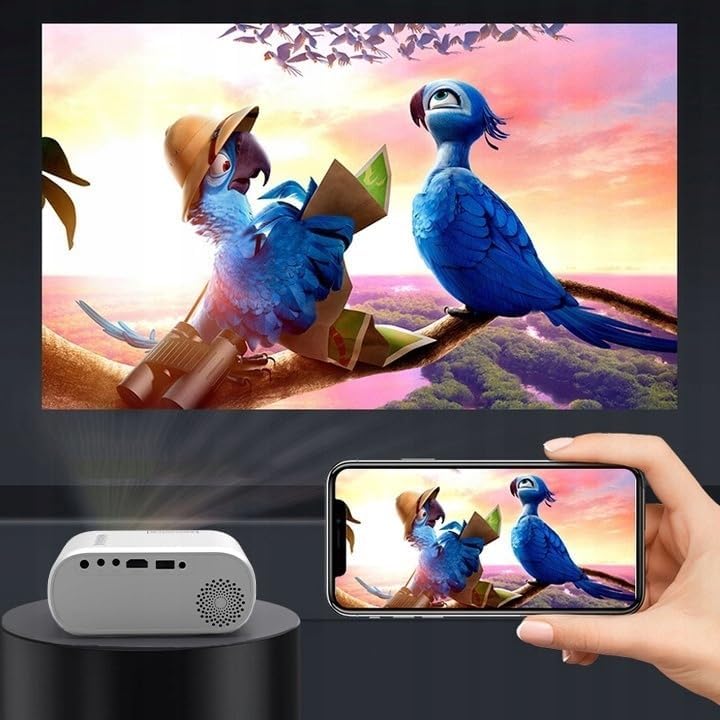
Малюнак 4.2: Прыкладamples of devices that can be connected to the projector.
- HDMI: Connect your laptop, gaming console, or streaming device using an HDMI cable.
- USB: Устаўце флэш-назапашвальнік USB у порт USB, каб прайграваць медыяфайлы files непасрэдна.
- АВ: Use the included AV cable to connect older devices like DVD players.
- Audio Out (AUX): Connect external speakers or headphones to the AUX port for enhanced audio.
4.4 Рэгуляванне фокусу
Turn on the projector. Adjust the focus ring located near the lens until the projected image is clear and sharp.
5. Інструкцыя па эксплуатацыі
5.1 Уключэнне/выключэнне сілкавання
Націсніце кнопку харчавання на праектары або пульце дыстанцыйнага кіравання, каб уключыць або выключыць прыладу.
5.2 Выбар крыніцы
After powering on, use the 'Source' button on the projector or remote control to select the desired input source (HDMI, AV, USB).
5.3 Навігацыя па меню
Use the navigation buttons (Up/Down/Left/Right) on the projector or remote to browse through menus. Press 'OK' to confirm a selection and 'Back' to return.
5.4 Рэгулятар гучнасці
Адрэгулюйце гучнасць з дапамогай кнопак гучнасці на пульце дыстанцыйнага кіравання.
5.5 Connecting to a Phone/Laptop
To project content from a phone or laptop:
- Для ноўтбукаў: Connect via HDMI cable. Select HDMI as the input source on the projector.
- Для тэлефонаў: Depending on your phone model, you may need an adapter (e.g., USB-C to HDMI, Lightning to HDMI) to connect via HDMI. Alternatively, some phones support wireless display technologies that can be used with a compatible streaming stick connected to the projector's HDMI port.

Image 5.1: Projecting content from a smartphone to the Zenwire D300S Mini Projector.
6. Тэхнічнае абслугоўванне
6.1 Ачыстка аб'ектыва
Выкарыстоўвайце мяккую тканіну без ворса, спецыяльна распрацаваную для аптычных лінзаў, каб акуратна працерці аб'ектыў праектара. Не выкарыстоўвайце абразіўныя ачышчальнікі або празмерныя сілы.
6.2 Ачыстка корпуса праектара
Працярыце знешнія паверхні праектара мяккай сухой тканінай. Для выдалення ўстойлівых плям злёгкуamp можна выкарыстоўваць тканіну, а затым сухую тканіну.
6.3 Вентыляцыя
Regularly check that the ventilation openings are free from dust and obstructions to ensure proper airflow and prevent overheating.
7. Выпраўленне непаладак
Калі ў вас узніклі праблемы з праектарам, звярніцеся да наступных распаўсюджаных праблем і рашэнняў:
| праблема | Магчымая прычына | Рашэнне |
|---|---|---|
| Няма праецыравання выявы | Power not connected, incorrect input source, device not sending signal. | Check power connection, select correct input source, ensure connected device is on and outputting video. |
| Відарыс размыты | Focus not adjusted, projector too close/far. | Adjust the focus ring, reposition the projector according to recommended distances. |
| Няма гуку | Гучнасць занадта нізкая, знешнія дынамікі не падключаны, аўдыёфармат не падтрымліваецца. | Increase volume, connect external speakers via AUX, check audio settings on source device. |
| Пульт дыстанцыйнага кіравання не працуе | Batteries dead, obstruction between remote and projector. | Replace batteries, ensure clear line of sight to the projector's IR receiver. |
8. Тэхнічныя характарыстыкі
- мадэль: Zenwire D300S
- Уласнае раздзяленне: 1280 x 720p HD
- Яркасць: 3000 люмен (100 люменаў ANSI)
- Падключэнне: HDMI, USB, AUX, AV
- Суадносіны бакоў: 16:9 / 4:3
- Адлегласць праекцыі: 0.9m - 3.0m (approx. 30-100 inches)
9. Гарантыя і падтрымка
The Zenwire D300S Mini Projector comes with a standard manufacturer's warranty. Please refer to the warranty card included in your package for specific terms and conditions. For technical support or service inquiries, please contact your retailer or the Zenwire customer service department.