
1. Уводзіны
Welcome to the user manual for your Thomson RT850BT Bluetooth Speaker, FM Radio, and Alarm Clock. This guide provides detailed instructions on how to set up, operate, and maintain your device. Please read this manual thoroughly before use to ensure proper functionality and to maximize your experience with the RT850BT.
2. Інфармацыя па бяспецы
Каб забяспечыць бяспечную працу і пазбегнуць пашкоджанняў, калі ласка, выконвайце наступныя меры бяспекі:
- Не падвяргайце прыладу ўздзеянню дажджу, вільгаці або экстрэмальных тэмператур.
- Пазбягайце размяшчэння прылады побач з крыніцамі цяпла або пад прамымі сонечнымі прамянямі.
- Забяспечце належную вентыляцыю; не закрывайце вентыляцыйныя адтуліны.
- Выкарыстоўвайце толькі адаптар сілкавання, які ўваходзіць у камплект.
- Не спрабуйце разбіраць або мадыфікаваць прыладу. Звяртайцеся да кваліфікаванага персаналу па любыя паслугі па абслугоўванні.
- Трымайце прыладу далей ад моцных магнітных палёў.
3. Змесціва ўпакоўкі
Праверце наяўнасць усіх прадметаў у камплекце:
- Thomson RT850BT Unit
- Адаптар сілкавання
- Кіраўніцтва карыстальніка

Image: Thomson RT850BT packaging, illustrating the product and its key features.
4. Прадукт скончыўсяview
4.1 Пярэдняя панэль
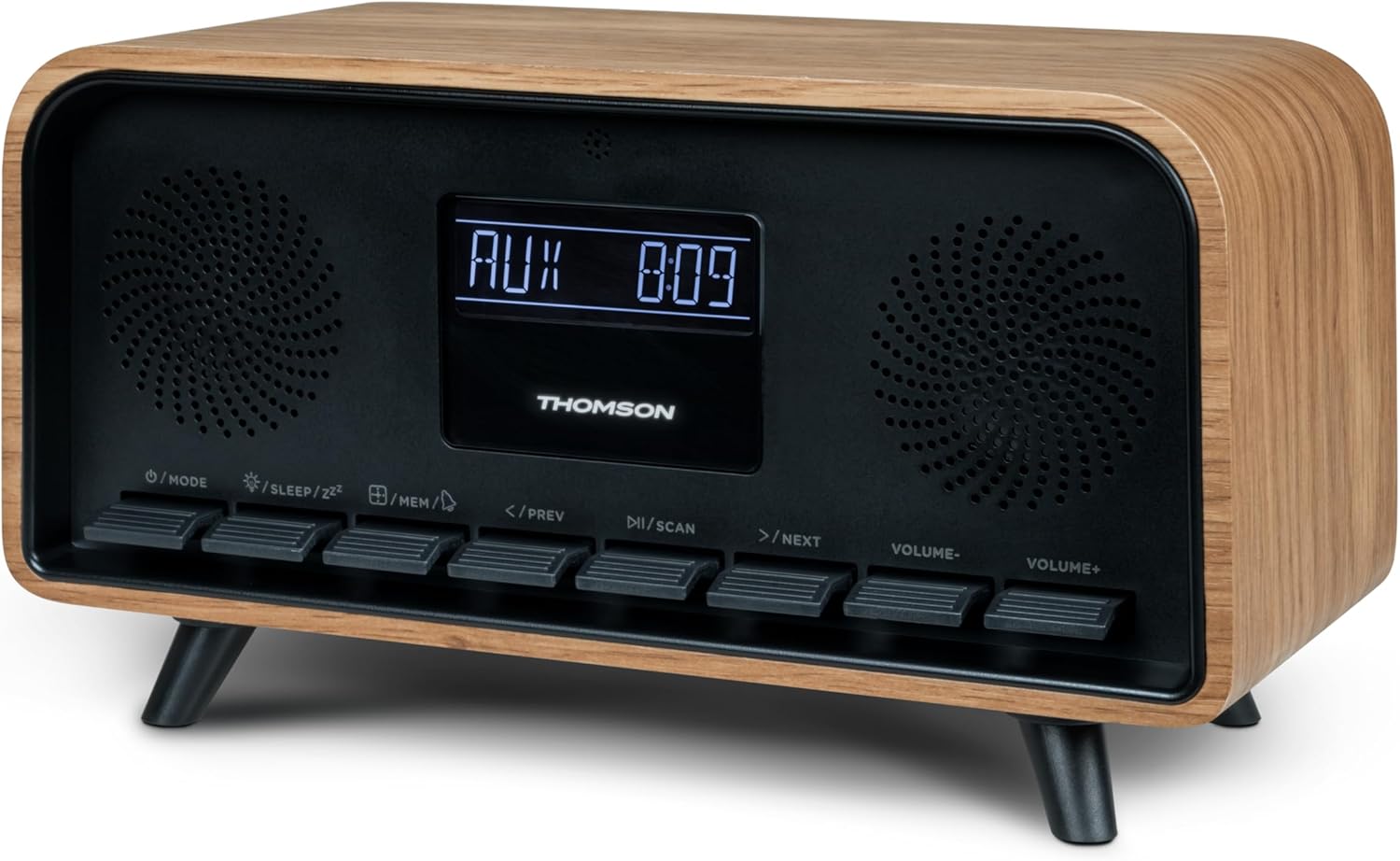
Выява: спераду view of the Thomson RT850BT unit, showing the LCD display, speakers, and control buttons.
- ВК-дысплей: Shows time, mode, and other information.
- /MODE Button: Power On/Off, switch between modes (Bluetooth, FM, AUX).
- /SLEEP/ZZ Кнопка: Set sleep timer, activate snooze.
- /MEM Button: Set alarm, save/recall radio stations.
- </PREV Button: Previous track (Bluetooth), tune down (FM).
- /SCAN Button: Play/Pause (Bluetooth), auto scan (FM).
- >/NEXT Button: Next track (Bluetooth), tune up (FM).
- VOLUME- Button: Паменшыць гучнасць.
- VOLUME+ Button: Павялічыць гучнасць.
4.2 Задняя панэль

Выява: Задняя частка view of the Thomson RT850BT, highlighting the power supply, Line In (AUX-IN), and USB-C charge output ports.
- Power Supply (DC IN 5V): Падключыце прадастаўлены адаптар сілкавання.
- Line In (AUX-IN): 3.5-мм аўдыёўваход для падлучэння знешніх прылад.
- Charge Output (USB-C): USB Type-C port for charging external devices.
5. Настройка
5.1 Падключэнне харчавання
- Connect the power adapter to the DC IN 5V port on the rear of the RT850BT.
- Падключыце адаптар сілкавання да стандартнай насценнай разеткі.
- Прылада ўключыцца аўтаматычна або пяройдзе ў рэжым чакання.
5.2 Initial Power On and Clock Setting
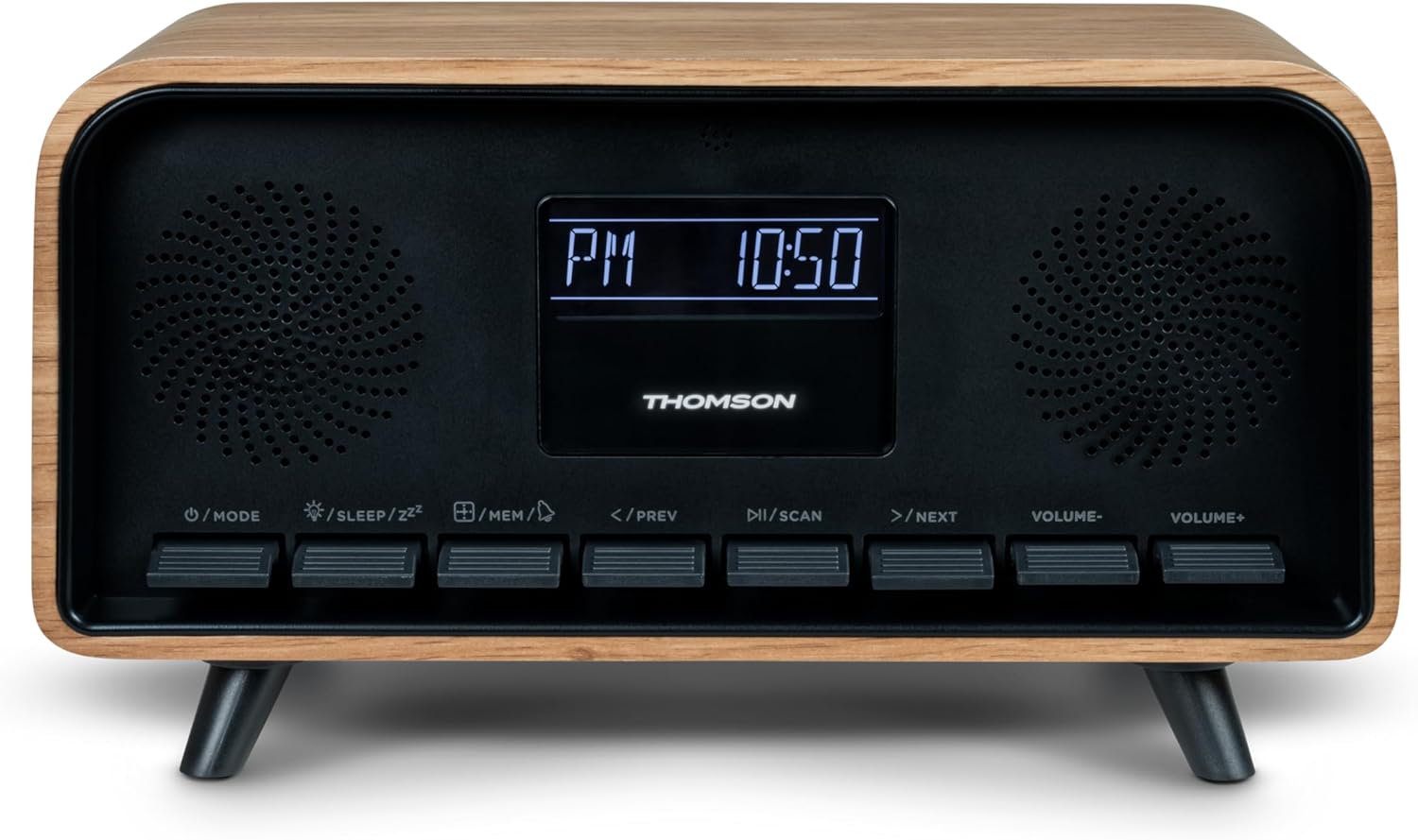
Image: Close-up of the RT850BT's LCD display showing the time, 10:50 PM, and the 'PM' indicator.
- If the unit is in standby, press the /РЭЖЫМ кнопку, каб уключыць яго.
- Каб наладзіць гадзіннік, націсніце і ўтрымлівайце /МЕМ кнопку, пакуль не пачне міргаць дысплей часу.
- Выкарыстоўвайце </PREV і >/NEXT кнопкі для налады гадзіны. Націсніце /МЕМ каб пацвердзіць.
- Выкарыстоўвайце </PREV і >/NEXT кнопкі для налады хвілін. Націсніце /МЕМ каб пацвердзіць.
- Цяпер усталяваны гадзіннік.
6. Інструкцыя па эксплуатацыі
6.1 Рэжым Bluetooth

Image: Close-up of the RT850BT's LCD display indicating 'bt' for Bluetooth mode, along with the current time.
- Націсніце /РЭЖЫМ button repeatedly until 'bt' appears on the display. The unit is now in Bluetooth pairing mode.
- На мабільнай прыладзе ўключыце Bluetooth і знайдзіце даступныя прылады.
- Select 'RT850BT' from the list to pair. A confirmation tone will sound upon successful connection.
- You can now play audio from your device through the RT850BT.
- Выкарыстоўвайце /СКАН button to Play/Pause, and </PREV / >/NEXT кнопкі для пропуску трэкаў.
- Адрэгулюйце гучнасць з дапамогай АБ'ЮМ- і ГУЧНАСЦЬ+ кнопкі.
6.2 Рэжым FM-радыё
- Націсніце /РЭЖЫМ button repeatedly until the FM frequency appears on the display.
- Аўтаматычнае сканаванне: Націсніце і ўтрымлівайце /СКАН button to automatically scan and save available FM stations (up to 50 stations).
- Ручная настройка: Каротка націсніце </PREV or >/NEXT to fine-tune the frequency. Press and hold to scan for the next available station.
- Recall Saved Stations: Каротка націсніце /МЕМ кнопка для пераключэння паміж захаванымі станцыямі.
6.3 Функцыя будзільніка
The RT850BT supports setting multiple alarms.
- У рэжыме чакання націсніце і ўтрымлівайце /МЕМ button until 'AL1' or 'AL2' flashes.
- Выкарыстоўвайце </PREV і >/NEXT to set the alarm hour, then press /МЕМ каб пацвердзіць.
- Паўтарайце на працягу некалькіх хвілін.
- Select the alarm source (Buzzer or FM Radio) using </PREV і >/NEXT, затым націсніце /МЕМ.
- Каб уключыць/выключыць будзільнік, коратка націсніце кнопку /МЕМ button in standby mode to cycle through alarm settings (AL1 ON/OFF, AL2 ON/OFF).
- Калі прагучыць будзільнік, націсніце /SLEEP/ZZ for snooze (alarm will sound again after 9 minutes) or press /РЭЖЫМ каб выключыць будзільнік на ўвесь дзень.
6.4 Рэжым AUX-IN
- Connect an external audio device (e.g., MP3 player, smartphone) to the 'Line In' (AUX-IN) port on the rear panel using a 3.5mm audio cable (not included).
- Націсніце /РЭЖЫМ button repeatedly until 'AUX' appears on the display.
- Audio from the connected device will now play through the RT850BT. Control playback from your external device.
6.5 Функцыя рэгулявання яркасці
The display brightness can be adjusted to three intensity levels.
- In any mode, briefly press the /SLEEP/ZZ button to cycle through the brightness levels.
6.6 Функцыя сну
Set a timer for the unit to automatically turn off.
- Пакуль прылада ўключана, націсніце кнопку /SLEEP/ZZ button repeatedly to select the desired sleep timer duration (e.g., 15, 30, 60, 90 minutes, OFF).
- The unit will automatically power off after the selected time.
6.7 Порт для зарадкі USB-C
The USB-C port on the rear panel is for charging external devices.
- Connect your compatible device's USB-C charging cable to the 'Charge output' port.
- Ensure the RT850BT is powered on or in standby mode for charging functionality.
7. Тэхнічнае абслугоўванне
To maintain the performance and appearance of your RT850BT:
- Уборка: Use a soft, dry cloth to clean the exterior. Do not use abrasive cleaners, waxes, or solvents.
- захоўванне: Калі прылада захоўваецца працяглы час, адключыце яе ад электрычнай разеткі і захоўвайце ў прахалодным, сухім месцы.
- Вентыляцыя: Ensure the ventilation grilles are free from dust and obstructions.
8. Выпраўленне непаладак
If you encounter issues with your RT850BT, refer to the following table for common problems and solutions:
| праблема | Магчымая прычына | Рашэнне |
|---|---|---|
| Няма ўлады | Адаптар сілкавання не падключаны або няспраўная разетка. | Ensure power adapter is securely connected and the outlet is functional. |
| Няма гуку | Volume too low, incorrect mode, or device not paired (Bluetooth). | Increase volume. Check if the correct mode (BT, FM, AUX) is selected. Re-pair Bluetooth device. |
| Збой спалучэння Bluetooth | Device too far, Bluetooth not enabled on source, or RT850BT not in pairing mode. | Ensure devices are within range. Enable Bluetooth on your device. Set RT850BT to 'bt' mode. |
| Дрэнны прыём FM | Слабы сігнал. | Adjust the unit's position to improve reception. |
| Будзільнік не гучыць | Сігналізацыя не ўключана або настроена няправільна. | Verify alarm settings and ensure it is set to ON. |
9. Тэхнічныя характарыстыкі
- мадэль: RT850BT
- Версія Bluetooth: 5.3
- Радыё цюнэр: FM (87.5–108 МГц)
- Памяць станцыі: 50 ЧС-станцыі
- Аўдыё ўваход: AUX-IN (3.5 мм)
- Дысплей: LCD with 3-intensity dimmer
- Выходная магутнасць: 30W Total Music Power
- Порт для зарадкі: USB-C (for external devices)
- Крыніца харчавання: Электрычны шнур (DC 5V)
- Вага: 600 грам
10. Гарантыя і падтрымка
For warranty information and technical support, please refer to the documentation provided at the time of purchase or contact your local Thomson customer service. Keep your proof of purchase for warranty claims.