
1. Уводзіны
Thank you for choosing the MECHEN H1-Pro Bluetooth MP3 Player with WiFi. This device is designed to provide a versatile and enjoyable audio and video experience. Featuring a 4-inch touchscreen and running on Android 9.0, it supports various applications and connectivity options. This manual provides essential information for setting up, operating, and maintaining your device.
2. Змесціва ўпакоўкі
Праверце, ці ўсе пералічаныя ніжэй прадметы ўваходзяць у камплект. Калі якія-небудзь прадметы адсутнічаюць або пашкоджаныя, звярніцеся ў службу падтрымкі кліентаў.
- MECHEN H1-Pro MP3 Player
- Кабель USB
- Навушнікі
- Ахоўная плёнка
- Ахоўны футляр
- Кіраўніцтва карыстальніка

Image: The MECHEN H1-Pro MP3 Player displayed with its accessories, including a USB cable, headphones, protective film, and a clear protective case.
3. Прылада скончанаview
Familiarize yourself with the physical components and controls of your MECHEN H1-Pro MP3 Player.
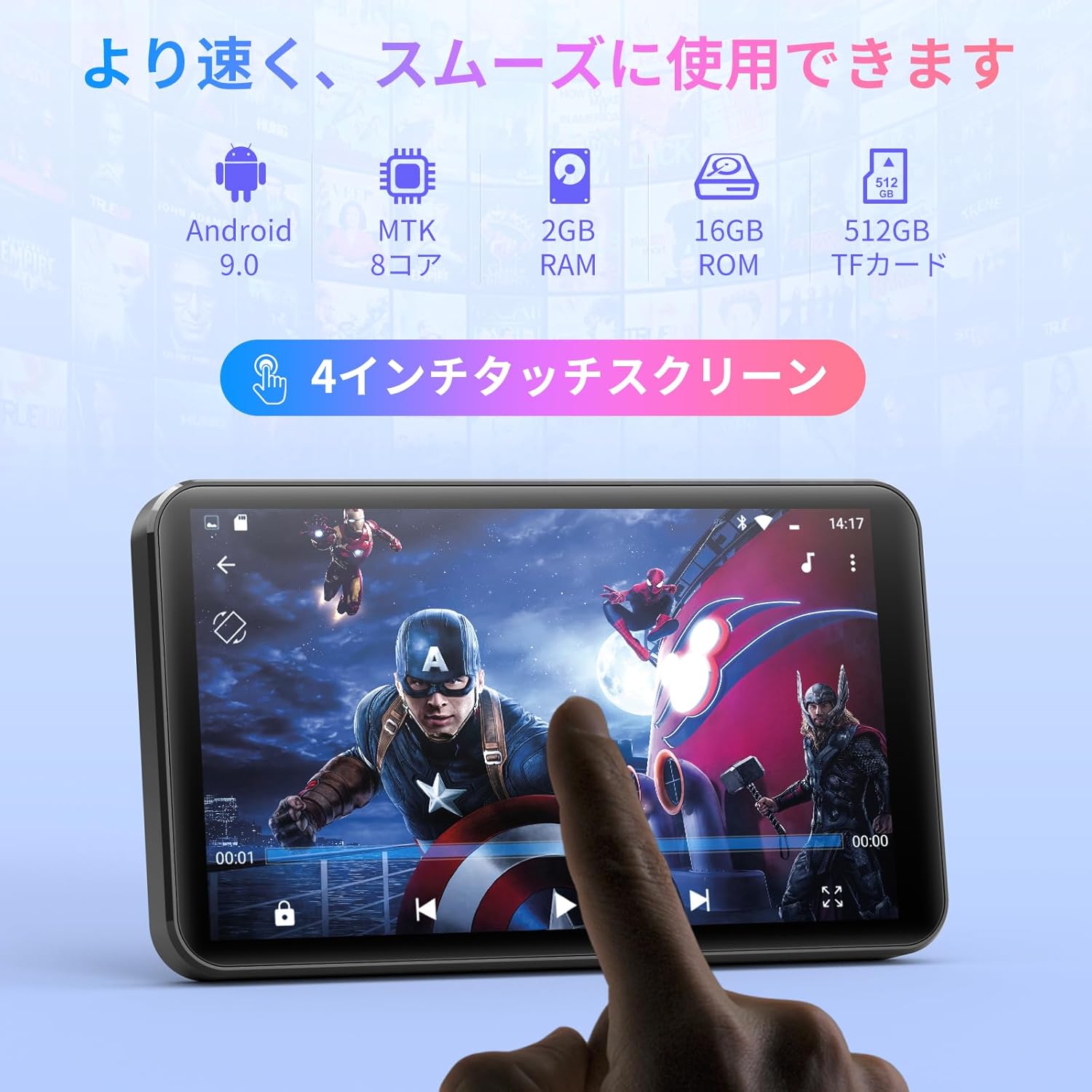
Выява: спераду view of the MECHEN H1-Pro MP3 Player, showcasing its 4-inch touchscreen display.

Выява: Збоку view of the MECHEN H1-Pro MP3 Player, highlighting the power button and volume controls.

Выява: зверху і знізу views of the MECHEN H1-Pro MP3 Player, illustrating the USB-C charging port, headphone jack, and Micro SD card slot.
4. Настройка
4.1 Першапачатковая зарадка
Before first use, fully charge the device. Connect the provided USB cable to the player's USB-C port and the other end to a USB power adapter (not included) or a computer's USB port. The charging indicator will show the charging status.
4.2 Уключэнне/выключэнне сілкавання
- Каб уключыць: Націсніце і ўтрымлівайце кнопку харчавання на бакавой панэлі прылады, пакуль не ўключыцца экран.
- Каб выключыць: Press and hold the Power button until a power-off menu appears on the screen. Select 'Power Off' to shut down the device.
4.3 Падключэнне да Wi-Fi
To access online features and download apps, connect your device to a Wi-Fi network.
- Перайсці да Налады > Сетка і Інтэрнэт > Wi-Fi.
- Уключыць/выключыць Wi-Fi On.
- Выберыце патрэбную сетку Wi-Fi са спісу.
- Увядзіце пароль, калі будзе прапанавана, і націсніце Злучыцца.

Image: The MECHEN H1-Pro MP3 Player screen showing Wi-Fi settings and available networks.
4.4 Устаўка карты Micro SD
The device supports Micro SD cards for expanded storage. Locate the Micro SD card slot on the side of the device. Gently insert the card with the gold contacts facing down until it clicks into place.
5. Інструкцыя па эксплуатацыі
5.1 Basic Navigation (Touchscreen)
The MECHEN H1-Pro features a responsive 4-inch touchscreen. Use standard touch gestures:
- Націсніце: Каб выбраць элемент або адкрыць праграму.
- Правядзіце пальцам: Для пракруткі спісаў або пераключэння паміж экранамі.
- Дробка: To zoom in or out (in supported applications).
5.2 Прайграванне музыкі
The device supports various audio formats including MP3, WAV, WMA, APE, OGG, and FLAC for high-fidelity music playback.
- Адкрыйце Музыка прымяненне.
- Browse your music library by artist, album, song, or playlist.
- Націсніце на песню, каб пачаць прайграванне.
- Use the on-screen controls for play/pause, skip tracks, and volume adjustment.

Image: The MECHEN H1-Pro MP3 Player screen showing a music playback interface with album art and controls.
5.3 Прайграванне відэа
Enjoy 720P/1080P full-format HD video playback without conversion. Supported formats include RM, RMVB, FLV, MP4, DAT, MKV, MPG, MOV, TS, etc.
- Адкрыйце Відэаплэер прымяненне.
- Выберыце відэа file from your storage.
- Tap to play. Use on-screen controls for playback options.

Image: The MECHEN H1-Pro MP3 Player screen showing a video playing in full-screen mode.
5.4 Злучэнне Bluetooth
Connect to Bluetooth headphones, speakers, or other compatible devices.
- Перайсці да Налады > Падключаныя прылады > Bluetooth.
- Пераключыць Bluetooth On.
- Пераканайцеся, што ваш аксэсуар Bluetooth знаходзіцца ў рэжыме спалучэння.
- Выберыце аксэсуар са спісу даступных прылад для спалучэння.

Image: The MECHEN H1-Pro MP3 Player shown alongside a pair of wireless headphones, indicating Bluetooth connectivity.
5.5 Wi-Fi Connectivity & App Downloads
With Android 9.0 and Wi-Fi, you can download and install various applications from the Google Play Store.
- Ensure the device is connected to Wi-Fi (see Section 4.3).
- Адкрыйце Play Store прымяненне.
- Увайдзіце ў свой уліковы запіс Google.
- Пошук and download desired applications (e.g., Spotify, Amazon Music, Audible).

Image: The MECHEN H1-Pro MP3 Player screen showing a variety of installed applications, including music streaming services and web браўзэры.
5.6 FM -радыё
Слухайце свае любімыя FM-радыёстанцыі.
- Connect wired headphones to the 3.5mm audio jack; they act as the antenna.
- Адкрыйце FM-радыё прымяненне.
- Use the on-screen controls to scan for stations or tune manually.
5.7 File Кіраванне
Выкарыстоўвайце ўбуд file менеджэр, каб арганізаваць ваш files on internal storage and the Micro SD card.
- Адкрыйце File Менеджэр прымяненне.
- Navigate through folders to view, copy, move, or delete files.
6. Тэхнічнае абслугоўванне
6.1 Ачыстка
Wipe the device with a soft, dry, lint-free cloth. Do not use liquid cleaners or abrasive materials.
6.2 Захоўванне
Захоўвайце прыладу ў прахалодным, сухім месцы, удалечыні ад прамых сонечных прамянёў і экстрэмальных тэмператур. Пры працяглым захоўванні пераканайцеся, што акумулятар часткова зараджаны (каля 50%), каб падоўжыць тэрмін яго службы.
6.3 Сыход за акумулятарам
To maximize battery life, avoid fully discharging the battery frequently. Use the original charging cable for optimal performance.
7. Выпраўленне непаладак
| праблема | Магчымае рашэнне |
|---|---|
| Прылада не ўключаецца. | Ensure the battery is charged. Connect to a charger for at least 30 minutes. If unresponsive, perform a hard reset by holding the power button for 10-15 seconds. |
| Немагчыма падключыцца да Wi-Fi. | Check if Wi-Fi is enabled. Verify the Wi-Fi password. Restart your router and the MP3 player. |
| Прылада Bluetooth не спалучаецца. | Ensure Bluetooth is enabled on both devices and the accessory is in pairing mode. Move devices closer together. |
| Праграмы працуюць павольна або выходзяць з ладу. | Close unnecessary background apps. Clear app cache (Settings > Apps > [App Name] > Storage > Clear Cache). Restart the device. Too many apps can lead to slowdowns. |
| Няма гуку з навушнікаў. | Праверце падключэнне навушнікаў. Пераканайцеся, што гучнасць не адключана або занадта нізкая. Праверце з іншымі навушнікамі. |
8. Тэхнічныя характарыстыкі
| Асаблівасць | Дэталь |
|---|---|
| Марка | МЕЧЭН |
| Назва мадэлі | H1-Pro (EU-H11) |
| Аперацыйная сістэма | Android 9.0 |
| Працэсар | MTK 8-core |
| АЗП | 2 ГБ |
| Унутраная памяць | 16 ГБ |
| Сховішча з магчымасцю пашырэння | Micro SD (да 512 ГБ) |
| Памер экрана | 4 цаляў |
| Тэхналогія экрана | ВК |
| Сувязь | Bluetooth, USB, Wi-Fi |
| Асаблівасці | FM Radio, Equalizer, Video Playback |
| Падтрымліваюцца аўдыяфарматы | MP3, WAV, WMA, APE, OGG, FLAC |
| Падтрымліваюцца фарматы відэа | RM, RMVB, FLV, MP4, DAT, MKV, MPG, MOV, TS і г.д. |
| Ёмістасць батарэі | 2000 мАг |
| Тэрмін службы батарэі (музыка) | Да 50 гадзін |
| Battery Life (Video) | Да 8 гадзін |
| Памеры (Д x Ш x В) | 10.5 х 6.2 х 1.2 см (4.14 х 2.44 х 0.46 цалі) |
| Вага прадмета | 97.5 грам (3.45 унцыі) |

Image: The MECHEN H1-Pro MP3 Player shown with its physical dimensions and weight specifications.
9. Гарантыя і падтрымка
For warranty information and technical support, please refer to the warranty card included in your package or visit the official MECHEN webсайт. Захоўвайце чэк аб куплі як пацвярджэнне пакупкі для гарантыйных прэтэнзій.