
Уводзіны
Рampage Crack H11 is a versatile wireless gaming headset designed for an immersive audio experience across multiple platforms. It features dual connectivity options (2.4GHz wireless and Bluetooth 5.2), 7.1 virtual surround sound, a detachable microphone, and a lightweight design for extended comfort during long gaming sessions. This manual provides essential information for setting up, operating, maintaining, and troubleshooting your headset.
Змест пакета
Перад пачаткам пераканайцеся, што ў камплекце ёсць усе неабходныя рэчы:
- Rampage Crack H11 Wireless Gaming Headset
- Бесправадны прыёмнік USB 2.4 ГГц
- Здымны мікрафон
- Type-C Charging Cable (1.8 meters, braided)
- User Manual / Warranty Certificate
Настройка
1. Зарадка гарнітуры
Before first use, fully charge the headset. Connect the supplied Type-C charging cable to the headset's charging port and the other end to a USB power source (e.g., computer USB port, USB wall adapter). The charging time is approximately 2.5 hours for a full charge.
2. Падключэнне праз бесправадную сувязь 2.4 ГГц (USB-прыёмнік)
- Insert the USB 2.4GHz wireless receiver into an available USB port on your PC, PlayStation 4, or PlayStation 5.
- Уключыце гарнітуру, націснуўшы і ўтрымліваючы кнопку харчавання.
- The headset should automatically connect to the receiver. If there is no sound or the microphone is not working, double-press the power button rapidly to switch between 2.4GHz and Bluetooth modes until the correct mode is selected.
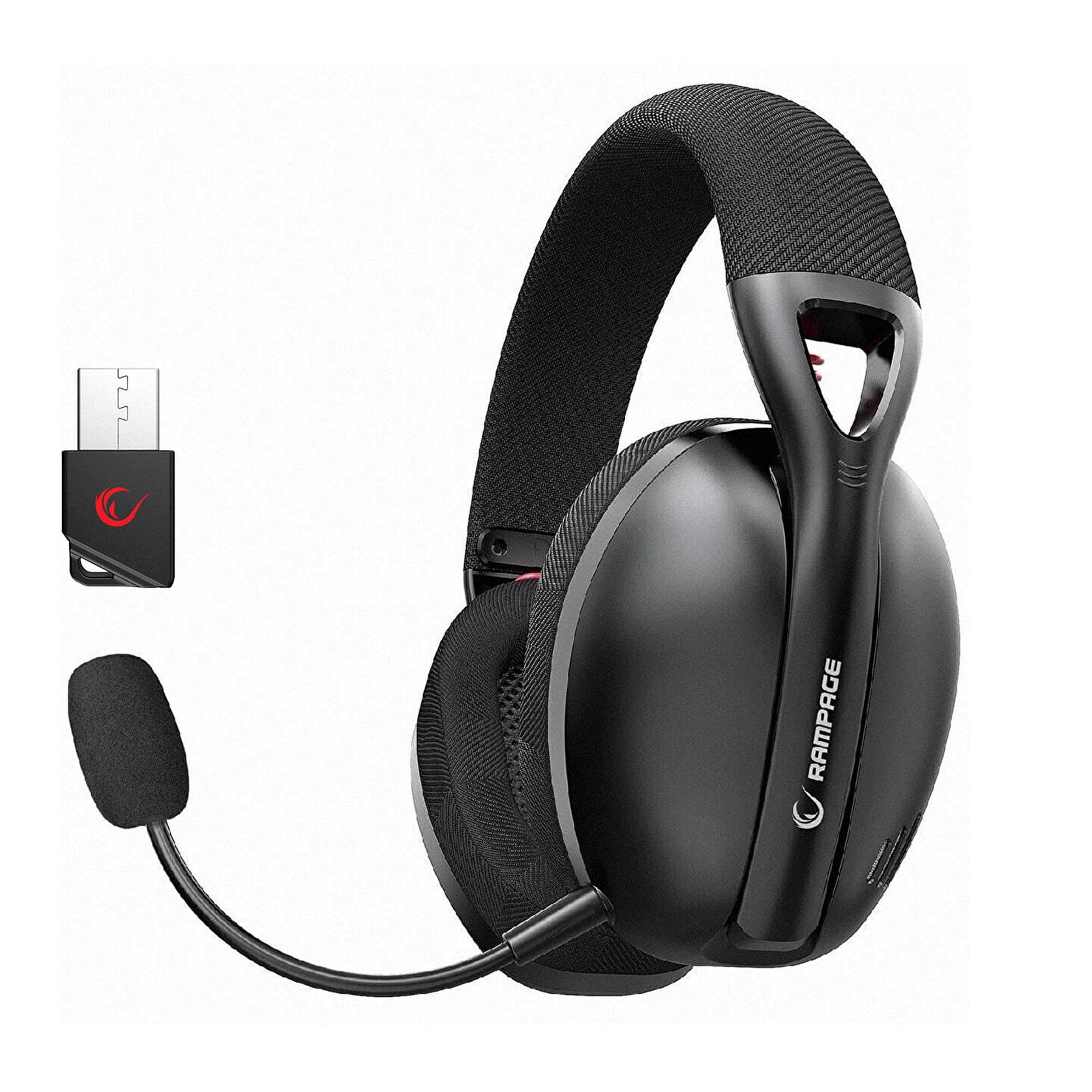
Image: Rampage Crack H11 headset highlighting 2.4GHz wireless and Bluetooth connectivity. It also shows the instruction to double-press the power button if sound or microphone issues arise when connected via USB.
3. Connecting via Bluetooth 5.2
- Уключыце гарнітуру.
- If the headset is not in Bluetooth mode, double-press the power button to switch to Bluetooth mode. The indicator light will typically flash to indicate pairing mode.
- On your smartphone or other Bluetooth-enabled device, go to Bluetooth settings and search for available devices.
- Select "Rampage Crack H11" from the list to pair.
4. Падключэнне мікрафона
The microphone is detachable. Insert the microphone into the designated port on the left earcup. Adjust its position for optimal voice pickup. The flexible design allows you to find the most suitable position.

Image: The Rampage Crack H11 headset featuring its detachable and adjustable microphone, emphasizing user flexibility.
Інструкцыя па эксплуатацыі
Уключэнне/выключэнне харчавання
Націсніце і ўтрымлівайце кнопку харчавання на працягу некалькіх секунд, каб уключыць або выключыць гарнітуру.
Пераключэнне рэжымаў
To switch between 2.4GHz wireless mode and Bluetooth mode, double-press the power button rapidly. An audible cue or indicator light change will confirm the mode switch.
Рэгулятар гучнасці
Use the volume control wheel or buttons located on the earcup to adjust the audio output level.
Выключэнне мікрафона
Locate the microphone mute button on the headset to quickly mute or unmute your microphone.
7.1 Віртуальны аб'ёмны гук
The headset features 7.1 virtual surround sound for an immersive gaming experience. This technology enhances directional audio, allowing you to perceive in-game sounds more accurately and gain a competitive edge.

Image: The Rampage Crack H11 headset showcasing its Virtual 7.1 Surround 360° Sound System, designed for an immersive audio experience.
Тэхнічнае абслугоўванне
Уборка
- Працярыце гарнітуру мяккай сухой тканінай.
- Не выкарыстоўвайце агрэсіўныя хімічныя рэчывы, ачышчальныя растваральнікі або моцныя мыйныя сродкі.
- Ensure the headset is dry before storing or charging.
Захоўванне
Захоўвайце гарнітуру ў прахалодным, сухім месцы, удалечыні ад прамых сонечных прамянёў і экстрэмальных тэмператур. Не кладзіце на гарнітуру цяжкія прадметы.
Сыход за батарэяй
- Пазбягайце частай поўнай разрадкі акумулятара.
- Рэгулярна зараджайце гарнітуру, нават калі яна не выкарыстоўваецца, каб падтрымліваць яе працаздольнасць.
- Не падвяргайце акумулятар уздзеянню высокіх тэмператур.

Image: The Rampage Crack H11 headset's fabric ear pads, designed for high comfort and effective sound isolation during extended use.
Ліквідацыю непаладак
No Sound or Microphone Not Working (2.4GHz Wireless)
- Ensure the USB receiver is properly inserted into the device.
- Double-press the power button on the headset rapidly to cycle through modes. Ensure the headset is in 2.4GHz wireless mode.
- Check your device's audio settings to ensure the headset is selected as the default input/output device.
Праблемы з падключэннем Bluetooth
- Ensure the headset is in Bluetooth pairing mode (indicator light flashing).
- Пераканайцеся, што Bluetooth уключаны на вашай прыладзе.
- Try unpairing and re-pairing the headset from your device's Bluetooth settings.
- Ensure the headset is within the effective range of your Bluetooth device.
Sound Quality Issues (e.g., Muffled Sound)
- Check the audio source and ensure the volume is not too high, causing distortion.
- Ensure the earcups are properly seated on your ears for optimal sound delivery.
- Test the headset with a different audio source or device to rule out source-related issues.
Перыядычныя адключэнні
- Ensure there are no obstructions or strong interference sources (e.g., Wi-Fi routers, other wireless devices) between the headset and the connected device.
- Keep the headset within the recommended operating range.
- Ensure the headset is fully charged. Low battery can sometimes affect connection stability.
Тэхнічныя характарыстыкі
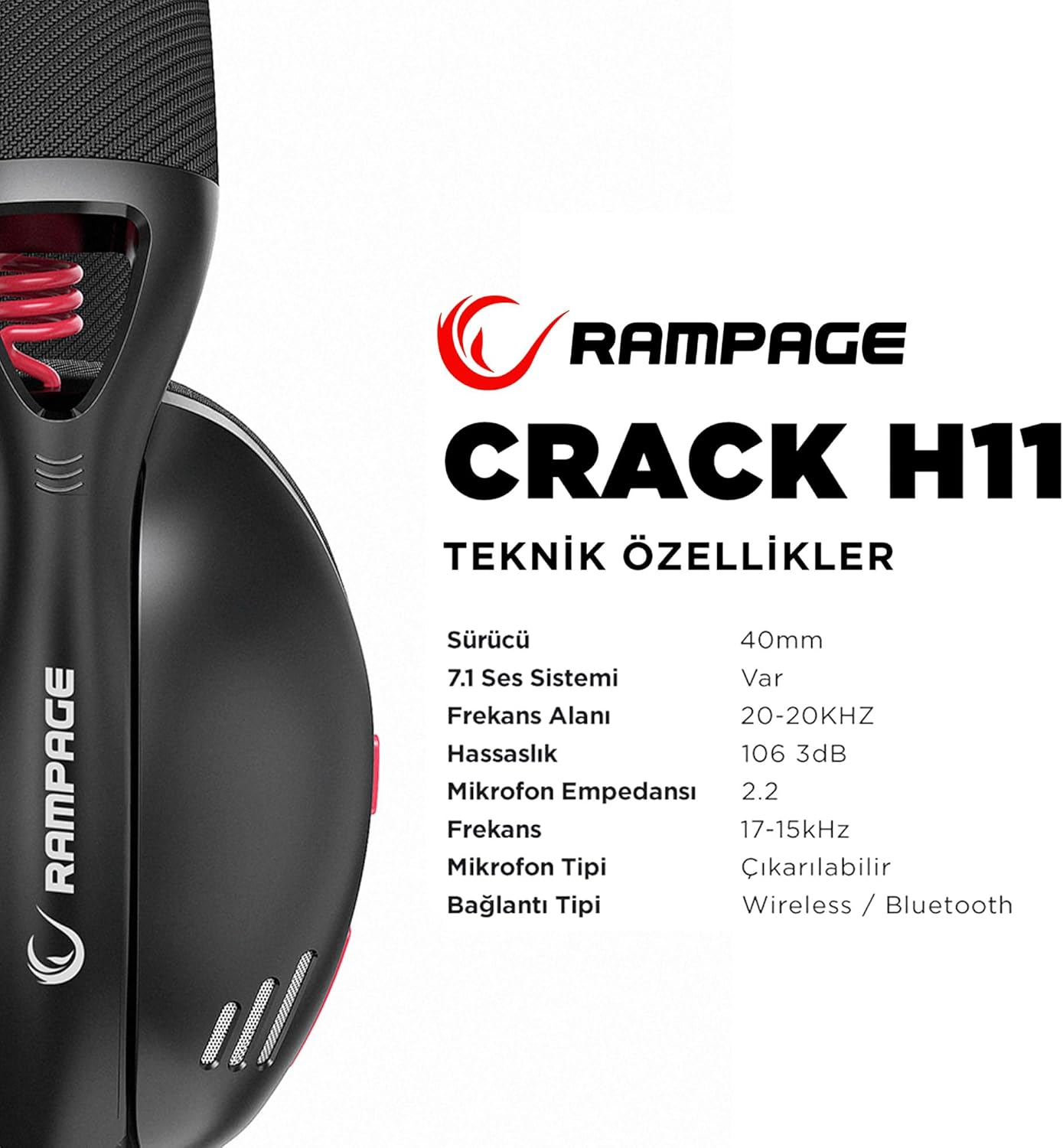
Image: Technical specifications for the Rampage Crack H11 headset, detailing audio and connectivity features.
| Асаблівасць | Спецыфікацыя |
|---|---|
| Марка | Rampўзрост |
| мадэль | Crack H11 |
| Колер | Чорны |
| Сувязь | Бесправадная сувязь 2.4 ГГц, Bluetooth 5.2 |
| Памер драйвера | 40 мм |
| Гукавая сістэма 7.1 | Yes (Virtual Surround) |
| Імпеданс | 17±15% Ohm |
| Адчувальнасць | 106±3 дБ |
| АЧХ | 20 Гц - 20 кГц |
| Адчувальнасць мікрафона | -42 + 2dB |
| Напрамак мікрафона | Накіраваная |
| Супраціў мікрафона | 2.2k OHM |
| Ёмістасць батарэі | 400 мАг 3.7 В |
| Порт для зарадкі | Тып-C |
| Час зарадкі | 2.5 гадзіны |
| Вага | 177 грам |
| Сумяшчальнасць | PC, PS4, PS5, Smart Phones |

Выява: Оверview of the Rampage Crack H11 headset's main features, including immersive 7.1 sound, high-quality 40mm drivers, flexible dual connectivity, and efficient charging.
Гарантыя і падтрымка
Інфармацыя аб гарантыі
Рampage Crack H11 headset comes with a Гарантыя 24 месяцаў з даты пакупкі. Калі ласка, захавайце пацвярджэнне пакупкі для прэтэнзій па гарантыі. Гарантыя распаўсюджваецца на вытворчыя дэфекты і няспраўнасці пры нармальным выкарыстанні. Яна не распаўсюджваецца на пашкоджанні, выкліканыя няправільным выкарыстаннем, аварыямі, несанкцыянаванымі мадыфікацыямі або звычайным зносам.
Падтрымка кліентаў
For technical assistance, troubleshooting, or warranty inquiries, please contact Rampage customer support through their official website or the retailer where the product was purchased. Please have your product model number (Crack H11) and proof of purchase ready when contacting support.